Hello Everyone,
I was going to write an email to Avalon Company but they don't accept emails due to spam anymore so I hope you can help me...
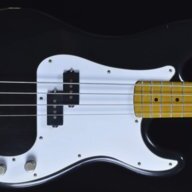
I want to connect my bass to Avalon U5's input.
And then from Avalon U5's Balanced Output MicLevel 150 Ohm to my M-Audio 48V Mic Input and then through my M-Audio SoundCard's Headphone Input, I could to be able to listen to my bass with the tracks in my computer with a headphones...
Is it possible?
If not, which Bass Amp do you guys recommend me which has a DI output so I could connect my bass to it and then from that to my SoundCard's 48V. Mic Input and then I could be able to listen to my bass with the headphones through my Soundcard's headphone input?
Best Regards
I was going to write an email to Avalon Company but they don't accept emails due to spam anymore so I hope you can help me...
I want to connect my bass to Avalon U5's input.
And then from Avalon U5's Balanced Output MicLevel 150 Ohm to my M-Audio 48V Mic Input and then through my M-Audio SoundCard's Headphone Input, I could to be able to listen to my bass with the tracks in my computer with a headphones...
Is it possible?
If not, which Bass Amp do you guys recommend me which has a DI output so I could connect my bass to it and then from that to my SoundCard's 48V. Mic Input and then I could be able to listen to my bass with the headphones through my Soundcard's headphone input?
Best Regards




 )
)