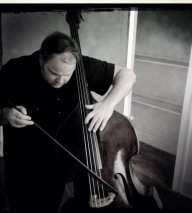
I seem to have issues when playing live with most pickups keeping the E string from covering everything else up, it just always comes through with so much more power. I'm using a full circle so changing placement on the pickup is not really a choice. I use a bass compressor in an attempt to even things out but it doesn't help much.
I really appreciate any advice. Thanks
If the bass sounds good acoustically but not through the pickup, perhaps this pickup is not a good choice. I would check the bridge setup to make sure the feet are making good contact with the bass.
A compressor may help with this sort of problem or make it worse. More often than not, it's probably not the right tool for upright as it adds sustain and changes the instruments impulse response.
Input impedance is an important factor with unbuffered piezos. If the impedance is too low, it forms a high pass filter with internal capacitance of the pickup. If you are getting too much lows, I would not suspect this as a problem. The minimum input impedance for a piezo is about 1meg, and ideal input impedance is typically somewhere between 1meg and 10meg...often between 2-4meg.
I suggest you consider two EQ strategies. The first strategy is simply to adjust for good tone. The second strategy is used to correct problems (utility EQ).
When adjusting for good tone you typically use gentle, wideband corrections. This is typically done with controls on your amp. But the frequency centers and bandwidth of tone controls varies significantly from one amp to the next. So one amp may work fairly well with upright, while another does not.
Utility EQ is used to compensate for resonances that build up as you increase gain/volume. Also utility EQ is used to offset resonances in the acoustic environment. For example a room may ring at a certain frequency, so you a good strategy is to put a dip at the frequency.
Think of the bass, pickup, amp, and speaker as an amalgamation of components that results in a new instrument: amplified upright bass. The response of this new instrument is not flat or true to the acoustic upright. As you turn up the gain, a feedback loop forms between the instrument and the cab through the air. As you increase gain it tends to emphasize peaks in the frequency response and cause the sound to get less and less true/authentic. Eventually as you turn up, you will get feedback where one or more frequencies will start to ring. You can also experience a wider range were the notes seem to jump out and the acoustic energy from the amp seems to pump the strings so they ring too long, or maybe even ring continously.
A strategy you can use is to identify the peaks and try to dial in a cut that is a mirror image in both intensity and bandwidth. As you turn up the amp, the required amount of cut necessary to compensate tends to increase.
For the feedback spikes you can dial in a very deep, but narrow cut centered on the problem frequency. Usually, you can apply somewhere between 4 to 6 of these narrow cuts (notch filters) before the sound starts degrading significantly. If you apply more cuts it tends to make the sound a bit lifeless. Because of this it is important to identify the most problematic frequencies and cut them first.
For broadband resonances, the cuts have to be more gentle. Applying only one deep, wideband cut can significantly degrade the sound. The idea is to apply just enough of cut to restore the natural tone and transient response. Of course, this is not a perfect process.
A utility EQ needs to be more powerful and flexible. Either a fully parametric EQ or a 31-band graphic EQ is ideal. With fully parametric EQ you can adjust the frequency center, bandwidth, and how much cut or boost is applied. To find the problem frequencies turn up the gain until the system is on the verge of feedback. If any frequencies break over into feeback, try to remember them so you can cut them first. To find additional frequencies turn the overall gain down slightly. Next adjust one band of the parametric EQ for medium to narrow bandwidth and boost it by about 6dB. Sweep the band across the frequency range it covers and note any frequencies that start to feedback. Correct the worst frequency. To do this turn the frequency control until the feedback starts. Next narrow the bandwidth while adjusting the center frequency so that you can home in and the specific problem. Adjust for a narrow notch and apply 6-12dB of cut.
With a 31 band EQ the process is a bit different. Turn the gain up and identify any problematic frequencies. Then turn the overall gain down slightly. Next boost the two lowest frequency bands and see what happens. Return the bands to 0dB and move up one band. Boost these two bands and note what happens. After checking three adjacent bands make a decision if it's a good idea to apply a cut, and then move up one band. When possible, dip only the band that is closest to the dominant problem. Occasionally the problem will be essentially midway between two bands, so you will need to cut both. But as I suggested earlier, with a wider cut, you may need to cut less. Use your ears.
Of course you probably don't have either a fully parametric EQ or a 31-band graphic. With a semi-parametric EQ you can't do deep narrow cuts, but it can still be useful to center on the most problematic frequencies and apply a gentle cut.
A single band on a 31-band EQ effects approximately 1/3 octave. With a 7 or 10 band graphic, the bandwidth is way wider and the frequency centers are fixed. For comparison the bandwidth for a 15-band graphic is about 2/3rds of an octave, and the bandwidth gets progressively wider as the number of bands decrease. So a graphic pedal may not allow you to find a band that is centered where it needs to be, and you can only apply a gentle cut because the bandwidth is so wide. Given the choice between semi-parametric and 7-10 band graphic, the semi-parametric is generally more useful.
With your specific problem, I suspect a variable HPF would be fairly useful as well.