• TalkBass has been independent since 1998. Add your voice.
    Create a free account to reply to discussions, view embedded media, and browse with fewer display ads.
    Join freeLog in
    Want zero display ads or expanded classifieds tools? Compare plans.

I'm an idiot - can you help me connect my sub/monitors?

Jan 14, 2020
1,298
1,871
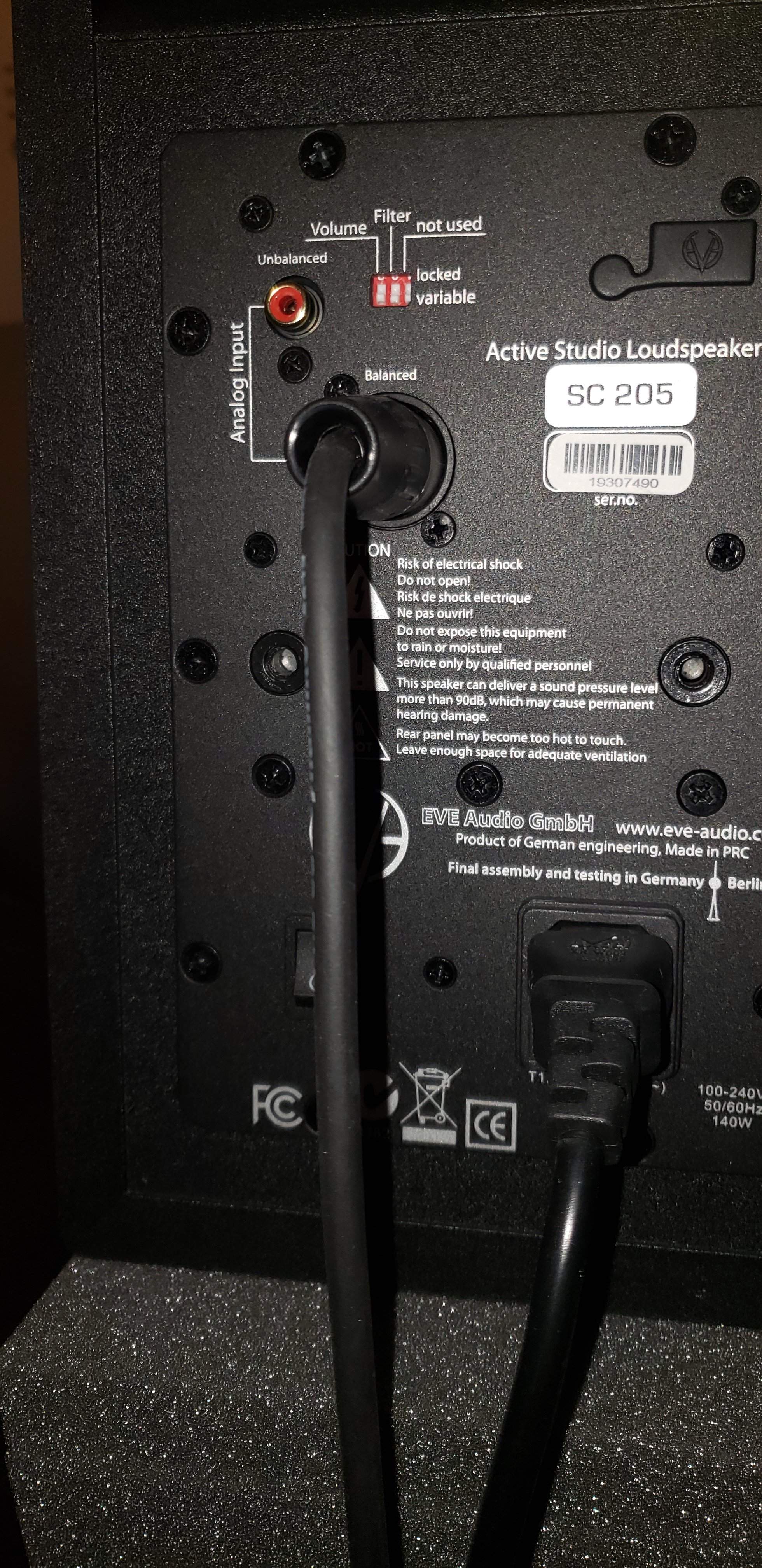
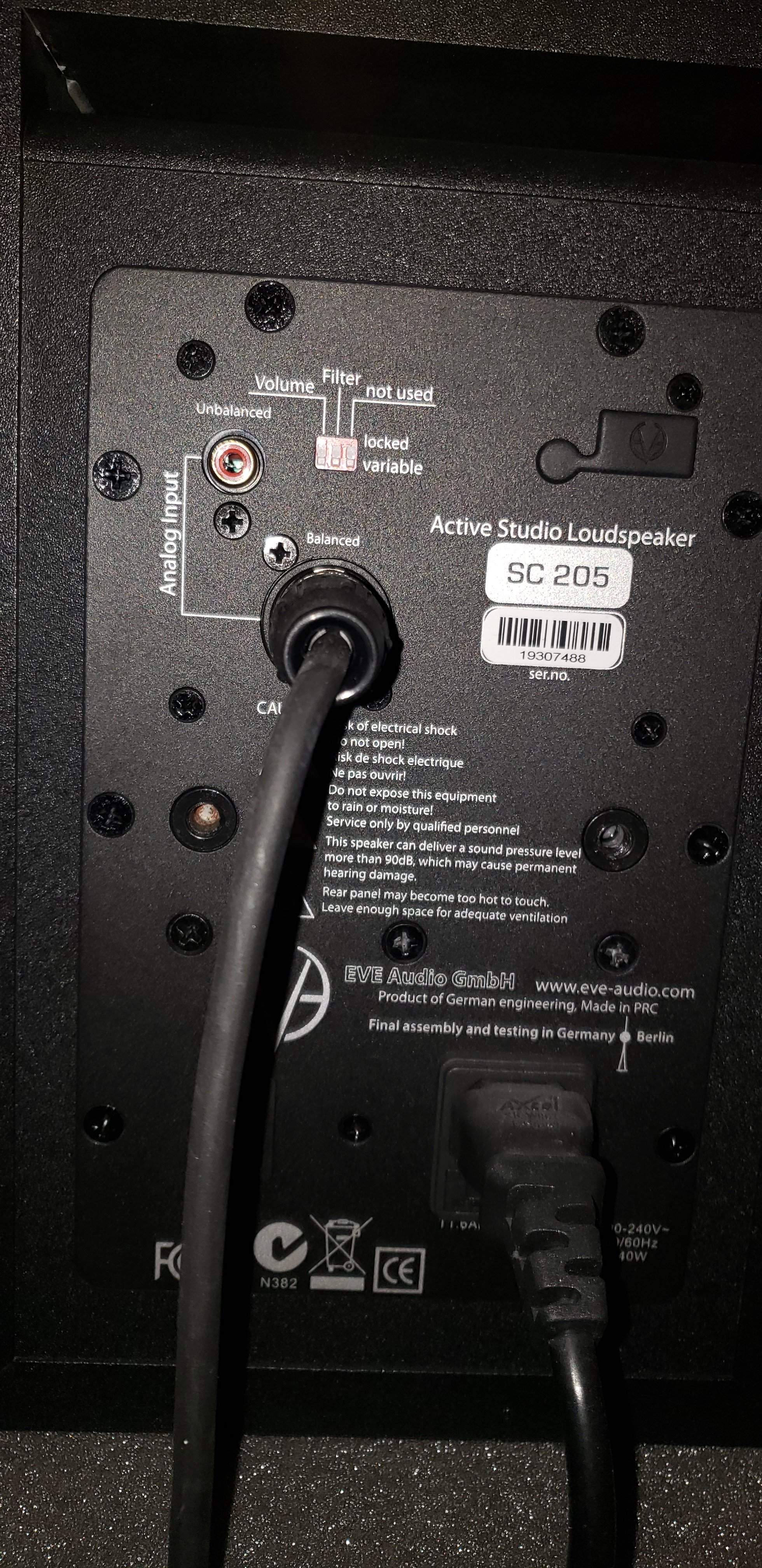
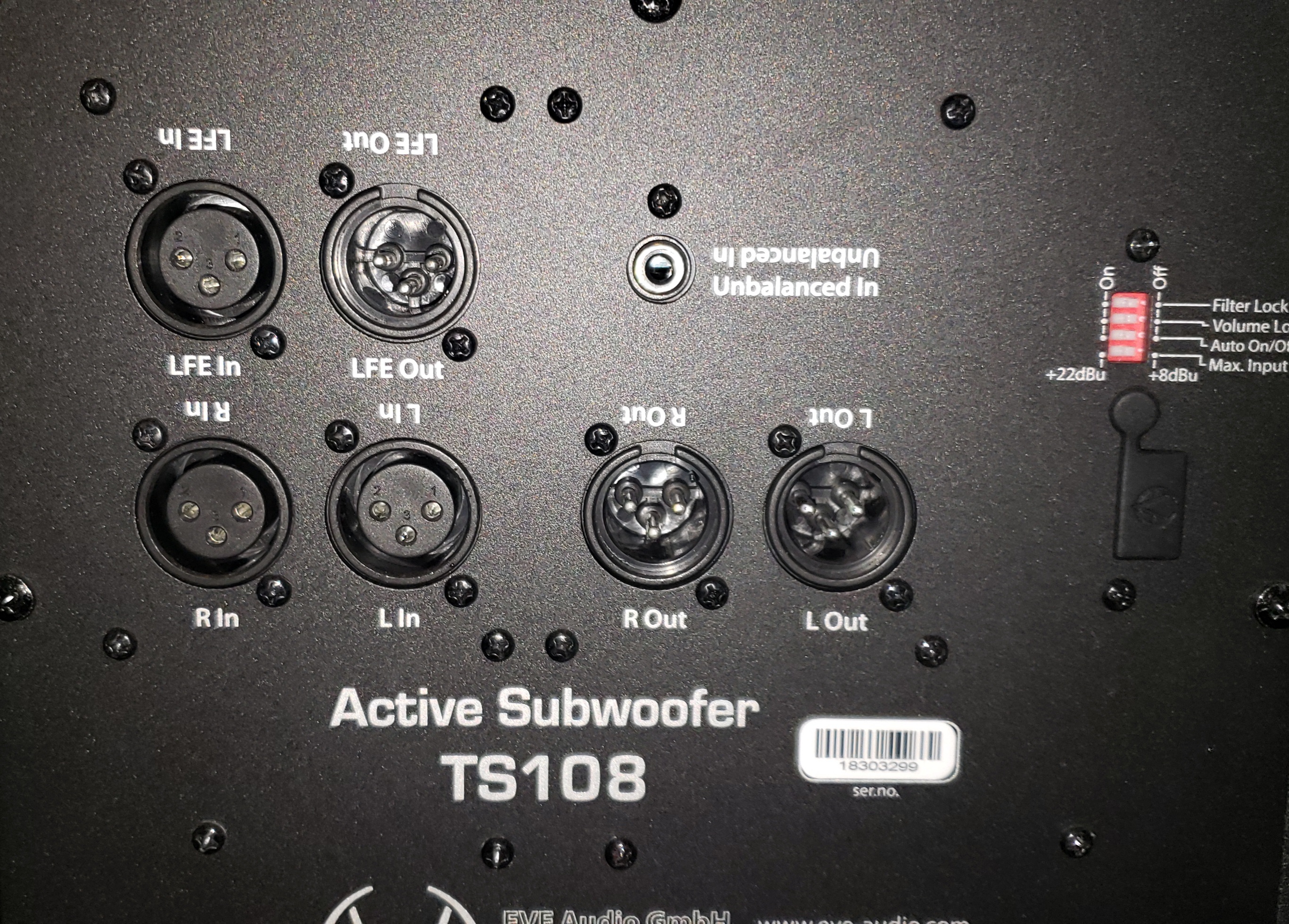
I invested in some nice Eve monitors and a sub for my studio. I have been using the monitors and am finally getting around to hooking up the sub but am confused. The manual says to go from the sub to the satellites, but they have no inputs. The only thing I can figure is the opposite but I didn't want to screw anything up. I emailed their tech service (overseas) and got nothing back. Can I just go from the monitors into the sub and out to my interface? Here are some pictures - thanks!.
20200916_093216.jpg
20200916_092525.jpg
20200916_092455.jpg
Screenshot_20200916-093537_Drive.jpg
 
You would go from your interface to the R In and L In on the sub. Then the R Out of the sub to the right speaker and L Out of the sub to the left speaker.

Basically, the sub goes between your interface and your speakers.
As a follow up, do you know if that would be a 1/4 balanced trs to xlr (to go from the interface)? My interface only has 1/4 outs.
 
As a follow up, do you know if that would be a 1/4 balanced trs to xlr (to go from the interface)? My interface only has 1/4 outs.
Yes. Move the cables you have going to the monitors to the R In and L In of the sub. Then use an XLR-to-XLR cable from the sub to each monitor.

Interface R Out (1/4" TRS) to Sub R In (XLR)
Interface L Out (1/4" TRS) to Sub L In (XLR)

Sub R Out (XLR) to R monitor In (XLR)
Sub L Out (XLR) to L monitor In (XLR)
 
  • Like
Reactions: Ryno1330 and JRA
One comment on terminology. Words make a difference, especially to and from. The signal starts at the interface, then goes to the sub, and then to the monitors. It's a one way street. So nothing ever comes "from" the monitors.

In the OP all of the directional terminology was backwards (in the opposite direction of the signal path) and that probably contributed to the misunderstanding of the manual.
 
One comment on terminology. Words make a difference, especially to and from. The signal starts at the interface, then goes to the sub, and then to the monitors. It's a one way street. So nothing ever comes "from" the monitors.

In the OP all of the directional terminology was backwards (in the opposite direction of the signal path) and that probably contributed to the misunderstanding of the manual.
Very. Good. Point. And very common misunderstanding as well. Signal FLOW is everything.
 
  • Like
Reactions: DigitalMan