• TalkBass has been independent since 1998. Add your voice.
    Create a free account to reply to discussions, view embedded media, and browse with fewer display ads.
    Join freeLog in
    Want zero display ads or expanded classifieds tools? Compare plans.

Multi-Track Recording?

You've got a range of choices, but you're looking at the $500 to $1000 price range for the mixer/interface. eg. Behringer XR-12/16, Presonus 16R, Soundcraft UI16 and the like.

You'll need half-decent computer with lots of storage (external 1TB SSD is a good option) AND some recording software (DAW or similar). The current USB. 4.0 spec handles this amount of audio bandwidth just fine.

The Xr-12 and xr-16 can't do multitrack recording, only stereo mixdown to a thumb drive. I just bought one used here on talkbass for solo shows. The Xr-18 is great for this -- I helped a friend who runs sound record a band's live show to my laptop. It got all the individual tracks without a single glitch for over two hours of music, and they mixed it and made a CD of it.

Of course you're committing to using a digital mixer for your rehearsals, which has a pretty big learning curve.

The AW4416 that somebody mentioned earlier is great for recording, but pretty wonky to set up as a live mixer in my opinion. They're quite cheap used, which hurts cause mine cost me near $3000 back in the early 2000's. The audio quality isn't nearly as good as my Focusrite Scarlett that cost me $75.
 
Another vote for Behringer Xr18, X18 or X32. I run it into Presonus studio one which was 99 dollars for a one time artist license. It's what I use for live and studio sounds, and yes multitrack practices is absolutely worth it even with the bleed over into other mics.

You should just bit the bullet and replace whatever you have with an x32. Also, everyone having control over their mix from the phone is a game changer as well.
 
Last edited:
I apologize in advance--this topic is probably out there somewhere--but I wasn't finding what I was looking for in a quick search...so...

I'm wondering if someone can recommend a device which will allow me to record live rehearsals, but be able to capture each mic/instrument as a separate channel? I'd like to play around with mixing (totally new to me)--and can see how I could put together some re-mixing of our sessions--which I could later distribute to the band members for subsequent home practice?

I have a Yamaha mg16xu mixer, but the output of that is only a stereo (2 channel) mix. So I can do that and put all the instruments on one side and all the vocals on the other (or other configurations), but I get only two outputs.

What I'd LIKE, is to be able to get EACH instrument/vocal in a separate channel (to the best extent possible), recorded simultaneously, so I can remix later. Obviously each mic is a separate input, and each amp we have has a DI--so those could be separate. (I'll have to deal with mics for the drums later).

So, am I looking at thousands of dollars to be able to do this? Or can I somehow get our mixer to accept an input/output--for a separate piece of equipment--which would record each DI and Mic track by itself--as we rehearse as a group?

Thanks in advance!
An option worth considering if you’re running live sound AND want to capture, is to consider swapping your mixer for a digital mixer with multitrack support. There are several options that function as a normal mixer with all the physical sliders and all of the outputs for mains, monitor, aux, etc. AND provides USB multitrack into your DAW. This way you can run sound with a good mix and just capture into whatever DAW you want on a Mac or PC.

I have have had a Presonus 16.0.2 (about $1200 new) with physical faders in my home studio for 6+yrs and works great.

We also use an X32 (about $1600 new) for live and rehearsal (iPad controlled) into a DAW or SD Card and also works great. I see a ton of the X32s used for live sound and seems to be a good standard for most.
 
  • Like
Reactions: DJ Bebop
This the best bang for the buck imo.

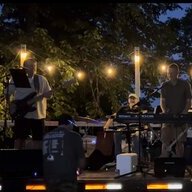
Agree. These are a really nice and affordable option for home recording. There’s a 12, 16, and 24 track version. And they’re priced equally at about $50 per channel. And it’s pretty impressive what Tascam gives you at that price point.

A drummer friend of mine (yeah, I consort with drummers :laugh:) recently picked up the 24-track unit to so he could set up a fully miked drum kit with a few channels left over for other instruments. He uses Reaper for his DAW but I think I’ve finally convinced him to give Mixbus 32c a try.
 
Last edited:
  • Like
Reactions: DJ Bebop and r_bnks
I tried the computer interface thing and could never get past the whole learning curve. Yeah, it's really powerful, but I found the user interface pretty difficult to learn and use. I ended up going to this:

tascam.jpg


I seem to remember it being pretty inexpensive - about 2 or 3 hundred, and was much easier to run and use. Not quite as easy as analog, but the instructions were pretty clear, and came in the box. Sound quality is excellent, and has built-in mics if you need them.
 
  • Like
Reactions: DJ Bebop
View attachment 5263272 @Alnitak, I was wondering if your username is the same as the star Zeta Orionis in the constellation of Orion that is the easternmost of the three that makes up his belt? I recognize it as the triple star system that's associated with the Horsehead Nebula.

YES! I teach Astronomy at a community college. You got it--100%! Alnitak, Alnilam, Mintaka...
 
  • Like
Reactions: hbarcat
That was the question I asked. If it had insert points on each channel he could, if not, no. The best he could do is the 4 sub mix bus outs.

That's what I've learned as well. There are limits to my current Yamaha mixer--and I'm starting to think I just want more flexibility now. So, I'm leaning towards upgrading--to get something that does both mixing and recording--all in one. I don't know how much longer I'll be able to play out--(feeling weathered, but satisfied)--but still just chomping on the bit in my mind (feeling very young and inspired) as I learn more (from TB!) about sonic spaces and how to put them together. Thanks for your input!
 
  • Like
Reactions: DJ Bebop
We’ve used the Zoom L20r for about one year as a mixer for gigs and to record rehearsals.
The Zoom L20 looks like a traditional board with physical controls and the L20r is more compact (with much fewer physical controls) and is controlled by an interface on your iPad.
Using this board allows us to all go direct to the board for rehearsals with headphone monitors with individual mixes. Individual mixes can have or not have a click track if desired.
From rehearsal recordings I then take the 14 or so individual tracks and import them into my DAW to mix and distribute to the band members. Doing this I am also able to mute any track (lead guitar or vocal for example) and send that band member a personalized mix down version for them to practice with.

I too have the Zoom Livetrak L20 and can highly recommend it. I have recorded several gigs with good results. I find it quite user friendly
 
Focusrite

Scarlett 18i20

I used the old Firewire version of this for years and it rocked. Two headphone mixes right on the front panel but you can do more using some of the outputs on the rear. 8 analog inputs (mike, DI or line) can expand to 18 channels using digital interfaces (8 channel ADAT, 2 channel SPDIF). Real meters, not just clipping indicators.

Screen Shot 2023-11-26 at 12.02.23 PM.png
 
I think you're going to find that tracking separate instruments at a rehearsal is a pain, and will take twice as long as you think it will.

If you're intent upon recording individual instruments, it is better to have somebody come in and set mics, get levels, and engineer, while you and the band take care of the rehearsing part.

It's doable, but everybody's got to have plenty of time and patience, and you've got have the ability to focus on two different, attention-dependent tasks at once.
We record practices, and live shows all the time. It's as easy as plugging in, and hitting record.
 
As others have said, you'll need an interface with enough channels for all your instruments and vocals. Unless it's a big band, 8 channels is probably enough.

You can also run an old console with direct-outs. I had one with a TRS snake that I ran for a hybrid setup. Alas, I seldom record now.
 
  • Like
Reactions: DJ Bebop
One of the groups I'm in uses a QSC TouchMix 16. Plug an external USB storage device in the back, do some minimal setup (set input gain on all channels, you need to do this anyway; and select the channels you want to record). We set it to record the input channels as separate tracks with no processing. Afterwards, plug the storage device into your computer and import the recordings into whatever DAW you're using. We use ProTools, the import process is just a bit quirky, but once you get the tracks imported you can do whatever you want to them. It can also mix down the multitrack recording and produce a stereo mix with all the processing capabilities of the mixer (we haven't tried that).

It's a pretty capable mixer, with lots of EQ options, compression, four simultaneous effects processors (plus one channel of autotune for your pitch challenged vocalist), plenty of aux channels for monitors. And I find it pretty intuitive to use. The user interface is fairly well thought out. Of course, with limited screen space you end up doing some bouncing around between screens that can get a little tedious.
 
  • Like
Reactions: DJ Bebop
That's what I've learned as well. There are limits to my current Yamaha mixer--and I'm starting to think I just want more flexibility now. So, I'm leaning towards upgrading--to get something that does both mixing and recording--all in one. I don't know how much longer I'll be able to play out--(feeling weathered, but satisfied)--but still just chomping on the bit in my mind (feeling very young and inspired) as I learn more (from TB!) about sonic spaces and how to put them together. Thanks for your input!
this-is-the-way-this-is-the-way-mandalorian.gif


I was doing the other thing for a long while.
I had an interface that was just ins and outs so I used my mixer with insert points to run into the interface. Controlling the input gains from the mixer into my desktop at the practice place. Taking a hard drive home to work the mixes up on another desktop.

Now I have a Zoom R20 that I use as I never need more than 8 in at a time. Had thought of the LiveTrak 12 and 20 but I was too cheap and I wasn't going to need all of that anymore.

Those might be better for you, two birds one stone type of thing. Still even if you don't see yourself playing out, these are easy to use and if you do play out, you're set!

:)
 
Last edited:
  • Like
Reactions: WRM and hbarcat
As others have said, you'll need an interface with enough channels for all your instruments and vocals. Unless it's a big band, 8 channels is probably enough.

You can also run an old console with direct-outs. I had one with a TRS snake that I ran for a hybrid setup. Alas, I seldom record now.
Our band multi track recording process uses 3 vocal, 2 guitar, 1 bass, and 7 drum mic channels. We at times add a stereo keyboard channel. The drum mics are snare, kick, 3 Tom’s, and 2 overheads. Just providing this information for reference as it’s important to have enough recording tracks available for current and future use.
 
Agree. These are a really nice and affordable option for home recording. There’s a 12, 16, and 24 track version. And they’re priced equally at about $50 per channel. And it’s pretty impressive what Tascam gives you at that price point.

A drummer friend of mine (yeah, I consort with drummers :laugh:) recently picked up the 24-track unit to so he could set up a fully miked drum kit with a few channels left over for other instruments. He uses Reaper for his DAW but I think I’ve finally convinced him to give Mixbus 32c a try.
Exactly. These are very well priced units for what they're offering. We used to record drums with 12 mics before we switched to outboard preamps and it sounded quite great with the Model 24s built pres.

I'm also using Mixbus occasionally, it's an awesome daw. For everyday use we're using Cubase tough. It's a great all around daw.
 
  • Like
Reactions: DJ Bebop
Our band has a Zoom R20 for this use case. It has 8 inputs with 16 tracks. Each track is saved as a separate WAV file on the SD card, so it’s easily pulled into a DAW and mixed there. The preamps are clean/transparent so they have no baked in sound that gets in the way of plugins. I think there’s something- sample rate at 44.1khz I think- that’s not as high as some would like, but it’s good enough for what we do with it. Plenty of other options out there, but generally I’ve been really pleased with how easy it is to take the recorder to band practice, record a track, then mix it all later in a DAW.
 
  • Like
Reactions: WRM and DJ Bebop