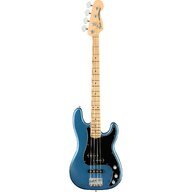
Thanks to the info from this forum and lots of YouTube videos I’m up and running after about a month or more since I started my quest to be able to record bass tracks for folks in my home.
Thanks folks.

TalkBass has been independent since 1998. Add your voice.
Create a free account to reply to discussions, view embedded media, and browse with fewer display ads.
Join free Log in
Want zero display ads or expanded classifieds tools? Compare plans.



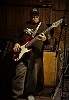
Bicycles in the studio! it's ROLLER TIME!!!
 Music studio, virtual classroom, book storage, and pain cave.
Very nice setup, made me shoot my setup. I use it for music and video work.
The Mac Mini 2018; 3.2 GHz 6-Core Intel Core i7, 64 GB 2667 MHz DDR4, 2TB internal SSD, 8TB external Thunderbolt 3 RAID-0 array (my old MacBook Pro 17" ran at about 450 read/write, this setup runs about 3400).
I always use a wireless connection for my bass. The A/B switch is for recording with GarageBand or just practicing. The Mac also has a Midi app that allows me to connect up the mic and the Sarahmonic mixer bass input as one device.
The rotating second monitor is for when I want to edit music sheets I make in Canvas Draw graphic design app (which I also use for my bass mod mockups, and all my graphic design work, like this photo), I use GarageBand for audio and Final Cut Pro for video.
The webcam and ring light are for Zoom sessions. I have 400-500 Mbps internet service from Spectrum. I transfer the music sheets I create with Canvas Draw, and the audio tracks from GarageBand to the iPad Pro for when we play together (I don't ever use paper sheets).
Plugged into the 16 port USB 3.0 hub are three printers, a scanner, the webcam and mic, two backup drives, with a bunch of spare outlets.
View attachment 4130392

Just to add the complete picture, here's a wide shot of the room with all my sub-short scale basses. The Mac Mini on the far right is dedicated to saving movies to my TV app library that I watch on my new 55" QLED via an Apple TV in the living room. (Yes, I'm a gadget freak.)
View attachment 4132556


 congrats!