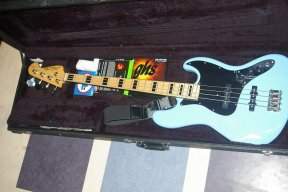
OK, it's time I start contributing some sound clips of some of my gear.
What I have.
Presonus Studiolive AR8 mixer - I can literally record onto the mixer, but don't know what the quality is like. And if I do, is there a way to post those clips straight from the mixer to my computer? In other words, what file types are they? Or would it be better just to use the mixer to get the audio to a DAW via USB?
A good computer.
A good, dry, room.
What I don't know is the easiest way to post them. Is it Soundcloud?
Is Audacity the easiest way to record? (I think I already have it.) I really don't want to let the software do the talking. I would prefer that the sound of whatever I'm recording shines through. So I won't be adding compression or anything in the software. Honestly, all I want the software to do is record "flat". (The whole point of these recordings would be for nothing other than sharing what the gear actually sounds like.)
What would also be cool is stereo. I would like to record direct in to the left and miced speaker to the right so people could pan left and right to hear both versions.
So, super simple quick and dirty recording that I can leave set up in my jam room and post a clip whenever the urge strikes. What would be cool is if the whole thing takes longer to fire up than it does to record.
I'm a recording dunce. I have always relied on the pros to handle everything other than playing bass.
Help a dummy out!
My Galaxy S20+ does pretty good video. I imagine syncing video and audio would be WAY over my head.
Thanks.
What I have.
Presonus Studiolive AR8 mixer - I can literally record onto the mixer, but don't know what the quality is like. And if I do, is there a way to post those clips straight from the mixer to my computer? In other words, what file types are they? Or would it be better just to use the mixer to get the audio to a DAW via USB?
A good computer.
A good, dry, room.
What I don't know is the easiest way to post them. Is it Soundcloud?
Is Audacity the easiest way to record? (I think I already have it.) I really don't want to let the software do the talking. I would prefer that the sound of whatever I'm recording shines through. So I won't be adding compression or anything in the software. Honestly, all I want the software to do is record "flat". (The whole point of these recordings would be for nothing other than sharing what the gear actually sounds like.)
What would also be cool is stereo. I would like to record direct in to the left and miced speaker to the right so people could pan left and right to hear both versions.
So, super simple quick and dirty recording that I can leave set up in my jam room and post a clip whenever the urge strikes. What would be cool is if the whole thing takes longer to fire up than it does to record.
I'm a recording dunce. I have always relied on the pros to handle everything other than playing bass.
Help a dummy out!
My Galaxy S20+ does pretty good video. I imagine syncing video and audio would be WAY over my head.
Thanks.