At first I thought this was just a problem on my Mobile or with the Style. So I changed from Social to TB Default, which didn't change anything. Then I checked the laptop - it's a problem here too, but was fine yesterday.
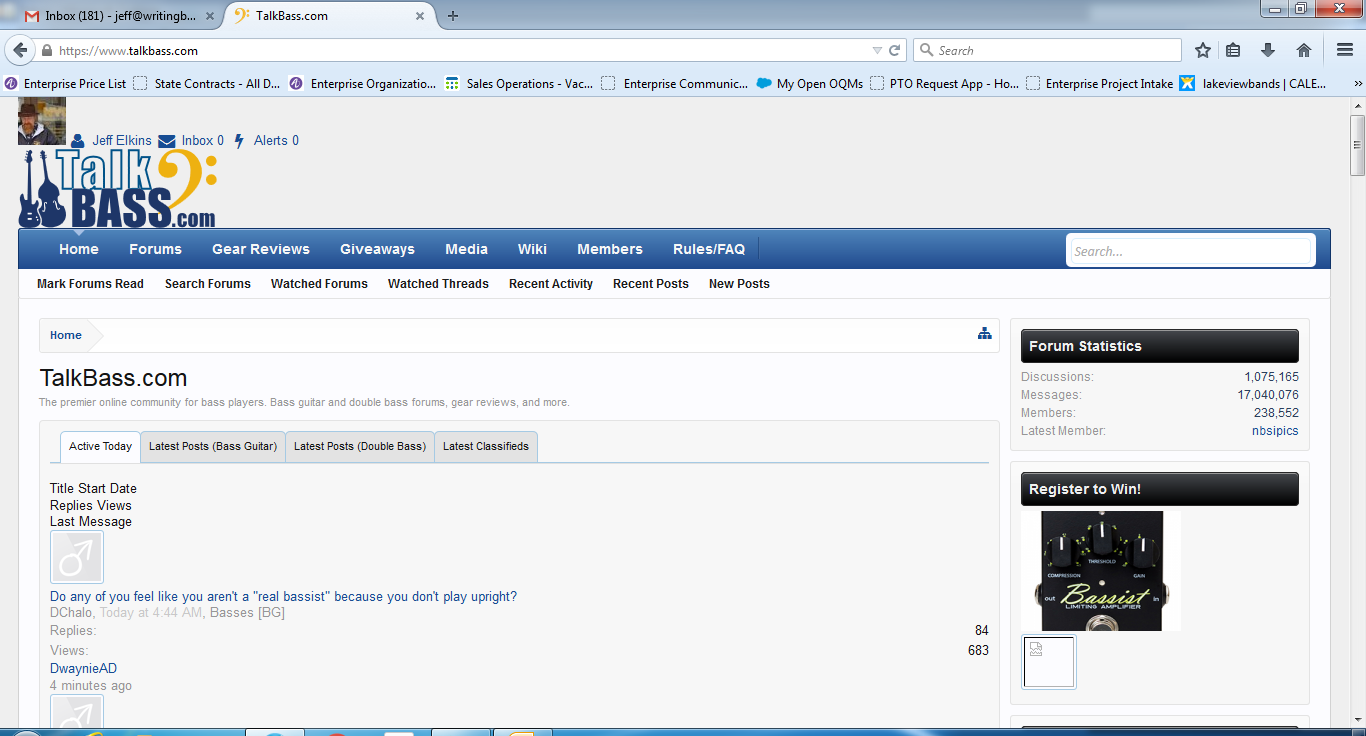
On any screens (including this posting screen) that are not IN a thread (like a classifieds posting) the display is spread WAY out, with most stuff aligning hard left, and my avatar/name/inbox/alerts link shifted left and not in a border. As Paul mentioned in a previous bug report, it looks like the css is not being properly utilized?
When I took my mobile off WiFi, it seemed to resolve, so then I thought it was just a problem with my WiFi or ISP or connection. However, no other website is behaving this way.
I use Firefox ESR 38.1.0 and have not upgraded or changed it recently (again, the problem shows up on my mobile as well, iOS/Safari). Haven't upgraded Java, though there's one pending.
Attaching screen shots (Social Style) from my laptop:
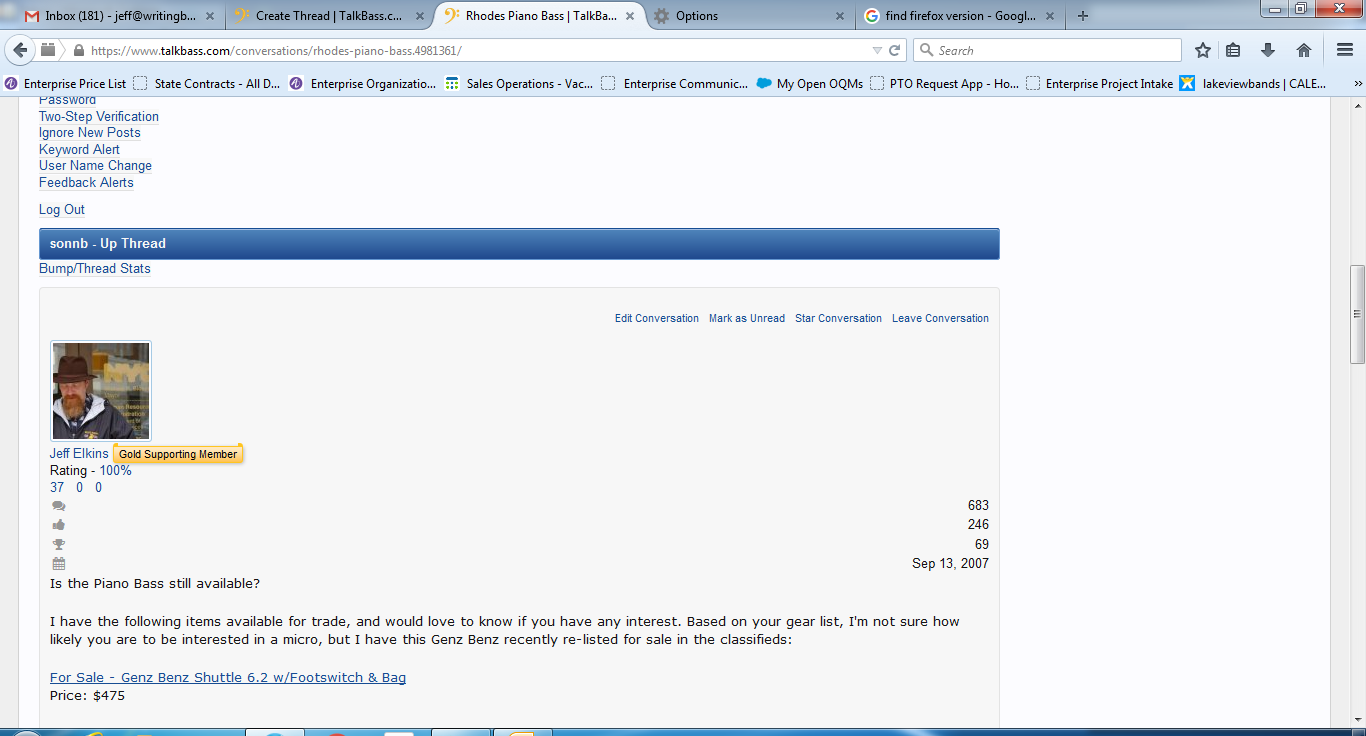
Mid-screen in a conversation I started:
On any screens (including this posting screen) that are not IN a thread (like a classifieds posting) the display is spread WAY out, with most stuff aligning hard left, and my avatar/name/inbox/alerts link shifted left and not in a border. As Paul mentioned in a previous bug report, it looks like the css is not being properly utilized?
When I took my mobile off WiFi, it seemed to resolve, so then I thought it was just a problem with my WiFi or ISP or connection. However, no other website is behaving this way.
I use Firefox ESR 38.1.0 and have not upgraded or changed it recently (again, the problem shows up on my mobile as well, iOS/Safari). Haven't upgraded Java, though there's one pending.
Attaching screen shots (Social Style) from my laptop:
Mid-screen in a conversation I started: