• TalkBass has been independent since 1998. Add your voice.
    Create a free account to reply to discussions, view embedded media, and browse with fewer display ads.
    Join freeLog in
    Want zero display ads or expanded classifieds tools? Compare plans.

3D CAD software

Well, I dunno if I agree. I learned AutoCAD first, and the transition to SolidWorks was a total pain -- it's a completely different (and better!) way of thinking about design. Then again, I've never used Inventor, so I don't know if it's an easier transition.

Asad
It is cdertainly a totally different way of thinking, and therefor not "easy." IME SWX makes it an easier job than Autodesk does with their own Inventor product.
 
Or blender, if you just want modeling. It's free.

Does Blender have NURBS surfaces ?
Box modeling with sub-D surfaces can be very tedious for hard edged/soft curved objects such as guitars. Splines and lofted, spun, extruded etc. NURBS give you precision and high quality, smooth compound curved surfaces.
That being said, I much prefer 3ds max for most 3D work. It has much better interface-"weight" and is just a whole lot more fun.
Plus the rendering capabilities of 3ds max right out of the box, blow Rhino away. I assume that with Vray in Rhino, it would give you similar results in both apps.
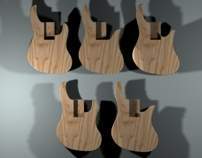
For Guitar work, model in Rhino and render in 3ds max via PowerNURBS. I did the attached digital mock-up of my EUB that way.
Final pics of the instrument are here:

http://www.talkbass.com/forum/showthread.php?t=413856


( No intention of hijacking the thread :) )

Like I said, give Rhino a shot. It's around 600 - 700 $ I believe.
Or see if Blender has the features you need ...:smug:
 
Forgot pics ...
 

Attachments

  • mutti_eub_1.jpg
    mutti_eub_1.jpg
    29.6 KB · Views: 78
  • mutti_eub_2.jpg
    mutti_eub_2.jpg
    29.4 KB · Views: 81
If that's a 3D model it is very impressive. What we're trying to do here though, is to either build models for templates or 3D sketches of what we build to show potential customers. We're not really looking to make movie quality models, at least not me. :)

But since you mentioned it's Maya then I might just have to download the student version and check it out from closer. Since it's an Autodesk product it might not be too hard to skin my 3D inventor models
 
I always found solidworks overly complicated for no reason if you want quick 3d modles I would go with sketchup, but I was always under the impression that 3d studio max or maya was the industry standard when you get results like this:

[Invalid or Expired Link Removed]

(maya not my pic)

Maya has a much better NURBS implementation then 3ds max, even though their tools are built off of the same core code. Now that Autodesk owns both apps, some of that might migrate to 3ds max.
 
Based on this thread, I grabbed the Google SketchUp! software... it's interesting. I've never spent much time working in 3D... the one exception was that I grabbed a copy of eMachineshop, and was very pissed that it was so easy to use, because I loved it, and you couldn't export to CAD or CAM software...

That having been said, the sketchup software was fairly easy to pick up. Their professional version can apparently export to CAD programs, which I suppose would be helpful. The free version, of course, doesn't allow exporting. However, like I said, *way* easy to pick up. I made this drawing in about an hour, from scratch, immediately after installation, so this drawing *was* my learning curve. So far the only thing I haven't figured out is now to apply compound curves, and how to make cylindrical sections (rounded necks, radiused fretboards, etc.), but I know it can do it.
 

Attachments

  • bass_in_sketchup.JPG
    bass_in_sketchup.JPG
    35.6 KB · Views: 77
Some afore mentioned products are great if you have an engineering/drafting department handing off to a manufacturing engineering department that can process the drawing into a machine program of some sort. Just my opinion but I have had my best luck with Surfcam where the drawing and CAM are located in the same software. Just my opinion, there are some great drawing options in the afore mentioned CAD software. For the luxary of high speed machinining everything is converted into very small (.0001" sometimes)straight line movements so the machine tool computer doesn't have do the math of any arcs. The programs are really long and almost impossible to find a specific line of code in but you usally don't find open contours that the machine can't connect. Once again there are better drawing programs but sometimes they are very difficult to transfer into machine language. Please don't bash me too hard design engineers for I am but a mechanical engineer who wants things to work right the first time so I don't have to figure out how to fix it on the shop floor.