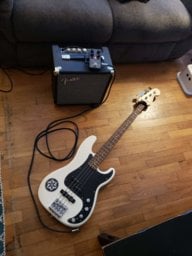
I'm looking to start recording and I need some help choosing some decent, inexpensive gear as well as deciding how much gear I actually need. My biggest questions are about a decent laptop for music recording and an interface with the tools I need.
Austin
I've never spent $1200 on any computer, laptop or desktop and I do professional recording. As was mentioned above unless you are using numerous (dozens) plugins your cpu will not be hit hard. Also as mentioned, do not run other apps while recording/mixing. Faster computer will not help. All operating systems use time slicing to allow multiple apps to run. So that means your DAW is interrupted for other open apps Even If Those Apps are Idle! The OS does not know its idle until it gives the app time to respond or do something. I have a script I run before recording that kills every process & service I don't need.
I just bought a new HP laptop in December for recording, it was $550. 8GB RAM, 1TB Hard drive, I7cpu 8th generation. SSD drive is better but I've never had a problem using good hard drive drives. My desktop is a few years old and is an I3, like 3rd generation.
Choice of interface is depending on what you are recording and drivers or class compliant for your OS. I have several different interfaces from $150 to $2000. The inexpensive interfaces work great for most applications. The preamps on these are fairly transparent. Unless you know absolutely you want a specific preamp sound, then don't invest in any interface because of its preamp sound or preamp plugins. Focusrite, Steinberg, Tascam, Roland, Native Instrments have very good inexpensive interfaces. Presonus are decent but I have a couple in my closet that something (pots or switches) went bad on them people gave me. Out of those I own Focusrite & Steinberg but have used all of those. Stay way from Behringer Interfaces as the preamps are noticeably lesser quality. You mainly need to make sure it has the correct (USB, Thunderbolt, etc.)connection; the ports you need; a High-Z/Instrument input. If using USB, ignore any marketing of difference in their USB specs. Recording is not a lot of data. You can record many tracks with USB 2. USB 3 OR C does not offer any benefit at all. I have an 8 channel interface that uses USB 2.
More expensive UA, Apogee, Antelope, I would put off for later. Especially as you have no real monitors then the quality difference you'll never notice.
Choice of DAW has more to do with workflow. I predominately use Reaper. Keep in mind there is a learning curve for each. So you want a DAW that you will use years from now. Some interfaces come with Pro Tools First or CuBase LE but the limited function versions, to continue with the full versions will cost you quite a bit of money. Reaper is an excellent & powerful DAW and besides being less expensive is the same version from installing to what a professional recording studio would use. All interfaces will work with all DAWs.
If you record direct to the interface & no vocals then you do not need microphones. If you want to record the amp cabinet then you will. Using the effects out on an amp is pre-amp so you will not get the sound of the amp or cabinet. There are amp plugins like BIAS which works for some. I use an amp modeler (Axe FX) and record my instruments mainly dry and reamp thru the Fractal. You might be better recording direct to the interface and EQ'ing, compression, reverb, etc. using plugins in your DAW. You might not be gaining much from only using the preamp section of your amp. The preamps on an interface are not used when plugging in anything other than a XLR cable. Interfaces are designed so that when a TS or TRS 1/4" connector is plugged in the preamp is bypassed. For electric instruments you generally don't want a preamp that will color the sound anyway the way they do. And when starting I wouldn't waste money on buying external hardware or plugin preamps. Its very personal choice and until you have been recording a while and have high-quality monitors and equipment otherwise, you won't notice much of a difference.
When recording other people they may want their particular amp sound and I need to mic their cabinet. So if you do need a microphone I'd recommend a Shure SM57. Its sort of a standard for recording cabs (yes other mics are sometimes used) and can be used on everything from vocals to drums. Mic'ing a cabinet is a bit of a science. You don't just throw it anyplace in front. If you do mic a cab and will use the same cab then place some masking tape on the cab to mark the position of the mic. You may need to treat the room acoustically then. You are recording not only the direct sound from the cabinet but the reflections from around the room.
You do not need monitors but they can make a huge difference in the quality of mixes. But then, inexpensive monitors can actually hurt your mixes. You are making all your choices of how EVERYTHING sounds based on what you hear. So if what you hear is not accurate, your recordings & mixes will not transfer to listen anywhere else. You will also miss the nuances & dynamics like when distortion begins and the attack of sound. You do need at least decent quality headphones. I mainly use AT ATH-M50x. There are others. Again, the cheap headphones will hurt more than help. Computer speakers or headphones will only hurt. Don't use them unless you don't care about quality at all. If you do opt for monitors (or record with microphones) then you need to also treat your room acoustically or you will hear the room as much as the monitors.