• TalkBass has been independent since 1998. Add your voice.
    Create a free account to reply to discussions, view embedded media, and browse with fewer display ads.
    Join freeLog in
    Want zero display ads or expanded classifieds tools? Compare plans.

DIY recording advice

Greetings all,
I used to play in a pretty hopeless pub rock band and we have decided to record a couple of tracks for old time's sake to stave off the lockdown misery.
I have an old laptop running Windows 7 and want to get an inexpensive audio interface and some (free) software to lay down some bass tracks for someone else to mix.
Does anyone have any thoughts? Would I need to get an external sound card as well or would a bog-standard laptop's sound card suffice?
Thanks so much

 
Hey,
i got a used saffire usb audio interface and use it with the freeware DAW Cakewalk. I'm quite fine with that setup for now. The usb interface is simple and just works plug-and-play and the DAW got everything you need for basic recording and editing as far as I used it for now.
I'm curious for other advices too, since i just took the first thing that fell into my lap (or google search) and didn't really continue looking.
 
If you can lay down your parts within a few days, I'd get Reaper (free trial basically however long you can arrange it with your conscience - IMO it so good that it is certainly worth the ~60€) and a 14 day free trial of one of the Neural DSP Darkglass plugins. Built-in EQ and compression in Reaper is good enough for me.
 
Studio One Prime is absolutely free. Won’t run third party plugins, but comes w a passable set of basics, especially if you’re doing live playing, not VST instrument programming.
 
+1 for Reaper software. I've used it for years now. The audio interface should eliminate the need for an external sound card, I believe. The trick will be finding an interface that has enough inputs to record drums. There is a great sound on sound article that describes recording a full set with 4 mics called the Glyn Johns Method: [Invalid or Expired Link Removed]

kevorargh
 
I've been using Cakewalk and like it a lot. Audacity is completely basic and also free, the plug I'll give Audacity is the learning curve is pretty straight forward, and the concepts will apply to most DAW's with more features. If you've got a very basic laptop, then the more powerful DAW software is going to use more resources and may cause issues, particularly plugins. Audacity comes with everything you'll need to lay down your tracks and then apply some basic effects, EQ, etc... without loading down your pc. A second tip with an average PC would be to either record direct and apply effects afterwards or use a mic and record your sound using you amp, that will avoid latency issues. The Behringer UM2 is $45 US or the Presonus Audiobox at $99US and are both good entry level USB interfaces (cheaper used). Either of those will support direct in or recording with microphone.

Good luck
 
Greetings all,
I used to play in a pretty hopeless pub rock band and we have decided to record a couple of tracks for old time's sake to stave off the lockdown misery.
I have an old laptop running Windows 7 and want to get an inexpensive audio interface and some (free) software to lay down some bass tracks for someone else to mix.
Does anyone have any thoughts? Would I need to get an external sound card as well or would a bog-standard laptop's sound card suffice?
Thanks so much

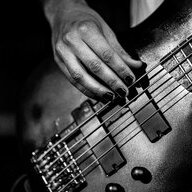
You’ll definitely need an audio interface to connect your bass to your computer. One input will suffice. You’ll need software (many reasonable options listed here).

if someone else is recording the other instruments, your job is simple: get a reference audio track from your collaborator(s) - could be an MP3, could be a WAV or could be something else. Load that into your software on its own track. Add another track and arm it for recording your bass. Play along to the other track while recording your bass track. Export your bass track as a WAV file and send back to your collaborators. Minimum specs for this are 44.1kHz/16 bit, but find out from your collaborators what they expect...

There’s a lot more to it than this- dealing with latency, direct monitoring, plug-ins etc. But this is the basic workflow.
 
  • Like
Reactions: SoCal80s
If you want some free help mixing it, I'm available. Just get each track on its own .wav file and you can upload them to google drive and send a link. And make sure everyone plays along to the same reference track or click track, and that everyone records with the same sample rate (at least 44.1khz, 48 is better).
 

Latest posts