
The mixer needs to be set way lower than you think. You want tons of headroom. Keep your channel sliders in the daw down as low as -16 to -20 while recording. The channel input on your interface should be only about a quarter to a third of the way up. You want to see the clip light barely flash when you really dig in. The gain meter in your DAW shouldn’t reach yellow while recording. In mix down you can let the master gain meter get to yellow at times to taste but individual channels should almost always be green with about 6 to 12db headroom. You can always make it louder during mixdown.



 When I usually listen to my Zoom B3, it is going into a crappy Behringer Micro Mixer and that requires a MONO 1/4" out, so that's the adapter I had on my headphones for practicing. When I listened to the Scarlett through this mono tip, it caused me to crank up the gain in order to hear it in my phones. As soon as I realized that I still had the wrong tip on there, I switched it to a stereo and tadaaa... No more clipping! Bass sounds nice and clear.
  Thank you, TBers, for your patience and we'll thought-out suggestions. If anyone needs me, I'll be locked into my studio for a few weeks with nothing but bass riffs and stale animal crackers. Peace!



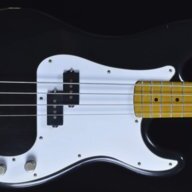


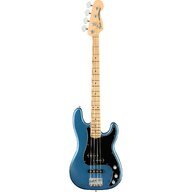


 Both active and passive basses. I've used XLR out of the B3 into the mic XLR on the Scarlett and also the 1/4" instrument input and it clips on both. I've plugged a bass directly into the 1/4" side and it clips. The gain only makes it quieter and the entire time it's in the green, it's very audibly clipping. Not musical either but harsh and grainy. I just purchased a Radial Pro48 DI box to put between the B3 and the Scarlett but I don't know if this is going to cure the problem. It should arrive in a few days. Am I missing something? I keep reading lots of good comments about the Focusrite Scarlett Solo on TB and no one seems to be having this problem. Are all of you Scarlett owners using DI boxes? Any advice would be appreciated. I just want a clean bass signal going into my DAW. Thanks in advance!


