• TalkBass has been independent since 1998. Add your voice.
    Create a free account to reply to discussions, view embedded media, and browse with fewer display ads.
    Join freeLog in
    Want zero display ads or expanded classifieds tools? Compare plans.

Mixer amp effects send and compressor use

I play in a cover band with 3 vocals, guitar, bass and drums and we use this (RX1200L Lightweight Stereo Powered 1600W 12 Channel Mixer) PA mixer.

Typically lead vocals are on channels 1+2, backup on 3, kick drum on 5, guitar on 7, bass on 9, keyboard on 10 and ipod plugged into channel 12.

I have an Alesis Nanocompressor laying around and I want to try running the lead vocals through it to get more clarity and consistency from them.
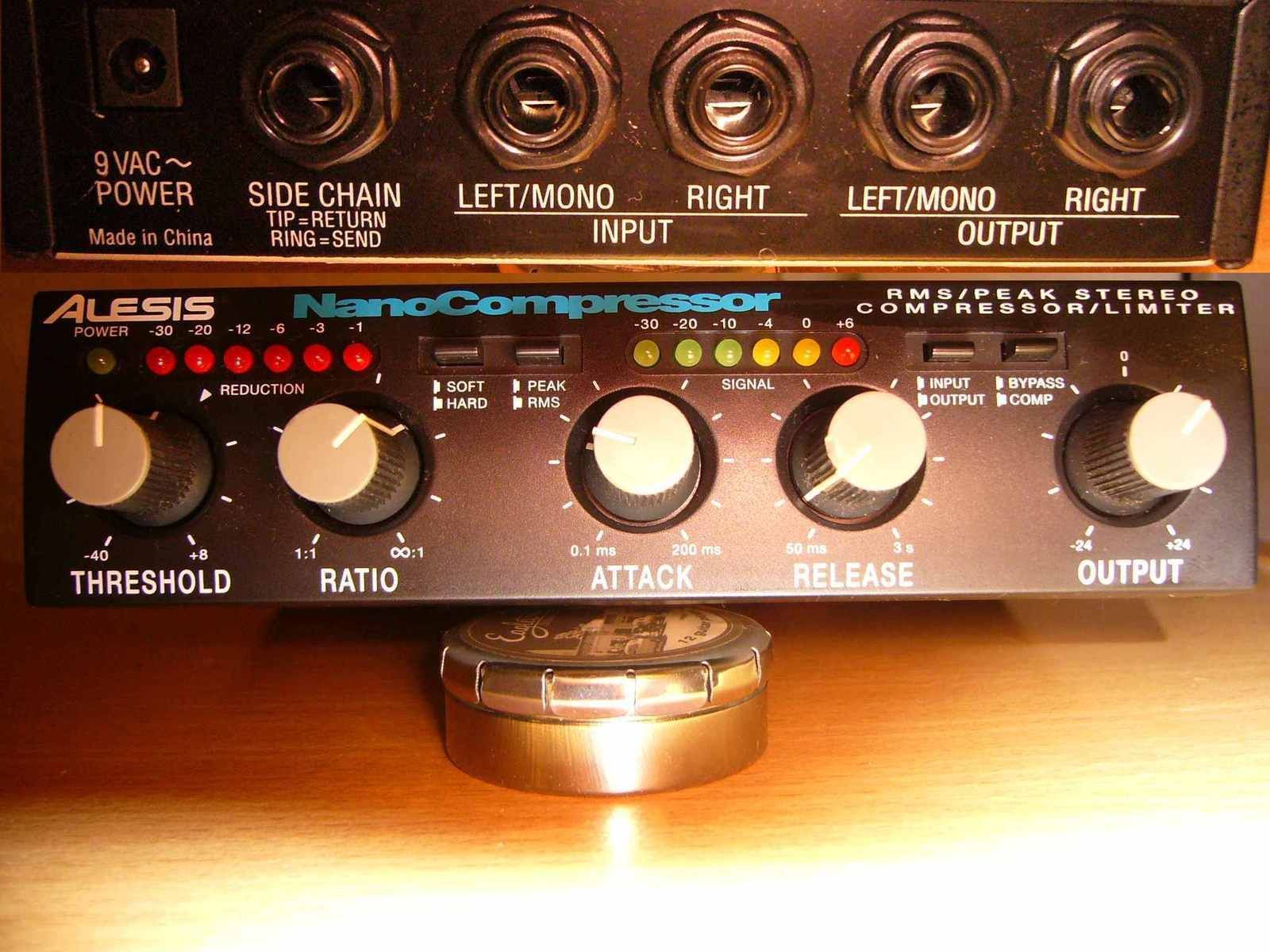
alesis-nanocompressor-40712.jpg


My question is where do I hook this up in the signal chain? My idea is send vocals into channel 1, send the signal out of the effects send 1 into the compressor and then patch the compressor back into channel 11.

Where do I set the faders for channel 1 (vocal input), effect send 1 on channel 1 and the fader on channel 11 (effects return)?

Is there a better way to use this compressor with the mixer? I don't want to insert it into the power amp inserts which are global, I just want to have certain channels be compressed and also leave the onboard effects alone.

 
From the "Features": - Professional Insert jacks at the push of a button on the first six channels

An insert is an "out-and-back-in" patch point. Using the insert on the vocal channel, patch out to your compressor's input, then back from the compressor's output to the insert. You'll need to make or build an insert cable, which is pretty easy.

From the manual:

MIC CHANNEL FEATURES
1. LINE INPUT/INSERT JACKS
The LINE input is a 1/4” phone jack designed for balanced or unbalanced line or instruments. Examples of these inputs would be guitar, keyboard or CD player. The line input can be used at the same time the mic input is being used. For channels 1-6, this jack becomes an insert when the INSERT switch is pushed “IN”. (see #2.)
2. INSERT SWITCH
The LINE/INS switch changes the function of the channel’s 1/4” jack. The “OUT” position is for normal LINE level inputs. Pressing the switch “IN” changes the jack into an INSERT with SEND and RETURN. This allows you to place effects on the channel after the GAIN control for lowest noise. To insert effects (such as a compressor, etc.) use a 1/4” stereo splitter adapter (like Carvin
AP1). Connections are TIP-SEND and RING-RETURN.

Page 3 of the manual shows an illustration of the exact setup you're looking for (on Channel 1).

http://carvinimages.com/documents/RXseries/RX1200L-RX1200R-manual.pdf
 
From the "Features": - Professional Insert jacks at the push of a button on the first six channels

An insert is an "out-and-back-in" patch point. Using the insert on the vocal channel, patch out to your compressor's input, then back from the compressor's output to the insert. You'll need to make or build an insert cable, which is pretty easy.

From the manual:

MIC CHANNEL FEATURES
1. LINE INPUT/INSERT JACKS
The LINE input is a 1/4” phone jack designed for balanced or unbalanced line or instruments. Examples of these inputs would be guitar, keyboard or CD player. The line input can be used at the same time the mic input is being used. For channels 1-6, this jack becomes an insert when the INSERT switch is pushed “IN”. (see #2.)
2. INSERT SWITCH
The LINE/INS switch changes the function of the channel’s 1/4” jack. The “OUT” position is for normal LINE level inputs. Pressing the switch “IN” changes the jack into an INSERT with SEND and RETURN. This allows you to place effects on the channel after the GAIN control for lowest noise. To insert effects (such as a compressor, etc.) use a 1/4” stereo splitter adapter (like Carvin
AP1). Connections are TIP-SEND and RING-RETURN.

Page 3 of the manual shows an illustration of the exact setup you're looking for (on Channel 1).

http://carvinimages.com/documents/RXseries/RX1200L-RX1200R-manual.pdf


Ah. I bet if I RTFM'd I'd see that. I thought the "INS" stood for "Instrument" vs. Mic. I have insert cables, that makes it very easy.

If I wanted to use the Aux Send, would my original post be the correct way to do it if I wanted to send multiple channels to compressor?
 
I've never had much joy with compressors on the vocal channels. You need to be extremely careful with gain settings and compressor settings, otherwise when the vocalist is not talking, or singing quietly, the compressor raises the gain and you get into feedback city pretty fast...

Maybe I haven't been patient enough to optimise the compressor usage, but when the only chance you get either means eating up precious rehearsal time, or pissing off the audience when you're dicking around with soundchecks 10 minutes from show time, it's easier to ring out the system and the monitors and optimise the vocals without the complication of compressors screwing the mix up.
 
Ah. I bet if I RTFM'd I'd see that. I thought the "INS" stood for "Instrument" vs. Mic. I have insert cables, that makes it very easy.

If I wanted to use the Aux Send, would my original post be the correct way to do it if I wanted to send multiple channels to compressor?

That's what I thought "INS" meant at first, too. I had to discard my original response after I looked a little deeper!

Aux out to the compressor & back in to a channel will work. You'll want to make sure that nothing you don't want compressed goes out onto that Aux. Also, you probably don't want to send the compressed input channel to any monitors or or other Auxes (especially the compression Aux!). Finally, what you'll have is a mix of wet (compressed) & dry (uncompressed) vocals on your main mix bus. You'll probably want to fade the vocal input channel(s) all the way down & use the compressed return channel to set the main vocal level. Also, if you send the vocal to any other effect, that vocal will come back from the effect uncompressed. If you send multiple vocals through the same compressor, you'll have to set each channel's level with the Aux & the compressed return will function like a vocal submix/submaster. It can be a little confusing to somebody who walks up to the board that doesn't understand what you're doing.

Here's how it should lay out:

Input Mon Effect Main
Vocal In Yes Yes (comp) No
Comp. Return No No Yes
Other In (as needed) (not comp) Yes

Personally, I like to route effects returns to a channel strip rather than an effects return because they are usually more flexible, but it does eat channels & there can be some problems if you're not careful. Your mixer doesn't have effects returns, so you really don't have a choice. You just have to be careful about creating feedback loops (i.e. route the returned effect back out to the same effect again). Effects into monitors are generally not a good idea, although some singers like to hear some reverb (I give them a different reverb & mix in their monitors than what goes to FOH, so they're happy). Compression in monitors can be a problem for singers if they keep trying to sing louder while the compressor is clamping down on the level.
 

Latest posts