Yeah... the weird thing is that it only happens for the Drive toneprints, the comp ones work fine. Might try it with my iPad later

TalkBass has been independent since 1998. Add your voice.
Create a free account to reply to discussions, view embedded media, and browse with fewer display ads.
Join free Log in
Want zero display ads or expanded classifieds tools? Compare plans.

Yeah... the weird thing is that it only happens for the Drive toneprints, the comp ones work fine. Might try it with my iPad later
On the comp dial, 1-9% seems to do nothing, and then at 10% there's a jump in sound shift and you can tell the composer engaged. I keep it at around 15-20%, otherwise the string noise seems more noticeable. I went back to the default, because I didn't notice butch difference between TonePrints (I'm still pretty novice, so I'm likely not playing to the pedal's capabilities.)Thats a good question, I'm not sure if it is 0%-100% or 1%-100%
On the comp dial, 1-9% seems to do nothing, and then at 10% there's a jump in sound shift and you can tell the composer engaged. I keep it at around 15-20%, otherwise the string noise seems more noticeable. I went back to the default, because I didn't notice butch difference between TonePrints (I'm still pretty novice, so I'm likely not playing to the pedal's capabilities.)

She is Ida Nielsen, from Norway, she used to play with the great Prince.Who was that Bass Player? I think I am going to have to grab one of these
She is Ida Nielsen, from Norway, she used to play with the great Prince.

I just did this using the mic input on my laptop and Audacity. Went from headphones out on Spectradrive into mic input on laptop and adjusted level. Probably not the optimal way to do it, but it worked. I am not sure, I didn't try the USB connection, but I think that only works for Toneprint.
You need a dedicated audio interface, something like a Focusrite Solo would be an inexpensive solution.Is anyone using their SpectraDrive for DI recording on a PC?
I know little about recording straight to computer other than using Audicity some 15 years ago in a mic'd setting so going DI will be a little different...
Do I just need to buy a DI->USB thingy and have recording software? Or is there more to it?
Edit: would this be all I need + recording software?
https://www.amazon.com/NUOSIYA-Cable-Female-Interface-Converter/dp/B07ZQ7K69N/ref=sr_1_2?dchild=1&keywords=NUOSIYA+XLR+Cable,+3foot+XLR+Female+to+USB+Interface+Converter+Cable+(Black)&qid=1587475007&sr=8-2
Thanks
You need a dedicated audio interface, something like a Focusrite Solo would be an inexpensive solution.

Did you find somewhere that had it in stock? I've been looking for one for a week or so but it seems to be on backorder most places.Okay, found the Behringer U-Phoria UM2 at a much more affordable price... that might be more feasible atm.
Did you find somewhere that had it in stock? I've been looking for one for a week or so but it seems to be on backorder most places.
Is anyone using their SpectraDrive for DI recording on a PC?
Okay, found the Behringer U-Phoria UM2 at a much more affordable price... that might be more feasible atm.

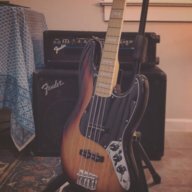
Hello Everybody. Just got a tce spectra drive. I have the spectra comp and love it but don't like the overdrive chnl on my fender rumble 40. Also, I'm still pretty new to bass and this site. I tried searching for my question but couldn't find anything on this site so I'm posting to this page. Currently Im using the default tone print and my settings look like the attached photo. Does anybody know how I could dial in a svt ampeg sound on this pedal? Or how the controls work for default setting?
Thanks for the reply. I have downloaded the app with all the tone prints and been testing the past 2 days with all the presets to no avail. I did find out some functionality changes how the knobs work for different tone prints but it's a bit confusing so I was either looking for advice on how to set the knobs to get closer to an Ampeg SVT Classic tone or how the knobs function in the default setting.Not sure how to dial in a specific cab sound with the SpectraDrive but you'll want to download the TCE spectradrive app onto your phone which you can use to send different comp/drive profiles to your pedal. If the stock profiles are too harsh, mellow, etc just look for one that might give you more of what you want.