Thanks! I must admit I like things neat and tidy - that’s why I couldn’t go down the masking tape/sharpie route.Hey, there's another good idea!
Your solution is very nice, btw. Looks both clean and effective!


TalkBass has been independent since 1998. Add your voice.
Create a free account to reply to discussions, view embedded media, and browse with fewer display ads.
Join free Log in
Want zero display ads or expanded classifieds tools? Compare plans.
Thanks! I must admit I like things neat and tidy - that’s why I couldn’t go down the masking tape/sharpie route.Hey, there's another good idea!
Your solution is very nice, btw. Looks both clean and effective!

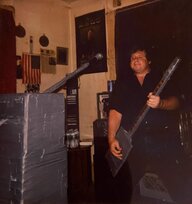
One guitar player takes the knobs off, find good settings, and put the knobs back all pointing 12 o'clock.
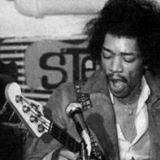
I’ve always struggled with the settings of my pedals changing whenever I take my board somewhere. It’s always the same - when I remove my board from its bag, some settings have altered since I put it in.
I figured out a solution today. I recently needed a slightly bigger board, and upgraded from a Pedaltrain Nano to a Metro 16, which is wider, and has three rails instead of two. It turned out that I couldn’t make the pedal placements work the way I’d hoped to, so I ended up with an empty rail at the top.
Today it struck me that I could use that rail to make a note of the knob positions on each pedal, so I made some cards with my standard knob positions on the front, and velcro on the back. Whenever the knobs go out of alignment, or I want to make temporary adjustments, I can now return to the original positions in seconds, and if I should ever want to change the order of pedals, or swap one out, I can easily swap out the card as well.
View attachment 3858252
View attachment 3858257

Joe Bonamassa glues the knobs in position.

I’ve always struggled with the settings of my pedals changing whenever I take my board somewhere. It’s always the same - when I remove my board from its bag, some settings have altered since I put it in.
I figured out a solution today. I recently needed a slightly bigger board, and upgraded from a Pedaltrain Nano to a Metro 16, which is wider, and has three rails instead of two. It turned out that I couldn’t make the pedal placements work the way I’d hoped to, so I ended up with an empty rail at the top.
Today it struck me that I could use that rail to make a note of the knob positions on each pedal, so I made some cards with my standard knob positions on the front, and velcro on the back. Whenever the knobs go out of alignment, or I want to make temporary adjustments, I can now return to the original positions in seconds, and if I should ever want to change the order of pedals, or swap one out, I can easily swap out the card as well.
View attachment 3858252
View attachment 3858257

Invalid Link Removed
You’re welcome!
Caveat from the manufacturer;
IT IS POSSIBLE THAT THE SETTING SAVER MAY DAMAGE THE PEDAL'S FINISH. ALWAYS TRY IN AN INCONSPICUOUS AREA FIRST.
Me too.
But I also wrap rubber bands under knobs to aid in stopping them from moving easily. It has always worked for me. and sometimes I wrap rubber bands between two knobs. Do this underneath the knob, and it adds enough friction to stop the knob from turning easily.
I do this with all my pedals.
The knob can still be turned, but it has some friction associated with it.



Set it to your background.I’ve done that as well, but I find that rummaging for your phone/opening the photo app/locating the right photo/putting on reading glasses/pinching and zooming to find the right setting takes more time.