Get the app here: ElliotGarbus/SY300Panel
The SY300Panel is a Windows application that puts all of the controls for the wave/pitch, filter/amp and LFO's on one screen. The delay in switching between these 3 screens in the Boss Tone Studio was the key motivation for creating this application.
The application can operate stand-alone, but it is designed to work with the Tone Studio, not replace it.
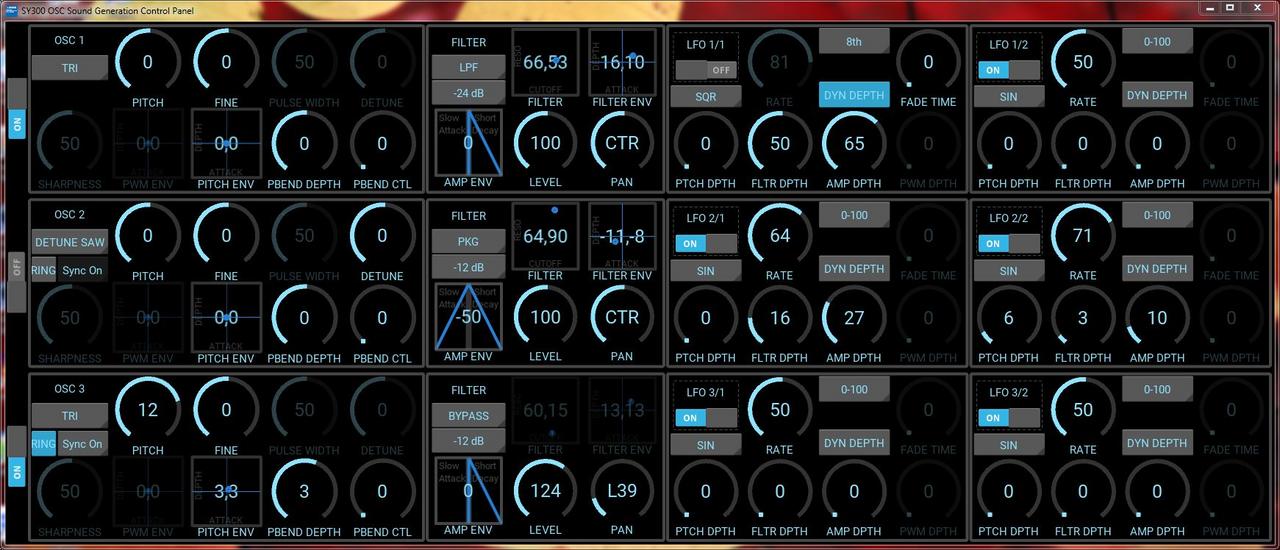
A few UI highlights: PWM ENV, PITCH ENV & Filter ENV are all on XY pads that adjust the depth and attack values simultaneously by moving the mouse in the pad. The Cutoff and resonance of the filter are also on an XY pad. These XY pads are squares with 2 numbers in the center, as show in the image below.
The AMP ENV is adjusted by a custom 'widget' that illustrates the impact of the env generator on attack or decay, slowing the attack or shortening the decay. The boxes with a blue triangle in the image below are the attack/decay adjustment.
The circular knobs can be adjusted by clicking and dragging the mouse up or down; the mouse scroll wheel can also adjust these knobs.
A right click on the circular knobs, XY pads or AMP Env, will reset the knobs to a default value.
A screenshot of the panel:
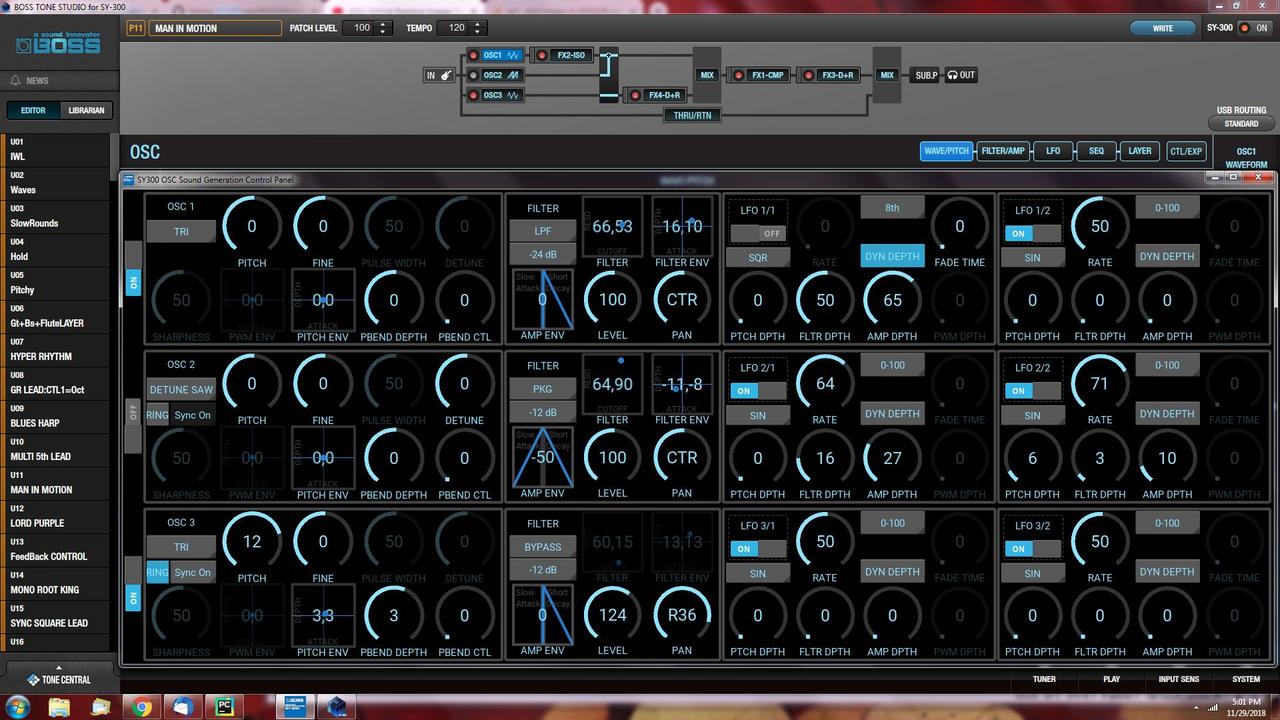
The Panel, on BTS:
The SY300Panel is a Windows application that puts all of the controls for the wave/pitch, filter/amp and LFO's on one screen. The delay in switching between these 3 screens in the Boss Tone Studio was the key motivation for creating this application.
The application can operate stand-alone, but it is designed to work with the Tone Studio, not replace it.
A few UI highlights: PWM ENV, PITCH ENV & Filter ENV are all on XY pads that adjust the depth and attack values simultaneously by moving the mouse in the pad. The Cutoff and resonance of the filter are also on an XY pad. These XY pads are squares with 2 numbers in the center, as show in the image below.
The AMP ENV is adjusted by a custom 'widget' that illustrates the impact of the env generator on attack or decay, slowing the attack or shortening the decay. The boxes with a blue triangle in the image below are the attack/decay adjustment.
The circular knobs can be adjusted by clicking and dragging the mouse up or down; the mouse scroll wheel can also adjust these knobs.
A right click on the circular knobs, XY pads or AMP Env, will reset the knobs to a default value.
A screenshot of the panel:
The Panel, on BTS:
Last edited: