
In another thread, unrelated thread, the question of what music software is used live was asked. I thought I’d post a couple quick screenshots here for reference instead of pulling the other thread off topic. I know this info has probably been covered many times. I just thought I’d add a few quick screenshots.
Switching from paper to digital.
I used to print out five line staff all the time, and have stacks, and stacks of it. I would have to spend too much time pulling the music for the week’s gig (usually church gig). During the holidays, the music could get to be as long as eight pages, even including Codas, etc. to shorten the music. The apps mentioned below had one time fees.
Next evolution:
Write, or type out my own chord charts. I invested a huge amount of time on this, and tried to get them down to one page. Unfortunately, singers, or just being part of several groups, would necessitate changing keys at the last minute. So, I started to rewrite my chord charts with two, to four stacked chords so different keys would be there. I color coded the chords to try an avoid mixing them up. It worked, most of the time.
It’s funny how other, traditional musicians (at church) would struggle to accept the idea of a chord chart without all the timing, notes, dynamics, and harmonies available. They actually liked decoding the Codas, etc., and learning to navigate from one page back, noting the different endings to verses, choruses, etc. I felt that I could just feel it. Or, I would know that my harmony line is on the third, or the the fourth, or I would just jump tracks to fill in gaps.
The worst part of using paper was having to get all those sheets to stay on the music stand, even with fancy wide extensions. Or, to be in the dark, or to be outside in the morning dew, or the afternoon wind.
Going digital:
I knew about some of the Apple apps out there, but had a Galaxy Note 3. I stumbled on Setlist Helper, and jumped all over it. I built a bracket that would clamp my phone to a mic stand and dumped the music stand. The downside of using a phone? Scrolling! I could have bought a Bluetooth scrolling pedal, but decided to go with an tablet. Setlist Helper requires some Wiki/HTML knowledge, but it’s not hard to learn.
Instant key changes. I can stress enough how being able to quickly change keys totally changed things for the better. No more panicking!
Android 10” tablet
I bought, and used a super cheap Android tablet for a year or so, but it was a terrible tablet. The upside was that I could almost get a full song on one screen!
iPad Pro
I bought a 2017 iPad Pro with a 12.9” screen, and am still using it. It handles darkness, dew, and wind great. However, in cold, outside settings, the battery can drain quickly. In bright sunny situations it struggles to get bright enough.
Apps:
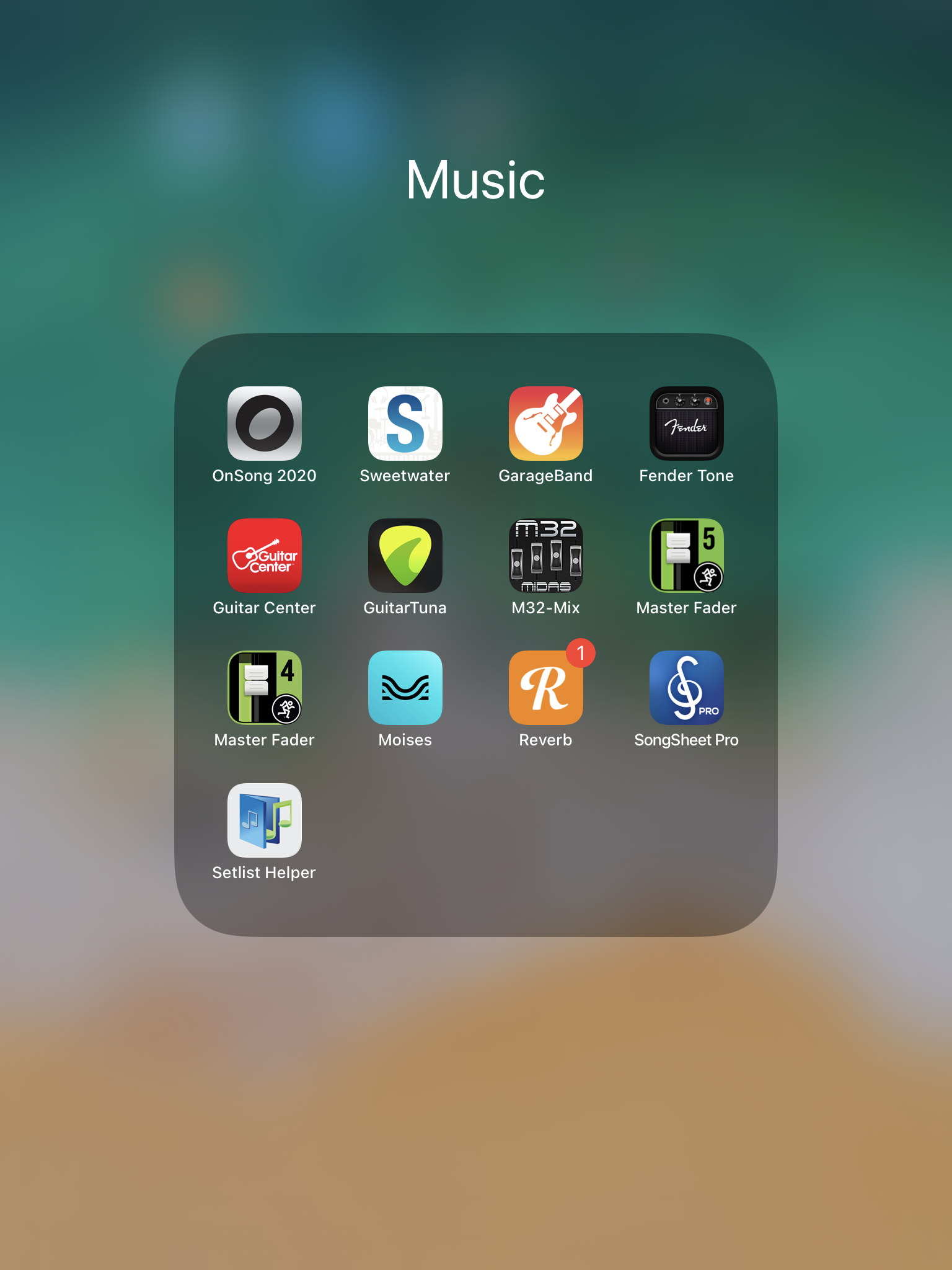
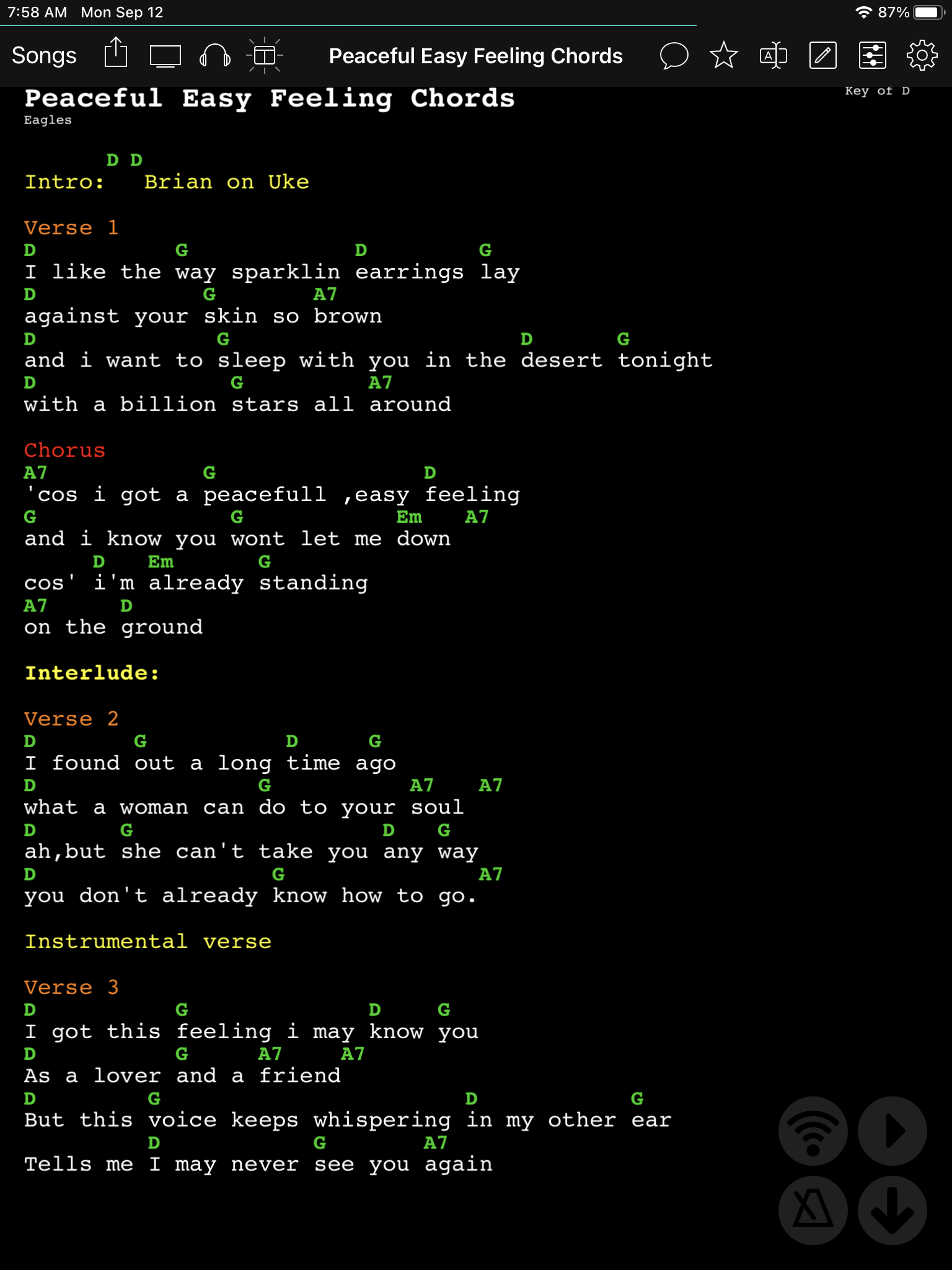
Setlist Helper was not available for Apple. I knew I wanted to stay with chord charts. OnSong became my go to app. From what I’ve read, it’s pretty universally used in some settings. It can drive external monitors, and can even drive several iPads for a group (which I don’t use). I like the ability to add colors.
Here is my folder for music on my iPad:
OnSong:
SongSheet Pro:
A couple of my groups use this. It’s ok, but not as user friendly as OnSong. Those bands tend to make tons of scrolling necessary. But, that’s not the app’s fault.

Setlist Helper:
Setlist Helper finally published an Apple version, but I like the Android version better. By the way, this app was created by, and is maintained by one very supported person. He’s available for questions, and takes feedback, and makes updates as needed.

Switching from paper to digital.
I used to print out five line staff all the time, and have stacks, and stacks of it. I would have to spend too much time pulling the music for the week’s gig (usually church gig). During the holidays, the music could get to be as long as eight pages, even including Codas, etc. to shorten the music. The apps mentioned below had one time fees.
Next evolution:
Write, or type out my own chord charts. I invested a huge amount of time on this, and tried to get them down to one page. Unfortunately, singers, or just being part of several groups, would necessitate changing keys at the last minute. So, I started to rewrite my chord charts with two, to four stacked chords so different keys would be there. I color coded the chords to try an avoid mixing them up. It worked, most of the time.
It’s funny how other, traditional musicians (at church) would struggle to accept the idea of a chord chart without all the timing, notes, dynamics, and harmonies available. They actually liked decoding the Codas, etc., and learning to navigate from one page back, noting the different endings to verses, choruses, etc. I felt that I could just feel it. Or, I would know that my harmony line is on the third, or the the fourth, or I would just jump tracks to fill in gaps.
The worst part of using paper was having to get all those sheets to stay on the music stand, even with fancy wide extensions. Or, to be in the dark, or to be outside in the morning dew, or the afternoon wind.
Going digital:
I knew about some of the Apple apps out there, but had a Galaxy Note 3. I stumbled on Setlist Helper, and jumped all over it. I built a bracket that would clamp my phone to a mic stand and dumped the music stand. The downside of using a phone? Scrolling! I could have bought a Bluetooth scrolling pedal, but decided to go with an tablet. Setlist Helper requires some Wiki/HTML knowledge, but it’s not hard to learn.
Instant key changes. I can stress enough how being able to quickly change keys totally changed things for the better. No more panicking!
Android 10” tablet
I bought, and used a super cheap Android tablet for a year or so, but it was a terrible tablet. The upside was that I could almost get a full song on one screen!
iPad Pro
I bought a 2017 iPad Pro with a 12.9” screen, and am still using it. It handles darkness, dew, and wind great. However, in cold, outside settings, the battery can drain quickly. In bright sunny situations it struggles to get bright enough.
Apps:
Setlist Helper was not available for Apple. I knew I wanted to stay with chord charts. OnSong became my go to app. From what I’ve read, it’s pretty universally used in some settings. It can drive external monitors, and can even drive several iPads for a group (which I don’t use). I like the ability to add colors.
Here is my folder for music on my iPad:
OnSong:
SongSheet Pro:
A couple of my groups use this. It’s ok, but not as user friendly as OnSong. Those bands tend to make tons of scrolling necessary. But, that’s not the app’s fault.
Setlist Helper:
Setlist Helper finally published an Apple version, but I like the Android version better. By the way, this app was created by, and is maintained by one very supported person. He’s available for questions, and takes feedback, and makes updates as needed.




 )
)


