• TalkBass has been independent since 1998. Add your voice.
    Create a free account to reply to discussions, view embedded media, and browse with fewer display ads.
    Join freeLog in
    Want zero display ads or expanded classifieds tools? Compare plans.

Zoom B3 As Preamp Part 2

Does anyone know what the real-world hardware equivalent of effect 101 "Air" is?

It's in patch C1 "GalePlus" and I really do like the sound of it. I'm just curious if it's an actual piece of hardware I could go try out somewhere just for comparison (and add to my GAS list, which is stupid if the B3 does it already, but it's either I endlessly google for gear or I actually work at my day job.)
 
The B3 arrived at work. It seems to be a very solid built device.

If someone can tell me how to create/save a simple patch chain of a "Hartke amp sim + EQ + basic compressor," I will test it out tonight.

In the time it takes to type out some instructions and for you to read them, you'd probably have it sorted!

On the first footswitch just press the 'type' scroll buttons until you get to the effect/sim you want, then go onto the next one. And then adjust each effect/sim with the dials above the screen.

Note that by default (although you can change it in global settings), the chain goes left to right. So if you want to replicate bass to effects to amp, you'd want the amp sim assigned to the right hand switch.

The only other thing I'd mention here, as well described in the early pages of part 1 of the thread: on the amp sim, press the page button until you get to the 'mix' parameter. Then if playing through an amp, set it to 0, or if playing direct set to 100. Some people prefer slightly different settings but 0 or 100 (depending on your rig) will be a good start.

And then enjoy experimenting!
 
Does anyone know what the real-world hardware equivalent of effect 101 "Air" is?

It's in patch C1 "GalePlus" and I really do like the sound of it. I'm just curious if it's an actual piece of hardware I could go try out somewhere just for comparison (and add to my GAS list, which is stupid if the B3 does it already, but it's either I endlessly google for gear or I actually work at my day job.)

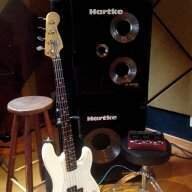
I've got the PDF manual open anyway so I quickly checked, but it doesn't give any clues. Only: "This effect reproduces the ambience of a room to create spatial depth".

So sorry, I don't know - but maybe someone with more experience of reverb units could say. The picture at least is of a rack unit rather than a pedal.
 
"Air" sounds good through headphones but IMO it's useless through a speaker cab.
You can plug just about anything into the B3. I was up before dawn today obsessively tweaking patches for my hollow body guitar.

You can… but I recently purchased a G3 for my electric guitar and to me it does a much better job with guitars than the B3 (as it should). Not that the B3 is bad, not at all… it’s just not as flexible for guitar.
I have yet to go the other way and try my basses through the G3, so I can’t comment about this….
 
I just spent 5 minutes with the pedal. The controls seem very intuitive. I like how the your settings are reflected in the graphic on the LCD screen. This is going to be fun for sure.

Just be aware that, as you have to create new patches on existing ones, you have to check the initial settings on the "Total" page if you don't want bad surprises.
On left screen of this page, you'll see you can set Level and Balance for each patch. And some of the preseted patched are set with balance not on full and with various levels. It may suit your needs, but you have to check to be sure :)
 
I ended up spending the evening finishing season 2 of Game of Thrones. BUT, this morning I played around with the B3. My chain is setup as...

Compressor + Graphic EQ + Amp Sim (mix set to 0)

I found that using the Spectracomp on my amp with the B3 (with the B3 comp OFF) did some weird things to the signal. So I added a compressor to the chain.

As far as chain order should I be doing this...

Graphic EQ + Amp Sim +Compressor

...instead? In my mind it would make sense to compress the sound AFTER going though the amp simulator.
 
I ended up spending the evening finishing season 2 of Game of Thrones. BUT, this morning I played around with the B3. My chain is setup as...

Compressor + Graphic EQ + Amp Sim (mix set to 0)

I found that using the Spectracomp on my amp with the B3 (with the B3 comp OFF) did some weird things to the signal. So I added a compressor to the chain.

As far as chain order should I be doing this...

Graphic EQ + Amp Sim +Compressor

...instead? In my mind it would make sense to compress the sound AFTER going though the amp simulator.

One of the nice thing about the B3, is the ease with which you can change the FX order. Play around with it and see which sounds best to your ears with your set up. No wrong way to do it!
 
Both this thread and the first part are essential for zoom b3 owners.. I'm going to be a first time zoom b3 owner. Although not new to effects, I am new to the b3 and these threads alone are worth the price and I don't have it yet. :) I searched but couldn't find a settings thread (other than preamp), is there one?
 
Hey you guys, is anybody familiar with the Volto battery power supply by Pedaltrain?

It's like a rechargeable LiIon laptop battery (lots of juice) for powering your pedals.
I bought a Pedaltrain Mini recently, and got the Volto too, on impulse.

Volto is small and thin enough to mount under a small pedal board, but it seems to last a heckuva long time between charges.

It gives 2,000ma(!) thru 2 standard pedal connectors. I just tested it with the B3 and it works great -- in fact it easily powers a handful of smaller pedals as well. Their pamphlet quotes up to 36 hrs of juice; I'm sure it'd be less than that with the 500ma B3, but still, it'll way outlast any gig on earth.

There's a three LED meter to tell you how your charge is, and a recessed On/Off button so you can be sure you won't lose your charge in your gig bag.
I think this thing is _really_ well thought out.

Between the Volto and the rechargeables I keep in my B3, as backup, I don't think I'll be needing to run an extension to the front of stage again -- very convenient!

[Invalid or Expired Link Removed]
 
I'm thinking about using the B3 as preamp (I currently use it in my effect chain). I would connect it in the effect in of my amp to bypass the preamp.

How do you set the output volume of the B3? By that, I mean: If you turn it too high, could it be too hot for the poweramp ? How would you realise that the input is too hot?
 
I'm thinking about using the B3 as preamp (I currently use it in my effect chain). I would connect it in the effect in of my amp to bypass the preamp.

How do you set the output volume of the B3? By that, I mean: If you turn it too high, could it be too hot for the poweramp ? How would you realise that the input is too hot?

Most EFFECT RETURN jacks on amps these days have their master volume governed by the knob of the same name on the amp, therefore one has that as a convenient, at-fingertips, volume control.

After much real-world testing, I have found (that for me) the best TOTAL and GLOBAL level values are left at 100, with the chosen B3 amp model's LEVEL set so that it is roughly the same signal level as with the amp model ON or OFF.

Using the above methodology, it is not likely your amp will have a problem with a too hot of a signal, but YMMV. Your ears should be able to discern if your amp is being overloaded.

Lots and lots of info of this type in Part I of this thread.

Cheers!
 

Latest posts