• TalkBass has been independent since 1998. Add your voice.
    Create a free account to reply to discussions, view embedded media, and browse with fewer display ads.
    Join freeLog in
    Want zero display ads or expanded classifieds tools? Compare plans.

Anybody Using AV Linux?

I've been on the cusp of the learning curve here - but so far I find it's fairly intuitive, even if I'm not.

[Invalid or Expired Link Removed]

Here's the .iso: Index of /iso

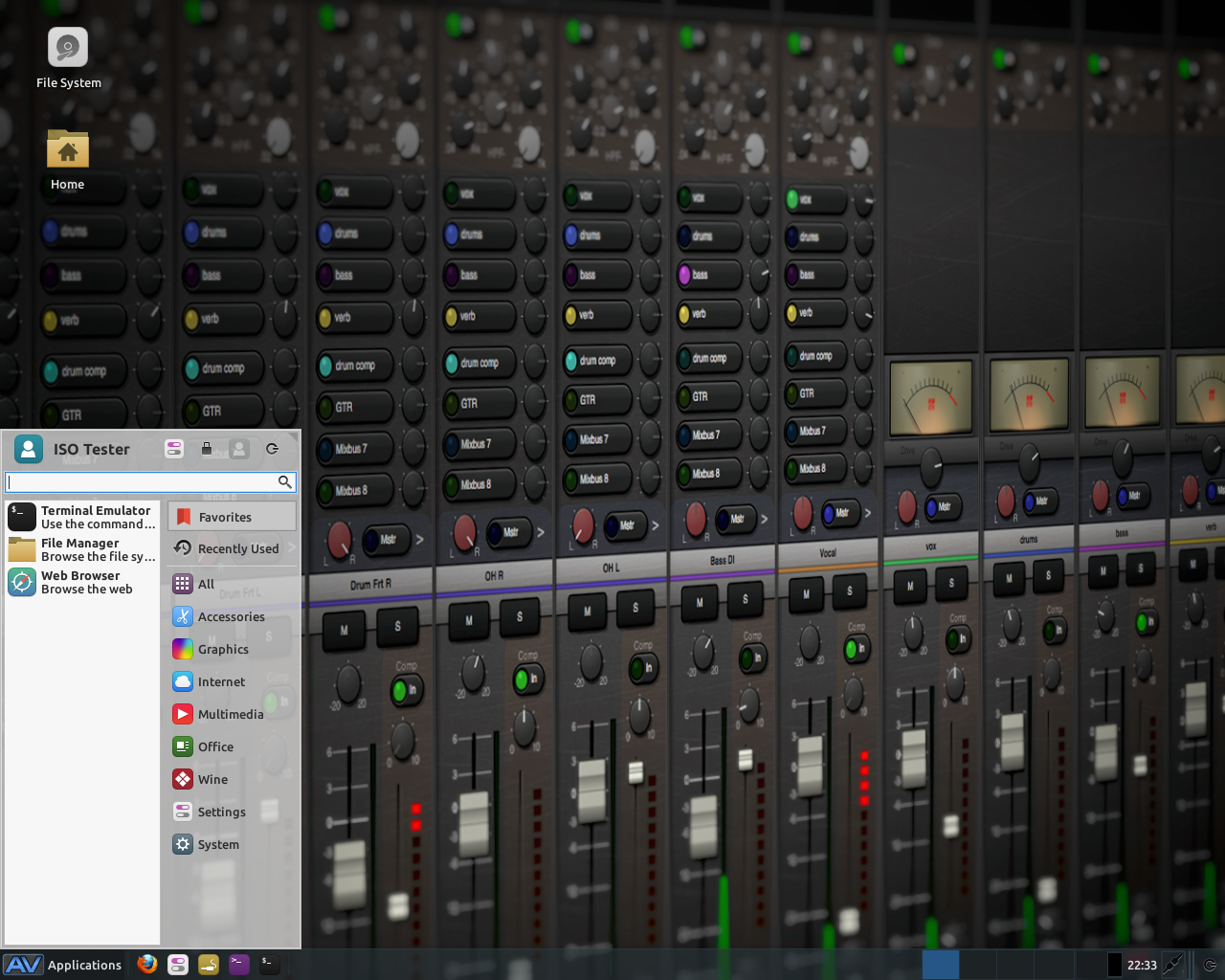
avlinux.png
 
It also seems the ISO available is quite old (Oct 2014) and no longer supported: "AV Linux 6.0.4 is no longer maintained or available. Stay tuned for ‘AV Linux 2016’ coming soon!"

Some time ago I did some quick tests of Ubuntu Studio which worked great. And this is an official flavor of Ubuntu, so it should be well maintained and up to date with the latest kernel versions.
 
  • Like
Reactions: Will_White
Ahaaa! I got my copy of AV about 5 years ago, so maybe that's why I've got it now. I went on an "anything Linux" download frenzy a bunch of years ago, and shuffling through old .iso s is where I found it.

My question is ... does it offer as much "mix-ability" and virtual soundboard function as other commercial systems like virtual racks, or virtual instrument packages I see in my Sweetwater ProGear catalog? (You should see what my spellchucker did with that last sentence!)

I don't mind learning something in the Linux family if I don't have to learn line code and programming. I had a bad experience with Kubuntu and Mepis years ago, but hating the whole in-your-face attitude coming from Micro$oft these days, I switched over to Puppy and I'm not going back.

Now I wonder if I can keep the learning curve momentum going with something like AV Linux or Ubuntu Studio ---- which I will look at today and maybe download the .iso. [confused]
 
Last edited:
I LIKE Linux and was looking forward to changing over to it as XP became so obsolete. I have been trying out on older computers that were running XP. I do not like that many functions are still command line driven. I don't need to learn DOS-like language again. That is a deal-breaker for me.

I found a stripped down basic version of Win 7 (Starter Edition) that all our old computers have been converted to and it runs quite well and is not very resource intensive. I've heard that it is fairly easy to make it license free.

I will NEVER got to Win 8-10 or whatever horrible OS MS comes up with in the future. By the time Win 7 becomes unsupported, perhaps Linux will be ready for prime time.
 
I LIKE Linux and was looking forward to changing over to it as XP became so obsolete. I have been trying out on older computers that were running XP. I do not like that many functions are still command line driven. I don't need to learn DOS-like language again. That is a deal-breaker for me.

I found a stripped down basic version of Win 7 (Starter Edition) that all our old computers have been converted to and it runs quite well and is not very resource intensive. I've heard that it is fairly easy to make it license free.

I will NEVER got to Win 8-10 or whatever horrible OS MS comes up with in the future. By the time Win 7 becomes unsupported, perhaps Linux will be ready for prime time.

You have to understand that Linux has lots of different flavours, some are made with coders in mind and other with end-users (Ubuntu, Mint, etc..) I've been Using Ubuntu for the last 8 years and for the last 3 versions I haven't needed to use command line. So that it's a myth.

Regarding AV Linux, if you are interested you can install the last version they created and still you'll have a totally functional distro. I'm using the version before the one still available in the website and don't have any issues. I think they decided to revamp the site and the distro and that's why they are not supporting it but it doesn't mean it won't work.
 
Long time Linux user here who is recently discovering how to use it with Music. My interests include recording simple audio, play-along practicing e.g. using AB repeats, making videos for YouTube upload and simple multi-track recording when my band needs it. I'm about a week in and have a working setup. Happy to answer and questions on it.

# Distro
I've settled on Linux audio distro KXStudio with multi-boot AV Linux and UbuntuStudio. I've a mounted partition for files I want to share with all the distros and I back this partition up to Google Drive.

# Hardware
Thinkpad X301 2GB RAM
USB audio devices
  • Zoom B3 - I record my bass through this
  • Apogee One - I playback through this into headphones
  • Basses - Fender Precision '73
# Software
The apps I use are all integrated with each other, but had to do a lot of Googling and reading to get it all working how I want it. Screenshot from a recording today. Incidentally no webcam (integrated or modern Logitech C920) I've tried gives me sufficiently high FPS on this oldish laptop, so I've resorted to the video from my Nexus 5X and will edit them together with Cinelerra or similar.
  • ALSA - audio system, default on all modern Linux systems
  • JACK - essential for powerful audio routing
  • Cadence - automates JACK and ALSA (even PulseAudio) plugins and interoperation
  • Claudia - audio session management which automates recording and playback
  • Audactious - audio player
  • TimeMachine - audio record into W64 format (advanced WAV)
  • alsa_in , alsa_out - used to pipe audio into/from JACK
Tip: if you have multiple USB audio interfaces (I have four) then fixing them to ALSA indexes means that whenever you put any combination in they still, reliably, have the same unique identifier so any script you

Code:
kiat@xmas:~$ cat /etc/modprobe.d/alsa-usb-devices.conf
#
# The first configuration line will put the FastTrack Pro at device number 5 with 24bit mode, max.
# 48kHz sampling mode, 2 inputs and 4 outputs. This is the default.
#
#    See if any of these work!
#
#    * 0×01 : use the device_setup parameter, always needed
#    * 0×02 : enable digital output (channels 3,4)
#    * 0×04 : use 48kHz-96kHz sampling rate, 8-48 kHz if not used
#    * 0×08 : 24bit sampling rate
#    * 0×10 : enable digital input (channels 3,4)
#
#==================================================================================
#
# CONFIGURATION LINES:

# options       snd_usb_audio   vid=0x0c60 pid=0x0003 device_setup=0x1 autoclock=1 index=3 enable=1

# 1 Apogee One          0c60:0003
# 2 Boss BR-80          0582:0130
# 3 Pandora PX5D        0944:0200
# 4 Zoom B3             1686:015f
# 6 Logitech C920       046d:082d
 
options         snd             slots=snd_hda_intel,snd_aloop
options         snd_hda_intel   index=0
options         snd_aloop       index=1

options         snd_usb_audio   vid=0x0c60,0x0582,0x0944,0x1686,0x046d pid=0x0003,0x0130,0x0200,0x015f,0x082d  device_setup=0x1,0x1,0x1,0x1,0x1 index=2,3,4,5,6 enable=1,1,1,1,1
kiat@xmas:~$

These are the partitions
Code:
kiat@xmas:~$ sudo fdisk -l /dev/sda

Disk /dev/sda: 128.0 GB, 128035676160 bytes
255 heads, 63 sectors/track, 15566 cylinders, total 250069680 sectors
Units = sectors of 1 * 512 = 512 bytes
Sector size (logical/physical): 512 bytes / 512 bytes
I/O size (minimum/optimal): 512 bytes / 512 bytes
Disk identifier: 0x000c6998

   Device Boot      Start         End      Blocks   Id  System
/dev/sda1   *          63     4096574     2048256   82  Linux swap / Solaris
/dev/sda2         4096575    86012009    40957717+  83  Linux
/dev/sda3        86012071   250067789    82027859+   5  Extended
/dev/sda5        86012073   141306994    27647461   83  Linux
/dev/sda6       141307803   196603469    27647833+  83  Linux
/dev/sda7       196603533   250067789    26732128+  83  Linux
kiat@xmas:~$

[Invalid or Expired Link Removed]
 
  • Like
Reactions: -Asdfgh-
There's a thread in the effects forum that has recently gone OT in a Linux direction, so I'll bump this one hopes of attracting some of that action.

I've been using Mint Linux (the Debian-based branch) for several years, and have been using an M-Audio USB interface to get audio into the computer (I'm looking into a Focusrite Scarlett 18i20 in the near future,) and have used a few MIDI devices as well - currently a Korg PADKontrol and Korg Kross 61 keyboard. Mint works great with my current hardware (Dell Precision T3400 desktop with 2.5Ghz quadcore processor,) though I sometimes see a little latency on the interface if I'm not careful. I'm thinking about moving over to straight Debian which I've used in the past since I'm having some trouble with Mint's repositories lately.

Here's a screenshot of the audio apps I'm running (haven't delved deeply into all of them yet, but I've messed around with most.)

[Invalid or Expired Link Removed]
[Invalid or Expired Link Removed]
 
Thanks for bumping, Bugs! I need to find the time to get back on my penguin powered DAW project. I've had a Fedora Jam spin machine running for years, KDE based. I used it just for home audio and for the rare occasion when I watch a DVD or something. I moved it to the basement so my wife could use it for exercise/workout videos, which is fine, as long as I am not expected to participate in any form of exercise! Shuffled other computers around the house and ended up with a spare, huge honkin desktop I didn't really need. 16GB RAM and a good multi-core CPU, so I decided to use it as a DAW. Played with the Ubuntu Studio, AVLinux, and finally settled on KXstudio. I started out with Fedora Jam, which the old distro I have in the basement now works great, but it seems to have fallen out of support. Nothing works well on a fresh live iso and updating just messes it up more... so I went on a search for a new beginning. One of my goals was to find a distribution that wasn't too fiddley, so I could update it and not have to "fix" it after updates. I love Linux, but just don't want another thing to fix after working on computers all day at the old salt mine. So after testing the above and some reading up, KXstudio seemed promising. I got it installed on the old goat, booted it up a few times to play around with all the software, then it stopped booting up reliably :( I have two SSD's in it and one larger drive for storage. The SSDs are RAIDed JBOD. I have a feeling the RAID is part or all of the problem. Another issue with the old goat is one of the fans seems to be emitting a hi frequency squeal that I can't hear, but scares the hell out of my dogs. So I have a couple of issues to work out, then start over.

Is anyone running KXstudio? It looks nice and everything seemed to work right out of the box. Recognized all my hardware no problem. Time will tell if I can figure out the hardware issues, but it seems to be stable and supported, very slick in fact. So I am hopeful.

Thanks for bumping the thread, Bugs!
 
  • Like
Reactions: Bugeyed Earl
I've been using KXStudio for about a year -- have been using Linux for audio for years, this has been one of the best distros I've used. My "Multimedia" menu is also populated like Bugeyed Earl's. Running on a five-year-old Thinkpad with on-board soundcard.

I'm using it as an effects machine or a modular synth, mostly with the following apps:
- Cadence/Catia to set up things
- Carla as my effects rack / synth (Dexed, Obxd, Foo YC20)
- Renoise for sequencing stuff
- Pure Data is handy as a swiss army knife (and also for the crazy ecoSYSTEM software modular)

Although I don't record much, Ardour and Tracktion (v5 is free!) are nice.
 
  • Like
Reactions: BadExample
Thanks for the input @gfour !

I'm leaning towards KXstudio. I have it on a live usb drive and it looks great. The only problem I've had with it is after installing it, booting to it is unreliable. I think I have a RAID or MoBo problem. It looks great when it boots up. One of my goals with it is having a Linux DAW that doesn't need to be fiddled with too much after updates or installing new software packages. I'm not expecting perfection, but hope to get something going that is stable and I can do updates without too much reconfiguration and stuff. I have enough trouble finding time to practice and play around, and hope to get a DAW going that is stable and robust. I have a Fedora Jam distro that has been running probably 4 or 5 years now and works very well for it's purpose in life. Unfortunately, as far as I can tell, it's a dead project. New iso's are available with each Fedora release, but it looks to me like there is no real dev and they are just pointing to the latest Fedora repositories. So, looking to KXstudio to solve all of life's problems for me :D
 
Thanks for the input @gfour !

I'm leaning towards KXstudio. I have it on a live usb drive and it looks great. The only problem I've had with it is after installing it, booting to it is unreliable. I think I have a RAID or MoBo problem. It looks great when it boots up. One of my goals with it is having a Linux DAW that doesn't need to be fiddled with too much after updates or installing new software packages. I'm not expecting perfection, but hope to get something going that is stable and I can do updates without too much reconfiguration and stuff. I have enough trouble finding time to practice and play around, and hope to get a DAW going that is stable and robust. I have a Fedora Jam distro that has been running probably 4 or 5 years now and works very well for it's purpose in life. Unfortunately, as far as I can tell, it's a dead project. New iso's are available with each Fedora release, but it looks to me like there is no real dev and they are just pointing to the latest Fedora repositories. So, looking to KXstudio to solve all of life's problems for me :D

Maybe you'll have better luck installing Ubuntu and then adding the KXStudio repos in the package manager? That's what I did, since the machine already had Ubuntu installed...
 
I might try that. Or maybe even ask for help on their forum :D I never had any sort of problem installing Linux in the past. This MoBo has 6 SATA ports and an IDE or two. Several of the SATAs are a RAID if selected in BIOS. I put the two SSDs in the RAID and set it as the boot disk. Tried it as JBOD and RAID 0 or 1, whichever is striped for speed. I also have a fairly large (1 TB maybe) SATA conventional spinning disk outside the RAID. When I boot off the RAID, I get the KXstudio splash screen after BIOS stuff scrolls by, then a dark screen, then the display goes into power save, with the power LED slowly flashing. Gut feeling is the RAID is the issue. When I get a free hour or so, I think I'll take the SSDs out of the RAID and reinstall. I could even just run off the live usb I guess. Work fine that way, but just seems a bit silly with a pair of very good SSDs in there. I guess I could go as far as to ask for help on the KXstudio forum :D

I really want KXstudio over the other options, because it seems to be fully supported and updated. What I want to avoid is a distro that takes hours of fiddling with to fix after an update or after installing a new package... I get enough of that at work! Speaking of work, that nasty four letter word, back into the old salt mine I must go :(
 
Thanks for bumping, Bugs! I need to find the time to get back on my penguin powered DAW project. I've had a Fedora Jam spin machine running for years, KDE based. I used it just for home audio and for the rare occasion when I watch a DVD or something. I moved it to the basement so my wife could use it for exercise/workout videos, which is fine, as long as I am not expected to participate in any form of exercise! Shuffled other computers around the house and ended up with a spare, huge honkin desktop I didn't really need. 16GB RAM and a good multi-core CPU, so I decided to use it as a DAW. Played with the Ubuntu Studio, AVLinux, and finally settled on KXstudio. I started out with Fedora Jam, which the old distro I have in the basement now works great, but it seems to have fallen out of support. Nothing works well on a fresh live iso and updating just messes it up more... so I went on a search for a new beginning. One of my goals was to find a distribution that wasn't too fiddley, so I could update it and not have to "fix" it after updates. I love Linux, but just don't want another thing to fix after working on computers all day at the old salt mine. So after testing the above and some reading up, KXstudio seemed promising. I got it installed on the old goat, booted it up a few times to play around with all the software, then it stopped booting up reliably :( I have two SSD's in it and one larger drive for storage. The SSDs are RAIDed JBOD. I have a feeling the RAID is part or all of the problem. Another issue with the old goat is one of the fans seems to be emitting a hi frequency squeal that I can't hear, but scares the hell out of my dogs. So I have a couple of issues to work out, then start over.

Is anyone running KXstudio? It looks nice and everything seemed to work right out of the box. Recognized all my hardware no problem. Time will tell if I can figure out the hardware issues, but it seems to be stable and supported, very slick in fact. So I am hopeful.

Thanks for bumping the thread, Bugs!

Software or hardware RAID? Whilst you might be booting ok off the initrd, it may not be loading the drivers for a software RAID, which it might well be, on boot.

I had that issue with my desktop, and couldn't ultimately be bothered to fix it properly and then refix it after putting on Windows for dual boot that I just took one of the four disks out of the RAID to boot from. I've configured the RAID to survive losing a disk between a hard day of productivity before making a backup.
 
Last edited: