• TalkBass has been independent since 1998. Add your voice.
    Create a free account to reply to discussions, view embedded media, and browse with fewer display ads.
    Join freeLog in
    Want zero display ads or expanded classifieds tools? Compare plans.

Audio interface for passive bass?

I bought the Behringer UM2 as an interface for taking online lessons. Well, it won’t work with passive basses. At least I can’t manage to make it work. Saw something that said the. Behringer Ultra DI would solve the problem but I’d like a solution that didn’t involve 2 boxes and the need for a connector I don’t have.

Any basic audio interfaces that will work for me. Has to support Mac OS.
 
There's no reason why an interface wouldn't work specifically with a passive bass. There's no reason why an interface won't work with a passive bass but will work with an active one. There's gotta be something wrong with your setup.

What exactly do you mean by "won't work?"

You should be able to plug the bass into the Instrument Input on the interface, adjust the gain so that the bass is peaking at about -12dB to -6dB on the VU meter, and then use that as the input for your DAW or whatever audio app you're using for lessons.
 
What exactly do you mean by "won't work?"

You should be able to plug the bass into the Instrument Input on the interface, adjust the gain so that the bass is peaking at about -12dB to -6dB on the VU meter, and then use that as the input for your DAW or whatever audio app you're using for lessons.
I attached the AI to my Mac using the supplied cable. Went into the settings and chose ‘CODEC USB’ for both input and output. Plugged in my headphones and confirmed they were working with a YouTube clip. Plugged my bass into Instr2 but no sound. Tried adjusting gain and output. Nadda. Tried checking sound from my stereo setup that I usually use for sound, nadda.
 
- Your interface might also have a gain knob to help boost the signal going in to your DAW.
- Reaper is another great DAW that you can try for free for unlimited time …
- Yeah, the gain is turned up almost to the max.
- Thanks for the suggestion. My teacher uses Guitar Pro but that’s about $70. But if it helps theblessons maybe I’ll spring for it. In the interim I’ll give reaper a try.
 
- Yeah, the gain is turned up almost to the max.
- Thanks for the suggestion. My teacher uses Guitar Pro but that’s about $70. But if it helps theblessons maybe I’ll spring for it. In the interim I’ll give reaper a try.

Guitar Pro is a nice tool for learning and composing but it isn't a DAW. Unless Guitar Pro is something different over there. The Guitar Pro that I am familiar with is for playing midi files/tabs.
 
Guitar Pro is a nice tool for learning and composing but it isn't a DAW. Unless Guitar Pro is something different over there. The Guitar Pro that I am familiar with is for playing midi files/tabs.
Okay, that makes sense. I was talking about Transcribe! with my instructor during my introductory Zoom meeting. He said he uses Guitar Pro, so what you say makes sense. At this point I don’t need to record anything. In fact it would probably be best not to ‘leave any evidence’.
 
  • Like
Reactions: N4860
I'd try downloading ASIO4All and use that instead of Codec USB as the driver, that's if Behringer doesn't have its own driver for the UM2. Other than that, what USB port version do you have? As I understand it, USB 2.0 is the one to use, and USB 3.0 can have connectivity problems.
 
  • Like
Reactions: StringCanvas
I'd try downloading ASIO4All and use that instead of Codec USB as the driver, that's if Behringer doesn't have its own driver for the UM2. Other than that, what USB port version do you have? As I understand it, USB 2.0 is the one to use, and USB 3.0 can have connectivity problems.
I’m running a Mac so no drivers are required. But the type of port may make a difference. It’s currently connected to the faster Thunderbolt 4 port. I have USB-A 3.1 Gen 2 also available.
 
- Yeah, the gain is turned up almost to the max.
- Thanks for the suggestion. My teacher uses Guitar Pro but that’s about $70. But if it helps theblessons maybe I’ll spring for it. In the interim I’ll give reaper a try.

There's a similar software called TuxGuitar that's similar to GuitarPro but open-source/free.

https://www.tuxguitar.app

And there's tons of files you can download, and edit at your leisure. Instead of writing a drum part from scratch I found it easier to find a song that has something similar to what I want and just modify it. In addition, while you're doing that you can use it to learn a bit about musical notation (you have both notation and tab), if you want to.

I believe it can open GuitarPro files as well, so you can use their vast database too.

1
 
Last edited:
  • Like
Reactions: Zerpersande
I attached the AI to my Mac using the supplied cable. Went into the settings and chose ‘CODEC USB’ for both input and output. Plugged in my headphones and confirmed they were working with a YouTube clip. Plugged my bass into Instr2 but no sound. Tried adjusting gain and output. Nadda. Tried checking sound from my stereo setup that I usually use for sound, nadda.

Hmmm, went through all the other stuff again. Had to turn up the gain to almost and volume to max. The sound is there now. Not loud, but there. I guess DAW/audio app can increase the volume further?.?

I’m running a Mac so no drivers are required. But the type of port may make a difference. It’s currently connected to the faster Thunderbolt 4 port. I have USB-A 3.1 Gen 2 also available.

Interesting. From your descriptions it sounds like the setup is right. It's always tricky when i'm not there in person to troubleshoot. The port shouldn't make a difference. The Thunderbolt 4 ports should be backwards compatible. If you're getting any sound at all (and you are through the headphones/youtube vids) it's not the port.

A DAW wouldn't make it louder. The pre on the UM2 is what boosts the gain to the appropriate level for the DAW. The fader in the DAW at unity should have the same volume as the signal coming into the DAW from the interface. So that's not it.

Some more trouble-shooting steps:
- When you plug the bass into an amp, does it have enough level? If you can plug in a friend's bass to your amp, or your bass to your friend's amp and compare the levels, is your bass outputting enough signal?

Basses will have different output levels, so a little louder or quieter is fine. Doesn't matter if it's passive or active. But if it's a drastic difference the problem is in the bass. It'll be really obvious if something is wrong. Possibly a loose or disconnected or pinched wire, or one of the pots is faulty.

- Try a different instrument cable. Your cable could be bad.

- On your Mac, your Settings > Sound should be right. You have the UM2 selected as the input and output. Double check that, and then go to Applications > Utilities > Audio Midi Setup. See if there's anything in there that allows you to make sure both UM2 inputs 1 & 2 are active and have the volume up.

- Make sure your Mac's volume is up. Usually interface volume overrides the computer's volume. But sometimes the computer volume will control the interface volume, or they'll both work separately. So click the volume-up button on your Mac to see what happens.

- Make sure the headphone levels are good by checking youtube. If they're at a good level, stop youtube, turn on Direct Monitoring, plug the bass into Instrument Input 2, and turn up the gain and see if you can hear it. The SIG LED should light up, but CLIP shouldn't. Just as an experiment you should be able to make the CLIP light turn on by turning the gain up too high. If you can't get it to clip (even though we don't want it to clip), there might be an issue with this input or preamp gain.

- Unplug from the Instrument 2 input and try plugging into the center of the Mic/Line input. It's a combo input so it should accept a 1/4" instrument cable. Bring the gain up and see if you get signal and can hear it and can make it clip.

- If you checked all the things, you should be getting decent audio here, or at least know which step the problem is if you're not.

- Turn off Direct Monitoring. Open Zoom. Go to Zoom's audio setup and make sure your interface is selected as the input and output, and make sure the correct input channel is selected (whichever you're plugged into.) When you do the Audio/Video test on Zoom you should be able to hear your bass.

Of course, you might need to switch between your computer's mic and your interface during your Zoom lessons. If you have the interface selected, you'll hear the bass but not you talking, and vice versa. You might be able to get a microphone and have both the mic and bass plugged into the interface so you can both talk and play through zoom at the same time. But i haven't set up zoom audio in a while so i don't remember.

The reason i had you turn Direct Monitoring on and off at certain points is because Direct Monitoring lets you listen directly to the audio coming into your interface. So when troubleshooting the interface, you want that on. But with it off, you're listening to the audio your interface sent to your computer, so you can listen to what it sounds like in Zoom. It might sound good at one point but not the other so it helps to know where the failure is and it should sound good with DM on, and with DM off but zoom open.
 
Direct Monitoring always works regardless of the USB connection. Drivers, OS, DAW version, etc. have nothing to do with it, just that the interface is powered on. The only time direct monitoring should be turned off is when you want to hear the bass processed through the computer (amp sims, effects, etc.)

The UM2 specs do not indicate the preamp gain :mad: but the maximum input level specification given for the mike and instrument inputs is the same, +2dBu (which would be really hot). Passive basses typically have 10-20dB hotter signals than the average microphone so you’d assume that the need to run the input level really high would only be needed if the bass output is really weak. The bass should always have the volume and tone knobs dimed for recording purposes anyway.

One thing to test is set the volume on the bass all the way off and the tone dimed, set the input gain on the UM2 to max and then slowly raise the volume knob as you play and see if you can trip the clip LED. If you can, the preamp has enough gain even if needing to set it really high seems odd.

Once you get the computer into the picture, mixing the direct monitor level with the computer output is done by controlling the output level of the computer. On Macs, that’s the speaker controls on the F11 (volume down) and F12 (volume up) keys. When playing along with YouTube videos or songs loaded into Transcribe!, I often adjust those settings to lower the volume so it doesn’t bury the direct monitoring signal…I never touch the input gain setting on the interface once it’s set to not clip.

At that point, as long as the headphone amp can drive your phones to be as loud as you want, you should be fine.
 
  • Like
Reactions: Zerpersande
One thing to test is set the volume on the bass all the way off and the tone dimed, set the input gain on the UM2 to max and then slowly raise the volume knob as you play and see if you can trip the clip LED. If you can, the preamp has enough gain even if needing to set it really high seems odd.

At that point, as long as the headphone amp can drive your phones to be as loud as you want, you should be fine.
If by ‘dimed’ you mean maxed here’s what I found. If I plug my bass into Mic/Line 1 then with the gain maxed I can get some clipping. But with Line 2 input I get a ‘decent’ sound level and generally a green light. Good enough to work with. But with reggae I’ll turn down the bridge pickup and lower the tone. That still leaves me with something that is acceptable for lessons.

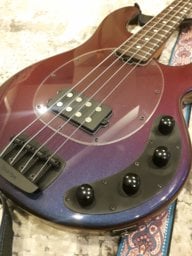
Maybe Line 2 is ‘less than optimal’? I need Line 1 for a mic so I don’t have to switch between interface and computer when using Zoom bc I use a USB mic now. (Big thanks to FullumMusic for that tip. I’ll get to your suggestions soon. It’s a brand new bass. Hope it’s just the design and not a problem.)