• TalkBass has been independent since 1998. Add your voice.
    Create a free account to reply to discussions, view embedded media, and browse with fewer display ads.
    Join freeLog in
    Want zero display ads or expanded classifieds tools? Compare plans.

Editor and Librarian for Meris Enzo

I've created a free editor and librarian for the Meris Enzo, use this software to create, save and share settings.
Details and download: ElliotGarbus/Enzo-Editor-and-Librarian
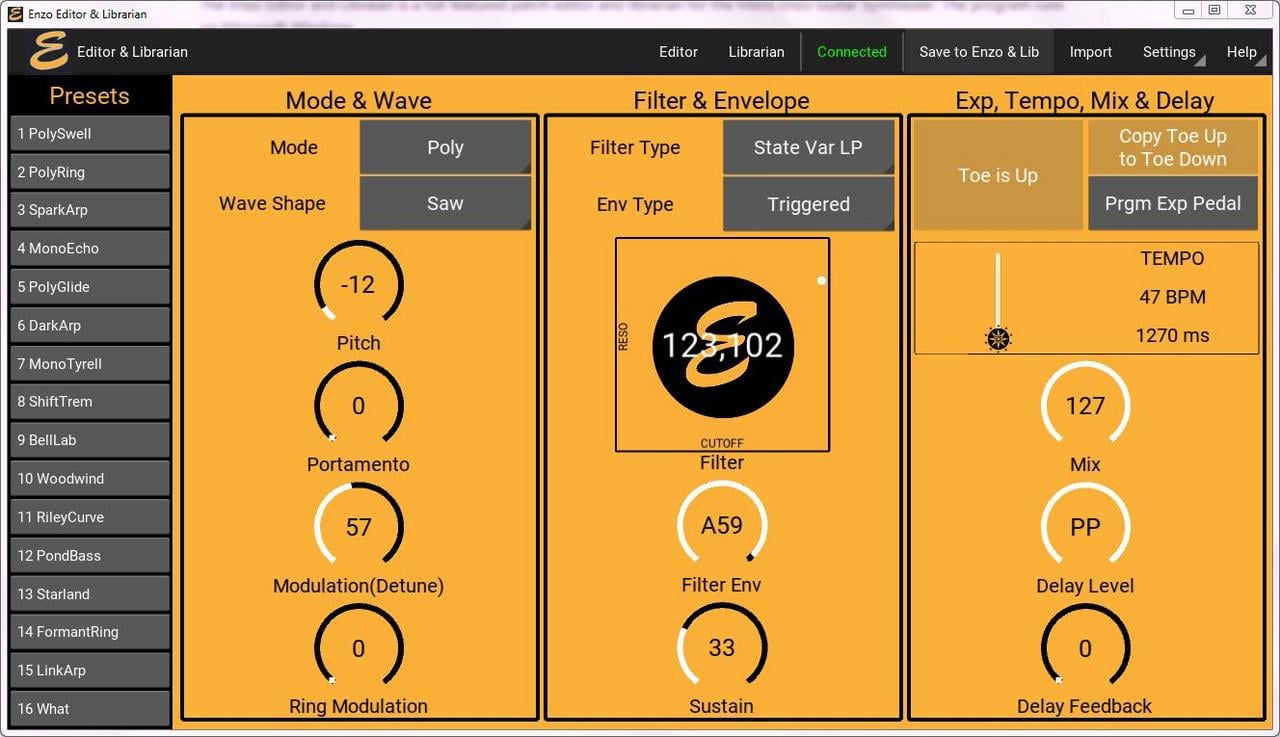
Editor.jpg


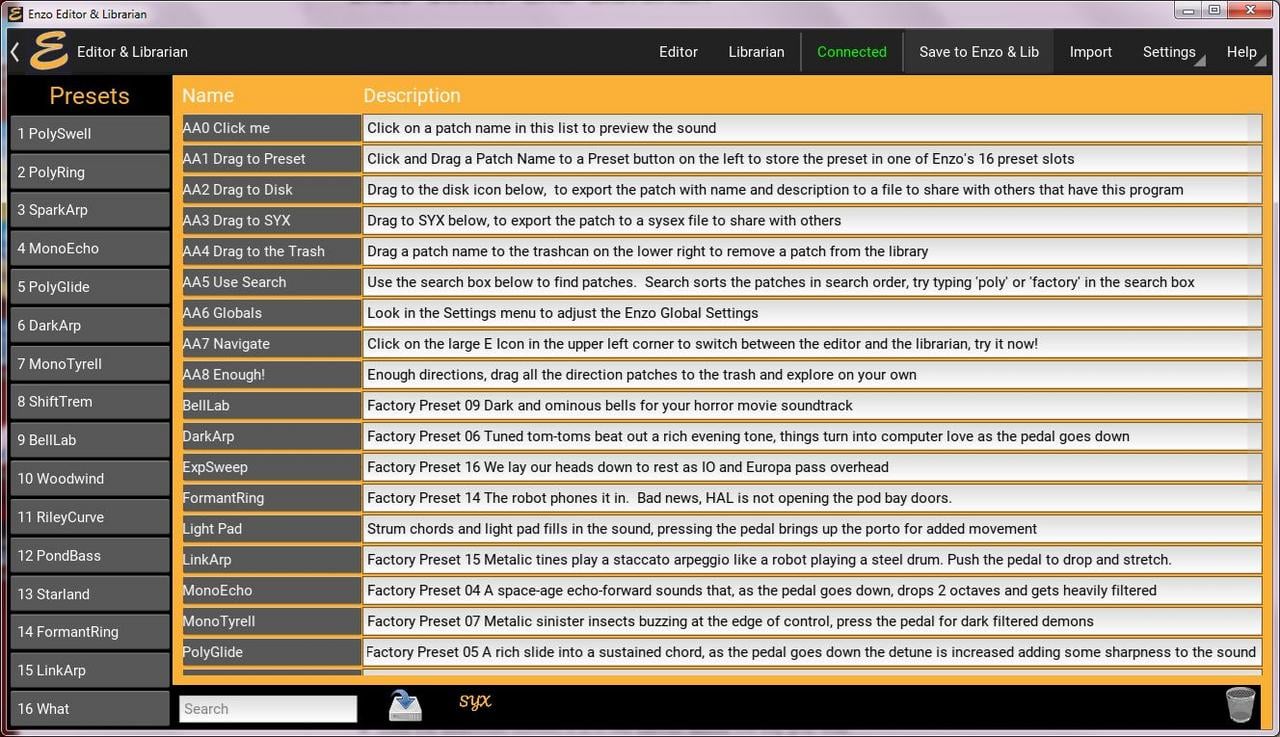
librarian.jpg


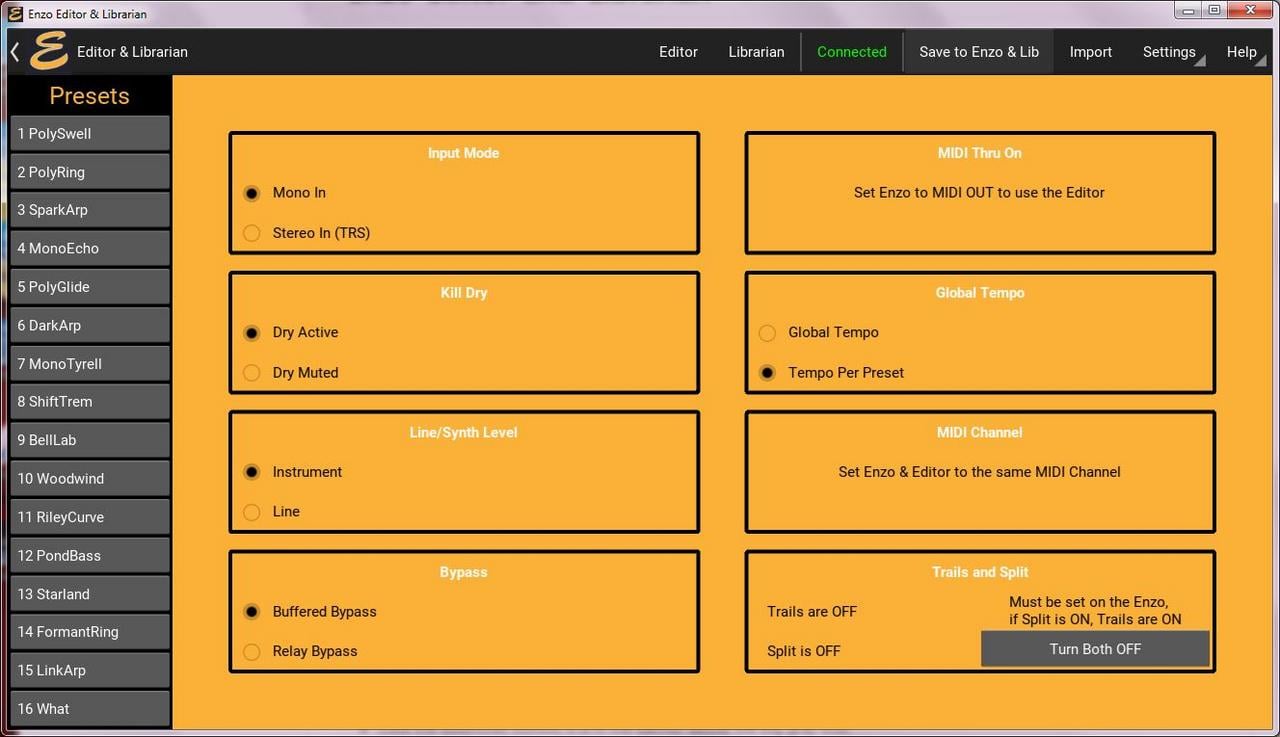
Globals.jpg
 
@JimboP I’m sorry I don’t have a recommendation. I’m disappointed to hear winebottler didn’t work out. I would expect any of the Windows on Mac solutions should work.

I do hope to have a Mac version done in a few months. A friend with a Mac has offered to help. He has a few things to wrap up before we can start. I’ll be sure to announce it here when the Mac version is out.

Thanks for your interest.
 
@JimboP I’m sorry I don’t have a recommendation. I’m disappointed to hear winebottler didn’t work out. I would expect any of the Windows on Mac solutions should work.

I do hope to have a Mac version done in a few months. A friend with a Mac has offered to help. He has a few things to wrap up before we can start. I’ll be sure to announce it here when the Mac version is out.

Thanks for your interest.
I'll try wine bottler again, but a mac version would be even better. Looking forward to it :thumbsup:
 
@JimboP Thanks for sharing the update on WineBottler. I'm disappointed to hear it didn't work out.

I'm about 8 weeks out for a Mac version. I'm doing a major update adding a set of algorithmic patch generators, and making some changes to better support the Disaster Area qConnect (in addition to the Meris MIDI I/O). I'll complete these updates and get both a Windows and a Mac version out at about the same time.
 
Updated the Enzo Editor. https://github.com/Ell.../Enzo-Editor-and-Librarian/releases

New Features in Version 3.6
  • Ability to update a preset, without creating a new name
  • Updated file browser
and a number of bug fixes
Here is the video for the previous version (It is similar enough that I don't think I'll make a new video.)


To update a preset without changing the name, the preset needs to be saved onto one of the 16 preset buttons. Select the preset, make an edit, and press the new "update preset" button on the top menu bar.