I know some of you guys here really favour Garageband in recording bass... Besides micing the amp, how do bass players here record through Garageband? I am using passive Jazz Basses, an M-Audio sound interface and can't seem to get a decent sound out of it. Do you use the track as a "real instrument" or with an "electric guitar" amp modeling?

Enjoy the benefits of a premium membership!
Upgrade Account
-
TalkBass has been independent since 1998. Add your voice.
Create a free account to reply to discussions, view embedded media, and browse with fewer display ads.
Join free Log in
Want zero display ads or expanded classifieds tools? Compare plans.
You are using an out of date browser. It may not display this or other websites correctly.
You should upgrade or use an alternative browser.
You should upgrade or use an alternative browser.
How do you record bass in Garageband?
- Thread starter BoyaFromNagoya
- Start date
More options
Who Replied?
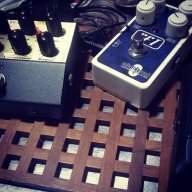
If you choose real instrument there are some bass guitar presets there. You can fool around with the bass amp models they have. Most of the time I use a preset called Amp Fuzz. It's pretty hairy and I love it. Another thing I've gotten good results with is using an empty track and putting a VT bass pedal in the chain.
I've been trying to get a good bass guitar sound out of garageband for years now. I gave up and just used an amp with a DI thats made to go between the amp and cab.

scottfeldstein
Roots and fifths and a little extra.
Going directly into GB with your naked bass is pretty tough. You kind of get what you get. At least put an EQ on it in GB and beef it up a bit. (Probably lacking some low end, I'd imagine.)
Me, I ... well....
my bass >> my pedal board >> my cheap 5 channel mixer >> garage band
The signal coming out of my board is hot enough, eq'd enough and effected enough not to need anything but a naked "real instrument" track in GB. I find that I do boost lows and cut highs a bit in the mixer. But that's it.
Me, I ... well....
my bass >> my pedal board >> my cheap 5 channel mixer >> garage band
The signal coming out of my board is hot enough, eq'd enough and effected enough not to need anything but a naked "real instrument" track in GB. I find that I do boost lows and cut highs a bit in the mixer. But that's it.
Thanks for the input. Just wondering; How is presonus different than any m-audio sound interfaces.

I have got decent tones in GB, but I did set up a compressor and some EQ on the track and it helped alot. Since I bought a Sansamp RPM preamp, I use that and can get some great tones. So try putting on some mild compression and EQ and see where that gets you before buying anything.

If you have a decent audio interface, like the M Audio, recommend recording it direct and flat and then adding any eq or processing like compression after the fact. There are bass models in GB that you can use as well and tweak to get a good sound. Hell, I got a great sound on my jazz using GB for iPhone using the Sound Recorder option.Thanks for the input. Just wondering; How is presonus different than any m-audio sound interfaces.
I've recorded bass onto GarageBand using Focusrite Scarlet interface. I didn't have any issues getting a decent clean (uneffected) tone with it. If you're looking to simulate an amp sound - either run direct from your amp to an interface or use one of the amp modules inside Garageband
Yes me thinks it's pretty easy to get a good sound with GarageBand as long as you get a good initial recording so it might be related to your input levels, check them out. The rest is then the normal production work of eq:ing, using compression, amp models and so on...
light compression can tame some peaks, but using a peak limiter can help keep your tone cleaner and input levels higher.
When you record digitally, the hotter the input signal, the better resolution you get. It'll make your job easier in the long run. That's where compression is most crucial - before you run it to disk. Then when you get it in there, adding light compression to smooth your envelope or fatten your tone can be applied a lot more liberally.
But you really just need to keep your signal hot without clipping. If your gear sounds great to begin with that's all you really have to worry about if you can be sure to run a hot signal free from clipping.
You shouldn't have to worry about garageband or your interface working properly ever if you follow that approach.
When you record digitally, the hotter the input signal, the better resolution you get. It'll make your job easier in the long run. That's where compression is most crucial - before you run it to disk. Then when you get it in there, adding light compression to smooth your envelope or fatten your tone can be applied a lot more liberally.
But you really just need to keep your signal hot without clipping. If your gear sounds great to begin with that's all you really have to worry about if you can be sure to run a hot signal free from clipping.
You shouldn't have to worry about garageband or your interface working properly ever if you follow that approach.

I will typically run whichever bass Im using with no amp model presets. Sometimes I'll use the onboard pre amp (if it has it) otherwise I'll do some EQ tweaks on GB and maybe add some compression. Doesn't sound amazing, but it works.


I don't use GarageBand, but Logic Pro which I believe shares some plugins?
In any case, on any DAW I'm working on (and studio recording as well), 99% of the time I record the bass direct with no effects. At home i currently use an Apogee One.
In mixing I will probably add some compression, with a high threshold and low ratio, and possibly cut a little low end below 100 Hz so it doesn't interfere with the kick drum too much. Nothing else unless I'm going for an "effected" sound, in which case anything goes.
A great vst/au plugin is PSP's Vintage Warmer - I've been using that for many years, and it is quite versatile, good for bass, vocals, and even home mastering. It combines eq and compression - nice plugin though pricey now.
In any case, on any DAW I'm working on (and studio recording as well), 99% of the time I record the bass direct with no effects. At home i currently use an Apogee One.
In mixing I will probably add some compression, with a high threshold and low ratio, and possibly cut a little low end below 100 Hz so it doesn't interfere with the kick drum too much. Nothing else unless I'm going for an "effected" sound, in which case anything goes.
A great vst/au plugin is PSP's Vintage Warmer - I've been using that for many years, and it is quite versatile, good for bass, vocals, and even home mastering. It combines eq and compression - nice plugin though pricey now.
I use the Apogee Jam and have edited and saved an EQ curve that is my go-to setting. I can get it to sound in the ballpark of the sound in my head, and it does fine when mixed with other instruments. Ideally, I would like to try a tube DI with GB to give it a bit more character, otherwise recorded bass can be a bit dry sounding for my tastes.
When you have a "real instrument" track set up, the browse tab selected in the right side of the window:
-select bass and in the right column select "no effects"
-click on the Edit tab to add effects and select the visual EQ to make adjustments
-when you're done, click on the save instrument button
When you have a "real instrument" track set up, the browse tab selected in the right side of the window:
-select bass and in the right column select "no effects"
-click on the Edit tab to add effects and select the visual EQ to make adjustments
-when you're done, click on the save instrument button
Actually, you don't want to run too hot a signal. Unlike an analog recording where you get a little compression when pushing levels that's not true with a digital interface. If you push the record levels too high you'll get digital distortion which is not pleasant and can't be removed. You can always boost level later or add effects.light compression can tame some peaks, but using a peak limiter can help keep your tone cleaner and input levels higher.
When you record digitally, the hotter the input signal, the better resolution you get. It'll make your job easier in the long run. That's where compression is most crucial - before you run it to disk. Then when you get it in there, adding light compression to smooth your envelope or fatten your tone can be applied a lot more liberally.
But you really just need to keep your signal hot without clipping. If your gear sounds great to begin with that's all you really have to worry about if you can be sure to run a hot signal free from clipping.
You shouldn't have to worry about garageband or your interface working properly ever if you follow that approach.
scottfeldstein
Roots and fifths and a little extra.
Here's some bass I recorded in GB. I just ran it out of my pedal board, into a $35 mixer, and into the mic input of my Macbook Pro. (Likewise for the guitar.)
Last edited by a moderator:

Here's some bass I recorded in GB. I just ran it out of my pedal board, into a $35 mixer, and into the mic input of my Macbook Pro. (Likewise for the guitar.)
I have done the same thing, record through our A&H then add it via Macbook Pro.
Garage Band has never really done anything for me. I "prefer" Pro Tools and I guess that I got spoiled.....

Last edited by a moderator:


