
I didn't think anyone used the presets ;-). I think digital igloo has said they aren't even meant to be usable, just to show what the Helix can do, so they are pretty over the top. If nothing else, many have way too much bass or highs, etc. so would require tweaking.

Enjoy the benefits of a premium membership!
Upgrade Account
-
TalkBass has been independent since 1998. Add your voice.
Create a free account to reply to discussions, view embedded media, and browse with fewer display ads.
Join free Log in
Want zero display ads or expanded classifieds tools? Compare plans.
You are using an out of date browser. It may not display this or other websites correctly.
You should upgrade or use an alternative browser.
You should upgrade or use an alternative browser.
Line 6 HX Stomp
- Thread starter been_effected
- Start date
More options
Who Replied?
I recently ordered and received a full screen protector from Ceba and a Pedalnetics Helauxy Duo Mini. When test fitting, I don’t like the added height that the protector adds to the duo. Also, since the screen protector doesn’t go completely to the edge. If I line the duo up to the edge of the screen protector, it crowds access to the control knobs. I don’t like the idea of mounting the duo slightly hanging off the edge of the screen protector. I decided to throw the screen protector on the bandsaw and notch it out where the duo would be.
Didn’t have a good blade for the bandsaw except for a very coarse tooth and was afraid that would shatter it. Did it on the scroll saw. Cut it off my mark then sanded it a little for the best fit. Worked good.
The most difficult thing about the installation was getting the red tape off.
View attachment 4980246
I’m considering a Duo Mini. How has your experience been? Is it at a comfortable height? Does it feel sturdy?

I’m considering a Duo Mini. How has your experience been? Is it at a comfortable height? Does it feel sturdy?
I like mine so far. Feels plenty sturdy. Well made and the buttons seem sturdy and quick to react. I have the two extra buttons set to up and down through the presets. Then I can use the built in buttons for three snapshots.
I had to watch the video to program it because the left button wasn’t behaving like I expected. There are two separate settings to change on that one. That button was set to expression in the settings, it has to be assigned to to a switch instead of an expression input.
here is a video on it.


Alright here's one for you:
I have a Morningstar MC6 controlling my Stomp.
I have foot switch 'D' setup to turn on a short plate reverb. A long press of the foot switch alters parameters (mix, decay, etc).
I have my drive pedals in the Stomps effects loop.
What I'd be curious to find out if there's a way, with a long press of the MC6 foot switch, to make those parter changes BUT also, change the position of the reverb so that instead of coming after the drives, it comes before.
Can't say I've seen this talked about but the ability to swap pedal order would be a game changer!
Thanks, all.
I have a Morningstar MC6 controlling my Stomp.
I have foot switch 'D' setup to turn on a short plate reverb. A long press of the foot switch alters parameters (mix, decay, etc).
I have my drive pedals in the Stomps effects loop.
What I'd be curious to find out if there's a way, with a long press of the MC6 foot switch, to make those parter changes BUT also, change the position of the reverb so that instead of coming after the drives, it comes before.
Can't say I've seen this talked about but the ability to swap pedal order would be a game changer!
Thanks, all.
- Jun 5, 2008
- 216
- 65
- Disclosures
- Endorsing Artist: Spector, Godlyke, Hartke, Hipshot, & AMT Electronics
I'm not sure if its possible, but what if you split the return so you could have 2 loops (L & R). Just thinking out loud here.Alright here's one for you:
I have a Morningstar MC6 controlling my Stomp.
I have foot switch 'D' setup to turn on a short plate reverb. A long press of the foot switch alters parameters (mix, decay, etc).
I have my drive pedals in the Stomps effects loop.
What I'd be curious to find out if there's a way, with a long press of the MC6 foot switch, to make those parter changes BUT also, change the position of the reverb so that instead of coming after the drives, it comes before.
Can't say I've seen this talked about but the ability to swap pedal order would be a game changer!
Thanks, all.

What I'd be curious to find out if there's a way, with a long press of the MC6 foot switch, to make those parter changes BUT also, change the position of the reverb so that instead of coming after the drives, it comes before.
Someone else can feel free to chime in if I'm wrong of course (it'd be a handy trick to know!), but I think the only way to do what you're after would be to actually add a second reverb block so you have one before and one after the drives/FX loop. Then you could program a footswitch to turn one on and the other off. The MC6 doesn't have any commands for moving blocks, because I don't think that's possible with a MIDI command. Check Line 6's explanation of snapshots on page 38 of the manual... you can program it to change parameters, but not rearrange/add/subtract blocks.
5sg.
Alright here's one for you:
I have a Morningstar MC6 controlling my Stomp.
I have foot switch 'D' setup to turn on a short plate reverb. A long press of the foot switch alters parameters (mix, decay, etc).
I have my drive pedals in the Stomps effects loop.
What I'd be curious to find out if there's a way, with a long press of the MC6 foot switch, to make those parter changes BUT also, change the position of the reverb so that instead of coming after the drives, it comes before.
Can't say I've seen this talked about but the ability to swap pedal order would be a game changer!
Thanks, all.
I believe changing the order of blocks within a preset still requires a DSP reload. Essentially the same thing as switching presets. @fivestringgecko 's suggestion seems adequate though!
I'm not sure if its possible, but what if you split the return so you could have 2 loops (L & R). Just thinking out loud here.
Someone else can feel free to chime in if I'm wrong of course (it'd be a handy trick to know!), but I think the only way to do what you're after would be to actually add a second reverb block so you have one before and one after the drives/FX loop. Then you could program a footswitch to turn one on and the other off. The MC6 doesn't have any commands for moving blocks, because I don't think that's possible with a MIDI command. Check Line 6's explanation of snapshots on page 38 of the manual... you can program it to change parameters, but not rearrange/add/subtract blocks.
5sg.
I believe changing the order of blocks within a preset still requires a DSP reload. Essentially the same thing as switching presets. @fivestringgecko 's suggestion seems adequate though!
Thanks, everyone. Kind of what I assumed. I can’t say I’m surprised but the Stomp has surprised me so many times already.
I have a Revolt Two Notes preamp since 1 month... but the problem is that I have presets in Stomp (including a preset that uses the Noble settings that I got here) and I can't find the use of the Revolt. Not cool when you spend 400 euros.
But maybe I can't get the two systems to talk to each other.
I'm still going to try to find a use for it but I can't decide if I should put the Revolt in the Fx loop of the Stomp, or the stomp in the Fx loop of the Revolt. Knowing that I mainly use in Stomp : Amp / Pitch Simple / Disto and a little fuzz (but I also have a Mastotron pedal and a Cali76).
What would you do? (apart from selling the Revolt )
)
But maybe I can't get the two systems to talk to each other.
I'm still going to try to find a use for it but I can't decide if I should put the Revolt in the Fx loop of the Stomp, or the stomp in the Fx loop of the Revolt. Knowing that I mainly use in Stomp : Amp / Pitch Simple / Disto and a little fuzz (but I also have a Mastotron pedal and a Cali76).
What would you do? (apart from selling the Revolt
)

What are the Noble settings for the Stomp?
I have a Revolt Two Notes preamp since 1 month... but the problem is that I have presets in Stomp (including a preset that uses the Noble settings that I got here) and I can't find the use of the Revolt. Not cool when you spend 400 euros.
But maybe I can't get the two systems to talk to each other.
I'm still going to try to find a use for it but I can't decide if I should put the Revolt in the Fx loop of the Stomp, or the stomp in the Fx loop of the Revolt. Knowing that I mainly use in Stomp : Amp / Pitch Simple / Disto and a little fuzz (but I also have a Mastotron pedal and a Cali76).
What would you do? (apart from selling the Revolt

Well, I wish I had more time this weekend. I know what I'd be doing. Unfortunately, my weekend is taken up with travel time (5 hours each way) to go see Cory Wong and Victor Wooten. Oh well. I'll have to try and find some time next week. Thanks for the settings. Can't wait to try them.
What are the Noble settings for the Stomp?
Someone should save the patches and share the files.

Like these?Someone should save the patches and share the files.
Line 6 HX Stomp
I'm sure I downloaded them from a link somewhere here but this is my archive.
Edit: Found it
Last edited:
Like these?
Line 6 HX Stomp
I'm sure I downloaded them from a link somewhere here but this is my archive.
Edit: Found it
Sweet! Thank you!
I'll give them a try.
So I’m having an issue where my Mac won’t download HX Edit due to reading as a corrupted file from their website. Anyone else run into this? I’m having to run everything manually right now and so some of these great presets are out of my grasp until I get HX Edit or the manual way to dial these in.
lots of info needed: what Mac? which OS? what HX firmware version? Are all updated to newest versions?
But few things that come to mind...

But few things that come to mind...
- Check that you have System Preferences (now called 'System Settings') set to allow identified/third party downloads
- Only download the HX Edit app from the Line6.com site
- Try turning off VPN/Antivirus/adblocker apps/extensions
- try to download from a non-Safari browser
Last edited:
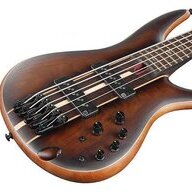
hi all, have a new Stomp XL. I was wondering if there's any recommendations or leads to some synth bass presents I can learn from? like those retro sounding synth basses.. thank you.
p.s. i am relatively new to synths. i come from a simple, all analog board for my band that plays rock, signal chain as follows:
bass > korg pitchblack tuner > Empress Bass Compressor > MXR phase 90 > Darkglass Microtubes X
p.s. i am relatively new to synths. i come from a simple, all analog board for my band that plays rock, signal chain as follows:
bass > korg pitchblack tuner > Empress Bass Compressor > MXR phase 90 > Darkglass Microtubes X
Last edited:

I have a Revolt Two Notes preamp since 1 month... but the problem is that I have presets in Stomp (including a preset that uses the Noble settings that I got here) and I can't find the use of the Revolt. Not cool when you spend 400 euros.
But maybe I can't get the two systems to talk to each other.
I'm still going to try to find a use for it but I can't decide if I should put the Revolt in the Fx loop of the Stomp, or the stomp in the Fx loop of the Revolt. Knowing that I mainly use in Stomp : Amp / Pitch Simple / Disto and a little fuzz (but I also have a Mastotron pedal and a Cali76).
What would you do? (apart from selling the Revolt
Ross from Two notes here! We would suggest putting the ReVolt in the FX loop of the Stomp and then configure channel changes via the ReVolt's setup menu, triggered from your Stomp! Let us know if there is anything else we can clarify for you here!


