• TalkBass has been independent since 1998. Add your voice.
    Create a free account to reply to discussions, view embedded media, and browse with fewer display ads.
    Join freeLog in
    Want zero display ads or expanded classifieds tools? Compare plans.

My First Recording

This is my very first time recording and using Garage Band, I was sort of figuring it out as I went.
I still have a lot to learn, for example, how to get rid of the extra time at the end of the track.
I used:
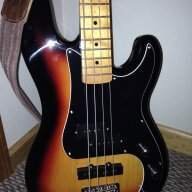
American P Bass with Orig 62 pickups
Diamond Compressor
M-Audio Fast Track Pro.

I would appreciate any tips, I don't really know how it all works yet..:)
 

Attachments

  • Like
Reactions: Wookieeboy
Thanks...yes a 2014 Am Special Nitro Honey Burst P with broken in La Bella DTF's. I have grabbing stuff off of wikiloops and adding tracks with my different bass's and so far have been real happy with the tone's. Visit the Soundcloud link in my signature, a few things turned out well IMO.
 
This is my very first time recording and using Garage Band, I was sort of figuring it out as I went.
I still have a lot to learn, for example, how to get rid of the extra time at the end of the track.
......................

I've used a number of windows based DAW that all offer a split/trim function hopefully Garage Band should offer a similar feature. Under the edit tab look for something generally labeled "split". This will allow you to divide your track at the cursor / time line. Next, highlight the part of the track at the end you don't want (make sure it is ONLY the part you don't want) then delete it. Generally you'll need to do this on every track.
Split along with copy/paste is a good tool to use for creating loops or acomplishing punch-in work around if your DAW doesn't offer the feature.
Always remember to save your work with a unique meaningful name before any edit. It will save a lot of frustration and screaming at your computer.

FYI a quick Google search for "garage band tutorials" returns a lot of useful information.
 
Last edited:
That is a beautiful tone, and the Jamerson style licks were sweet.
Thanks...that was me literally using GB for the first time.....Since than Ive added a handful of tracks from wikiloops on the SoundCloud link in my signature, really just to help learn the tool and see what I can come up with, etc. I'm getting some great sounds from my P bass, Stingray and fretless Jazz. The P bass especially, its the P tone Ive always been after....so what are you supposed to do after you actually catch the tone you've chased for years, the chase is half the fun:)
 
Great recording, love the sound!

Always remember to save your work with a unique meaningful name before any edit. It will save a lot of frustration and screaming at your computer.
I'd stick with just unique; as in a crazy worktitle. Meaningful often goes into "funky01", "funkinaway", "thisisthefunkiestbasslineever". :laugh:

Also, I might be one of the few in this but Garage Band is not meant to be a full DAW. I recommend getting started with something like Reaper (free trial + the trial never stops) so it will save you time in the long run if you get stuck on features you need that are not in Garage Band.
 
  • Like
Reactions: NoiseNinja
..........
I'd stick with just unique; as in a crazy worktitle. Meaningful often goes into "funky01", "funkinaway", "thisisthefunkiestbasslineever". :laugh:

Also, I might be one of the few in this but Garage Band is not meant to be a full DAW. I recommend getting started with something like Reaper (free trial + the trial never stops) so it will save you time in the long run if you get stuck on features you need that are not in Garage Band.

I agree Garage Band is a limited platform when compared to full feature DAWs but it works fine for a lot of fairly simple projects. Free DAW software like Reaper and Audacity (my choice for free DAW software) are better if you want to progress beyond basic recordings but not spend any money on recording software.

Regardless of which software you use you will want to save and recall your work at some point. Why else are you bothering to record? I learned the idea of saving your project at each step, with a unique meaningful naming from recording classes with a Grammy nominated Nashville studio owner. I am now a "save often" fanatic. The "project" file is very very small (especially compared to the wav files (recorded track). Use names like "initial-project-name-load" when your open a new project or "bass-take-1" after you record the first bass track before any editing or correcting. This will allow you to easily go back to any point in the project. This ideas saves a lot of frustration, cursing, throwing stuff and re-recording time. Fett's Mixing Roadmap: A Step-by-Step Guide To Mixing Music In The Studio (discusses data saving/naming on page 10, Phase 1 Environment Set Up). IMHO if your are the lest bit serious about home recording, this is the best overall book of easy to understand practical platform / software independent tips, tricks, and techniques. Of course if you're just messing around, have endless patience and never want to progress or share your recordings, save your money and just use your cell phone's voice memo app. My$0.02 & YMMV
 
As an Amazon Associate, TalkBass may receive commissions from qualifying purchases made via links on this site.
Thanks all for the advice, this is literally my first foray into digital recording and at this stage just feeling it out, what kinds on tone I can get, how the basics work, etc. GB seems fine for this stage, but yes I agree that if/when it gets serious Ill have to up the game a bit. Logic Pro X is reasonably priced and highly recommended by a studio owner I know, however as stated, I'm still at the "messing around" phase..:)
 
  • Like
Reactions: Jeffrey Bryan