• TalkBass has been independent since 1998. Add your voice.
    Create a free account to reply to discussions, view embedded media, and browse with fewer display ads.
    Join freeLog in
    Want zero display ads or expanded classifieds tools? Compare plans.

Please share your tips on how to record professional / studio quality bass

All of this is wonderful and helpful. The OP wanted specifics on settings to make better recordings, such as the exact compressor settings for bass.

The problem is that you have to use your ears more than your fingers while twiddling knobs or keyboard strokes. No standard set of settings will match every situation. So twiddle with your ears on high alert until you can hear differences. BUT to hear all that is there, you have to train your ears. And that takes time in focused effort. Much time!

I hade the good pleasure to have a pro recording engineer, Marty from Baltimore, help me doing voice overs. He worked me until I could hear what he was talking about. BTW - He trained the guys who did the original GIECO gecko commercials.

One thing I learned was the sonic difference between various cables - mic, guitar, headphone, console, etc. After a while I could hear the differences. I chose Neuman cables as my basic set. They were not cheap and I had to make them myself.

Maybe there is a quicker way. If you want to become a recording engineer take some courses at a local college near you.

If you want simple and fast, learn from Leland Sklar on YouTube. In one of his early posts he describes his equipment to make his postings. It is very simple - bass, amp, backing track to play with. His recordings are of his amp and his voice microphone into his video camera. I think he uses a SSL Interface into his computer DAW/video recorder or maybe it is just into his video recorder. He usually plays along to his own previous bass lines. You can do similar.

Get some backing tracks of the songs you want to showcase your abilities. Or get some minus the bass. Play along with them and record like he does. For full effect, do it like Leland - do it in both audio and video.

I think what Leland is doing is brilliant. He is showcasing that he still has it. He can duplicate any of his previous work with perfect playing and perfect tone. He is advertising himself to music directors and studios that he can still do it at top level. I am assuming that is what you want to do.

His process is to set up his equipment and record direct to his video system. Then he does whatever editing he needs in his video editor. If he needs to edit his sound, he may go to a DAW, but that sort of defeats the purpose of him showing he still has it on a first take basis. And yes, I have spotted some of his flubs (as my jaw was hanging open in awe), but he does not edit them out, else I never would have caught them.

There are numerous videos of people at home playing basslines to all kinds of songs. They are doing song-less-bass, or overlaying their bass on the original recordings to make their videos. Find some you like and copy them. Make your video recording very simple like Leland does. And I assume these youtubers are also looking for work as bassists, and these are their marketing videos.

If you want more control, get something like Band-In-A-Box and record with it, but it is only audio, not video.

For showcasing your ability on bass, I think Leland has it right. If you want to showcase your studio engineering, do that also, but that is not bass-player showcasing.

There are some threads here on Leland Sklar, so do a search and use them.

In summary, my tip is to do what the most recorded bass player in history is doing, keep it simple and play with exquisite technique, and do it in published videos. And if it helps, grow a beard :)

Adding some more on equipment and process.
Here is Lee going over his equipment, Vol 26.
He does more on Vol 27:

If you look in the reflection on the Dingwall in Vol 26, you can see he is using his cellphone to make the podcast.

On the first of his series you can see him using his cellphone on a stand. So he plays the backing tracks with his stereo system (or computer) and he records the audio of his amp, his voice and the backing track with his cellphone speaker - just like the teeny boppers do!

You can see him hitting a switch to start the pre-cued, backing track and then he starts playing along.

What he does not tell you is how much preparation effort for each session.
1. He balances the amp and stereo system to record evenly of each.
2 Probably has his cell phone set on auto volume recording so he gets his voice and the music at reasonable, non-clipping levels. All he as to do is start talking and then pick up his bass, switch on the music and play along.
3. I see no evidence of him reading from a script, so he just chats and plays along.
4. He tunes his bass and cues his playback track.
5. He posts any notes right next to the cellphone lens so he can read while looking straight into the lens.

Lee is a pro, so I am sure he at least has a daily or weekly routine to keep up his chops, probably with something like this as a base:
4 Bass Guitar Drills You Should Do Each Day


I learned this years ago as a 6 string guitar player. I actually had a weekly schedule for chops and ear maintenance.

For the daily podcast he probably runs through the music to get his bass part right before he records. He also remembers the backstory for his chatting. Once he is satisfied he has the bass part good, and in tune, he makes a "take" for his podcast. He also cues, sets up the device he is going to play the backing track on so he just pushes a button and it is playing at the beginning of the track.

If he really has a problem, either he does another take, or imports into a video editor. A studio pro is a "one take" kind of guy.

Here is an interview with Lee: In this first podcast of the series, Leland discusses his incredible career, his interesting basses, his approach to studio work and much more.
You can follow Talkingbass on social media:
Youtube: https://www.youtube.com/c/TalkingBassVideo
Instagram: https://www.instagram.com/talkingbasslessons

I can hear some echo in his room, obviously untreated, but not like a gymnasium or church. Actually all that junk laying around can help (or not). The open alcove to his right can act like a bass trap. As I have not seen his amp in the background, I suspect Lee has his EA amp on or in front of his desk next to the stereo so volumes are easily balanced. Maybe the amp is sitting on a bar stool so he can hear it and reach over to adjust as needed. The EA amps have lots of eq controls.

He balances everything to be just above his talking voice. His bass is just slightly louder than the track he is playing to.

Since he is playing so softly I think he adds a mid-cut, smiley-scoop to fit the Fletcher Munson Curve on the amp or his bass guitar, or both, and his stereo playback system. But everything is gathered around the cellphone microphone, much like a bluegrass group, probably at roughly equal distances. So much for your need to play loud to get sound great.

You can see him reach in front to turn on the backing track and hear a click, so maybe it is a cassette player.

Here is a link to Leland's YouTube Channel: https://www.youtube.com/channel/UCs5yDeiOgkyRZGZGphlSbIw/videos

He does not play on every podcast, some he talks about, others he just listens.

You can get ready for your podcasts by recording your daily routine for technique. And then critique for quality. Most live tracks have so much sound wash, you cannot hear, say, string rattles. With the bass most prominent, you can hear every sound, good or bad. Maybe for starters, record for sound placement and levels, then listen to your playing every 2 weeks or so, until you can stand it without beating yourself up over it.
 
Last edited:
  • Like
Reactions: BaldingEagle
Adding some more on equipment and process.
Here is Lee going over his equipment, Vol 26.
He does more on Vol 27:

If you look in the reflection on the Dingwall in Vol 26, you can see he is using his cellphone to make the podcast.

On the first of his series you can see him using his cellphone on a stand. So he plays the backing tracks with his stereo system (or computer) and he records the audio of his amp, his voice and the backing track with his cellphone speaker - just like the teeny boppers do!

You can see him hitting a switch to start the pre-cued, backing track and then he starts playing along.

What he does not tell you is how much preparation effort for each session.
1. He balances the amp and stereo system to record evenly of each.
2 Probably has his cell phone set on auto volume recording so he gets his voice and the music at reasonable, non-clipping levels. All he as to do is start talking and then pick up his bass, switch on the music and play along.
3. I see no evidence of him reading from a script, so he just chats and plays along.
4. He tunes his bass and cues his playback track.
5. He posts any notes right next to the cellphone lens so he can read while looking straight into the lens.

Lee is a pro, so I am sure he at least has a daily or weekly routine to keep up his chops, probably with something like this as a base:
4 Bass Guitar Drills You Should Do Each Day


I learned this years ago as a 6 string guitar player. I actually had a weekly schedule for chops and ear maintenance.

For the daily podcast he probably runs through the music to get his bass part right before he records. He also remembers the backstory for his chatting. Once he is satisfied he has the bass part good, and in tune, he makes a "take" for his podcast. He also cues, sets up the device he is going to play the backing track on so he just pushes a button and it is playing at the beginning of the track.

If he really has a problem, either he does another take, or imports into a video editor. A studio pro is a "one take" kind of guy.

Here is an interview with Lee: In this first podcast of the series, Leland discusses his incredible career, his interesting basses, his approach to studio work and much more.
You can follow Talkingbass on social media:
Youtube: https://www.youtube.com/c/TalkingBassVideo
Instagram: https://www.instagram.com/talkingbasslessons

I can hear some echo in his room, obviously untreated, but not like a gymnasium or church. Actually all that junk laying around can help (or not). The open alcove to his right can act like a bass trap. As I have not seen his amp in the background, I suspect Lee has his EA amp on or in front of his desk next to the stereo so volumes are easily balanced. Maybe the amp is sitting on a bar stool so he can hear it and reach over to adjust as needed. The EA amps have lots of eq controls.

He balances everything to be just above his talking voice. His bass is just slightly louder than the track he is playing to.

Since he is playing so softly I think he adds a mid-cut, smiley-scoop to fit the Fletcher Munson Curve on the amp or his bass guitar, or both, and his stereo playback system. But everything is gathered around the cellphone microphone, much like a bluegrass group, probably at roughly equal distances. So much for your need to play loud to get sound great.

You can see him reach in front to turn on the backing track and hear a click, so maybe it is a cassette player.

Here is a link to Leland's YouTube Channel: https://www.youtube.com/channel/UCs5yDeiOgkyRZGZGphlSbIw/videos

He does not play on every podcast, some he talks about, others he just listens.

You can get ready for your podcasts by recording your daily routine for technique. And then critique for quality. Most live tracks have so much sound wash, you cannot hear, say, string rattles. With the bass most prominent, you can hear every sound, good or bad. Maybe for starters, record for sound placement and levels, then listen to your playing every 2 weeks or so, until you can stand it without beating yourself up over it.


Here is a Leland Sklar interview

Here he talks about his podcast preparation and his strategy in making them.

Here is a second video:
 
Last edited:
Quick follow-up question, where do you place the bass in the mix i.e. do you pan it to the right a little rather than leave it in the center?

Like most things ... it depends!
For listening music, center or close to it.
If you want the listener to hear your lines clearly, pan more radically in order to isolate the track.
 
Question for those who record a DI signal and a close mic'ed cab: do you bother phase-aligning the two signals by, eg, slightly delaying the DI so the peaks and troughs line up as best as possible?

Much easier done in a DAW than Albini's hardware technique, but if he says it's something to consider, I consider it!


Yes, easier to do in a DAW, but the video should still be useful for anyone that hasnt corrected for this. What you want to see in the DAW is very similar to what the oscilloscope shows.
 
  • Like
Reactions: drwv
Firstly, I just want to say thank you for everybody who's engaged with this thread. I hadn't expected to get 5 pages worth of responses!

I started this thread off with the statement of Professional / Studio quality recordings. A number of responses here have made me realise that isn't what I need to go after at this stage - I'm not producing records my goal is a set of decent sounding recordings for virtual audition pieces.

I spent the afternoon in my humble home studio setting and tried a few of the suggestions given to me and very much following the keep it simple principle.

- Backing track with the original bass largely EQ'd out
- Bass recorded direct via the Radial Pro DI into the SSL Interface (I know the DI box isn't needed it just a bit more convenient)
-- EQ on the bass flat, pickup blend central
-- No pedals or additional pre-amps in the signal chain
- After recording the following applied plugins applied to the bass track
-- Cubase Studio EQ - Pop Bass pre-set (slightly tweaked)
-- Cubase Compressor - A bass pre-set applied (can't remember which)
On the stereo output channel
-- Cubase Compressor - light mastering pre-set

Sounding pretty good as a starter.
Sounds like you're on the right track. Presets can be a great way to get 90% of the way there with minimal fuss. Find one you like as a starting point, and then tweak away with that as your base.

My favourite thing to do next would be to go listen to your mix in the car, on a stereo, with earbuds, and every other location and set of speakers you can get your hands on. You might find stuff wrong with your mix that you didn't hear on your main speakers.
 
  • Like
Reactions: perfektspace6
Here is a Leland Sklar interview

Here he talks about his podcast preparation and his strategy in making them.

Here is a second video:


Oh no, MORE?
Just listened to Lee's No. 40: James Taylor - Your smiling face, podcast.
Here Lee states he does not edit his videos, he just re-cuts them in entirety.

He also cuts as many as 3 in one day for later posting. This works if you are doing well and want to keep going.

Again simplicity in itself. Record with cellphone. Use tracks that are already professionally mastered and cut a bass play-along, or in Lee's case, re-cover the bass track.

And once he sets up a working equipment arrangement, keep it that way, and just plug in his phone, upload a new backing track, pick a bass, and repeat.

Makes me want to consider getting a new cellphone with all those new video features. Or maybe not, I love learning yet another new operating system.

If you want a more formal looking video than Leland, hang a shower curtain in the background behind you, or use a room divider screen so your camera does not see a junky room. You may have to raise it some so the room is not visible.

Or consider building a wall of speaker cabinets and amps behind yourself. Or get a banner made to hang behind you with your name and contact info on it. Zoom false backgrounds are usually too distracting.

Whatever you do, please do not put your back to an uncovered window or bright lights. Unless you call yourself "Shadow Man." Do get some led lights to shine on you like the pod casters do. One ring light on each side angled down about 45 degrees to your face works well.

Then hang on raised mic stands or wood strips on the wall, quilts behind the desk, and in the room behind the background screen. And to the sides if you can. Get them as high as you can. Put a nice thick, full carpet on the floor. Now you are treating the room to reduce the echoes as a studio would.

How many quilts are necessary? I use something like 8 black moving blankets, 8x10. But I would use more, but my wife seems to claim all our other quilts. Use your ears to determine when you have cut most of the echo. This will make your bass stand out better. And how you would prepare a room for recording.

If your room has a ceiling fan, please do not turn it on while you record as few will pay attention to your music. But do dust it. Remember you are doing this as a video audition where you are the star.

Or you could do like the teeny boppers, and just record yourself playing on the edge of your un-made bed. Sprinkle clothes on the floor and bed for effect.

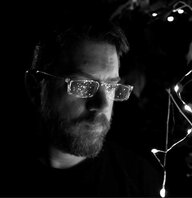
Or grow a beard like Leland who looks so cool, who cares what is in the room? But you can occasionally see the reflections of the lights he has on the desk in his glasses. It looks to me like he is facing the window in the room.
 
Last edited:
  • Like
Reactions: BaldingEagle
Oh no, MORE?
Just listened to Lee's No. 40: James Taylor - Your smiling face, podcast.
Here Lee states he does not edit his videos, he just re-cuts them in entirety.

He also cuts as many as 3 in one day for later posting. This works if you are doing well and want to keep going.

Again simplicity in itself. Record with cellphone. Use tracks that are already professionally mastered and cut a bass play-along, or in Lee's case, re-cover the bass track.

And once he sets up a working equipment arrangement, keep it that way, and just plug in his phone, upload a new backing track, pick a bass, and repeat.

Makes me want to consider getting a new cellphone with all those new video features. Or maybe not, I love learning yet another new operating system.

If you want a more formal looking video than Leland, hang a shower curtain in the background behind you, or use a room divider screen so your camera does not see a junky room. You may have to raise it some so the room is not visible.

Or consider building a wall of speaker cabinets and amps behind yourself. Or get a banner made to hang behind you with your name and contact info on it. Zoom false backgrounds are usually too distracting.

Whatever you do, please do not put your back to an uncovered window or bright lights. Unless you call yourself "Shadow Man." Do get some led lights to shine on you like the pod casters do. One ring light on each side angled down about 45 degrees to your face works well.

Then hang on raised mic stands or wood strips on the wall, quilts behind the desk, and in the room behind the background screen. And to the sides if you can. Get them as high as you can. Put a nice thick, full carpet on the floor. Now you are treating the room to reduce the echoes as a studio would.

How many quilts are necessary? I use something like 8 black moving blankets, 8x10. But I would use more, but my wife seems to claim all our other quilts. Use your ears to determine when you have cut most of the echo. This will make your bass stand out better. And how you would prepare a room for recording.

If your room has a ceiling fan, please do not turn it on while you record as few will pay attention to your music. But do dust it. Remember you are doing this as a video audition where you are the star.

Or you could do like the teeny boppers, and just record yourself playing on the edge of your un-made bed. Sprinkle clothes on the floor and bed for effect.

Or grow a beard like Leland who looks so cool, who cares what is in the room? But you can occasionally see the reflections of the lights he has on the desk in his glasses. It looks to me like he is facing the window in the room.

Can't Stop Talking About it

I became a bit obsessed about how to do this. So did some more searching.
Here is a TB Thread: "Record audio and video at the same time for YouTube bass covers"
Record audio and video at the same time for YouTube bass covers

Here the OP has made a tutorial on how to make these cover videos. His tutorial is great.
He claims that separating the audio and video gives better sounding results.
195490.jpg

droo46
Jun 16, 2011

droo46 has lots of useful tips in his tutorial using a camera or a cellphone.


At the end of droo46's thread Ukiah Bass tells how to do it all in one process with a cellphone.


72947.jpg

Ukiah Bass

For YouTube bass solo / playalong videos, there's a simpler approach that is easy and provides good sound.

Idea works with any smartphone. I use my old iPhone 6s and a Rode Videomic Me. The video is HD and already integrated with good sound (if your bass / amp sound good in the room). Shoot, quick edits, upload, done. You will need a smartphone camera mount and tripod for positioning.

axax8-igpgn4ircihtih8g__43898-1585580358-png.png


Back to Leland Sklar.
He needs a microphone as he chats, but for an audition video you don't need any talking. Just send any inquiries to your video, and/or add contact info in your posting. After looking around YouTube there are lots of cover/audition videos with no talking.

For hooking up to your cell phone this article talks about several options and all the kinds of connectors/adaptors you may need.
Attaining Better Sound For Smartphone Video - ProSoundWeb

If you go with no microphone then set up is easier, and if you capture all digitally (DI bass and backing track) you will get no room echo. Microphones always add some bleed. As long as the echo is small, it can make it sound more live.

So you have two options:
1. Use cellphone speaker
2. Direct to recorder(s)

This article talks about microphone options: The Best Smartphone Microphones for Musicians, Vloggers and Podcasters

Here are some tips from Rode on this: [This invalid link has been removed]

To use your SSL2 audio interface instead of a microphone, just add a small mixer to adjust bass and backing mix prior to going to your audio interface, or just go straight to your cellphone.

So I suggest you experiment on which you prefer.


Last edited:
  • Like
Reactions: BaldingEagle
Expecting a pro outcome of a recording necessitates the following:

1. A pro-level bass operator, aka player, who knows the requirements of the arrangement, and understands dynamics.
2. A pro-level instrument that's well adjusted and in a sound condition, and which is (and consistently will stay) in tune. Choice of bass and strings to match what the song needs.
3. Top-notch equipment for capturing the performance. Everything chosen to compliment the required sound (all the way from source to end-media). Tracking DI and multiple mics is not uncommon.
4. Pro-level processing at both tracking and mixing.

I'll leave mastering out for now.
 
Expecting a pro outcome of a recording necessitates the following:

1. A pro-level bass operator, aka player, who knows the requirements of the arrangement, and understands dynamics.
2. A pro-level instrument that's well adjusted and in a sound condition, and which is (and consistently will stay) in tune. Choice of bass and strings to match what the song needs.
3. Top-notch equipment for capturing the performance. Everything chosen to compliment the required sound (all the way from source to end-media). Tracking DI and multiple mics is not uncommon.
4. Pro-level processing at both tracking and mixing.

I'll leave mastering out for now.

ONCE AGAIN

LIGHTING:
From the mirror behind Lee, you can he is sitting facing in front of a double window, but to one side. This works well if the the window(s) face north. For night time, cloudy days, or across the seasons, to get balanced light, use the led lights on the desk. Which is why you see a lot of bass skills, audition videos entirely with artificial lights. Same for most professional videos where artificial lights let you work 24 hours per day, any day.

The plus is the windows act like two big panel lights, giving the room lots of light. This is what very nice "studio" lighting tries to imitate.

MICROPHONE: The cell phone microphone is essentially an omni-directional mic. So it picks up Leland's voice, bass and backing track in the room. Just adjust volumes for recording. And no mixer required. I would turn my cellphone upside down to get the mic facing up rather than down.

But you will get more room echo and various forms of filtering from the room with the cellphone mic.

For cleaner sound you will want a more complicated system where you can go direct to the mixer for the bass, backing track and microphone, and balance sound levels in the mixer. This should give less room echo, as long as you have treated the room.

Here is a setup for direct recording, where you will want a cardioid microphone rather than the cell phone omni.

ARTICLE:
Attaining Better Sound For Smartphone Video
3) Connect An Audio Interface To The Smartphone
This is the most sophisticated method, affording a way to record and stream video with pro quality stereo sound. Mike the band/performer with several closeup microphones as you do on stage. Connect those mics to a mixer, then connect the mixer outputs to an audio interface. Set up a stereo mixer. The audio from the interface will go into the smartphone, where you can record or stream a video in stereo. Figures 5 and 6 offer two ways to do it, showing the adapters and devices that are needed and how to connect them.

image-64.png

Figure 5: Connecting an audio interface to an iPhone using an Apple camera adapter.

image-65-1024x1001.png

Figure 6: Connecting an audio interface to a smartphone using a USB hub.

How this works:

In Figure 5, audio from the mixer line outputs goes into an audio interface, which converts the analog audio to digital. That digital signal goes into the USB data port of an Apple Lightning to USB 3.0 camera adapter, which converts USB to Lightning to plug into an iPhone. That adapter is powered by a USB power adapter or battery pack.

In Figure 6, audio from the mixer goes into an audio interface, which converts the analog audio into digital. That digital signal goes into a powered USB data hub, which receives power from a USB power adapter, or from a power source supplied with the USB hub. From that hub, the USB data and power go to an Apple Lightning to USB adapter, or a Micro USB to USB adapter. The adapter plugs into the smartphone or iPhone.

After all the connections are made, plug the Lightning or micro USB connector into the smartphone. It should recognize the external audio source instead of its built-in mic. Note: for Android you need a USB OTG breakout cable (adapter). This converts the phone’s Micro-USB or USB-C port into a female USB-A port.

If using a USB mic or USB mixer, connect it to the powered USB hub or to a powered USB smartphone adapter. Place mics close to your band and enjoy a more present (less echo and more pure) sound.

TALKING: As for talking during the audition video, I have seen lots of YT videos with no talking.

Now if you are doing a podcast, you will want talking, for both yourself and any visitors. Then you want a more professional set up into a mixer of some kind.

Nothing stops you from using the cell phone microphone if you have guests, except the fuss of getting a balanced sound, but it can be done. Here the standard is separate microphones.

So you have two choices:
1) cell phone omni - more room echo
2) direct - less room echo
 
Last edited:
ONCE AGAIN

LIGHTING:
From the mirror behind Lee, you can he is sitting facing in front of a double window, but to one side. This works well if the the window(s) face north. For night time, cloudy days, or across the seasons, to get balanced light, use the led lights on the desk. Which is why you see a lot of bass skills, audition videos entirely with artificial lights. Same for most professional videos where artificial lights let you work 24 hours per day, any day.

The plus is the windows act like two big panel lights, giving the room lots of light. This is what very nice "studio" lighting tries to imitate.

MICROPHONE: The cell phone microphone is essentially an omni-directional mic. So it picks up Leland's voice, bass and backing track in the room. Just adjust volumes for recording. And no mixer required. I would turn my cellphone upside down to get the mic facing up rather than down.

But you will get more room echo and various forms of filtering from the room with the cellphone mic.

For cleaner sound you will want a more complicated system where you can go direct to the mixer for the bass, backing track and microphone, and balance sound levels in the mixer. This should give less room echo, as long as you have treated the room.

Here is a setup for direct recording, where you will want a cardioid microphone rather than the cell phone omni.

ARTICLE:
Attaining Better Sound For Smartphone Video
3) Connect An Audio Interface To The Smartphone
This is the most sophisticated method, affording a way to record and stream video with pro quality stereo sound. Mike the band/performer with several closeup microphones as you do on stage. Connect those mics to a mixer, then connect the mixer outputs to an audio interface. Set up a stereo mixer. The audio from the interface will go into the smartphone, where you can record or stream a video in stereo. Figures 5 and 6 offer two ways to do it, showing the adapters and devices that are needed and how to connect them.

View attachment 4518302
Figure 5: Connecting an audio interface to an iPhone using an Apple camera adapter.

View attachment 4518303
Figure 6: Connecting an audio interface to a smartphone using a USB hub.

How this works:

In Figure 5, audio from the mixer line outputs goes into an audio interface, which converts the analog audio to digital. That digital signal goes into the USB data port of an Apple Lightning to USB 3.0 camera adapter, which converts USB to Lightning to plug into an iPhone. That adapter is powered by a USB power adapter or battery pack.

In Figure 6, audio from the mixer goes into an audio interface, which converts the analog audio into digital. That digital signal goes into a powered USB data hub, which receives power from a USB power adapter, or from a power source supplied with the USB hub. From that hub, the USB data and power go to an Apple Lightning to USB adapter, or a Micro USB to USB adapter. The adapter plugs into the smartphone or iPhone.

After all the connections are made, plug the Lightning or micro USB connector into the smartphone. It should recognize the external audio source instead of its built-in mic. Note: for Android you need a USB OTG breakout cable (adapter). This converts the phone’s Micro-USB or USB-C port into a female USB-A port.

If using a USB mic or USB mixer, connect it to the powered USB hub or to a powered USB smartphone adapter. Place mics close to your band and enjoy a more present (less echo and more pure) sound.

TALKING: As for talking during the audition video, I have seen lots of YT videos with no talking.

Now if you are doing a podcast, you will want talking, for both yourself and any visitors. Then you want a more professional set up into a mixer of some kind.

Nothing stops you from using the cell phone microphone if you have guests, except the fuss of getting a balanced sound, but it can be done. Here the standard is separate microphones.

So you have two choices:
1) cell phone omni - more room echo
2) direct - less room echo


Lee Session 20, "No Song Today," he says he is doing this on his iPhone.
 
This has been a very helpful thread to read through. Recording bass well, let alone an entire arrangement, is not easy. I started recording at home during the early days of the pandemic and it has been a steep learning curve. There is a reason why people pay big bucks to record in a proper studio with an engineer. The basics of learning how to use a DAW, an interface, and getting levels right are just the beginning. Then, in my case, programming drums, recording keyboards, and figuring out how to apply a variety of plug ins to get the entire song to work is tedious...but very rewarding.

You can always simplify something that just isn't working to push through and complete a part if needed. Music today sounds so perfect (too perfect in my opinion) and it is easy to be overly critical of yourself. It is amazing to me how easy it is record something at home that sounds quite good with a relatively simple set up. That would have been very challenging even 20 years ago without a much greater investment. A good song will shine even if there are some recording imperfections and it's a great feeling to "finish" something and see how much better you have become before moving to the next song.

Anyhow, as usual, excellent insight in this thread from the TB community (and some enjoyably snarky comments mixed in!).
 
  • Like
Reactions: AGCurry
This has been a very helpful thread to read through. Recording bass well, let alone an entire arrangement, is not easy. I started recording at home during the early days of the pandemic and it has been a steep learning curve. There is a reason why people pay big bucks to record in a proper studio with an engineer. The basics of learning how to use a DAW, an interface, and getting levels right are just the beginning. Then, in my case, programming drums, recording keyboards, and figuring out how to apply a variety of plug ins to get the entire song to work is tedious...but very rewarding.

You can always simplify something that just isn't working to push through and complete a part if needed. Music today sounds so perfect (too perfect in my opinion) and it is easy to be overly critical of yourself. It is amazing to me how easy it is record something at home that sounds quite good with a relatively simple set up. That would have been very challenging even 20 years ago without a much greater investment. A good song will shine even if there are some recording imperfections and it's a great feeling to "finish" something and see how much better you have become before moving to the next song.

Anyhow, as usual, excellent insight in this thread from the TB community (and some enjoyably snarky comments mixed in!).


One more thought.


If you want to make good sounding arrangements of songs for your audition video, I suggest you look into Band In A Box software.

It is used by many songwriters, even for TV snippets and commercials, solo performers make play along tracks for live performances, others to fill in missing instruments, and I use it for bass practice. It is very powerful and if you dive into it, can be very detailed.

I read of one band who uses it to write songs. The first one writes the song, puts in the words, instruments and vocal, makes scratch tracks for each instrument and voice, and then sends it round robin to each band member who actually record their own tracks making a full mix. It has its own DAW and works with many others.

When everyone is happy, they then they go into a recording studio. If they then need to make audition recordings they can use the BIAB versions in the meantime, and to register copyrights.

You can spend lots of time tweaking your songs in BIAB, and like real recordings, never get it perfect.

For me I use BIAB for practicing. I program a song I am interested in then use it to play along for practice. It has lots of styles/genre's. Some of the bass tracks are in notation and tab, so I print those off, and I use that to copy styles. It is like having a band, and an instructor, on call all the time.

For a bass audition video, playing along to a professional backing track into cell phone is much faster.

I would suggest you make a few play along cover videos with your cell phone, and get yourself into the market, then refine you work later. For speed just do an intro, verse and chorus. Full songs are not necessary, just make sure you include the key bass parts. 30 - 60 seconds should be enough.

Live long and prosper!
 
Last edited: