• TalkBass has been independent since 1998. Add your voice.
    Create a free account to reply to discussions, view embedded media, and browse with fewer display ads.
    Join freeLog in
    Want zero display ads or expanded classifieds tools? Compare plans.

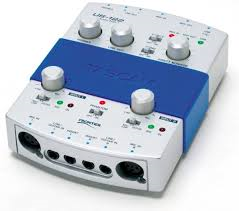
Tascam US 122

Hey guys!

I didn't find any post on the subject so ...

I wanted to record some stuff on my computer and somebody gave me a Tascam US 122 that he didn't use for years.

I tried to install the drivers but I'm with Win 10, and it didn't work. And I can't find it on the web.

Did anybody have it or know where I can find it?

I know that a new one isn't that much but asking is cheaper ;)

thankx
 

Attachments

  • sans-titre.png
    sans-titre.png
    67.6 KB · Views: 49
This is for Windows 8... I'll see if I can find anything with 10 but this may work:

Hey, it IS possible! There is no Windows 8 driver because it is not needed. Windows 8 has a special feature for program compatibility. I just installed Tascam US-122 on my Windows 8 HP Pavilion g6 laptop.

1) Go to Invalid Link Removed and download Windows Drivers v.3.40 Windows Vista and XP driver. Unzip it.

2) In Control Panel/Programs/Programs and Features choose Run Programs Made for Previous Versions of Windows. It will open Program Compatibility Troubleshooter. Click Next.

3) Your US-122 driver will not be listed there, so choose Not Listed and browse for it your downloads folder. You need the .exe file - in my case it did not show .exe extension, but it will show up once you choose it (remember, upzip first!).

4) Program Compatibility Troubleshooter will ask you to select Troubleshooting Option. Click on Troubleshoot Program.

5) When asked "What problems do you experience?" click on first - "The program worked in earlier versions of Windows but won't install or run now."

6) When asked for previous version of windows, choose "I don't know". Another window opens, asking your permission to install Tascam.

7) You will then have to install Tascam. Click Yes throughout.

8) Finally, it is time to plug it in! After you have plugged USB into laptop, go to Control Panel/Hardware and Sound/Sound/Manage audio devices. Choose US-122 as your default device for playback and recording, click Apply, then - OK. Done!
sol.gif
 
I know :(

Maybe I could find a way to still use it ... but for now my attempt are negative!

I might go for the presonus audiobox usb for 140$

Thankx for answering
My recommendation, Focusrite works well. They're not terribly expensive used, either. I had a US-122 and finding drivers (that worked) for that was a b:spit:tch and a half. I gave up on it.
 
  • Like
Reactions: Pierre Audy