To normalize you're patches I'd suggest getting Audacity, or something that can monitor the POD usb output w/o having to record it. There's probably lots of programs like that, but I use Audacity cus it's free.
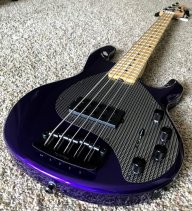
If you monitor the USB in stereo, even with the headphone jack with a plug in it, left will be the wet signal, and right will be the dry. I set up my system to get a good dry signal (not hard with my jazz ) and set all my patches for that volume. If you're not worried about haveing a DI track for mixing/re-amping, you can set up your patches to any volume you want, using the monitor as a reference. Just set up your sound preferences in windows to not boost/cut your input signal, so that you can set your levels pretty high. Which is good IMO. Oh, and you have to use channel volume on the POD, even if it changes your sound.
Another tip BTW, is "record in stereo". Even if you don't need a DI signal, record in stereo, because (likely depending on the program), mono will sum the wet/dry inputs. Audacity does this. You can always split the track, and make the left side output as mono, doing whatever you want w/ the right (most likly deleting it)
If you monitor the USB in stereo, even with the headphone jack with a plug in it, left will be the wet signal, and right will be the dry. I set up my system to get a good dry signal (not hard with my jazz
) and set all my patches for that volume. If you're not worried about haveing a DI track for mixing/re-amping, you can set up your patches to any volume you want, using the monitor as a reference. Just set up your sound preferences in windows to not boost/cut your input signal, so that you can set your levels pretty high. Which is good IMO. Oh, and you have to use channel volume on the POD, even if it changes your sound.Another tip BTW, is "record in stereo". Even if you don't need a DI signal, record in stereo, because (likely depending on the program), mono will sum the wet/dry inputs. Audacity does this. You can always split the track, and make the left side output as mono, doing whatever you want w/ the right (most likly deleting it)



 to say that the thought hadn't even crossed my mind.