• TalkBass has been independent since 1998. Add your voice.
    Create a free account to reply to discussions, view embedded media, and browse with fewer display ads.
    Join freeLog in
    Want zero display ads or expanded classifieds tools? Compare plans.

Turning my PC into a practice amp/ bass trainer

Lots of great options, what use is Garageband on an iPad, using iRig software.
As well as importing in songs/music to play along with, i can use Garageband instruments to work out arrangements where i leave out the bass so i can play along.
I can work out chords used, i can can record a part and use the nome to help work out time sigs and the like.
i can also sent parts to other musicians and receive parts that need a bass, so up load to garageband and record parts, download and send back.

Garageband is a cool learning tools to help those starting in music to get a basic grasp of the discipline of recorwareding and also with theory....there is so much more to learning theory with Garageband that many may not realise.

Also a cool little device is the Tascam GB10, when out and about it is a cool little tool for Tour buses/vans, hotel rooms, dressing rooms etc...as it is all self contained, all you need is a guitar lead and headphones.

Lots of good DAWS software out there, some offered free, just google, "top DAWs"..On that front i use Mixcraft Pro from Acoustica, its good for my purposes.

I have many recording options, Analogue, and Digital, each allow play-a-long capacities, but on the main it is the iPad with Garageband i use as it is just so easy to use.
As usual back up everything you do and download on to a disc everything you record.

Anyway here in the link is a song, baseline omitted, so you can write your own, then compare it to part 2 and compare with what i done, its just a bit of fun, but everything you here is recorded on Garageband
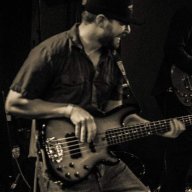
 
OK... here's my system. Bass plugged directly in Audiobox USB interface AudioBox USB | PreSonus, then into a touchscreen laptop Inspiron 17 7000 2-in-1 Laptop | Dell. Audio through headphones and BC Gigster Invalid Link Removed, which gives me "oomph" without bothering anyone else.

Multitracks from Karaoke Version Invalid Link Removed are fantastic! I drop the multitracks directly in Audacity (free), and then export audio files: 1) entire song, 2) bass only, 3) iso bass track (all levels except bass turned down, so the bass is loud and clear).

I find the same track for Guitar Pro, which is amazing for looping, figuring out fingering, and slowing down sections. It also helps me to stop using tabs, and read proper music instead! mySongBook Invalid Link Removed has thousands of files that drop straight into Guitar Pro. There are thousands of free MIDI files that Guitar Pro can read, too. Some are really good, some not so.

Time Stretcher Free Online Time Stretcher | OnlineToneGenerator.com is excellent for slowing down sections, and it does so with a minimum of artifacts. MusicReader Invalid Link Removed works great for the PDFs that are exported from Guitar Pro.

It's never been easier to learn!
 
Last edited:
Nice. I use one of those headphone amps for practicing.

I just had a thought as well, and your idea there made me think of it. Why not get Rock Smith?

It needs a USB Audio interface to work, and you can practice bass on it to music realtime.

Invalid Link Removed


The USB audio interface does work for recording as well if you get secondary software for it. Audacity, etc.

I actually used the Rock Smith cable to record an album one time. It's CD quality, so not "pro studio" quality, but it's good enough for home use.


Had no idea this existed!! Just found a new favorite "video game" :bassist:
 
OP, @Bunk McNulty broke it down in post #6. I use a Focusrite Scarlett. As others mentioned, the 2i2 model is only $100 and will USB to any computer. If you have a Mac, Garageband is easy and has some pretty good amp sims. If you have a Windows PC, Audacity should do the trick.

I have a Mac and use Logic. This is my home practice, writing and recording setup all in one.

If you just want to practice with headphones along to songs, you don't need to use a computer, though. This is the bass version of what @joel406 was describing:
Vox amPlug 2 Bass Headphone Amp

Aux-in for signal coming from iPhone or even out of your PC to play along with songs. Has built-in drum beats too. Not sure how good the sound is, but looks pretty neat for 30 bucks.
 
  • Like
Reactions: static0verdrive
I've read anti-Rocksmith threads here, but I use it and like it. The software was $30 and the USB cable $20....I bought a backup cable and some extra songs for a total spend of $100. Customsforge.com is great to download free songs.....I have about 1000 and there are thousands for every genre.....most are very close to existing bass tabs.....and you have a backing band with lyrics.

Specific to the OP's question, the sound quality through (nice) headphones is my favourite thing.
 
  • Like
Reactions: static0verdrive
Here's what I use:
For bass to PC/Mac: Line 6 Pod Studio GX (around $100) which is a USB sound card and comes with Pod Farm 2.5 with nice bass amp models. So whatever software you use you will have a nice bass tone
Headphone: old Shure E2 in-ear which are a bit "bass heavy" so working very well
Cable: TC Helicon guitar/headphone all-in-one cable
Freeware to learn songs: songsterr.com
Freeware to record some ideas: Riffworks T4

If I were to start from scratch now:
Buy a Behringer XR12 and a cable to plug your computer sound output into the mixer. No PC drivers to deal with, whatever software will work and it will also serves as a nice mixer for your band.
 
I've been doing this for well over a decade. Nothing fancy. I literally play through my PC 100% of the time. (Decent speakers are important though).

You don't need any crazy new interface. Your PC already has a sound card; as long as you have the standard audio input jack, you'll be fine.

My instrument runs into a Bass POD (or a POD Pro if I want those modules). The amp modules and speaker modules are pretty good. From that, I run from the headphone jack into the input jack on my PC (headphone out on the POD is stereo). I use a 1/4" to 3.5mm cable for this. (If you want to be really simple you can actually straight from your instrument into the input jack of your PC).

That's... it. Then you have everything that's already on your computer. If you want to use headphones, just use headphones on your PC like you would in any other situation. If you want to record, Audacity is great (and free).

I'm a Linux guy, but I'm sure it's just as simple in Windows or Mac or whatever else.
 
  • Like
Reactions: FunWithBass
just need a audio soundcard with minimum latency. MAudio is a well known company from the beginning

likewise ik multimedia is the company that makes many guitar and bass software based amp emulation and speaker and effects
 

Latest posts