• TalkBass has been independent since 1998. Add your voice.
    Create a free account to reply to discussions, view embedded media, and browse with fewer display ads.
    Join freeLog in
    Want zero display ads or expanded classifieds tools? Compare plans.

Upgrading older computer - CPU/Ram - need some help.

Hard to say it's worth upgrading. Memory may not be upgradeable. And well just Moore's law. XP if fine. CPUs now are all now multi-core, but the OS has to be able to handle it.

You can get a PC from just a couple of years ago that is superior in many ways, usually for much less than trying to upgrade memory in a 12 year old computer.

But maybe you can use it for offloading some processing from another PC
[This invalid link has been removed]
 
RAM is always upgradeable, it's just a matter of how much it will cost you to do it. You can still find the old 1995 era SIMM RAM out there if you dig enough.

I'd leave the processor as is. It's not a complete dinosaur yet and the limitations of that motherboard aren't going to allow you to upgrade to the point to justify the cost IMHO.

If you have external USB 2.0 or firewire HD's(I think you said 2TB?) then there's no reason to upgrade the internal HD for pure storage purposes. The speed difference you'll notice if you move a lot of files around from one place to another, but only if you're running 2 HD's on seperate IDE channels(I'm assuming this is IDE and not SATA considering the manufacturing date?). Chances are you're mostly just saving and opening with a music box so I'd be surprised if the external HD's limited speed was even noticeable to you.

Simple codec update packs are easy enough to download online and are usually free. A Sonar upgrade will cost, as someone else mentioned, but then is it necessary if the version you have works for you? You have the original windows install key, so borrowing another disk of the same version and reinstalling windows under your purchase key is completely legitimate. (Also calling MS customer service and explaining that you lost your disk but have a key to prove ownership might get another copy sent to you depending on the version of windows and whether its still supported.)
 
Hard to say it's worth upgrading. Memory may not be upgradeable. And well just Moore's law. XP if fine. CPUs now are all now multi-core, but the OS has to be able to handle it.

You can get a PC from just a couple of years ago that is superior in many ways, usually for much less than trying to upgrade memory in a 12 year old computer.

But maybe you can use it for offloading some processing from another PC
[This invalid link has been removed]
8 yrs old ... I posted the actual year of purchase further down the thread.
 
RAM is always upgradeable, it's just a matter of how much it will cost you to do it. You can still find the old 1995 era SIMM RAM out there if you dig enough.

I'd leave the processor as is. It's not a complete dinosaur yet and the limitations of that motherboard aren't going to allow you to upgrade to the point to justify the cost IMHO.

If you have external USB 2.0 or firewire HD's(I think you said 2TB?) then there's no reason to upgrade the internal HD for pure storage purposes. The speed difference you'll notice if you move a lot of files around from one place to another, but only if you're running 2 HD's on seperate IDE channels(I'm assuming this is IDE and not SATA considering the manufacturing date?). Chances are you're mostly just saving and opening with a music box so I'd be surprised if the external HD's limited speed was even noticeable to you.

Simple codec update packs are easy enough to download online and are usually free. A Sonar upgrade will cost, as someone else mentioned, but then is it necessary if the version you have works for you? You have the original windows install key, so borrowing another disk of the same version and reinstalling windows under your purchase key is completely legitimate. (Also calling MS customer service and explaining that you lost your disk but have a key to prove ownership might get another copy sent to you depending on the version of windows and whether its still supported.)
As I posted a bit further into the thread, I use the onboard HD as the workspace, the external HDs are used to back up the sessions. It only takes a minute or two. I only have one VST that streams, and I rarely use it (Sampletank).

I don't play the "keep up with the Jetsons" game much (my moniker is sarcastic mockery), so I don't care much if my system can't back up a song project in under ten seconds (or whatever) or that my system isn't the fastest available. It simply has to work. I'm not a spec-hound so having dual this and quadruple that doesn't mean much to me as long as I can produce a song. I'm not running six instances of VST synths at once or whatever (I usually record the tracks and just play them back after they've been tracked, I typically don't need to run soft synths in realtime while tracking other parts ... so a ton of CPU isn't necessary).

More RAM would be good (2gb .. perhaps even more?). I mean 512mb is a bit limiting at times. This computer is just my "tape deck" for recording and live playback of backing tracks, as well as producing finalized songs. We recorded 7 albums and nearly 250 songs on a Dell laptop with a bit less resources than this system has .. so I'm not sure what spending money on an upgrade would offer in my case .. other than bragging rights.

I'm not sure what advanatages a dual core/new processor would offer me to be honest. Although ignorance is blissful. :)

I may get into producing simple ... SIMPLE ... product demo vids. Under 3 minute long videos created for You Tube. Since You Tube has such crappy playback quality it doesn't have to be ultra-great stuff. The vids I've seen produced on medium-line laptops would be just fine. It doesn't take much to get the point across. But anyhow, other than the posibility of producing SIMPLE vids (MP3 quality sound) I don't know why I'd need more system ability.

Sonar 6.3 Producer's Edition (which I've legally owned since it came out in like 2004 or something) has worked just fine. And while they no longer OFFICIALLY support that version, the support forums offer about all the help I'd ever need. Those forums offer more help than the software company does anyway, even on supported versions. I still own the original disks, and since I'm not installing it on a new system I can't see a need for manufacturer support for the version I have.

So as long as the software keeps running, and as long as the audio interfaces hold together I see no need to upgrade "just because there's a new version and new hardware". I feel that sometimes upgrading just to upgrade is unecessary.

So, the RAM slots I have that say "DIMM" on them ... what type of RAM boards (chips?) do I look for? I have four slots, one is being used. I would guess that the lonely RAM board would be removed and two or four others would replace it? Will I have to perfom any setup changes or any other changes to let everything "know" about new/more RAM?

Thanks.
 
So, the RAM slots I have that say "DIMM" on them ... what type of RAM boards (chips?) do I look for? I have four slots, one is being used. I would guess that the lonely RAM board would be removed and two or four others would replace it? Will I have to perfom any setup changes or any other changes to let everything "know" about new/more RAM?

Thanks.

For that motherboard you want either 2.5 or 2.6v, 184-pin DDR SDRAM. You have a 4gb (1gb per slot) system max. It supports 266, 333 or 400mhz bus speed.

Intel offers the following notes about adding memory to your specific board:

Remove the AGP video card before installing or upgrading memory to avoid interference with the memory retention mechanism.
To be fully compliant with all DDR SDRAM memory specifications, the board should have DIMMs supporting the Serial Presence Detect (SPD) data structure. This board allows the BIOS to read the SPD data and program the chipset to accurately configure memory settings for optimum performance. If non-SPD memory is installed, the BIOS tries to correctly configure the memory settings. But, performance and reliability can be impacted or the DIMMs might not function under the designated frequency.

Here's an example of what you could get online: On Amazon

That's just one such option. There are cheaper sticks available if you do some hunting, but in RAM often you'll get what you pay for. PNY is good stuff, I'd highly recommend paying a few extra bucks for them, but that's up to you.


EDIT: When searching online, use the term "PC3200 DIMM SDRAM" and memory that will work in your system should show up. You can use other types with that board, but PC3200 will make the most of your bus speeds regardless of individual configuration of the system.
 
As an Amazon Associate, TalkBass may receive commissions from qualifying purchases made via links on this site.
Since most of your software is fairly old, i wouldnt advocate doing a fresh install unless you really feel like the OS belly up. Just defrag the hard drive and schedule a disk check on reboot.

Before you do anythin else, make a fresh system restore point and backup the registry.

Get ram, but dont buy new. That thing is likely running DDR1 ram which is probably overpriced due to low demand. Hop over to hardocp.com's forum classifieds or a well rated ebay seller and see if you can pick up a used stick of ram.

If you connect to the internet, immediately download a free anti-virus. I recommend "Avast!". It performs well and uninstalls cleanly, unlike some other more invasive solutions. If you want more protection, download spybot and run the immunization feature.

I would also download "crapcleaner" and run the regular cleaning function as well as the registry cleaner. I would make a fresh restore point after everything is done.

And yes it is true that obtaining another copy of an XP disc is legal.

*do not get more than 3GB of ram. 32 bit systems are limited to less than 4gb.
 
So, the RAM slots I have that say "DIMM" on them ... what type of RAM boards (chips?) do I look for? I have four slots, one is being used. I would guess that the lonely RAM board would be removed and two or four others would replace it? Will I have to perfom any setup changes or any other changes to let everything "know" about new/more RAM?

Thanks.

If you're shooting for 2G, you could add 3 the same as the one you have now.

Otherwise - and probably simpler/cheaper - grab 2 or 4 1GB PC3200 DDR. You may have to hit up ebay to find it at a reasonable price, though.
 
Actually it wouldn't since you're the original owner, but its in the last line of their support page:
Invalid Link Removed

For me, its all in how they treat their long-standing customers. I hadn't checked your profile before, but I still go the VA and "so far so good". I think that's what the guy said when he fell off a 100 story building and a man on the 50th floor asked him how its going as he passed by. I mention that cause no one knows what's around the corner. I hope your situation improves. Anyway, it sounds like just a memory upgrade and check things with Carillon and you should be good to go. You've done a lot of recording. I've done very little, mostly gigs whenever I can.

Lloyd
Thanks for the well wishes .... every day is a new Sunrise ... I just take it one Sunrise at a time. "Freedom" is something that can be taken away in many ways other than politically or legally. This is a thing that one learns in my position. It hasn't been easy, or fun. But I get through each day by reading things here, doing my little internet job to pay bills, and hopefully the pain-gods allow me time with the bass a little each day.

Hopefully I can get back to recording and start feeling as though I'm actually adding to the "Zeitgeist" of humanity instead of existing like a stump in the field.

I gigged all over Southwestern USA with my last band. LA, Phoenix, Southern Border towns, and even Mexico. But those days are over now ... maybe .. just maybe ... thing MIGHT turn around enough to permit gigging again. My wife (Rhodes player) and I have been working up some two piece stuff. I own two vintage Hammonds, some analog modular synth gear, a few guitars, and a bass or two. We've been working on some alt-rock/progressive instrumental stuff lately. Maybe we cab work some unpaid gigs at a few joints locally .. just to get out and get in front of an audience again.

Oh .. and aside from the whining ... thanks for the helpful assistance. :)
 
Since most of your software is fairly old, i wouldnt advocate doing a fresh install unless you really feel like the OS belly up. Just defrag the hard drive and schedule a disk check on reboot.

Before you do anythin else, make a fresh system restore point and backup the registry.

Get ram, but dont buy new. That thing is likely running DDR1 ram which is probably overpriced due to low demand. Hop over to hardocp.com's forum classifieds or a well rated ebay seller and see if you can pick up a used stick of ram.

If you connect to the internet, immediately download a free anti-virus. I recommend "Avast!". It performs well and uninstalls cleanly, unlike some other more invasive solutions. If you want more protection, download spybot and run the immunization feature.

I would also download "crapcleaner" and run the regular cleaning function as well as the registry cleaner. I would make a fresh restore point after everything is done.

And yes it is true that obtaining another copy of an XP disc is legal.

*do not get more than 3GB of ram. 32 bit systems are limited to less than 4gb.
I would prefer to NOT connect to the web with this system. That said, can I still upgrade the codecs and maybe uprate to SP3 somehow? I have external USP 2.0 HDs (3, for a total of 2TB) and I also have about a half dozen USB data sticks (1gb being the largest).

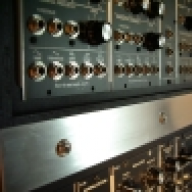
See, I was in this band that was sortof like this Gary Numan thing. We all ran laptops as FX units that had our guitars and mics pumped through them and then used VSTs as FX. We also had my wife on a Dell Leptop running several Arturia soft synths realtime that she played .. y'know .. just as a keyboard player would. Latency ran around 6-8ms. Totally liveable for synth pads and such. A little loose for bass guitar FX though. I owned all of the computers involved (seven). As expected, the band eventually split up and I ended up with all of this gear. So we've found various uses for the four laptops (all Dells w/Pent4s running at 2.8hz). And the two desktops get used as well. The Carillon is my own personal fave. It's just this rack mounted manhole-cover-tough computer that I just really dig.

So .. can I really upgrade the m-board/ram/cpu for around a hundred dollars as was suggested in this thread? If I did that would I have to upgrade the video card, the HD, the monitors (modern flat screens), and all of my DAW software too? If so, I'll stay with my dino-rack until I just can't make it work anymore.

And why refrain from reinstalling Sonar? What could happen if I did that?

Thanks ... I've learned a LOT here. I haven't messed with this stuff this deeply since learning "batch" on my Windows 3.0 286s and 386s back in like 1991. I used to assemble 486s for my friends back then and wrote Superbase IV applications for them as well .... Haahaa! :) Back when we rode a Brontosaurus to work with Fred and Barney.
 
So .. can I really upgrade the m-board/ram/cpu for around a hundred dollars as was suggested in this thread?

Take a look on the motherboard/CPU combo deals on [Invalid or Expired Link Removed]

Invalid Link Removed is a good guide to relative CPU performance. Your current one is probably in the 400-500 point range.

If I did that would I have to upgrade the video card, the HD, the monitors (modern flat screens)

vid card - if the new motherboard has built-in video, no, if not then probably.
HD - probably not, but you might have trouble adding more, most modern motherboards have only one IDE connector (or less, make sure to check)
monitors - no
 
Thanks for the well wishes .... every day is a new Sunrise ... I just take it one Sunrise at a time. "Freedom" is something that can be taken away in many ways other than politically or legally. This is a thing that one learns in my position. It hasn't been easy, or fun. But I get through each day by reading things here, doing my little internet job to pay bills, and hopefully the pain-gods allow me time with the bass a little each day.

Hopefully I can get back to recording and start feeling as though I'm actually adding to the "Zeitgeist" of humanity instead of existing like a stump in the field.

I gigged all over Southwestern USA with my last band. LA, Phoenix, Southern Border towns, and even Mexico. But those days are over now ... maybe .. just maybe ... thing MIGHT turn around enough to permit gigging again. My wife (Rhodes player) and I have been working up some two piece stuff. I own two vintage Hammonds, some analog modular synth gear, a few guitars, and a bass or two. We've been working on some alt-rock/progressive instrumental stuff lately. Maybe we cab work some unpaid gigs at a few joints locally .. just to get out and get in front of an audience again.

Oh .. and aside from the whining ... thanks for the helpful assistance. :)

I understand about waking up in the morning. I usually say thanks for another day. And don't think its wining. Its just learning to deal with the baggage life puts on you. (I have coffee with a couple friends 2 or 3 times a week who are much older than me, and I've learned a lot from them about dealing with baggage.)

I agree with what you said in the later post about just using the system until it can't do what you need it to. It'll probably serve you well for a few more years, then you may have to bite the bullet about doing a major upgrade or replacement, but it doesn't sound like you're there yet. Take care, Lloyd.
 
You can grab codecs with a different machine and transfer with a usb stick or external hard drive.

If you change the motherboard and processor, you will have to re- install windows. Its sounds to me like this computer still serves you fine. A couple gigs of ram will give it a nice kick. Some of your real time FX may even track better do to the extra breathing room.
 
Connecting online will be perfectly safe to get SP3 and you don't need antivirus to do so - just make sure your Windows Firewall is turned ON and connect directly to Windows Update from Control Panel's system security area (in other words, don't go anywhere using a browser).

Once you've got your Windows updates including SP3 (could take a while!), disconnect again. After that, you can turn the Firewall back off so it's not using any of your RAM/CPU resources. I do this on a regular basis to keep my XP machine in the studio up-to-date. It never goes online for anything else though.

You can download any codecs or drivers you need on another machine and transfer them using a memory stick, as Toptube suggested.

Also, +1 on upgrading the RAM (fairly cheap) but not the processor or motherboard (it's just not worth the $$ and the hassle on a machine of that age, imo).
 
Or you can download SP3 to a different machine and then copy it over using a stick or external HDD.

General info...

[Invalid or Expired Link Removed]

Further useful info...

Link Removed

Actual download page...

[Invalid or Expired Link Removed]

You can ignore the message about professionals and developers and just save the file on download.
 
Thanks for the muchonium of mojo folks. I'll be installing more RAM into the BattleComp soon. I just need to obtain some RAMola after I obtain some more Fundolas.

Thanks to being in the right place at the right time, I've recently come into ownership of a new keyboard controller that came bundled with Ableton Live lite (a Novation Impulse 49). Depending on how well I get along with Abelton, I may end up using it as my DAW core. Will the old BattleComp with it's XP OS and aging CPU/muthuh board deal with newer DAWs like that?

I normally do not use any more than one or two softsynths at once in realtime. Usually I simply record backing tracks and use them as .. well .. backing tracks to play against in live jamming situations with my wife and my brother.

Soon we will be rigging up to play live using backtring tracks as well. I MAY wish to be able to use some sortof realtime VST drums (I own Battery 2) controlled by the pads on the new KB is now have. To start up drum riffs live then play over them. This tactic seems to engage the audience a little better.

So, armed with that info, do you think my old Carillon outfitted with XP/Pent4/2-odd-gb ram (more?) be able to deal with that? Perhaps using Abelton?

Or should I start aiming at uprating the m-board/CPU/et al to look at modernizing? I have a Dell desktop with XP/2.89ghz/2gb ram/150gb HD that I could press into immediate service (install Sonar, etc ..) while I begin upgrading the BattleComp ... so I wouldn't "be without".

What say you?

Also, how well do the more modern ~average~ systems deal with realtime latency? Can I actually use the FX in the DAW in realtime while recording bass guitar? I'm sensitive to anything above (let's say) 5ms or so. Anything more than roughly 5 or 6 ms and I can feel it when I use onboard processing while playing the bass into the computer. For all of these years I've relied on having a monitor chain and a direct chain that I go back a apply post-production processing too after I've laid down tracks dry-n-clean. But I ~need~ the processed monitor sound to properly inspire me to play the bass lines and bass riffs that I want to record. I'm not a very ~pro~ player so I have to resort to such tactics to get good results. Sometimes I will also just DI the signal chain after it leaves the bass amp and is piped to the speaker .. running that sound to the audio interface as well as the bass cab.

Does modern computer gear actually permit a person to play straight in and then monitor the signal after it's been processed in the computer? Or are we still doing it like I described above?

Thank you. :)