
Enjoy the benefits of a premium membership!
Upgrade Account
-
TalkBass has been independent since 1998. Add your voice.
Create a free account to reply to discussions, view embedded media, and browse with fewer display ads.
Join free Log in
Want zero display ads or expanded classifieds tools? Compare plans.
You are using an out of date browser. It may not display this or other websites correctly.
You should upgrade or use an alternative browser.
You should upgrade or use an alternative browser.
What Exactly Do You Need For Recording?
- Thread starter Mr Cheese
- Start date
More options
Who Replied?Better worded (not me). Source: Ultimate Outsider: Comparing USB Audio Interface Latency on Windows 10
Comparing USB Audio Interface Latency on Windows 10
I may never fully understand my love for audio interfaces. At the end of the day they're just devices that do a better job of recording and playing back music than the built-in audio of most computers, but I almost spend more time experimenting with and writing about them than I do using them to make music. I have done interface performance tests several times before, but that was all on Windows 7 (and mostly on a now-10-year-old DAW PC), so I was recently curious how well some of today's USB audio interfaces perform on a newer computer with the latest version of Windows.
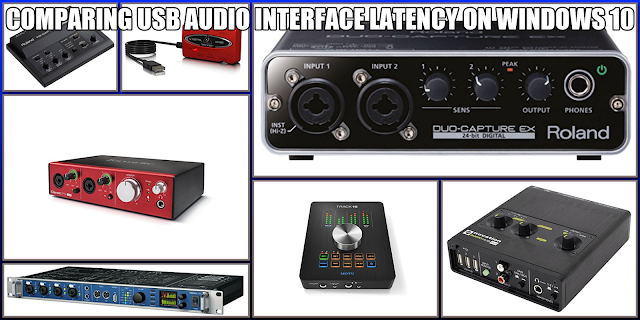
ABOUT AUDIO INTERFACE LATENCY
Audio interfaces are audio streaming devices, and on modern operating systems all streaming is "buffered" or "packeted." Rather than truly sending a constant binary stream of audio data, your computer bundles up tiny chunks of audio into separate data buffers that are reassembled at the destination end of the stream. This buffering introduces some amount of latency; that is, the fact that the audio data is buffered means that there is a small amount of built-in delay between when the audio data is first transmitted by one device (an audio interface) and received by another (your computer).
There is some amount of latency in both an interface's input and output audio path, and round-trip latency (RTL) is the combination of both of those times. RTL is the metric I tested for: What is the total amount of time an interface takes to send and receive audio given certain settings?
A latency measurement is only meaningful if you know two other values: Sample Rate and Buffer Size. The sample rate is the number of samples per second the audio stream is encoded at, and the buffer size is the number of individual samples included in each streaming buffer.
When you record at high sample rates, your computer processes more audio data, which usually requires larger sample buffers in order to handle audio as reliably as at lower sample rates. The buffer provides protection against glitches (pops and drop-outs in the audio stream), and the harder your computer is working, generally the bigger the buffer you need for glitch-free audio.
The trade-off (and the reason we're studying this at all) is that too big of a buffer at a given sample rate can result in such a great delay that it can become difficult or impossible for a musician to keep in time with the rest of the music while attempting to sing or record. When shopping for audio interfaces, it's good to know which devices offer you the lowest reliable round-trip latencies at given sample rates and buffer sizes.
Not all interfaces perform alike. There are many factors that contribute to interface performance, but the most important appears to be driver quality. A driver written for a specific device with efficiency and optimization in mind can significantly outperform a less optimized driver on similar hardware.
For my tests, I used a free tool called Link Removed, by Oblique Audio. With this tool, you patch your audio interface's outputs to its own inputs, forming an audio loop, and measure the time it takes for a full output->input round trip at a given sample rate/buffer size.
Comparing USB Audio Interface Latency on Windows 10
I may never fully understand my love for audio interfaces. At the end of the day they're just devices that do a better job of recording and playing back music than the built-in audio of most computers, but I almost spend more time experimenting with and writing about them than I do using them to make music. I have done interface performance tests several times before, but that was all on Windows 7 (and mostly on a now-10-year-old DAW PC), so I was recently curious how well some of today's USB audio interfaces perform on a newer computer with the latest version of Windows.
ABOUT AUDIO INTERFACE LATENCY
Audio interfaces are audio streaming devices, and on modern operating systems all streaming is "buffered" or "packeted." Rather than truly sending a constant binary stream of audio data, your computer bundles up tiny chunks of audio into separate data buffers that are reassembled at the destination end of the stream. This buffering introduces some amount of latency; that is, the fact that the audio data is buffered means that there is a small amount of built-in delay between when the audio data is first transmitted by one device (an audio interface) and received by another (your computer).
There is some amount of latency in both an interface's input and output audio path, and round-trip latency (RTL) is the combination of both of those times. RTL is the metric I tested for: What is the total amount of time an interface takes to send and receive audio given certain settings?
A latency measurement is only meaningful if you know two other values: Sample Rate and Buffer Size. The sample rate is the number of samples per second the audio stream is encoded at, and the buffer size is the number of individual samples included in each streaming buffer.
When you record at high sample rates, your computer processes more audio data, which usually requires larger sample buffers in order to handle audio as reliably as at lower sample rates. The buffer provides protection against glitches (pops and drop-outs in the audio stream), and the harder your computer is working, generally the bigger the buffer you need for glitch-free audio.
The trade-off (and the reason we're studying this at all) is that too big of a buffer at a given sample rate can result in such a great delay that it can become difficult or impossible for a musician to keep in time with the rest of the music while attempting to sing or record. When shopping for audio interfaces, it's good to know which devices offer you the lowest reliable round-trip latencies at given sample rates and buffer sizes.
Not all interfaces perform alike. There are many factors that contribute to interface performance, but the most important appears to be driver quality. A driver written for a specific device with efficiency and optimization in mind can significantly outperform a less optimized driver on similar hardware.
For my tests, I used a free tool called Link Removed, by Oblique Audio. With this tool, you patch your audio interface's outputs to its own inputs, forming an audio loop, and measure the time it takes for a full output->input round trip at a given sample rate/buffer size.

DAW: Reaper is inexpensive - still $99 I think?
Actually, only $60.
 Reaper is wonderful. I started on Cubase as it was free with my interface, but is a limited version. Switched to Reaper, and very happy with it. But all DAWs do about the same thing, so matter of preference.
One thing I recommend is getting a computer with as much memory as you can afford
Agreed. When I upgraded computers end of last year, I bought a refurbished PC. What I saved on computer I spent on more memory. I got 32gb.
A quick mention regarding interfaces. As many have stated, you only need a single channel, but if you can afford it, I'd go with a two channel for a few reasons already mentioned. I bought a 4 channel only because I got a rippin' deal on it. Still, should have gone with a 2 channel and saved a little $. TBH I've only used two channels simultaneously a few times. Majority of the time, only one. Oh, another feature I would opt for is an interface with midi in. I didn't really need it to start out (most likely you won't either) but I'm glad I did now, as I've purchased an inexpensive electronic drum kit, and midi keyboard.
So glad you made this thread. I don't feel alone anymore. Like always, TB friends to the rescue !Thanks everyone for all the great and helpful tips! My knowledge of recording has gone way up just from reading your replies. I do have another question however (they never seem to end). My Rumble amp has a line out with a ground lift switch. What does this do? Can this be used in the recording process?
Oh, and beware of « the rabbit hole »: you could end up with frustration and taking more time tweaking and looking for fixing than playing music, not your goal I guess!
It’s why it’s important to have a stable, simple working rig at first.
- two channels (like mentioned) interface with good RTL without clicks and pops in the audio... or worst, ending in the audio recorded;
- good powerful computer with 32gb of RAM as already mentioned. You don’t want to fight with an out of date machine with hardware problems (overheating, unexpected reboots or freezes) or a slow machine (avoid used computers without an SSD!);
- simple straight forward DAW software. You don’t want headaches looking for why your input can’t be heard or something similar!
Last thing:
Mac was known to be « plug’n’play » but beware that they now offer a new MacOS once a year, making audio interface manufacturers and audio companies to catch up with new drivers, testing software, etc...
My solution: I stick with « it ain’t broken, don’t fix it » so I’m still under older MacOS versions. Mojave (10.14.6) for my Hackintosh and Sierra (10.12.6) for my MacBook Pro. They are now at 11.2.3 (Big Sur) at Apple! Some users are still running old Snow Leopard (10.6.8) machines for stability! You don’t want the « shiniest, newest » but instead « stable, working » environment!
On the other end, PC’s and Microsoft Windows are forgiving regarding backward compatibility so your DAW and audio interface should be supported for a longer time...
It’s why it’s important to have a stable, simple working rig at first.
- two channels (like mentioned) interface with good RTL without clicks and pops in the audio... or worst, ending in the audio recorded;
- good powerful computer with 32gb of RAM as already mentioned. You don’t want to fight with an out of date machine with hardware problems (overheating, unexpected reboots or freezes) or a slow machine (avoid used computers without an SSD!);
- simple straight forward DAW software. You don’t want headaches looking for why your input can’t be heard or something similar!
Last thing:
Mac was known to be « plug’n’play » but beware that they now offer a new MacOS once a year, making audio interface manufacturers and audio companies to catch up with new drivers, testing software, etc...
My solution: I stick with « it ain’t broken, don’t fix it » so I’m still under older MacOS versions. Mojave (10.14.6) for my Hackintosh and Sierra (10.12.6) for my MacBook Pro. They are now at 11.2.3 (Big Sur) at Apple! Some users are still running old Snow Leopard (10.6.8) machines for stability! You don’t want the « shiniest, newest » but instead « stable, working » environment!
On the other end, PC’s and Microsoft Windows are forgiving regarding backward compatibility so your DAW and audio interface should be supported for a longer time...
Oh, forgot, and sorry for polluting the thread
Reaper is a really good DAW with a good support forum. The founder, Justin Frankel has a good philosophy and he is already a billionaire (he is the author of WinAmp and sold it for a lot of money!). If you buy a license (60 bucks), it’s good for two versions (as an example, Reaper 5 and 6 in my case!). Lots of updates and bug fixes and Mr Frankel is really supportive and present in the forums.
But... Reaper is so powerful, and with power comes complexity! It’s not really straight forward! As an experienced DAW user, I still struggle with Reaper sometimes...
Bandlab Cakewalk is the « GarageBand » PC equivalent in my point of view: start record and forget it!
Reaper is a really good DAW with a good support forum. The founder, Justin Frankel has a good philosophy and he is already a billionaire (he is the author of WinAmp and sold it for a lot of money!). If you buy a license (60 bucks), it’s good for two versions (as an example, Reaper 5 and 6 in my case!). Lots of updates and bug fixes and Mr Frankel is really supportive and present in the forums.
But... Reaper is so powerful, and with power comes complexity! It’s not really straight forward! As an experienced DAW user, I still struggle with Reaper sometimes...
Bandlab Cakewalk is the « GarageBand » PC equivalent in my point of view: start record and forget it!
Last edited:
I wouldn't exactly call Audacity a DAW. It's a pretty basic multitrack recording application and it can be a little difficult to use unless you're somewhat tech savvy, but it is not just free to use, like Cakewalk, but is completely free unfettered software that runs on Windows, Mac and Linux. I find that it does everything I need and I don't have a reason to change. I've used it for collaborative recording with others during the pandemic, with some people on PCs and some on Macs, sharing our project files using Dropbox.
Home
Home

Oh, forgot, and sorry for polluting the thread
Reaper is a really good DAW with a good support forum. The founder, Justin Frankel has a good philosophy and he is already a billionaire (he is the author of WinAmp and sold it for a lot of money!). If you buy a license (60 bucks), it’s good for two versions (as an example, Reaper 5 and 6 in my case!). Lots of updates and bug fixes and Mr Frankel is really supportive and present in the forums.
But... Reaper is so powerful, and with power comes complexity! It’s not really straight forward! As an experienced DAW user, I still struggle with Reaper sometimes...
Bandlab Cakewalk is the « GarageBand » PC equivalent in my point of view: start record and forget it!
Cakewalk and Garage Band are miles apart. In my opinion.
Yes, you’re right. I was talking more about being free DAW and user friendly, sorry for the confusion. Cakewalk is a full fledged DAW with all bells and whistles. GarageBand, stripped down version of Logic. There is no equivalent (to my knowledge, feel free to correct) free DAW in MacOS environment.Cakewalk and Garage Band are miles apart. In my opinion.
For the OP however, GarageBand (if he goes to Mac) would be correct for basic recording and light multi tracking.
My bad!
No big deal, I just know I have used them both. I’ve been to studios that ran cakewalk sonar and it’s (or was) a viable option to pro-tools. Garage band, not so much. Learning curve can be an issue with any of these apps - some have a steeper curve.Yes, you’re right. I was talking more about being free DAW and user friendly, sorry for the confusion. Cakewalk is a full fledged DAW with all bells and whistles. GarageBand, stripped down version of Logic.
My bad!
Oops, must have done my homework’s first:
Free DAW’s for MacOS:
- Music production with Live and Push | Ableton
- Waveform Free | digital audio workstation band editing software - Tracktion
I don’t know however how they compare feature wise to Sonar...
Free DAW’s for MacOS:
- Music production with Live and Push | Ableton
- Waveform Free | digital audio workstation band editing software - Tracktion
I don’t know however how they compare feature wise to Sonar...
I’ve used a lot Sonar back when it was owned by Twelve Tone original company and really liked it. Yes, I ditched my « cracked » version of Cakewalk 6 and decided (wisely) to support the software and audio companies by paying the developers... Bought Sonar 2, 3 then Sonar 5 and jumped ship to Reaper for multi platform support (Mac and PC).No big deal, I just know I have used them both. I’ve been to studios that ran cakewalk sonar and it’s (or was) a viable option to pro-tools. Garage band, not so much. Learning curve can be an issue with any of these apps - some have a steeper curve.
Now trying Studio One has I had a free license when I bought my Quantum. Learning how to use it and really like the tight integration with Presonus hardware, obviously!
I also tried (and still have) Ardour, quite powerful but not really mainstream and easy... It was the original audio multitrack free DAW in Linux. Now ported to Windows (ASIO support) and MacOS.
Still using Audacity too for light audio editing. Not really a DAW but quite handy audio tool...
Last edited:

Cracked Software:
An evil. However, being of the generation that I am, and being very computer savvy, I have tasted more than my fair share of torrent/cracked stuff . I subscribe to PT 2020 legally now. Even with their much hated pricing plans, iLok and subscription based offerings, it is not so bad and I can afford it. It isn't my place to tell companies how to make their money or sell their goods. Reaper is not free and so cheap that anyone that doesn't fork over the $60 (non-commercial user) cost after using it for an extended period is kind've shady IMHO (but who am I to talk? )
Computer Power:
You can get by with much less than spec. I have been running PT on an anemeic 2015 Lenovo T450s laptop. The laptop was pretty good for its time, but it only has a i7 5th gen (i7-5600U), Intel onboard graphics and only 8GB RAM. I didn't look up needed specs before using. Had I done that, I may not have bothered. That being said, it actually works ok. I am only now starting to hit the wall in terms of # of pluggins and noticeable background processing crawl. I am probably going to get a more powerful workstation soon. PT recommends at a minimum a i9, Nvidia card and >16GB. Just be clear, you can get started and learn with a lot less than spec and if you get to the point where I am and decide you are liking it, you can upgrade later.
Ease of Use:
None of the DAWs I have tried were easy to use. I Mean None of Them. (I auditioned Abelton, Reaper, and Pro Tools). That observation is not really too strange when you realize that you are actually trying to do some fairly complicated stuff that could only been done in a dedicated professional studio 10-20 years ago. What I am now doing is not like using my old 4-track. My four track in the 90's was fine for recording simple songs and they came out sounding sounding like they were done on a tape recorder with little effects. NLE is a completely different beast. I am very happy I worked hard to get over the hump. It has been fun and made me a better overall musician.
An evil. However, being of the generation that I am, and being very computer savvy, I have tasted more than my fair share of torrent/cracked stuff
. I subscribe to PT 2020 legally now. Even with their much hated pricing plans, iLok and subscription based offerings, it is not so bad and I can afford it. It isn't my place to tell companies how to make their money or sell their goods. Reaper is not free and so cheap that anyone that doesn't fork over the $60 (non-commercial user) cost after using it for an extended period is kind've shady IMHO (but who am I to talk? )Computer Power:
You can get by with much less than spec. I have been running PT on an anemeic 2015 Lenovo T450s laptop. The laptop was pretty good for its time, but it only has a i7 5th gen (i7-5600U), Intel onboard graphics and only 8GB RAM. I didn't look up needed specs before using. Had I done that, I may not have bothered. That being said, it actually works ok. I am only now starting to hit the wall in terms of # of pluggins and noticeable background processing crawl. I am probably going to get a more powerful workstation soon. PT recommends at a minimum a i9, Nvidia card and >16GB. Just be clear, you can get started and learn with a lot less than spec and if you get to the point where I am and decide you are liking it, you can upgrade later.
Ease of Use:
None of the DAWs I have tried were easy to use. I Mean None of Them. (I auditioned Abelton, Reaper, and Pro Tools). That observation is not really too strange when you realize that you are actually trying to do some fairly complicated stuff that could only been done in a dedicated professional studio 10-20 years ago. What I am now doing is not like using my old 4-track. My four track in the 90's was fine for recording simple songs and they came out sounding sounding like they were done on a tape recorder with little effects. NLE is a completely different beast. I am very happy I worked hard to get over the hump. It has been fun and made me a better overall musician.
Glad your benefiting from it as well. Rock on!So glad you made this thread. I don't feel alone anymore. Like always, TB friends to the rescue !
I'm leaning towards maybe a Dell XPS or an HP Envy right now....if I can't decide the MacBook is a safe option. I know I might open a huge rabbit hole when I say this but..... any suggestions?Yes, you’re right. I was talking more about being free DAW and user friendly, sorry for the confusion. Cakewalk is a full fledged DAW with all bells and whistles. GarageBand, stripped down version of Logic. There is no equivalent (to my knowledge, feel free to correct) free DAW in MacOS environment.
For the OP however, GarageBand (if he goes to Mac) would be correct for basic recording and light multi tracking.
My bad!
Present line of MacBooks are equipped with a new CPU (SoC, System on a Chip) based on ARM architecture.
They are called M1 processors. Not all audio interfaces companies have delivered proper drivers for their interfaces. I guess Focusrite is probably class-compliant (USB) but you should verify first.
It’s known to be a very powerful laptop but it’s the first version of a completely new architecture...
Your call.
Invalid Link Removed
Invalid Link Removed
Like I’ve said, Windows computers are better for backward compatibility and also better for long time compatibility in general: they don’t throw a new OS each year...
Mac: the real good DAW is (I think) Logic (200 dollars?). Reaper and Cubase also. Ableton, Waveform, Studio One, Bitwig...
PC: Cakewalk is a complete DAW with all you need... for free.
The M1 laptops appears to crush anything power wise on the PC side but like someone noted on the thread, anything 5 or 6 years recent would be adequate for basic audio use. Hey, I still use regularly my old MacBook Pro early 2011. It’s ten years old...
They are called M1 processors. Not all audio interfaces companies have delivered proper drivers for their interfaces. I guess Focusrite is probably class-compliant (USB) but you should verify first.
It’s known to be a very powerful laptop but it’s the first version of a completely new architecture...
Your call.
Invalid Link Removed
Invalid Link Removed
Like I’ve said, Windows computers are better for backward compatibility and also better for long time compatibility in general: they don’t throw a new OS each year...
Mac: the real good DAW is (I think) Logic (200 dollars?). Reaper and Cubase also. Ableton, Waveform, Studio One, Bitwig...
PC: Cakewalk is a complete DAW with all you need... for free.
The M1 laptops appears to crush anything power wise on the PC side but like someone noted on the thread, anything 5 or 6 years recent would be adequate for basic audio use. Hey, I still use regularly my old MacBook Pro early 2011. It’s ten years old...
Last edited:
Ok, it looks more companies have drivers for Big Sur and M1.
Basically, if you use a DAW like me, you should be fine.
To be more precise, I use my DAW as a glorified multi track tape recorder:
- 3 or 4 tracks for my acoustic drum set;
- 1 track for bass (newbie, maybe a year and a half experience) miked or direct to interface;
- 1 for guitar (if any and it’s tedious as I’m barely able to play);
- 1 or 2 for keys (software synths or sampled Rhodes or acoustic piano);
- 1 track for voice (if any).
A couple of plugins here and there: compressor on drum and bass, a little EQ, reverb...
Basically, if you use a DAW like me, you should be fine.
To be more precise, I use my DAW as a glorified multi track tape recorder:
- 3 or 4 tracks for my acoustic drum set;
- 1 track for bass (newbie, maybe a year and a half experience) miked or direct to interface;
- 1 for guitar (if any and it’s tedious as I’m barely able to play);
- 1 or 2 for keys (software synths or sampled Rhodes or acoustic piano);
- 1 track for voice (if any).
A couple of plugins here and there: compressor on drum and bass, a little EQ, reverb...

There has historically been a *lot* more audio/music software choice for Windows than for Mac. The really big names support Mac, but lots of small developers only build (or built) for Windows. I do a lot of stuff with software synthesizers - a whole 'nother thread to be had there - and at least when I was building up my studio a few years back, there was literally an order of magnitude more cool synth and effects plugs for Windows, many of them free or nearly so, than for Mac. That having been said, Mac/ProTools ruled the high-end for a long time there, and my friends for whom price is no object (and who are more interested in recording than composing/performing) tend to go that route. My day job is computer architecture, believe it or not, and while I think the M1 is a cool achievement by Apple that will help improve their margins, it's bound to break a few things, and the things that it's going to break are the things that are timing-sensitive and close to the "bare metal". And DAWs fall somewhat into that category. Apple probably has some kind of interpretive converter, as they had when they moved from PowerPC to x86 processors, but real-time applications will need to be rebuilt by their authors. I would not recommend a first generation M1-based Macbook as a first DAW.
Apple probably has some kind of interpretive converter, as they had when they moved from PowerPC to x86 processors, but real-time applications will need to be rebuilt by their authors. I would not recommend a first generation M1-based Macbook as a first DAW.
Rosetta II, an x86 kind of emulator if I’m right...
Well said. Maybe more mature in the next iteration, M1X or something like that.

I'm leaning towards maybe a Dell XPS or an HP Envy right now....if I can't decide the MacBook is a safe option. I know I might open a huge rabbit hole when I say this but..... any suggestions?
I will humbly suggest that the best PC to dip your feet into computer recording is the one you already have. The best interface is a functional one that costs next to nothing, and you have heard a couple of options around $100. The best DAW is a simple one that's free or free to try - or several that are free to try. Audacity may not be a DAW, but it's a great way to start recording on your computer. I'm sure Cakewalk would be appropriate as well. Maybe your best monitoring system is however you're listening to music and videos on your computer now (though for bass, some earbuds are going to be miles ahead of laptop speakers).
When you're just starting out, all of these things will be better than you are for a while. Then when you begin being frustrated by their limitations, you will have a better idea of what you really need/want, and you're not overinvested in gear. Just like when you're learning an instrument. No one needs a Sadowsky when they're starting out - you move up from the Squier when you want to do things it can't do.
None of that is to say it's not good to learn about it before you start. This thread is a wealth of information, some of which goes far beyond the needs of someone just getting going. But at some point, the best way to start becomes to just start, with whatever you have and can easily get your hands on.
Last edited:


