I went ahead and bought a new Focusrite Scarlett 2i2 last week. So far, I'm very pleased with the quality of the build and the ease of use. I've been using a Tascam US100 for the last year and I needed something with phantom power.
Installing the drivers for it was easy and quick. It came with one cd that had the drivers, Ableton Live Light, and 4 VST plug-ins (compressor, reverb, phase shifter and flanger). The driver was an older 2.0 version but I downloaded a 2.4 version off their website.
I didn't bother installing the Ableton Live or the VST plug-ins because I already had full blown versions of Ableton Live 8, FL Studio 10 and Reaper. All three worked flawlessly with the Scarlett.
Setting the ASIO buffer size is a "one slider" control and it's in "milliseconds" instead of "samples". This seems easier because you only have set the latency (in ms) that your computer can handle without the clicks and pops (underruns some people call it). Setting the sample part is done automatically for you.
I originally got this for my desktop, which is a WIN 7 quadcore 3.3 Ghz 6gig ram, but I decided to try it out on my laptop to see how it would fair. My laptop is a Toshiba WIN Vista dualcore 1.3Ghz 2gig ram and the website clearly stated that it didn't OFFICIALLY support Vista. But, with the newer drivers (2.4 version) it worked. I not seeing a significant amount of latency.
I got down to 5 -6 ms easy without pops.
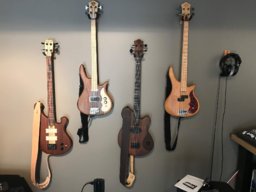
Here's the link to two simple short clips I put together just to show how it sounds. I used FL Studio for my DAW on my laptop (I'll try it with Reaper later). For the demo clips, I used my stock Fender Jazz (MIM) straight into the Scarlett and out into the laptop via usb. The effects I used was a little reverb. The drums track is some generic stuff I collected over the years, nothing fancy.
I'll post some clips using Guitar Rig and Amplitube later. I'm now a big fan of Focusrite.
Installing the drivers for it was easy and quick. It came with one cd that had the drivers, Ableton Live Light, and 4 VST plug-ins (compressor, reverb, phase shifter and flanger). The driver was an older 2.0 version but I downloaded a 2.4 version off their website.
I didn't bother installing the Ableton Live or the VST plug-ins because I already had full blown versions of Ableton Live 8, FL Studio 10 and Reaper. All three worked flawlessly with the Scarlett.
Setting the ASIO buffer size is a "one slider" control and it's in "milliseconds" instead of "samples". This seems easier because you only have set the latency (in ms) that your computer can handle without the clicks and pops (underruns some people call it). Setting the sample part is done automatically for you.
I originally got this for my desktop, which is a WIN 7 quadcore 3.3 Ghz 6gig ram, but I decided to try it out on my laptop to see how it would fair. My laptop is a Toshiba WIN Vista dualcore 1.3Ghz 2gig ram and the website clearly stated that it didn't OFFICIALLY support Vista. But, with the newer drivers (2.4 version) it worked. I not seeing a significant amount of latency.
I got down to 5 -6 ms easy without pops.
Here's the link to two simple short clips I put together just to show how it sounds. I used FL Studio for my DAW on my laptop (I'll try it with Reaper later). For the demo clips, I used my stock Fender Jazz (MIM) straight into the Scarlett and out into the laptop via usb. The effects I used was a little reverb. The drums track is some generic stuff I collected over the years, nothing fancy.
I'll post some clips using Guitar Rig and Amplitube later. I'm now a big fan of Focusrite.
Last edited by a moderator: