Hello fellow bass players
Reaching out to you for some help, if you can.
I end up pulling the trigger on a new Headrush MX5, as the title says. I'm new to multifx, been using mostly single pedals.
Needed a solution for multiple sounds I didn't have, for my covers band.
The MX5 is mostly used for drop tunings, wah and filters, modulation and delays/reverbs.
I tried to integrate my Source Audio Aftershock distortion in the fx loop of the MX5 with no luck, no sound when I turn on the fx loop on the signal chain of the MX5
What am I doing wrong? I have the distortions and overdrives all on my aftershock and now I can't integrate it with my MX5, real bummer...
My signal chain:
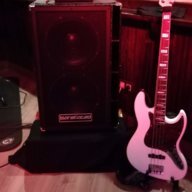
Bass > FEA DE-CL compressor > Headrush MX5 (aftershock on the fx loop) > Tech 21 Q strip > Amp Quilter Bass Block > Speaker Barefaced Super Twin.
Because I've been using an amp, still don't messed with the amp and cab emulation and IR's.
I'm new to multifx, and as soon as I conected it I noticed that the volume is really low compared to my sound without it. I searched what levels other users use and I tried to adjust them. Is it normal to adjust them over 0.0 db? Input and output? Now I have the input at 1.0 db and the output at 5.0 db, with the physical volume button between 7 or 8.
I heard that most multifx have a learning curve, if you could give me some pointers on the right direction, I'll appreciate it and be really gratefull.
Thanks
Reaching out to you for some help, if you can.
I end up pulling the trigger on a new Headrush MX5, as the title says. I'm new to multifx, been using mostly single pedals.
Needed a solution for multiple sounds I didn't have, for my covers band.
The MX5 is mostly used for drop tunings, wah and filters, modulation and delays/reverbs.
I tried to integrate my Source Audio Aftershock distortion in the fx loop of the MX5 with no luck, no sound when I turn on the fx loop on the signal chain of the MX5
What am I doing wrong? I have the distortions and overdrives all on my aftershock and now I can't integrate it with my MX5, real bummer...
My signal chain:
Bass > FEA DE-CL compressor > Headrush MX5 (aftershock on the fx loop) > Tech 21 Q strip > Amp Quilter Bass Block > Speaker Barefaced Super Twin.
Because I've been using an amp, still don't messed with the amp and cab emulation and IR's.
I'm new to multifx, and as soon as I conected it I noticed that the volume is really low compared to my sound without it. I searched what levels other users use and I tried to adjust them. Is it normal to adjust them over 0.0 db? Input and output? Now I have the input at 1.0 db and the output at 5.0 db, with the physical volume button between 7 or 8.
I heard that most multifx have a learning curve, if you could give me some pointers on the right direction, I'll appreciate it and be really gratefull.
Thanks