• TalkBass has been independent since 1998. Add your voice.
    Create a free account to reply to discussions, view embedded media, and browse with fewer display ads.
    Join freeLog in
    Want zero display ads or expanded classifieds tools? Compare plans.

recommend a tablet for live shows

How much over $200 is an IPAD PRO 12.9 and accessories needed:)

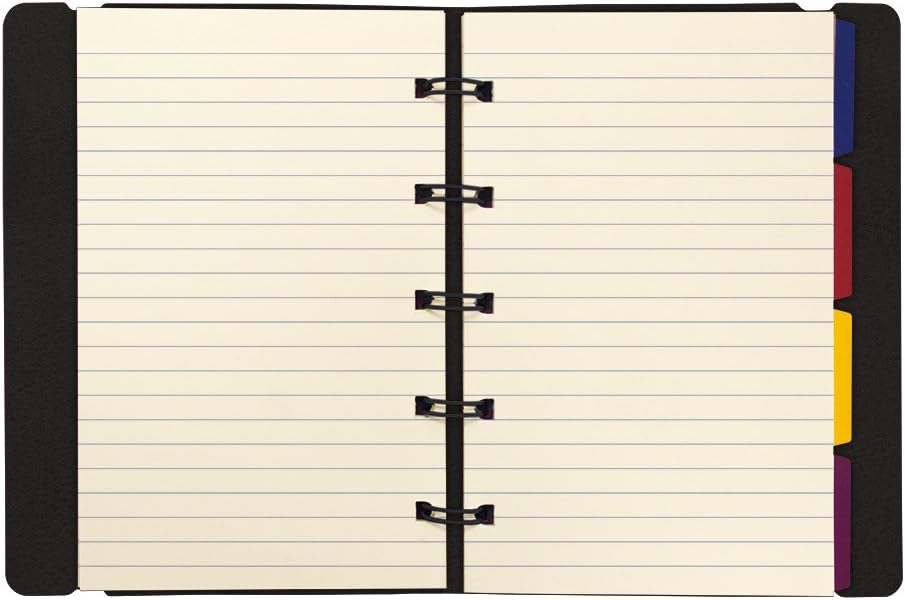
I have used something like this[pocket sized] after having to learn 45+ song quickly and gigging right after until I got them memorized consistently.

Got song list in advance and put them in order rest alphabetical; just chords and structure and sometimes a note[ on speaker beside amp head. Always had clip on light or small flashlight an wrote letters/numbers large.:)

Just needed a glance once started playing memory returned.

For singers IPAD hanging from Mic Stand may be good idea don't know how many times I heard singer just make up lyrics:)

61MjqWCZ6wL._AC_SL1000_.jpg

My I pad pro 12.9 was about $1,200, I spend another $90 on an Otterbox Defender because I was using it on gigs. I use the ForeScore app (free) and it works great, but there are other apps out there. In addition to the iPad and Otterbox was a pedal (AirTurn) pedal to turn the pages (bass players need both hands on the bass) another $65 as well as:
upload_2023-2-5_21-4-49.jpeg
upload_2023-2-5_21-4-49.jpeg upload_2023-2-5_21-4-49.jpeg

which is another $89.
 
  • Like
Reactions: hbarcat
The iPad Pro 12.9 is upwards of $1,000. Lesser versions with smaller screens and fewer features are at least $500.

There's simply no way I can do that. I'm just a part time performer playing a couple of gigs a month and I'm lucky to break even, financially, indulging in what is essentially a hobby.

I have a rule that I don't spend money from my day job to subsidize my music projects, and I can't see myself raising $500 - $1,000 from my music interests in the immediate future.

Anybody want to buy some of the items I have listed in the TB classifieds?

:D

The Galaxy A7 is $160.

I just need to do some more research and determine if the cheap "adequate" option is a classic case of "Penny wise, but pound foolish."


Edit: I own a small piece of land in Wisconsin that I bought several years ago on a whim on the notion that I might someday build a cabin on it and spend summers there fishing when I retire in about 15 years.

Lately, I've been thinking about selling it, because realistically, it's unlikely that I'll ever build that cabin and I'll end up selling it off in the future when I'm old and on the way out.

It would be nice to have some extra cash to help fund my musical passions in the present day.

A really high quality bass would be nice, too.

Hmmmmmm . . . . .

:unsure:

:D
 
Last edited:
  • Like
Reactions: Passinwind
That's great to know. Thanks for posting that.
I'm a hardcore Android guy, I REFUSE to buy an iPhone. That said, I'd absolutely recommend an iPad over an Android when it comes to tablets. The other thing is you may find yourself wanting to do more with it since you bought it, and the music apps on iOs absolutely blow away anything on Android because of the os.
 
  • Like
Reactions: hbarcat
I thought I needed a new tablet cuz my iPad was too old to download the app for our new monitor system... but we figured that out. Anyhow, I researched like crazy and decided on a Galaxy S6Lite for a bunch of reasons.

1st, I was going to go with the cheapest of cheap, but realized that the way things move along these days anything dirt cheap is likely to be obsolete real quickly. I also didn't want to have to deal with glitches, slow speeds and other headaches that could potentially piss me off at a gig.

This S6 covers a lot of basses at a reasonable price (around $270). If you buy it straight from Samsung, you can find a bunch of ways to start whittling down that price too.

I have mine for about 2 weeks now. Not using it for music, but I like it for other things I've fiddled with. Especially the art stuff. I've always wanted a tablet I could do some artwork on, and this one is the first that really delivers in that area. Purchased some pens and art programs for my old ipads years ago, but the technology has gotten WAAAY better, and this tablet can handle it. Comes with a great pen, too.

IMO, it might be worth going the few extra bucks to be safe and get something you know will do the job reliably, and still hold up to any app updates or whatever else might come your way in the near future.

I'm happy with mine.

Link Removed

Galaxy Tab S6 Lite Tablet | Samsung US
 
  • Like
Reactions: hbarcat
Just read some of the other responses. If you choose to go the iPad route, make sure to check what version it is and that you'll be able to download any apps you're looking to use. As I said above, I had an iPad 3rd generation that wouldn't allow me to download any of the newer monitor apps. There were lots of other things I wasn't able to update as well. Though I use an iPad, I'm not a fan of Apple because of that kind of BS. As well as changing their chargers all the time so if you buy any accessories, you have to jump through a bunch of hoops to get them working with other iPads.

I doubt I'll ever buy another iPad. Switched from an iPhone to Android 5 yrs ago too, and never looked back.
 
I just use my 10 inch Fire Tablet from Amazon which they sold to me for 39 during one of the sales. I was able to install Google Play on it. I have a PDF of Real Books. I also edited the PDF using Adobe Acrobat top create an index TOC. in case they call out different tunes (jazz) These Fire Tablets (mine is about 6) years old have amazing battery life. Android tablets are not really bad and definitely will save you some money. Also if someone has hand written arrangements , I just take a picture and convert that to PDF

I do have an old iPad Pro 2nd Gen, but the Fire tablet display is much better. Plus the iPad is running some synths

For big band sight reading. (as a sax player) I'd rather have paper, because I usually pre-read on the right while still checking the current bars on the left and that won't fit on any iPad.
 
  • Like
Reactions: hbarcat
Just read some of the other responses. If you choose to go the iPad route, make sure to check what version it is and that you'll be able to download any apps you're looking to use. As I said above, I had an iPad 3rd generation that wouldn't allow me to download any of the newer monitor apps. There were lots of other things I wasn't able to update as well. Though I use an iPad, I'm not a fan of Apple because of that kind of BS. As well as changing their chargers all the time so if you buy any accessories, you have to jump through a bunch of hoops to get them working with other iPads.

I doubt I'll ever buy another iPad. Switched from an iPhone to Android 5 yrs ago too, and never looked back.

The iPad and all iDevices, OS and apps went 64 bit
 
  • Like
Reactions: hbarcat
The iPad Pro 12.9 is upwards of $1,000. Lesser versions with smaller screens and fewer features are at least $500.

There's simply no way I can do that. I'm just a part time performer playing a couple of gigs a month and I'm lucky to break even, financially, indulging in what is essentially a hobby.

I have a rule that I don't spend money from my day job to subsidize my music projects, and I can't see myself raising $500 - $1,000 from my music interests in the immediate future.

Anybody want to buy some of the items I have listed in the TB classifieds?

:D

The Galaxy A7 is $160.

I just need to do some more research and determine if the cheap "adequate" option is a classic case of "Penny wise, but pound foolish."


Edit: I own a small piece of land in Wisconsin that I bought several years ago on a whim on the notion that I might someday build a cabin on it and spend summers there fishing when I retire in about 15 years.

Lately, I've been thinking about selling it, because realistically, it's unlikely that I'll ever build that cabin and I'll end up selling it off in the future when I'm old and on the way out.

It would be nice to have some extra cash to help fund my musical passions in the present day.

A really high quality bass would be nice, too.

Hmmmmmm . . . . .

:unsure:

:D

Decisions, decisions… hey, who knows, maybe you land a couple of fat gigs this year, or a few extra ones you weren’t counting on.

I do agree with having your music business support you GAS without dipping into household finances. That’s a good choice.

I have a couple of ideas that might help, two potential sources of revenue. One, check out your telcom expenditures. Cellphones, cable, online subscriptions. Two years ago we had a landline, 2 cell phones, and Verizon FIOS cable and we were paying about $4,000 a year. No Joke, and no more. We cut it back to about $1,000 a year. Do we miss it? But my wife and I talk a lot more..LOL!!

The other suggestion might be a little harder to take, but take a look at fast food expenditures.

Anyway, hope you can work it out to keep your land. The aren’t making any more of it.
 
  • Like
Reactions: hbarcat
One, check out your telcom expenditures. Cellphones, cable, online subscriptions. Two years ago we had a landline, 2 cell phones, and Verizon FIOS cable and we were paying about $4,000 a year. No Joke, and no more. We cut it back to about $1,000 a year. Do we miss it? But my wife and I talk a lot more..LOL!!

My wife and I just decided to do the same yesterday. We have Optimum. TV, landline and internet. It was costing us $260 a month. We decided to ditch the TV and boxes, and with a simple phone call they dropped our bill by $82 a month (we didn't have to ditch anything). I should have done that a year ago. I held out on the phone with them for 2 price drops, and feel like I still gave in too soon. I've a feeling these cable companies work like Sirius these days. Keep telling them to cancel you, and they keep dropping their price.

Still thinking of dropping the phone line and TV, but easing ourselves out of it right now. Saving $82 a month is a very good thing though. I want to start cutting other expenses now too. And selling basses :) .
 
This has already been discussed at length in another thread started by JimmyM. I think you might find it helpful. I posted a lengthy use summary and a number of other posts that I will not rehash again starting at post # 52 and following. The whole thread is full of useful information from many people.

Choosing a Tablet for Reading Charts

At this point I have over 7,800 hundred songs and can pull up anyone in seconds, Multiple setlists, and I can archive previous setlists if I want. I have ALL my fakebooks loaded. I can find a song faster than you can pick up the book. Currently using the Samsung Galaxy S7+, the people who perfected the stylus over twelve years ago, with MobileSheet to manage the sheet music files. I annotate the heck out of my music with all sorts of pre configured symbols and notes. I could never go back to paper.

My tablet is just as important as my bass and my amp , it's critical to my needs. No way I am going to nickel and dime my gear. My regret is not doing it sooner.

It's scary to jump in but it's worth it. Good luck.
 
My wife and I just decided to do the same yesterday. We have Optimum. TV, landline and internet. It was costing us $260 a month. We decided to ditch the TV and boxes, and with a simple phone call they dropped our bill by $82 a month (we didn't have to ditch anything). I should have done that a year ago. I held out on the phone with them for 2 price drops, and feel like I still gave in too soon. I've a feeling these cable companies work like Sirius these days. Keep telling them to cancel you, and they keep dropping their price.

Still thinking of dropping the phone line and TV, but easing ourselves out of it right now. Saving $82 a month is a very good thing though. I want to start cutting other expenses now too. And selling basses :) .


$82 a month is just a little short of a thousand bucks a year. It adds up. Congrats!
 
I use an iPad for software such as OnSong and SongOne which work with Chordpro files. It does help most of the time.

I really don't like Apple or their attempts to monopolize your life, but I thought I'd go with the iPad since it seemed there were more options on the software apps. If I did it again I'd stay with Android. To me it's important to have software that can transpose keys with a couple of button presses and which will crawl in time with my playing, since many tunes are multiple screens long.

A tablet that's a year or two old would be fine. 10 inches is big enough for the screen. I do like Samsung tablets.

I use a very stable mic stand with a clamp on top. The tablets are heavy enough that you can't use a lightweight mic stand. I use this Manos clamp:
AirTurn Manos Universal Tablet Holder - 5/8" Mount for iPad/Tablet Width 127-337mm
 
  • Like
Reactions: hbarcat
This is an example of what I want a page to look like. Actually, most pages will be simpler than this.


WHO'LL STOP THE RAIN - CCR
(G Major)


V1 -- Long as I remember . . .

V2 -- I went down Virginia . . .

[Add guitar solo] (same chords as Verse)

[Bridge] C / G / D . . . . A / C / E

V3 -- Heard the singers playing . . .


* No 'B' V1

# Trigger moonflower lights after bridge

* V3 starts Lagato
with early harmony vox
 
Last edited:
I appreciate the suggestion to examine my monthly expenditures to try to save money that could be used to finance my band expenditures, but I assure you that there isn't a nickel to be found there.

Without going into detail, I've lived the past 2 decades about as frugally as can possibly be done. There is no fat to be trimmed in my budget.

:D
 
I don't particularly like bits of fruit. BUT, I currently use an iPad that I inherited from my wife. Music production software seems to be predominantly apple based.

Whilst it serves me adequately. I get frustrated wither the Apple way of doing things as all of my music has been developed on a PC over the decades. Transferring stuff into the iPad requires iTunes which does not run on Linux. no real biggie, however, to get my music into Songsheet Pro on the iPad, I have to first copy the PDF into the "Books" program and then export it to songsheet Pro with a pile of adjustments to suite. Sadly, this appears to be one of the best solutions to my problem. My recommendation is to do a lot of research into the software that best serves your purpose and then purchase the hardware to suit.

My future plans are more likely to include a touchscreen laptop.
 
  • Like
Reactions: Pilgrim and hbarcat