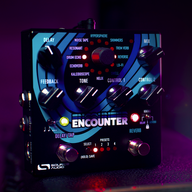
owiePublic Service Announcement: There are some 9V pedals that will happily run on 18V. The C4 is not one of them.
I plugged in the wrong power supply and released the magic smoke. Rest in peace.

TalkBass has been independent since 1998. Add your voice.
Create a free account to reply to discussions, view embedded media, and browse with fewer display ads.
Join free Log in
Want zero display ads or expanded classifieds tools? Compare plans.
owiePublic Service Announcement: There are some 9V pedals that will happily run on 18V. The C4 is not one of them.
I plugged in the wrong power supply and released the magic smoke. Rest in peace.

We just might fix that for you. Send a note to [email protected]Public Service Announcement: There are some 9V pedals that will happily run on 18V. The C4 is not one of them.
I plugged in the wrong power supply and released the magic smoke. Rest in peace.
Dont tell anyone

Me and Tony go back a long way!
Sincerely appreciate that SA has some of the best customer service in the business. You all have helped me out a number of times.


Thank you very much. I have done so.

yes, with usb midi and a midi router/hub that supports usb host. I was using a Midifighter Twister in combination with a CME midi router and a USB hub for a while but needed the space for more pedals. FWIW I found programming on the Neuro app (windows) to be a little easier since the MIDI communication is 1-way, change a patch and your MIDI knobs become agents of chaosDoes anyone know if a control surface can be used to program a C4?
 .
.Still no joy on getting preset name on neuro app.I'm having trouble getting the patch name to appear on the neuro editor screen at the top on iPad and Android. Any tips?
If you are using the TRS cable connection, its one way communication only. It cannot read anything back from the pedal. If you are using USB, then this should work.Still no joy on getting preset name on neuro app.
Using USB. No preset name in the top of the editor screen. It's also not doing the name with a brand new Spectrum (which I quite like and think does envelope better than the C4).If you are using the TRS cable connection, its one way communication only. It cannot read anything back from the pedal. If you are using USB, then this should work.
I'm getting the preset name. It's just under the C4 and USB connection icon at the top left of the editor panel. This is on Neuro 3.0.31 (562) under Windows 11 Home version 24H2. The preset name also shows up in the IOS version on my iphone 15.Using USB. No preset name in the top of the editor screen. It's also not doing the name with a brand new Spectrum (which I quite like and think does envelope better than the C4).
I wonder if anyone else is having this issue. Or am I the Lucky One?
FYI, I'm not a fan of the new single column preset layout on the left in Neuro. The dual column was handier.

What type of computer, OS, and which version of Neuro 3 are you using? We will need to investigate your case. Thanks!Using USB. No preset name in the top of the editor screen. It's also not doing the name with a brand new Spectrum (which I quite like and think does envelope better than the C4).
I wonder if anyone else is having this issue. Or am I the Lucky One?
FYI, I'm not a fan of the new single column preset layout on the left in Neuro. The dual column was handier.
Agree with the updated comments. That's how mine works. And today it seems to have wiped out my saved presets.I'm getting the preset name. It's just under the C4 and USB connection icon at the top left of the editor panel. This is on Neuro 3.0.31 (562) under Windows 11 Home version 24H2. The preset name also shows up in the IOS version on my iphone 15.
I'm getting the 2 column preset layout in the left panel (the panel is titled Scenes). The panel on the right is titled Cloud Presets, and it has a single column display. Maybe a version difference between ours?
UPDATE:
Installed 3.0.32 (707). The editor panel updates and shows the preset name when I select a preset from the left panel (now titled Pedal). But, now when I select a different preset from the toggle switch on the C4, the preset name is not updated in the center editor panel - it stays the same as before I moved the toggle switch. The controls are updated with the toggle switch move, just the name is not. In the prior Neuro version, the toggle switch move properly updated the preset name in the middle editor panel.
And I now have the single column in the left panel, rather than the more informative two column display.
Version 3.0.32 is a step backwards compared to 3.0.31on both counts.