

Enjoy the benefits of a premium membership!
Upgrade Account
-
TalkBass has been independent since 1998. Add your voice.
Create a free account to reply to discussions, view embedded media, and browse with fewer display ads.
Join free Log in
Want zero display ads or expanded classifieds tools? Compare plans.
You are using an out of date browser. It may not display this or other websites correctly.
You should upgrade or use an alternative browser.
You should upgrade or use an alternative browser.
Source Audio Sorcerers Society (S.A.S.S) Part 3
- Thread starter gregmon79
- Start date
More options
Who Replied?

Have you checked out the iConnectivity MIOXM it has four midi host ports and four sets of DIN ports.
I have a neuro connected to my C4 and Kingmaker (the EQ2 will be added soon) but I am going to get the MIO and combine the two.
The neuro connects to the TRRS inputs of the pedals.
I have a neuro connected to my C4 and Kingmaker (the EQ2 will be added soon) but I am going to get the MIO and combine the two.
The neuro connects to the TRRS inputs of the pedals.
I have just picked up the C4 and the Spectrum. I have 2 dad mini ghosts on the way. But I'm wondering of the Neuro hun would be a better option and if so how does it get connected? The trrs from the input control? I'm new to all this
Have you checked out the iConnectivity MIOXM it has four midi host ports and four sets of DIN ports.
I have a neuro connected to my C4 and Kingmaker (the EQ2 will be added soon) but I am going to get the MIO and combine the two.
The neuro connects to the TRRS inputs of the pedals.
I'll. Check that out out thanks
The advantage that the Neuro has opposed to a typical Midi host is that there are two expression inputs built into the neuro allowing the user an easy way to gain expression capabilities with a standard expression pedal. Source Audio make a dual expression pedal that can be integrated with the Neuro.I'll. Check that out out thanks

One thing I was thinking about is that the because Hub uses the TRRS port, you can leave a USB cable plugged into the C4 (which could even go into a USB hub) for using the PC editor, rather than having to switch USB cables between controller and PC. One downside is that if I understand correctly, the Hub only passes CC messages and not PC messages.

- May 16, 2007
- 3,395
- 4,869
- Disclosures
- Volunteer developer/beta tester with Source Audio, Morningstar Engineering & MORTRIX
The hub responds to PC messages as it uses them to recall scenes. It doesn’t pass PC messages to the attached pedals. However there are CC commands which can be used to access the onboard presets of the attached SA pedals.One thing I was thinking about is that the because Hub uses the TRRS port, you can leave a USB cable plugged into the C4 (which could even go into a USB hub) for using the PC editor, rather than having to switch USB cables between controller and PC. One downside is that if I understand correctly, the Hub only passes CC messages and not PC messages.
- May 16, 2007
- 3,395
- 4,869
- Disclosures
- Volunteer developer/beta tester with Source Audio, Morningstar Engineering & MORTRIX
Just to clarify, the Hub does pass PC messages on the MIDI out port to anything connected downstream that way.The hub responds to PC messages as it uses them to recall scenes. It doesn’t pass PC messages to the attached pedals. However there are CC commands which can be used to access the onboard presets of the attached SA pedals.

Just to clarify, the Hub does pass PC messages on the MIDI out port to anything connected downstream that way.
Once again the Q master comes to the rescue!

Testing C4, AfterShock and Nemesis with Sansamp BDDI in electronics grooves.
US Precision and Stingray 5 both with flats, Labella and TI.
Not songs but sounds i find really cool
C4 Sounds Test
C4 - 2
C4 first test
[Invalid or Expired Link Removed]
US Precision and Stingray 5 both with flats, Labella and TI.
Not songs but sounds i find really cool
C4 Sounds Test
C4 - 2
C4 first test
[Invalid or Expired Link Removed]
Last edited:

About expression pedals.
I recently bought a LA Lady, and reading the manual I noticed the 3,5mm TRRS port can be used for expression pedals.
Does it work with 2 ordinary expression pedals if I make a Y-cable so the out from the pedals are separated so one is connected to the X input and the other is connected to the Y input.
I recently bought a LA Lady, and reading the manual I noticed the 3,5mm TRRS port can be used for expression pedals.
Does it work with 2 ordinary expression pedals if I make a Y-cable so the out from the pedals are separated so one is connected to the X input and the other is connected to the Y input.
Last edited:

Gibs210
Commercial User
- Aug 31, 2019
- 850
- 875
- Disclosures
- Part time Tech Support for Source Audio effects
Not for the drive pedals, the ventris, collider, C4, spectrum, and eq2 might be able to, but I have no way of testing that to be for sure. Also, those ports are wired backwards from most standard expression pedals, so there’s that as well.About expression pedals.
I recently bought a LA Lady, and reading the manual I noticed the 3,5mm TRRS port can be used for expression pedals.
Does it work with 2 ordinary expression pedals if I make a Y-cable so the out from the pedals are separated so one is connected to the X input and the other is connected to the Y input.

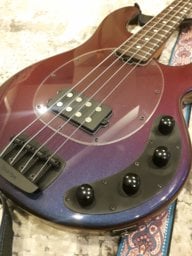
Ok so I just got a c4, and frankly the tracking is horrible its like my bass has no volume. Turning up the input doesn't help, and I've gone through a lot of presets, have any of you guys got a busted unit first time out?
What kind of bass are you using and what is the signal chain?
Dj5 straight in out to my DAW..its like I have to pluck really hard to get it to react, and I've gone through the audio configuration twice!What kind of bass are you using and what is the signal chain?

There is "Input Gain" setting and also a "Sensitivity" setting (using the Alt switch on the Input Gain control). The Input Gain should be a consistent setting per your particular bass and playing style but the Sensitivity setting will differ depending on the patch and what you are trying to accomplish with it- the Sensitivity affects tracking and envelope for a variety of parameters. Unfortunately you will have to adjust Input Gain for any user patch to match your setup, and potentially also sensitivityDj5 straight in out to my DAW..its like I have to pluck really hard to get it to react, and I've gone through the audio configuration twice!
how was this process for you?There is "Input Gain" setting and also a "Sensitivity" setting (using the Alt switch on the Input Gain control). The Input Gain should be a consistent setting per your particular bass and playing style but the Sensitivity setting will differ depending on the patch and what you are trying to accomplish with it- the Sensitivity affects tracking and envelope for a variety of parameters. Unfortunately you will have to adjust Input Gain for any user patch to match your setup, and potentially also sensitivity
How do you mean? I haven't found a setting yet that didn't work once I set it up for my instrument and playing style (of course many of the presets will require transcription to different parts of the fretboard and/or adjusted technique or pickup settings to optimize tracking, something I am used to already from use of analog octavers and some digital pitch effects). It just means understanding that the user presets were saved using different setups and playing styles than yours, and that optimizing them will require some personalization. I'm glad that that degree of tweakability exists at all, as I've used plenty of filter and synth effects in the past with only either "sensitivity" or "input gain" (or neither!) and having to settle with compromized usability. Also make sure you have your tracking settings picked for your instrument, "guitar" or "bass" (including the range of your bass) as well as tracking options under "pitch detector" for any patches that are using synthesized voiceshow was this process for you?

rsmith601
Commercial User
- Apr 14, 2009
- 4,461
- 8,356
- Disclosures
- CEO and Co-Founder, Source Audio
We have lots of bass players in the company and in our beta testing community who own lots of different basses. There are now thousands of C4 owners who are bass players. We have tested this pedal thoroughly for use with a wide variety of instruments.Ok so I just got a c4, and frankly the tracking is horrible its like my bass has no volume. Turning up the input doesn't help, and I've gone through a lot of presets, have any of you guys got a busted unit first time out?
If everything else is working, it's unlikely this one aspect is not working. Is this a used pedal or new? Perhaps some important setting is off? I have confidence this can be sorted!! There are many experienced users on this forum.


Ok so I just got a c4, and frankly the tracking is horrible its like my bass has no volume. Turning up the input doesn't help, and I've gone through a lot of presets, have any of you guys got a busted unit first time out?
Also curious if used or new pedal. If used I'd start with a factory reset. The default presets weren't hard for me to start playing with at all with a little reading of the manual and I think maybe there was a card that described the function of the alt switch.
If you haven't you should probably read the manual, it's 48 pages long but really not much trouble to skim through the important parts.
The input and mix knob both have dual functions, when you press the "alt" button on the back of the pedal the light will flash, and the input knob will be the "sensitivity" knob and the mix knob will be the volume output.
Ideally you want to calibrate your input for the processor, you adjust this based on how hot your pickups are.
And then it's sensitivity you want to adjust to determine triggers based on your playing dynamics.
From the manual ([Invalid or Expired Link Removed])
o INPUT CALIBRATION FUNCTION: We have provided a unique Input Calibration Function to assure that you are getting the best possible interaction between your instrument and the C4. The Calibration process is as follows: 1. Turn the INPUT knob all the way down. 2. Continuously pluck your instrument at your average plucking velocity. 3. Slowly turn up the INPUT knob up until the center LED starts flashing red. This flashing indicates that you have reached the optimum INPUT level. Leave the knob where it is – the process is complete.
• SENSITIVITY (Secondary Parameter). Adjusts how reactive the envelope filter is to the incoming signal. If you like to play hard, but still want a smoother more relaxed envelope filter, you should turn down the SENSITIVITY. For a sharper response to lighter playing, turn up the SENSITIVITY.
And personally I think just about all of the effects become bass worthy effects once you start playing with the mix knob and letting the dry signal handle the low end, well other than some of the iconic OC-2 sounds.
Once you have that all sorted, use the alt button + mix knob to set the volume to be equal to your clean signal with the pedal of, or maybe slightly boosted up to you.
Then if you're like me you'll lose an hour of your day every time you sit down to mess with it
Of course I'm sure most of us would love to scroll through and test all of the user patches on the app without adjustment the same way we would scroll through the presets of a new keyboard synthesizer, but that's just not the nature of the platform at all and would be virtually impossible to implement!We have lots of bass players in the company and in our beta testing community who own lots of different basses. There are now thousands of C4 owners who are bass players. We have tested this pedal thoroughly for use with a wide variety of instruments.
If everything else is working, it's unlikely this one aspect is not working. Is this a used pedal or new? Perhaps some important setting is off? I have confidence this can be sorted!! There are many experienced users on this forum.


