

Enjoy the benefits of a premium membership!
Upgrade Account
-
TalkBass has been independent since 1998. Add your voice.
Create a free account to reply to discussions, view embedded media, and browse with fewer display ads.
Join free Log in
Want zero display ads or expanded classifieds tools? Compare plans.
You are using an out of date browser. It may not display this or other websites correctly.
You should upgrade or use an alternative browser.
You should upgrade or use an alternative browser.
Warwick's bright little Gnome 600 how to dim?
- Thread starter Jaygetsreal
- Start date
More options
Who Replied?


- Feb 12, 2006
- 61,051
- 5
- 221,011
- Disclosures
- Development Engineer-Mesa Boogie, Development Engineer-Genzler (pedals), Product Support-Genz Benz

You can probably pull the knobs off and carefully cover it all with tape if you want to go that route. Anything more invasive, like adding a resistor to lower the brightness or defeating the lights altogether, would require Warwick's help/approval.
Actually, the manual indicates that there is a panel light dimmer switch on the back of the amp. See page 4.
W_A_Gnome_Series_Manual_EN_ONLINEDh7Mn5AicrKbw.pdf (cstatic.io)
W_A_Gnome_Series_Manual_EN_ONLINEDh7Mn5AicrKbw.pdf (cstatic.io)
Nice catch! But that is the the manual for the v2, which it seems has not yet been released, so not in OP's possession yet.Actually, the manual indicates that there is a panel light dimmer switch on the back of the amp. See page 4.
W_A_Gnome_Series_Manual_EN_ONLINEDh7Mn5AicrKbw.pdf (cstatic.io)
Interesting to see that they addressed this issue in the newer version


Turn the amp around so that the lights face the drummer.



Product designers who use blue LEDs should be forced to live with their own products so that they come to understand just how annoying they are.
Hopefully, the LEDs are on a subassembly that you can just unplug. A manufacturer cannot void your warranty for trivial reasons such as having merely opened the case to inspect the inside to see how it is assembled.
Hopefully, the LEDs are on a subassembly that you can just unplug. A manufacturer cannot void your warranty for trivial reasons such as having merely opened the case to inspect the inside to see how it is assembled.
- Feb 12, 2006
- 61,051
- 5
- 221,011
- Disclosures
- Development Engineer-Mesa Boogie, Development Engineer-Genzler (pedals), Product Support-Genz Benz
If for example the LED’s are driven by an active constant current source, unplugging or disconnecting the LED load can damage the driver circuit. This would obviously void the warranty. It may not be as trivial as you think.Product designers who use blue LEDs should be forced to live with their own products so that they come to understand just how annoying they are.
Hopefully, the LEDs are on a subassembly that you can just unplug. A manufacturer cannot void your warranty for trivial reasons such as having merely opened the case to inspect the inside to see how it is assembled.
If the LEDs are too bright, you can always choose another amp that better suits your needs.
The blue LED is so important in all of our everyday lives I can live with their seemingly over-the-top assault on my eyes on one or two products.

I just won’t buy an amp that does that. I had a little utility mixer I used for my live keyboard rig and since the single blue led was obnoxious to me I covered it with a strip of red turn signal repair tape.
fixed!
fixed!
Update: The dealer here in Australia is seeking a solution for me from Warwick

Soooooo,…. No update?Update: The dealer here in Australia is seeking a solution for me from Warwick
Well yes they simply said quote
"No luck with Warwick. My Technician suggested a fix. To dim the LED’s brightness he would carefully paint over them with nail polish similar in Color to the LEDs, once or a number of times drying in between until the desired reduced brightness was achieved."
I haven't taken this any further because no matter how carefully you did what he suggested, I reckon it would lower the resale value of the amp. So I am living with it
"No luck with Warwick. My Technician suggested a fix. To dim the LED’s brightness he would carefully paint over them with nail polish similar in Color to the LEDs, once or a number of times drying in between until the desired reduced brightness was achieved."
I haven't taken this any further because no matter how carefully you did what he suggested, I reckon it would lower the resale value of the amp. So I am living with it

There are light dimming stickers, and they claim to leave no residue when removed. It's available in sheets you can cut to size. The LIGHTDIMS Store
For DIY you could apply the nail polish, paint, sharpie, et. cetera on clear tape and then cut it to fit the offending areas.
For DIY you could apply the nail polish, paint, sharpie, et. cetera on clear tape and then cut it to fit the offending areas.
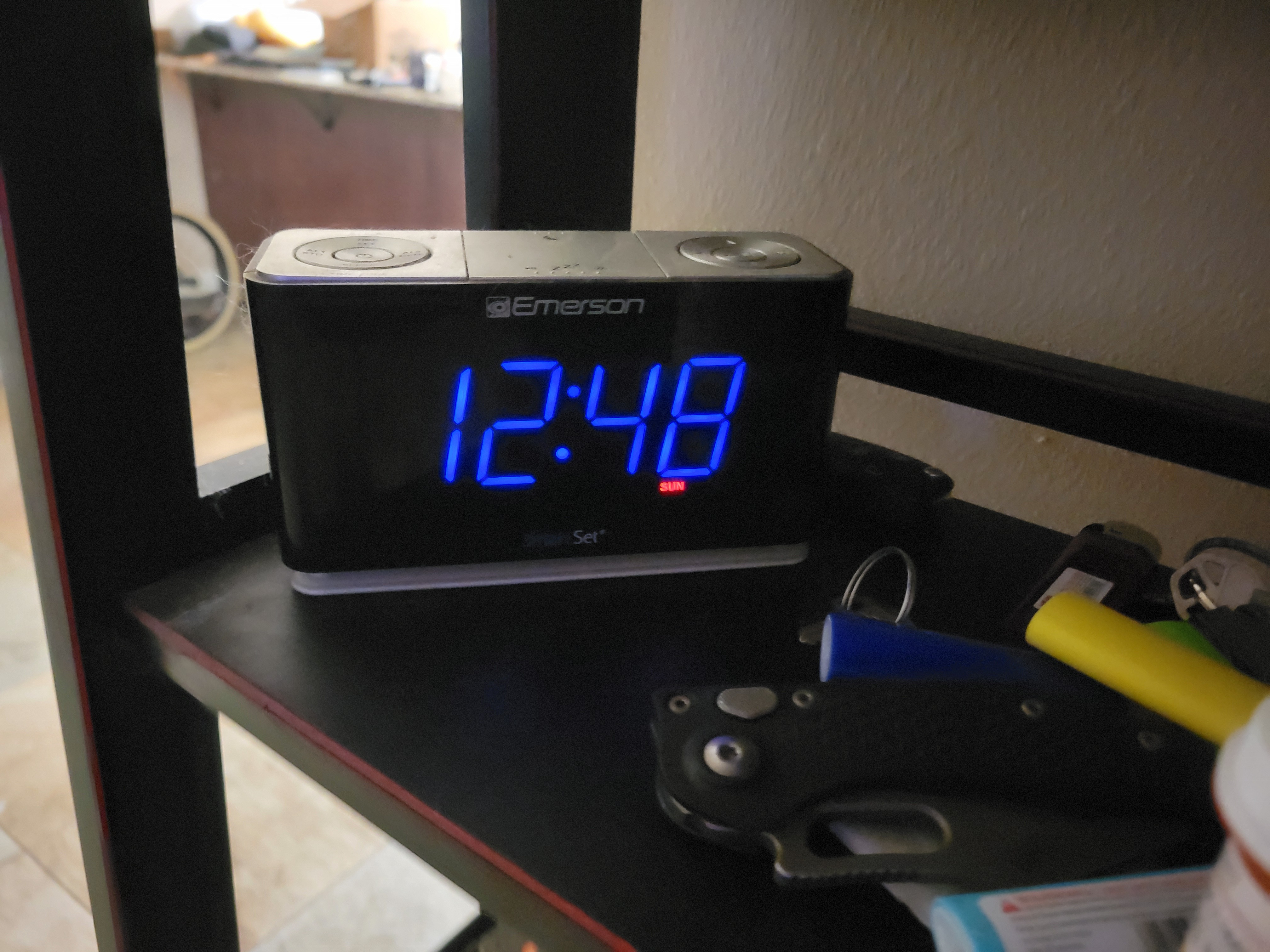
I used automotive tint on an offending alarm clock.
I LOVE this clock..
It stays on during power outages and automatically sets the time and adjust for daylight savings time.
All you have to do is plug it in and forget it.
The problem for me was, the brightness settings. There are 3 but #2 is too bright, # 3 is too dim. So i used tint on level 2 and it's just right. Without the tint , the second setting logged up the whole room.
So I am in agreement with those saying use some kind of flim. It works and is easy to remove when needed. Its external so no risk of damage. Just dont use water in the applicaiton.
an alternative method would be to make a solid cover for the front with the knob, plug and button holes cut out. You could then control how much light it puts out by how much relief you leave around the holes. I think tint would be easier though.
I LOVE this clock..
It stays on during power outages and automatically sets the time and adjust for daylight savings time.
All you have to do is plug it in and forget it.
The problem for me was, the brightness settings. There are 3 but #2 is too bright, # 3 is too dim. So i used tint on level 2 and it's just right. Without the tint , the second setting logged up the whole room.
So I am in agreement with those saying use some kind of flim. It works and is easy to remove when needed. Its external so no risk of damage. Just dont use water in the applicaiton.
an alternative method would be to make a solid cover for the front with the knob, plug and button holes cut out. You could then control how much light it puts out by how much relief you leave around the holes. I think tint would be easier though.
Attachments


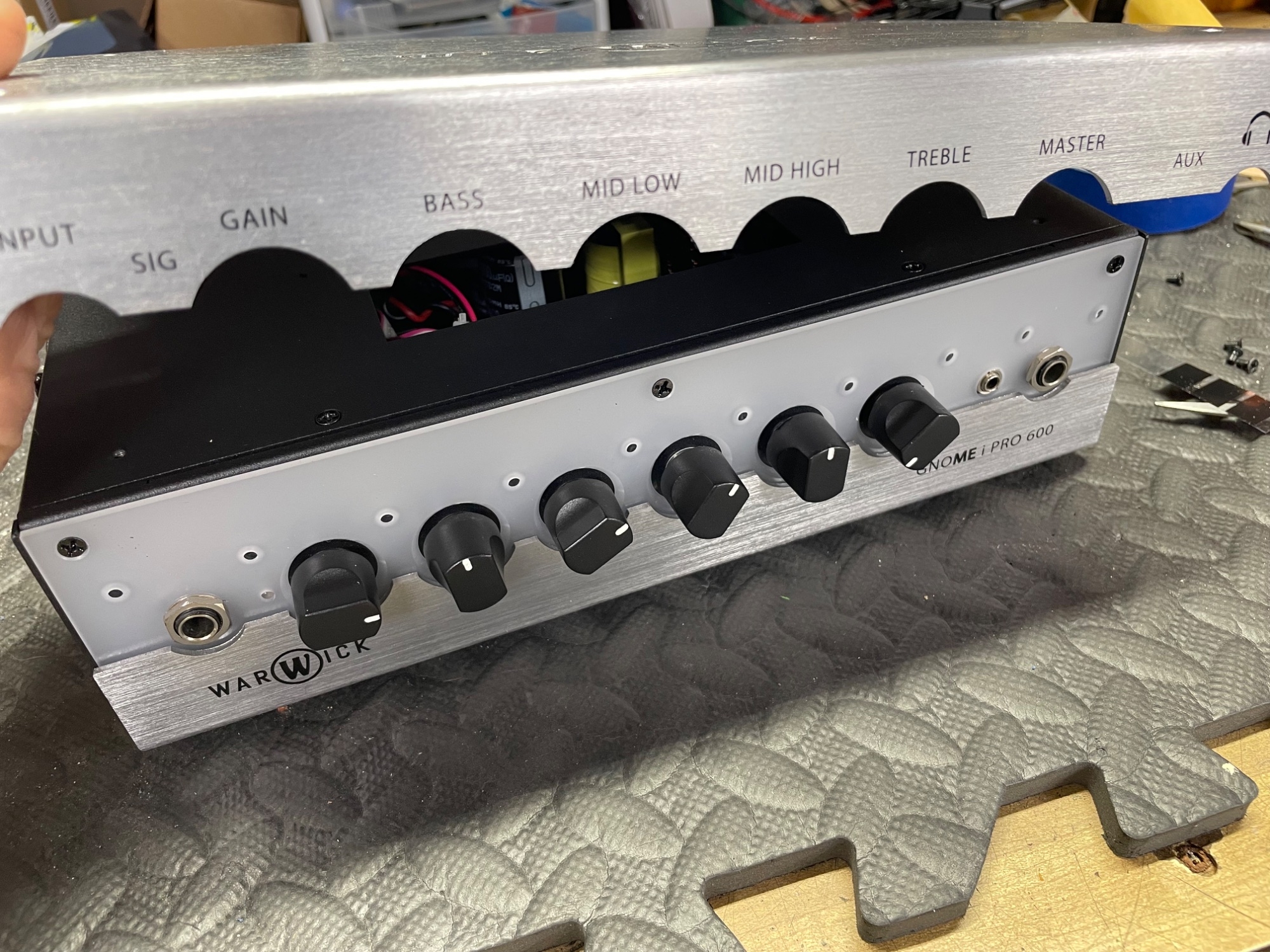
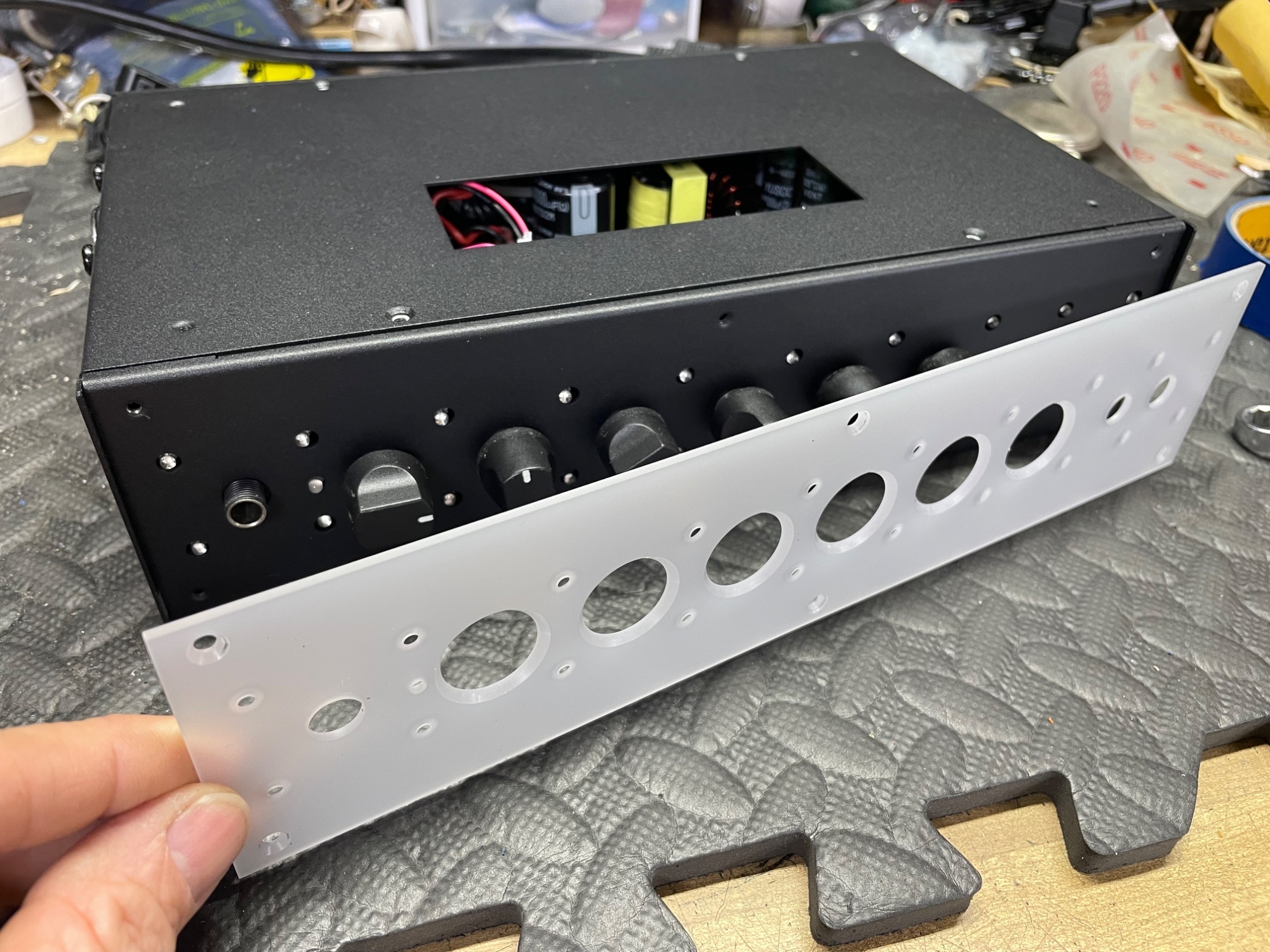
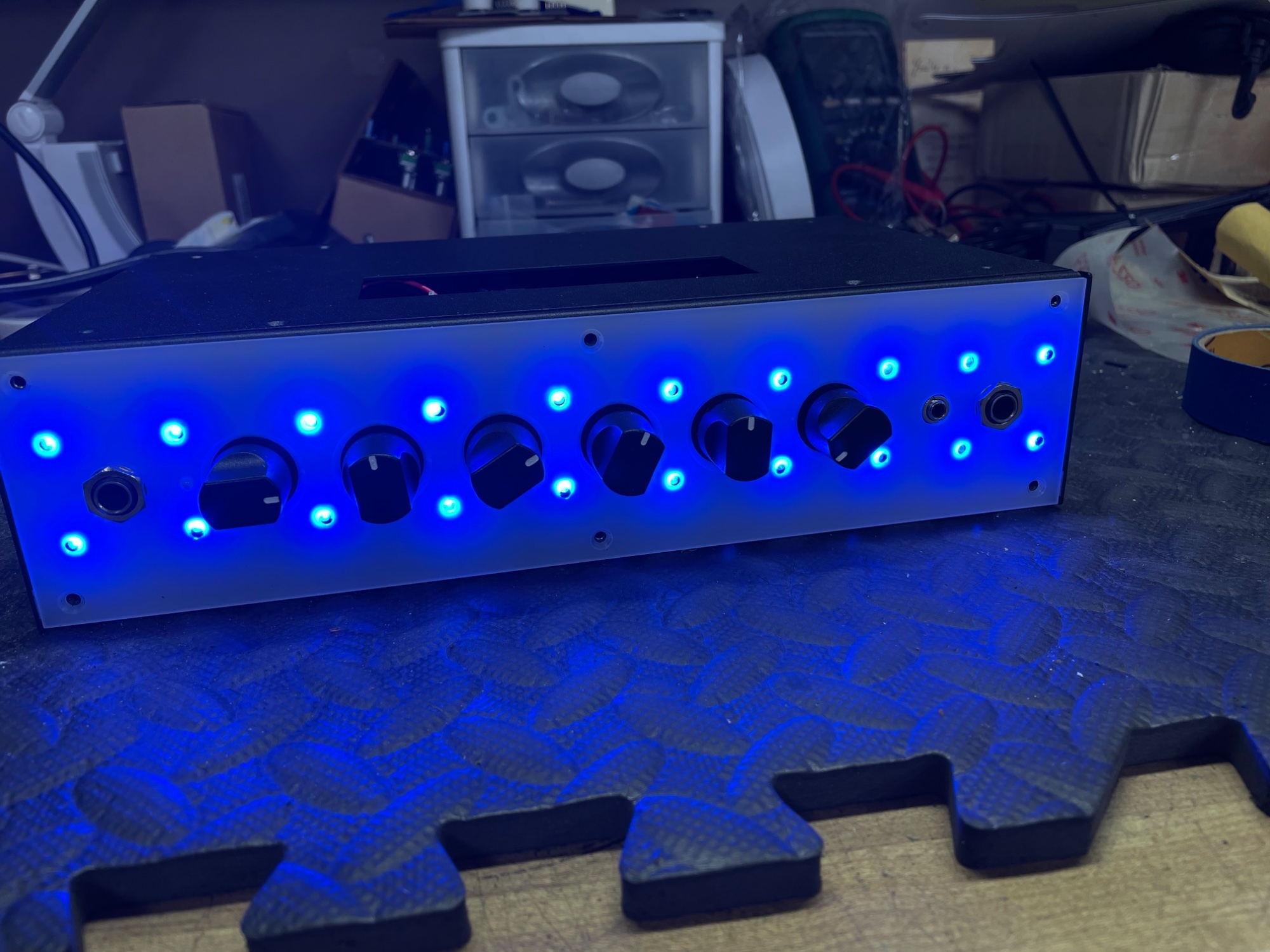
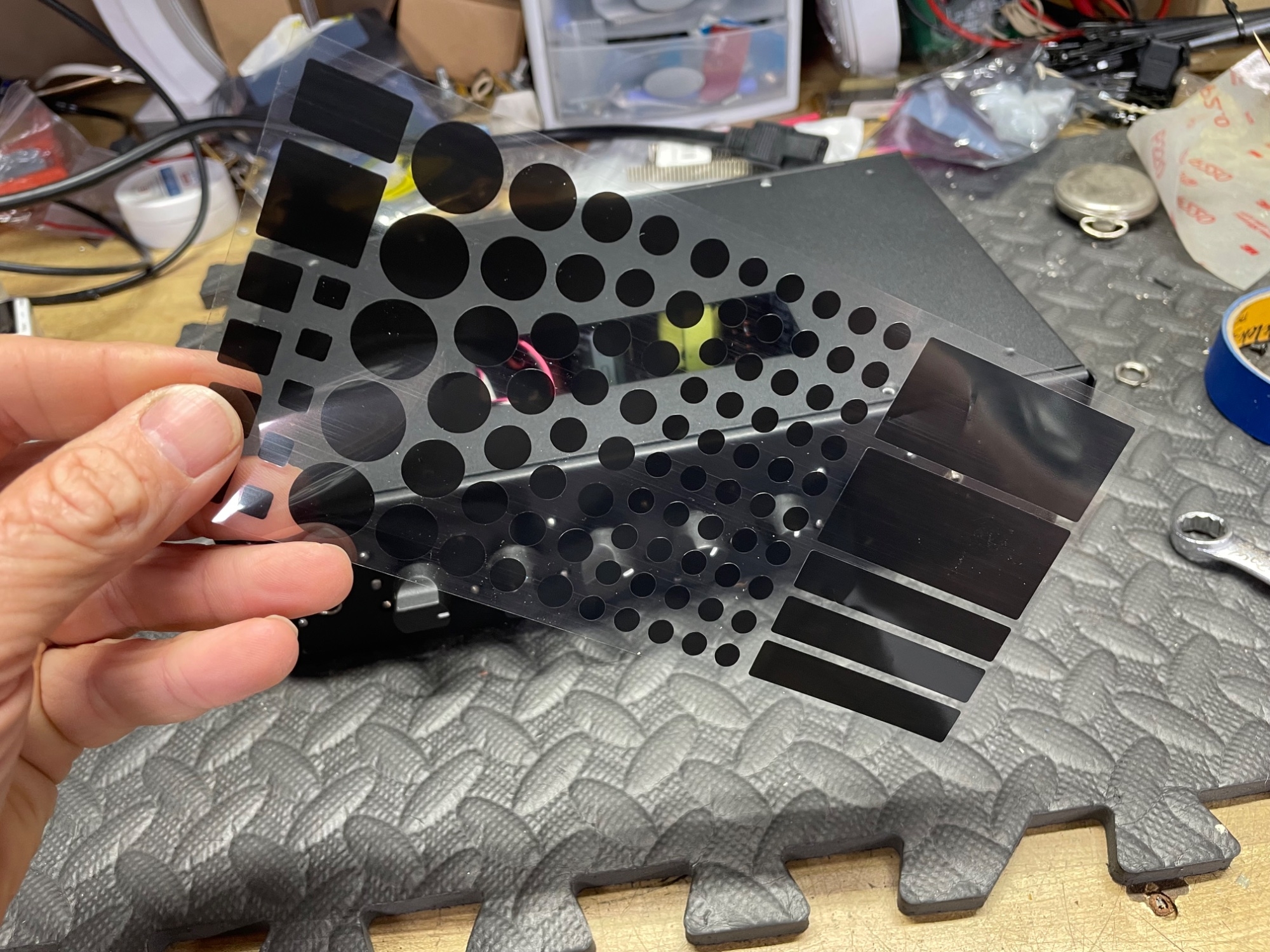
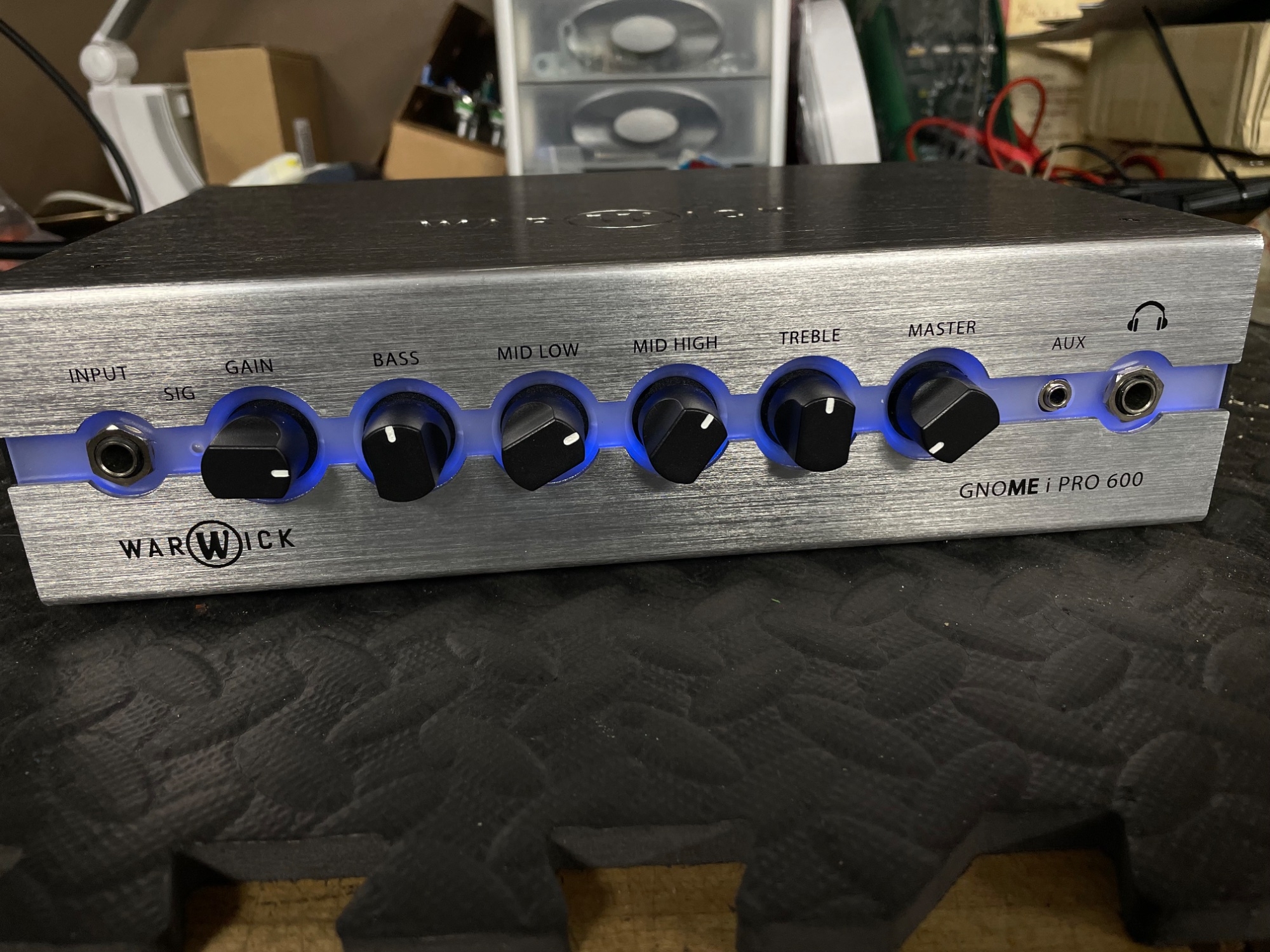
Remove the top and bottom case cover. Then remove the nut for the input jack and headphone jack. Now the translucent white plastic can easily be removed. You can stop there and just leave the white plastic piece off. Or…….place the Light Dimming Stickers over all 20 LED’s. Yep! 20! Reinstall everything and your done. It drastically reduces the blinding blue lights. Have fun! Great amp!
Attachments

Thanks @bmac314 your clear instructions gave me confidence to go for it. Fixed it with with two thin strips of grey duct tape over the LEDs.
I'm happy now. TalkBass rocks.
I'm happy now. TalkBass rocks.
That’s fantastic! Glad to help!Thanks @bmac314 your clear instructions gave me confidence to go for it. Fixed it with with two thin strips of grey duct tape over the LEDs.
I'm happy now. TalkBass rocks.
- Feb 12, 2006
- 61,051
- 5
- 221,011
- Disclosures
- Development Engineer-Mesa Boogie, Development Engineer-Genzler (pedals), Product Support-Genz Benz
Be aware that the adhesive on the duct tape will melt and age, then become almost impossible to remove.


