• TalkBass has been independent since 1998. Add your voice.
    Create a free account to reply to discussions, view embedded media, and browse with fewer display ads.
    Join freeLog in
    Want zero display ads or expanded classifieds tools? Compare plans.

Zoom H6 for studio-quality live performance recordings

Zoom has a new low-cost "handy" recording device out called the H6. It includes four XLR/1/4" low-noise inputs, a high quality XY stereo mic, and a Mid-Side mic. An optional plug-in adds two more XLR/1/4" jacks for a total of six synchronized inputs, which can feed signals from mixers, DIs, amps, and microphones.

Up 'till now I've been recording rehearsals and gigs with a 2-channel stereo field recorder and a stereo mic mounted in front of the band. It provided decent recordings but there was no control over individual instrument sound levels/processing or audience noise. The H6 totally transforms possibilities for studio-quality live performance recordings. I used it for the first time at a jazz winery gig on Friday. In the sample gig recording just below, the 3 direct inputs include a feed from the guitar's amp (post effects; sorry, his noise gate was a bit off in this example), a WAV loop with rhythm guitar (also projected to the audience through the PA), and a REDDI feeding the dry bass signal from my fretless Rob Allen Deep 4. I mixed and mastered the files in the Presonus Studio One DAW. I then inserted the processed WAV file into Sony Vegas Movie Studio HD Platinum and synchronized it with video feeds from two cameras and random environmental takes I shot during a break.

Sample Gig Recording
https://www.youtube.com/watch?v=9IFmE4ToIhc&feature=c4-overview&list=UUT0AJR2GAhOI4rDSPPkAvAQ

I'm very excited about the possibilities for quality field recordings with the H6. Here is more info, including video demos:

Zoom H6 fact sheets, videos
Invalid Link Removed

Independent sound tests/videos on the H6

http://www.homebrewedmusic.com/2013/08/15/zoom-h6-acoustic-guitar-shootout/

http://www.homebrewedmusic.com/2013/08/28/zoom-h6-vs-rme-ufx/

http://www.homebrewedmusic.com/2013/08/21/zoom-h6-ms-noise-issue/

Video review of Zoom H6, Juiced Link RM33, and Tascam DR-60D


[Invalid or Expired Link Removed]
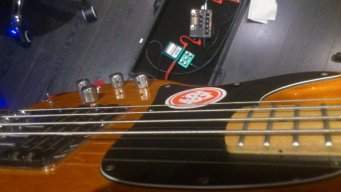
 
Today I received the backorder of my H6 dual-XLR adapter. It's a solid, somewhat heavy chunk of metal, and the dials have slightly more resistance than the four dials on the main body of the H6. When I connected the adapter to the top of the H6, it fits fairly tight. There is a minute amount of wiggle, which surprised me as I figured this would be a rock solid connection. Not a big deal. Edit: holding the H6 in one hand and the Dual-XLR Adapter in the other, they seem to weigh about the same. I don't have a scale for precise weight measurement.

For a recording test, I plugged my bass DI into the L channel of the adapter and played through the major scale modes. Then I did the same for the R channel. I again repeated this through Channel 1 on the H6 main body to compare sonic quality of the adapter to the main H6. I transferred the recorded files to my PC and listened carefully to each one with good headphones. Sonic quality seemed to be the same for the dual adapter's channels, and as compared to Channel 1.

I did notice when I set the dial input volume for each channel, that the dual adapter's channels recorded a hotter signal than the H6 main Channel 1. Specifically, I had to notch the Channel 1 dial up by 1.5 to 2 increments to equal the input volume of the adapter channels. The input signal from my bass DI was identical for all three takes. Phantom power was turned off on Channel 1 and there is no phantom power available for the LR channels of the adapter, so I don't know what would account for the delta.

Overall, the dual XLR adapter will be very useful for me. For recording gigs, the last thing I want is to place the H6 with its standard XY stereo mic attachment on a mic stand in front of the band - especially with 3-4 mic cables plugged into the H6. It would look like an octopus in front of the band and be extremely distracting to the audience. With the adapter, I do what I've always done: put a (pretty-much-invisible-to-the-audience) AT825 stereo mic on a mic stand in front of the band for an acoustic recording while taking direct instrument feeds into the H6.
 
When recording with multiple inputs/mics, how many stereo files will result? Can I get at least two separate stereo files, for different instruments?

Could I possibly use the built in mics for room recording, as well as a direct line in? (at the same time)

I need a portable recorder to multitrack at my practice space, so I can bring those files (separate files, but recorded simultaneously) into Logic to mix at home. So far, it seems like a laptop with an analogue/digital interface is my best bet. Could the H6 work for me
 
When recording with multiple inputs/mics, how many stereo files will result? Can I get at least two separate stereo files, for different instruments?

Could I possibly use the built in mics for room recording, as well as a direct line in? (at the same time)

I need a portable recorder to multitrack at my practice space, so I can bring those files (separate files, but recorded simultaneously) into Logic to mix at home. So far, it seems like a laptop with an analogue/digital interface is my best bet. Could the H6 work for me


You can designate any pair of input lines as a stereo file. The built in mic pair is one stereo file. The other four inputs could be two more stereo files.

Obviously, all inputs are recording simultaneously unless one or more are not in use for a recording.
 
hey, can you confirm this for me-

the 4 inputs, are they two stereo channels (so, 3 stereo tracks total including the top mics/inputs) or are they 4 mono tracks + one stereo on top?

someone on some forum somewhere told me they're 4 tracks + one stereo on top... but i dont recall who said that. thanks

t
 
hey, can you confirm this for me-

the 4 inputs, are they two stereo channels (so, 3 stereo tracks total including the top mics/inputs) or are they 4 mono tracks + one stereo on top?

someone on some forum somewhere told me they're 4 tracks + one stereo on top... but i dont recall who said that. thanks

t

You can have it either way: pair two channels together as stereo or operate them in mono.
 
even the two on top, should you use the XLR/line adaptor?


that's a huge upgrade. i think i'm sold on an H6.


As for the top two channels, I believe they are always in stereo mode when the XY stereo mic is inserted. I have used those two channels in mono with the XLR adapter in place. I think when the latter is in place, you can also set those lines in stereo. To do so, you press both buttons controlling the odd/on for those channels at the same time. Operations are quite simple.
 
As for the top two channels, I believe they are always in stereo mode when the XY stereo mic is inserted. I have used those two channels in mono with the XLR adapter in place. I think when the latter is in place, you can also set those lines in stereo. To do so, you press both buttons controlling the odd/on for those channels at the same time. Operations are quite simple.

that was my question

wow. a legitimate 6 track recorder? in that size box? running on batteries?

yikes. if i owned a recording studio i'd be getting worried about loosing all of my customers..
 
that was my question


wow. a legitimate 6 track recorder? in that size box? running on batteries?


yikes. if i owned a recording studio i'd be getting worried about loosing all of my customers..


Yes,it does six independent channels. There might be some recording pros who will quibble about the quality of the preamps and noise level, but my experience and that of other users is the recording quality of the H6 is very good.
 
[I put this together for the REDDI and Monique forums, but include it here in case you don't follow that.]

Here are results of a quick-and-dirty DI test comparing Monique's DI with REDDI - two of the best DIs around. These were recorded straight into a Zoom H6. I played a short syncopated arpeggio through the cycle from bottom to top of the neck of a Rob Allen Solid 4 (similar to an early 50's-style P bass) strung with ground wounds, tone knob on full. All Monique knobs were set to the noon position to make its DI signal as neutral as possible (i.e. equivalent to REDDI's "pre-EQ" setting).

For best results, load the files into your DAW, which makes it simple to jump back and forth between the tracks to compare tone.

ZIPed files from Dropbox:
[Invalid or Expired Link Removed] - 121MB

[Invalid or Expired Link Removed] in 192Kbps bitrate - 37MB

For immediate gratification, here are the MP3s (each about 4MB):

Monique/DI Tests - Monique - cabled - single DI
[SOUNDCLOUD]https://soundcloud.com/davebuerger/di-tests-monique-cabled-single?in=davebuerger/sets/di-tests-of-a-designs-reddi[/SOUNDCLOUD]

DI Tests - Monique - cabled - split DI - Side A
[SOUNDCLOUD]https://soundcloud.com/davebuerger/di-tests-monique-cabled-split?in=davebuerger/sets/di-tests-of-a-designs-reddi[/SOUNDCLOUD]

DI Tests - Monique - cabled - split DI - Side B
[SOUNDCLOUD]https://soundcloud.com/davebuerger/di-tests-monique-cabled-1?in=davebuerger/sets/di-tests-of-a-designs-reddi[/SOUNDCLOUD]

DI Tests - REDDI - cabled
[SOUNDCLOUD]https://soundcloud.com/davebuerger/di-tests-reddi-cabled?in=davebuerger/sets/di-tests-of-a-designs-reddi[/SOUNDCLOUD]


DI Tests - Monique - wireless split DI - Side A
[SOUNDCLOUD]https://soundcloud.com/davebuerger/di-tests-monique-wireless-3?in=davebuerger/sets/di-tests-of-a-designs-reddi[/SOUNDCLOUD]

DI Tests - Monique - wireless - split DI - Side B
[SOUNDCLOUD]https://soundcloud.com/davebuerger/di-tests-monique-wireless-4?in=davebuerger/sets/di-tests-of-a-designs-reddi[/SOUNDCLOUD]

DI Tests - REDDI - wireless
[SOUNDCLOUD]https://soundcloud.com/davebuerger/di-tests-reddi-wireless?in=davebuerger/sets/di-tests-of-a-designs-reddi[/SOUNDCLOUD]


DI Tests - Monique - wireless cable simulation - split DI - Side A
[SOUNDCLOUD]https://soundcloud.com/davebuerger/di-tests-monique-wireless-1?in=davebuerger/sets/di-tests-of-a-designs-reddi[/SOUNDCLOUD]

DI Tests - Monique - wireless cable simulation - split DI - Side B
[SOUNDCLOUD]https://soundcloud.com/davebuerger/di-tests-monique-wireless-2?in=davebuerger/sets/di-tests-of-a-designs-reddi[/SOUNDCLOUD]

DI Tests - REDDI - wireless cable simulation
[SOUNDCLOUD]https://soundcloud.com/davebuerger/di-tests-reddi-wireless-cable?in=davebuerger/sets/di-tests-of-a-designs-reddi[/SOUNDCLOUD]

Details:
  • Recorder is a Zoom H6 solid state
  • Raw files packaged with Zoom H6, NO EFFECTS applied other than a -1dB limiter to the master output bus (as mentioned, the standard wireless setting slightly overdrove the 2 Monique tracks, but not the REDDI)
  • Monique rack mount has Demeter 800D power section
  • "Cabled" means the bass was connected to the gear with high quality cables
  • "Wireless" used a Line 6 G55
  • "Wireless cable sim" used the G55 "Cable Tone" effect
  • "Split DI" means I used an XLR female to dual-XLR male connector out of Monique's DI
  • All DI connections used identical 25' XLR cables to the Zoom H6

Caveat: in the cabled tests, a Sonic Research Turbo Tuner ST-200 was in the chain. It was excluded during wireless tests. Sorry about that. The device has "true bypass" so don't make a big deal out of this one.

My impressions are that both of these DIs are superb. I wouldn't hesitate to use either in a critical recording situation. The recording quality with wireless is also very good, better than I though it would be. The non-sim wireless signal was hot compared to the cable sim setting; I left the Zoom H6's input volume the same as the wired settings so you can see how much hotter in a DAW. I liked the wireless cable simulator better than the non-sim setting. I also couldn't tell the difference in recording quality between plugging a single XLR into Monique's DI versus using the dual XLR splitter. The results are here so you can decide for yourself whether Monique or REDDI "won" the test. I like 'em both!

Link Removed

Link Removed
 
I recently acquired the Zoom H6 - I was really looking forward to using my 2 SanDisk Ultra 64 GB MicroSDXC I Class 10 memory cards to record to. They were previously used in my Android Tablet and Android phone, so I had to format them with exFat so that the recorder would recognize them. They seem to work fine and I'm going to do some recordings using my bass today, however I am just concerned with the amount of time that the 'Performance Test' takes when testing them on the H6 unit. The test doesn't actually fail, but for the access rate, the average seems to stay at 4% and the Max stays at about 8%, but it takes fooooreeeever for the test to finish. I left it running for a few hours the other day and only got about half way through the test... I ended up ending the test prematurely. Has anyone else had a similar experience with a high capacity memory card? Has anyone with a 64GB or higher card experienced faster results with the 'Performance Test' ?
 
I recently acquired the Zoom H6 - I was really looking forward to using my 2 SanDisk Ultra 64 GB MicroSDXC I Class 10 memory cards to record to. They were previously used in my Android Tablet and Android phone, so I had to format them with exFat so that the recorder would recognize them. They seem to work fine and I'm going to do some recordings using my bass today, however I am just concerned with the amount of time that the 'Performance Test' takes when testing them on the H6 unit. The test doesn't actually fail, but for the access rate, the average seems to stay at 4% and the Max stays at about 8%, but it takes fooooreeeever for the test to finish. I left it running for a few hours the other day and only got about half way through the test... I ended up ending the test prematurely. Has anyone else had a similar experience with a high capacity memory card? Has anyone with a 64GB or higher card experienced faster results with the 'Performance Test' ?


I suspect your issues had something to do with the SD card being formatted by an Android device and exFat (whatever that is). Try using a new card, or taking your old one and formatting it with the H6. I would not use any disk unless it is formatted by the H6, because the recorder creates its own directory hierarchy as explained in the manual.

I just formatted 3 SD cards with the H6 and ran the Performance Test on each. I do not have a 64GB card; instead I used 8GB, 16GB, and 32GB cards. Here are the results.

PNY Optima SD 120 HD 8GB card
  • Performance Test time: 59min 15sec
  • Result: OK
  • Access Rate: average 1%, maximum 3%

Transcend SDHC Class 6 16GB card
  • Performance Test time: 1hr 56min 10sec
  • Result: OK
  • Access Rate: average 1%, maximum 3%

SanDisk Ultra 30MB/s 10 SDHC I 32GB card
  • Performance Test time: 3hr 50min 45sec
  • Result: OK
  • Access Rate: average 1%, maximum 3%

The only difference, performance wise, was the amount of time required to complete the test. The 16GB card took almost twice as long to complete as the 8GB, and the 32GB card took almost twice as long to complete as the 16GB card. So the relative completion time variations are exactly equivalent to the size of the card - they all completed the test in the same relative amount of time with the same result.
 
I just got the H6 and will be trying it out at practice this weekend.

I've been using the H4n to record practices and performances of our jazz combo. With the H6, I'm toying with the idea of actually tracking the combo.

Our current lineup is bass, guitar, piano, drums and a horn or two. I can run DIs for the bass and guitar and I'm thinking a ribbon mic for the horns. That leaves me with either one XLR and a Zoom mic (X/Y or Mid/Side) or 3 XLRs if I get the 2 port add-on.

I'm looking for suggestions on the best way to divide up my remaining inputs/mics between the piano and drums. I'm leaning toward a single piano mic and two drum mics overhead but I'd love to hear from someone who's tracked live with the H6 (or similar). Anyone ever tried pointing a mid/side at a drum kit?

Also, thinking about your performance tests listed above - I just updated the firmware to 1.10 and there is now a quick performance test that takes maybe 30 seconds. It tells you whether the card is OK and then gives you the option to run the long performance test and estimates how long it will take.
 
Thanks for the refer on firmware. I updated and it works as you said.

There are tons of options for micing piano and drums. Drums are especially tricky. For background, you might start with Bobby Owsinski's classic (and just updated), The Recording Engineer's Handbook, Third Ed.

http://www.amazon.com/Recording-Engineers-Handbook-Bobby-Owsinski/dp/1285442016/ref=dp_ob_title_bk

Normally piano needs two mics, and drums a minimum of 2, preferably at least 3-4. But there are workarounds. I'd start with a stereo mic (2 XLR inputs) placed right in front of the band. The XY provided with the H6 is good quality and will do fine if you mount the H6 on a tripod. Move the drums up closer to the mic than you would in a performance configuration to boost the kit's input volume. Don't bother micing the horns. Go ahead and DI the bass and guitar. See how that sounds. Maybe add a mic to the kick if it sounds weak. Piano on one mic is trickier but you've only got one remaining input so make due. You're doing this on the cheap, so experiment with different mics and placements, and keep an open mind. Shouldn't be a problem getting good sound for the combo with six inputs.

P.S. Don't overlook using a cheap 4-6 input mixer and use that as a "sub-mixer" with stereo outs into the H6. This is particularly useful for micing the drums, leveling overall sound with submixer, and then bringing in the stereo pair into the H6.
 
As an Amazon Associate, TalkBass may receive commissions from qualifying purchases made via links on this site.
Does anyone know of a small case for the H6?

The H4n came with a form-fitting plastic case that was perfect for tossing in a gig bag. I prefer the mid/side module on the H6 but it seems kind of fragile and the case they supply with the H6, while nice, is much too big to put in a gig bag pocket. I don't need to take all the accessories with me to practice - just the unit and my mic module of choice.