
Enjoy the benefits of a premium membership!
Upgrade Account
-
TalkBass has been independent since 1998. Add your voice.
Create a free account to reply to discussions, view embedded media, and browse with fewer display ads.
Join free Log in
Want zero display ads or expanded classifieds tools? Compare plans.
You are using an out of date browser. It may not display this or other websites correctly.
You should upgrade or use an alternative browser.
You should upgrade or use an alternative browser.
Bit of a rough one last night
- Thread starter hrodbert696
- Start date
More options
Who Replied?
(Afterward the drummer, who works in IT, said that some wifi systems will "isolate" a non-recognized hotspot in their zone and prevent it from connecting. Since my digital mixer works by creating its own wifi signal, his hypothesis was that the host wifi in the building may have isolated it, causing the problem).
Does your board and tablet have ethernet ports? If yes, get it set up so you will access to the virtual control panel when the WiFi glitzes again.

I still don't get this wireless digital mixer/tablet thing. Yes, I'm an 'old'. But in decades of doing every kind of gig imaginable I can't ever recall having to chase anything more complicated than a bum cable or D.I. box when there was a problem with the P.A.. I've seen it happen at my theater job more than once and it astounds me.
When the mixer, an integral part of the sound system can just shut itself off for whatever reason in the middle of your show, how in hell is that something anyone would want to rely on to do their job? /rant over, thanks for reading.
Side comment to the side rant:
I was finally won over to digital when I realized all was getting in the digital mixer, and I got sick of the singer's feedback. Digital mixers can do several racks' worth of stuff in the size of a mini mixer. I use a QSC Touchmix specifically because it has an interface ON the mixer. The wireless mixing is there if I want it, but I do my best to KISS. And yes I carry a backup.
As for the gig, good for you. There's nothing like a scorched-earth gig to:
1. Open your nostrils,
2. Keep you humble.
You'll be all the better for it. [Insert Nietzsche quote here].


After reading this, I am glad I still rely on analog FOH, monitoring, personal gear (a few digital exceptions for effect pedals). As a sci-fi fan, reliance on IT commits to systems “blowing chunks” when everything isn’t “just right”. Like digital/IT, analog relies on electricity. And if you take care of your analog equipment and the electricity is present you are good to go. Not so with digital/IT. It’s a daily inconvenience at my fast-paced, crises-leveraged day-job, too.


I agree with BassCliff that a cheap router is worth considering - I have a PreSonus AI16 but the wifi is an afterthought - it's a silly USB dongle you plug into the top side of the board (never been able to get it to work well, probably 802.11a or b?) Instead I run a cat5 cable from the mixer to my own wifi router (set to DHCP) which I keep in a road case with my DriveRack, which also gets a dedicated cat5 connection. Network has it's own WPA key and it has never had an issue with other networks (I think I have it set to auto select channels which probably helps).
What you get when you didn't get what you wanted to get is..experience. Us experienced people aren't
that way because we started out perfect - we're experienced because we've already made (or seen someone close by make) pretty much every kind of problem, and....LEARNED FROM IT.
You completed a show under difficult circumstances. Good. Learn something from it, do things different from now on, and...make a different mistake next time.
that way because we started out perfect - we're experienced because we've already made (or seen someone close by make) pretty much every kind of problem, and....LEARNED FROM IT.
You completed a show under difficult circumstances. Good. Learn something from it, do things different from now on, and...make a different mistake next time.
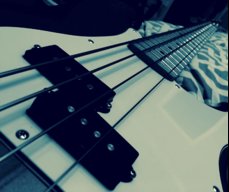
while folks focus on your WiFi issue I am digging that bass!

Mr.Ace
Bass players rule!
- Sep 8, 2015
- 1,120
- 1,050
- 49
- Disclosures
- Endorsed by Fusion ( maker of killer gig bags)
+1hey, despite all the issues, you played the show and rocked the house. good job!

Rocking the Carvin??? Look good sounded good and no one knew. These gigs separate the pros from the amateurs. Rock on!!!

My cover band Six Cowards (see sig) had a gig last night; one we really were wanting to lean into, because, being a startup, getting bookings has been pretty slim, and some of those we've had were in venues that don't match our style real well. We play 21st century alternative/indie music (Black Keys, Cage the Elephant, stuff like that) and the other venues were definitely more classic rock types of places.
Three weeks ago our drummer quit. Nice kid and amazing player, but he's doing the pro thing and overbooked with way too many bands. He had gone and double booked himself last night, and we were the ones to get cut, which made him reexamine his schedule and decide he really couldn't keep committing to us. The decision made sense, and in some ways is a help; he was so busy we couldn't get our foot in the door on any short-notice gigs from cancellations. But it left us having to get a new one up to speed pretty fast.
Fortunately we already had someone in the pipe, a former pro himself getting back into it. He's very good, the only problem is that he hasn't been listening to more recent music and doesn't know the songs, so he's starting from scratch to learn our setlist.
View attachment 2909820
So we get to the venue, setting up, all on schedule thankfully, but no real time for soundcheck other than to make sure everything's working. Downbeat comes, we play a couple of tunes. A guitarist friend in the audience tells me the guitarist's mic is too quiet. I go to raise his level.... and can't.
We're using a digital mixer in the PA that's controlled from a tablet wirelessly - and it disconnected. I'm poking and poking at the thing and trying to reconnect, and it just spins and won't link up. We plead technical difficulties and take a break, and the thing just won't work. I've been using it for a year with no problems... till now. In the past I always brought a Behringer analog board as a backup, but had become so confident in this wireless that I didn't bother... and of course tonight it breaks down.
So there's no mixer. I plug my vocal mic straight into the powered main speaker nearest me, my guitarist plugs his mic into the one nearest him... and we do the rest of the show like that.
No mixer means no keyboards, so nix the songs on the list that need them. Between worrying about the drummer and making sure to cue him as needed, and freaking out over the sound, I forget to pay attention to my singing technique (I do most of the lead singing, more by default than by talent), strain my throat, and realize by the top of the second set that I'm starting to go hoarse and losing my upper register... more songs crossed off the list. Luckily it was just a three-hour gig with a couple of breaks and we had overpacked the set list, so it looks like we'll be able to stretch the time even with songs cut. Any notions of showmanship go flying out the window as I go introvert, closing my eyes and just trying to hold each song together without a total trainwreck.
View attachment 2909821
By good fortune a female singer friend shows up right at the end of the first set. I talk to her during break and yes, she would love to sing a couple of songs. That gives some needed relief and she does an excellent job, as always.
When I got home my wife (who had come separately) is still up, and we debrief. She says it was better than I thought; we actually sounded good, she couldn't tell I was going hoarse, the vibe was "real" and friendly and accessible, and she saw people tapping their feet and bobbing their heads and enjoying themselves even if no one got up to dance. So maybe we pulled it off. The owner said he would have us back, and we got paid. But I still feel that if we get the drummer better integrated and get the technical issues ironed out, we could put on a much more exciting show than what we did.
(Afterward the drummer, who works in IT, said that some wifi systems will "isolate" a non-recognized hotspot in their zone and prevent it from connecting. Since my digital mixer works by creating its own wifi signal, his hypothesis was that the host wifi in the building may have isolated it, causing the problem).
Wow. It’s been a long time since I’ve had a night like that. We I’m glad it came across well. My wife and I debrief when she goes to gigs. It nice, but she can be brutal at times on some of the band mates. I’m not so she understands was a bass supposed to , so I’m usually off the hook for the most unless I’m really loud and annoying her...lol..
I’m pretty sure you all will be up and running and this gig will be a distant memory.

Technology is great, when it works...Always have a working plan "B" and "C" and even a "D".
I don't lug around 2 heads, 2 cabinets, 3 basses and a DI preamp to every gig because it's fun.
Sounds like you overcame adversity quite well!
Learn from it and move on.
I don't lug around 2 heads, 2 cabinets, 3 basses and a DI preamp to every gig because it's fun.
Sounds like you overcame adversity quite well!
Learn from it and move on.

No one died. Presumably you got paid. Success in my book. Congrats!

Did anyone have a new wireless rig? I’ve heard that some of the newer ones can screw up your WiFi.
I was on a wireless, a Line6 G30. I only use it on gigs, not rehearsals, so maybe that's something to look at.
I have to ask. Why would the keyboard player not have some sort of back line unless the entire band was PA dependent and using IEM's?
No separate keyboard player - there are about half a dozen songs I play a little keyboard on, either looping the bass line or when bass drops out. Not enough to be worth dragging a dedicated amp for. We didn't have a whole player sidelined.
Hi Mr. @hrodbert696,
Congratulations on making the gig work for you. It certainly sounds like, while not your best effort, the night was not a total loss and everything went well enough.
Does your digital mixer have it's own WAP (wireless access point, i.e. wireless router)? Or do you rely on an ad-hoc wireless network between the two nodes? (Node = an endpoint device like a laptop, tablet, or maybe your mixer.)
It sounds to me like you had an IP address conflict which prevented communication. For example, if the venue may have had a wireless router at the IP address 192.168.0.1 (a very commonly used address for consumer stuff). If your mixer was set to use that same address to talk to your tablet then your tablet may have been trying to connect to the venue's WAP instead of the mixer. The mixer was unable to connect to anything because the address was already in use.
There are a couple of ways to work around this. First, put a wifi analyzer app on your phone. It's great for troubleshooting or at least seeing what devices are in the area. You can also tell what channels in the wifi frequency may be less congested and set your equipment accordingly.
If you are setting up an ad-hoc (peer to peer) wireless network just between your tablet and your mixer, you might use IP addresses in the 10.x.x.x range. This range is also a "public" range but less commonly used out in the wild compared to the 192.168.x.x addresses.
If you don't have one already, get a wireless router just for your mixer-tablet communication. That way you can have your very own SSID (network name) broadcasting (or not, for security reasons), and connect both devices to the wireless router with a static IP addresses.
Sorry I can't be more specific. I don't know the gear you are working with. And to be honest, I do networking in a corporate environment and at home. I've never set up a wireless mixer, but it's just a network, right?I've used wireless devices for my own IEM mix at a few of the places I play so all I have is theoretical experience. (Is that a thing?)
Anyway, I would suggest getting intimately familiar with the network set up between your mixer and tablet so that you can make these changes quickly on the fly if you run into another situation like this.
I apologize for my profound glimpses into the obvious, or for repeating any advice already given. Just trying to help. I'm glad you made it thought the gig. I'm sure the next one will be much smoother.
EDIT: I took a quick look at the manual for the Ui16 and the unit does have its own hotspot. If there's ever an IP conflict with the venue's wifi gear you should be able to change the wireless IP for your Ui to avoid communication issues.
Thank you for your indulgence,
BassCliff
All good advice, and stuff I know nothing about except that yes, the Soundcraft does have a WAP. This is very helpful and I will look into it.
while folks focus on your WiFi issue I am digging that bass!
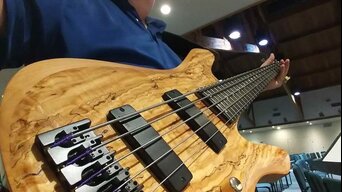
Thanks! It's my Carvin SB4000. It has an ash body and ebony board, so the tone is pretty trebly. Not for all purposes, it's a long way from a P, but I like what I can get out of it.
Last edited:
If you look at the XR18 thread in Live Sound, you'll see a lot of comments about using a wifi exteder (e.g. - I use an Apple airport express) so that you get 5G and a (typically) more stable line than the mixer wifi. Lots of stories about the mixer wifi's being unreliable in a public setting vs. home/practice, especially with channel selection like Cliff and some others highlighted here. The other comment with a lot of mentions is a backup tablet/phone so that if one freezes/bricks, you're covered. I realize this is a Soundcraft, but a lot of the digital issues are similar.
Wifi analyzers exist for Android, less so for iOS, but using something other than channel 1 (similar to using channel 1 on your G30), already opens up a bit of breathing room.
Wifi analyzers exist for Android, less so for iOS, but using something other than channel 1 (similar to using channel 1 on your G30), already opens up a bit of breathing room.

After rereading... if the only thing wrong in the mix was the guitar, I would have still used the mixer...if it is like most digital mixers... it is stuck in it's last settings... simple solution... have the guitarist turn up.
I have lost my tablet mid gig and done nothing. No reason to panic.
I have lost my tablet mid gig and done nothing. No reason to panic.
After rereading... if the only thing wrong in the mix was the guitar, I would have still used the mixer...if it is like most digital mixers... it is stuck in it's last settings... simple solution... have the guitarist turn up.
I have lost my tablet mid gig and done nothing. No reason to panic.
Sorry, it was the guitarist's vocal that was the problem, not the guitar - we didn't run instruments through the PA except a kick drum and this keyboard I sometimes use.
In update news: tinkered with it in the basement, and it appears the culprit was indeed my Line6 wireless. Set up the PA, turned on the wireless, and boom! {"connecting...." spin spin spin spin....} Any ideas for how to fix this? It did it on all channels of the G30. I find it hard to believe that using a tablet mixer has to mean no wireless anything - guitar transmitters, mics, IEMs? (not that we have all that right now, but I'd like to go there).

Two big thumbs up for the OP's Cerebus the Aardvark avatar. My favorite earth-pig born!
I digress...
I digress...
That mixer you have does have a Ethernet port. You can use that as a last ditch effort to operate the mixer with a laptop. Don't even need to bring a switch either. Just plug the laptop directly into the mixer's Ethernet port.
Update your mixer's firmware if you have not done so.
What your drummer is saying is a feature on wireless controllers that contain what's commonly referred to as rogue access points. It's highly unlikely this is the case, as bars probably don't use wireless controllers, but simple access points that one would buy at Fry's or Best Buy.
It's also terribly illegal, and just about the only time it's legal is to prevent a hacker using the same SSID as yours for nefarious purposes.
Chances are the wifi module on the mixer hiccuped (read the manual for their caution about it), there's too much interference in the establishment like microwaves, or there's too much traffic in the 2.4ghz band.
Take in consideration to what basscliff says, although wifi is layer 2 device not a layer 3 device (the router if the unit has one is though, but that's after the wireless). It should not screw-up your mixer since you're likely operating it in hotspot mode. I like to use 198.18.0.0/15 address because most people have not heard of it. Use something like 198.19.23.0/24 should do you fine (but probably change the 23 to some other number since I wrote it here).
Update your mixer's firmware if you have not done so.
What your drummer is saying is a feature on wireless controllers that contain what's commonly referred to as rogue access points. It's highly unlikely this is the case, as bars probably don't use wireless controllers, but simple access points that one would buy at Fry's or Best Buy.
It's also terribly illegal, and just about the only time it's legal is to prevent a hacker using the same SSID as yours for nefarious purposes.
Chances are the wifi module on the mixer hiccuped (read the manual for their caution about it), there's too much interference in the establishment like microwaves, or there's too much traffic in the 2.4ghz band.
Take in consideration to what basscliff says, although wifi is layer 2 device not a layer 3 device (the router if the unit has one is though, but that's after the wireless). It should not screw-up your mixer since you're likely operating it in hotspot mode. I like to use 198.18.0.0/15 address because most people have not heard of it. Use something like 198.19.23.0/24 should do you fine (but probably change the 23 to some other number since I wrote it here).
Sorry, it was the guitarist's vocal that was the problem, not the guitar - we didn't run instruments through the PA except a kick drum and this keyboard I sometimes use.
In update news: tinkered with it in the basement, and it appears the culprit was indeed my Line6 wireless. Set up the PA, turned on the wireless, and boom! {"connecting...." spin spin spin spin....} Any ideas for how to fix this? It did it on all channels of the G30. I find it hard to believe that using a tablet mixer has to mean no wireless anything - guitar transmitters, mics, IEMs? (not that we have all that right now, but I'd like to go there).
From Line6 website:
ADVANCED AUDIO PROTECTION
Say goodbye to signal interference.
When you’re performing, the last thing you want to hear is the nightly news coming through your amp. Unlike traditional analog wireless systems, Relay operates in the 2.4GHz ISM band—there’s no danger of TV broadcasts, white space devices, or other sources interfering with your audio signal. Plus, encoded DCL™ (Digital Channel Lock) technology distinguishes Relay audio from other third-party signals—including Wi-Fi, laptops, smart phones and tablets—ensuring the integrity of your signal.
Maybe Try a different channel on your wireless.


