

Enjoy the benefits of a premium membership!
Upgrade Account
-
TalkBass has been independent since 1998. Add your voice.
Create a free account to reply to discussions, view embedded media, and browse with fewer display ads.
Join free Log in
Want zero display ads or expanded classifieds tools? Compare plans.
You are using an out of date browser. It may not display this or other websites correctly.
You should upgrade or use an alternative browser.
You should upgrade or use an alternative browser.
More options
Who Replied?
Good call. That's basically what I said in the thread where the Stadium was first announced. It's just silly to go 'Nope. We know everyone wants it and it's the standard and everything, but we're not giving you NAM at launch. Use what we offer first and if you don't like it and beg hard enough, maybe we'll give you NAM later on'. Just implement NAM and offer your version alongside it and maybe allow for conversion between the two if possible. Let the users decide which is better.

I hate to ask this but I scanned thorough the thread and I’m still lost.
Is there someone who can talk me through using the anagram and Logic Pro to capture a pedal?
Here’s what I’ve done so far:
1. Downloaded the Sweep File and loaded it into a track on Logic Pro and added a new blank track to record to
2. Connected the anagram to Logic Pro on my iPad with USB
2. Created a preset with the effects loop block and plugged the pedal in the loop as usual.
I plugged headphones into the anagram and I’m able to hear the sweep file getting to the anagram. I can’t figure out how to get the affected audio back to Logic to record it. nothing I do as far as selecting inputs and outputs seems to work.
I’d appreciate any help or being pointer to instructions elsewhere. Thanks!
Is there someone who can talk me through using the anagram and Logic Pro to capture a pedal?
Here’s what I’ve done so far:
1. Downloaded the Sweep File and loaded it into a track on Logic Pro and added a new blank track to record to
2. Connected the anagram to Logic Pro on my iPad with USB
2. Created a preset with the effects loop block and plugged the pedal in the loop as usual.
I plugged headphones into the anagram and I’m able to hear the sweep file getting to the anagram. I can’t figure out how to get the affected audio back to Logic to record it. nothing I do as far as selecting inputs and outputs seems to work.
I’d appreciate any help or being pointer to instructions elsewhere. Thanks!
I can't help because I'm not using Anagram, and I'm using Logic on my Mac, not an iPad.I hate to ask this but I scanned thorough the thread and I’m still lost.
Is there someone who can talk me through using the anagram and Logic Pro to capture a pedal?
Here’s what I’ve done so far:
1. Downloaded the Sweep File and loaded it into a track on Logic Pro and added a new blank track to record to
2. Connected the anagram to Logic Pro on my iPad with USB
2. Created a preset with the effects loop block and plugged the pedal in the loop as usual.
I plugged headphones into the anagram and I’m able to hear the sweep file getting to the anagram. I can’t figure out how to get the affected audio back to Logic to record it. nothing I do as far as selecting inputs and outputs seems to work.
I’d appreciate any help or being pointer to instructions elsewhere. Thanks!
The most difficult part is to set the routing inside Logic in order to record back the processed signal to a new track, ChatGPT tells me it should be possible without an extra audio interface, because Anagram's USB audio interface feature is bi-directional… But I can't verify. If Logic for iPad is identical to the Mac version, you should be able to set the input source of the new track to an Anagram USB Channel. ChatGPT also tells me you'll need to do the conversion on a computer because there's no NAM converter for iPad.
Have you also searched in the Anagram thread?
Maybe @IvanBassist could help? I think he has explained somewhere a much simpler method, where he just played a test bass line directly on the Anagram instead of using the sweep file, but I'm not sure it is equally accurate.

IvanBassist
Commercial User
- Jun 8, 2008
- 3,743
- 11,118
- Disclosures
- Content Manager at Darkglass Electronics, Dingwall Guitars Artist
Here’s a good thread on how to do it in Logic: Invalid Link RemovedI can't help because I'm not using Anagram, and I'm using Logic on my Mac, not an iPad.
The most difficult part is to set the routing inside Logic in order to record back the processed signal to a new track, ChatGPT tells me it should be possible without an extra audio interface, because Anagram's USB audio interface feature is bi-directional… But I can't verify. If Logic for iPad is identical to the Mac version, you should be able to set the input source of the new track to an Anagram USB Channel. ChatGPT also tells me you'll need to do the conversion on a computer because there's no NAM converter for iPad.
Have you also searched in the Anagram thread?
Maybe @IvanBassist could help? I think he has explained somewhere a much simpler method, where he just played a test bass line directly on the Anagram instead of using the sweep file, but I'm not sure it is equally accurate.
Silly question but:
Is NAM able to capture well more "triggered" pedals like octaves, envelope filters, synth pedals?
I'm asking because I couldn't find any OC-2 or other common octaves in TONE3000
Is NAM able to capture well more "triggered" pedals like octaves, envelope filters, synth pedals?
I'm asking because I couldn't find any OC-2 or other common octaves in TONE3000
No. NAM can't capture time based effects. Only amps and preamps, overdrive, distortion and EQ…Silly question but:
Is NAM able to capture well more "triggered" pedals like octaves, envelope filters, synth pedals?
I'm asking because I couldn't find any OC-2 or other common octaves in TONE3000

Hate to be that guy, but i'll ask.
I'm working on creating some HQ drive pedal captures for my Anagram and will happily make them public once I have them logged with descriptions etc. I'm getting what I think are quality results with Wet/Dry captures. That said, I'd love to compare to some sweep signal captures - unfortunately, I keep getting errors on the sweep signal attempts.
I'm using the sweep tone track from tone3000 as the first track in the project. I'm sending that to the anagram, and I've got my Rusty Box/Damnation Bloop in the effects loop. I have the FX Loop block in that preset, and an output block so I can route the effected signal to all of the outputs. No other blocks are in this preset. Then on that first track in Reaper, I've got the the Tone3000 sample (t3K-sweep-v3) file, and I'm using the 'route' button on that track to select '9: Virtual Input' from the Audio Hardware Outputs menu. This allows me to see that track sending to the Anagram, via the input gain meters when I play that first track in reaper. Once I open a second (empty) track in reaper and arm it for recording, I can see it receiving the effected signal, which I can confirm by adjusting the gain on the rusty box and see the effects on the level meter on the second track in reaper.
I went through a recorded this, making sure that the track length were exactly the same (i.e. the wet track matches the duration of the input/test track). Then when I upload to tone 3000 for learning, I'm getting the "Inconsistent Tone" error. I've confirmed I'm not clipping the inputs, and I've even done huge gain adjustments in either direction with normalization on track two. The same result. When I review the logs, I see that the ESR is ~1.5, and then I went in and noticed the sample number for the original track is 9,120,000, but the wet/effected track I upload for learning is not the same. It's close, but as I understand they need to match perfectly.
I'm sure there are a million things I could be doing wrong, but I suspect there are probably some settings and/or setup components I'm not doing properly that account for the issues. If anyone can walk through how to successfully setup for this in Reaper, I would praise you from the mountain-tops.
I'm working on creating some HQ drive pedal captures for my Anagram and will happily make them public once I have them logged with descriptions etc. I'm getting what I think are quality results with Wet/Dry captures. That said, I'd love to compare to some sweep signal captures - unfortunately, I keep getting errors on the sweep signal attempts.
I'm using the sweep tone track from tone3000 as the first track in the project. I'm sending that to the anagram, and I've got my Rusty Box/Damnation Bloop in the effects loop. I have the FX Loop block in that preset, and an output block so I can route the effected signal to all of the outputs. No other blocks are in this preset. Then on that first track in Reaper, I've got the the Tone3000 sample (t3K-sweep-v3) file, and I'm using the 'route' button on that track to select '9: Virtual Input' from the Audio Hardware Outputs menu. This allows me to see that track sending to the Anagram, via the input gain meters when I play that first track in reaper. Once I open a second (empty) track in reaper and arm it for recording, I can see it receiving the effected signal, which I can confirm by adjusting the gain on the rusty box and see the effects on the level meter on the second track in reaper.
I went through a recorded this, making sure that the track length were exactly the same (i.e. the wet track matches the duration of the input/test track). Then when I upload to tone 3000 for learning, I'm getting the "Inconsistent Tone" error. I've confirmed I'm not clipping the inputs, and I've even done huge gain adjustments in either direction with normalization on track two. The same result. When I review the logs, I see that the ESR is ~1.5, and then I went in and noticed the sample number for the original track is 9,120,000, but the wet/effected track I upload for learning is not the same. It's close, but as I understand they need to match perfectly.
I'm sure there are a million things I could be doing wrong, but I suspect there are probably some settings and/or setup components I'm not doing properly that account for the issues. If anyone can walk through how to successfully setup for this in Reaper, I would praise you from the mountain-tops.

How to Capture Your Gear with NAM – Sweep Signal Method · TONE3000
Create professional-quality digital models of real analog gear with Neural Amp Modeler (NAM). This beginner-friendly guide will walk you through capturing your guitar/bass amps, pedals, outboard gear and signal chains using the sweep signal method. It's easy and free.
www.tone3000.com
An update list of currently available NAM compatible pedals:

5 Great Guitar Amp Sim Pedals for Christmas 2025: All NAM Compatible! · TONE3000
Xmas gifts for guitarists: the best NAM compatible pedals for the musician in your life.
www.tone3000.com
Found a great pedal for NAM models:
It seems to be the cheapest pedal that uses NAM models without conversion (cheaper than Anagram and Dimehead), but it's currently out of stock.
Also, it's based on Raspberry-Pi 5, and the MOD software, fully open source and hackable.
It seems to be the cheapest pedal that uses NAM models without conversion (cheaper than Anagram and Dimehead), but it's currently out of stock.
Also, it's based on Raspberry-Pi 5, and the MOD software, fully open source and hackable.

I find this interesting - probably a bit nerdy/geeky but cool philosophy

The kit:
 treefallsound.com
The project / user guide:
 treefallsound.com
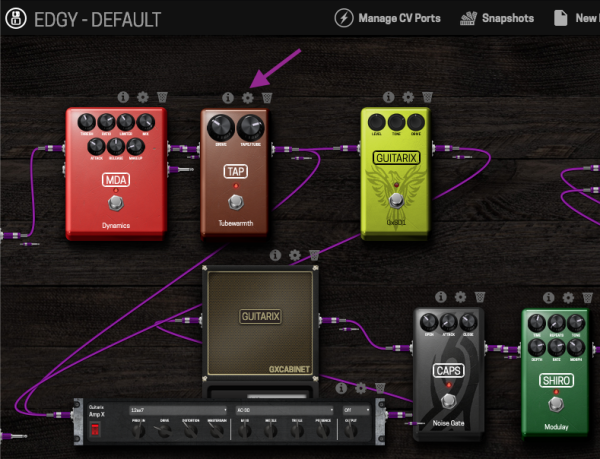
- Based on Raspberry Pi5 and the MOD software
- Compatible with NAM amp models and IRs
- over 380 open source plugins
- $289.00
The kit:
v3kit
treefallsound.com
The project / user guide:
pi-stomp_user-guide []
treefallsound.com
- gtirard
- Replies: 193
- Forum: Effects [BG]


Found a great pedal for NAM models:
It seems to be the cheapest pedal that uses NAM models without conversion (cheaper than Anagram and Dimehead), but it's currently out of stock.
Also, it's based on Raspberry-Pi 5, and the MOD software, fully open source and hackable.
I find this interesting - probably a bit nerdy/geeky but cool philosophy
- Based on Raspberry Pi5 and the MOD software
- Compatible with NAM amp models and IRs
- over 380 open source plugins
- $289.00
The kit:
v3kit
The project / user guide:
pi-stomp_user-guide []
- gtirard
- Replies: 193
- Forum: Effects [BG]
fyi they’re available again, only 20 left as of this writing. I just bought mine, thanks for letting us know!
I'm having a bit of trouble improving my first pedal capture (octave fuzz type).
The best ESR I've achieved is 0.0435 (Epoch 100, it improves to around 0.025 at 400), but that only happened once and it's gotten worse in my other attempts.
I'm using the sweep method in Pro Tools, my interface is a Scarlett Solo, and I'm using a Palm Trave reamp box. The pedal is powered by a 9V Cioks Sol.
Perhaps the problem lies elsewhere, but my first suspect is the level calibration. I'm not sure exactly what output signal to send to the pedal for it to react most accurately. Is there a reliable method for managing input and output levels in the reamp chain?
Here's my routine : by default, I set everything in the middle: I don't touch the output level on the Pro Tools sweep track, I set the Scarlett's direct out volume to 50% (using the physical volume knob on the unit), I set the output level of the reamp unit to 50 (+4dBu switched on), the pedal's volume to 50%, and finally, I adjust the input level of the reamped signal so that the highest peak doesn't exceed -8dB on the recorded track.
I then experimented, sending different levels of the sweep signal to the pedal, and also played around with the volume of the pedal itself and the Scarlett's input, etc... but I only made the recordings worse, and I'm just guessing without really knowing what I'm doing right or wrong.
The best ESR I've achieved is 0.0435 (Epoch 100, it improves to around 0.025 at 400), but that only happened once and it's gotten worse in my other attempts.
I'm using the sweep method in Pro Tools, my interface is a Scarlett Solo, and I'm using a Palm Trave reamp box. The pedal is powered by a 9V Cioks Sol.
Perhaps the problem lies elsewhere, but my first suspect is the level calibration. I'm not sure exactly what output signal to send to the pedal for it to react most accurately. Is there a reliable method for managing input and output levels in the reamp chain?
Here's my routine : by default, I set everything in the middle: I don't touch the output level on the Pro Tools sweep track, I set the Scarlett's direct out volume to 50% (using the physical volume knob on the unit), I set the output level of the reamp unit to 50 (+4dBu switched on), the pedal's volume to 50%, and finally, I adjust the input level of the reamped signal so that the highest peak doesn't exceed -8dB on the recorded track.
I then experimented, sending different levels of the sweep signal to the pedal, and also played around with the volume of the pedal itself and the Scarlett's input, etc... but I only made the recordings worse, and I'm just guessing without really knowing what I'm doing right or wrong.
My worst ESR is 0.0045 at 500 epoch, the quality is good.I'm having a bit of trouble improving my first pedal capture (octave fuzz type).
The best ESR I've achieved is 0.0435 (Epoch 100, it improves to around 0.025 at 400), but that only happened once and it's gotten worse in my other attempts.
I'm using the sweep method in Pro Tools, my interface is a Scarlett Solo, and I'm using a Palm Trave reamp box. The pedal is powered by a 9V Cioks Sol.
Perhaps the problem lies elsewhere, but my first suspect is the level calibration. I'm not sure exactly what output signal to send to the pedal for it to react most accurately. Is there a reliable method for managing input and output levels in the reamp chain?
Here's my routine : by default, I set everything in the middle: I don't touch the output level on the Pro Tools sweep track, I set the Scarlett's direct out volume to 50% (using the physical volume knob on the unit), I set the output level of the reamp unit to 50 (+4dBu switched on), the pedal's volume to 50%, and finally, I adjust the input level of the reamped signal so that the highest peak doesn't exceed -8dB on the recorded track.
I then experimented, sending different levels of the sweep signal to the pedal, and also played around with the volume of the pedal itself and the Scarlett's input, etc... but I only made the recordings worse, and I'm just guessing without really knowing what I'm doing right or wrong.
I haven't find a scientific way to set the levels, I just set it so that the waveform of the reamped track looks like the original roughly, then after recording I use normalization to adjust if necessary.
But if anyone can share a better method, it would be great.
@gtirard
But if anyone can share a better method, it would be great.
Here is a good way for calibration and general instructions for capturing
How to determine the calibration levels of your recording setup — neural-amp-modeler 0.12 documentation
@Bleezar, are you trying to capture the octave as well? That would be the problem. You can't really capture octavers.octave fuzz type
It is a "baked in" octave up / distortion, not a polyphonic type (kinda like the Green Ringer circuit you"ll find on the EarthQuaker Life pedal). Thank you for the reading, really interesting, I am gonna try to work on this calibration situation.
I ended up doing it that way, with a very descent ESR, arround 0.037.
But when loading the capture in the nam player it is very weak and thin, I must crank the input gain almost to the max (like + 16/18dB) to get it to actually sound like the pedal...
Worst part is I thought it was ok when first listened through the tone3000 audio preview, and did 14 captures before A/B'ing by myself. Sorry for the 2 folks that downloaded that before I removed it.
Then after recording I use normalization to adjust if necessary.
I ended up doing it that way, with a very descent ESR, arround 0.037.
But when loading the capture in the nam player it is very weak and thin, I must crank the input gain almost to the max (like + 16/18dB) to get it to actually sound like the pedal...
Worst part is I thought it was ok when first listened through the tone3000 audio preview, and did 14 captures before A/B'ing by myself. Sorry for the 2 folks that downloaded that before I removed it.
Last edited:


