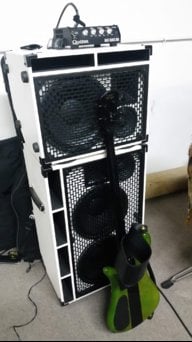
You can say I have 4 out of 5 of these. But on Thursday I'll be saying, "I AM COMPLETE!!!"Not to be outdone by @jimfist
IMHO, FRFR FTW !


TalkBass has been independent since 1998. Add your voice.
Create a free account to reply to discussions, view embedded media, and browse with fewer display ads.
Join free Log in
Want zero display ads or expanded classifieds tools? Compare plans.
You can say I have 4 out of 5 of these. But on Thursday I'll be saying, "I AM COMPLETE!!!"Not to be outdone by @jimfist
IMHO, FRFR FTW !

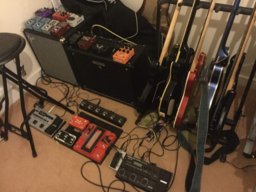

I run mine as a Pedalboard into the front end of an Ampeg PF350 driving two 210av cabs. I don't use the cab sim, but I run the Ampeg sim with a comp and the Parametric EQ as my main tone. I have a chorus in there to punch on when needed. I love the addition of the solo button on the amp Sims. I will use that a lot! That's as far as I've gotten, but I'm loving it so far.I'd like to ask as many people as p[ossible to tell me how they're running/will be running theirs... Through FRFR (and which)? Through studio monitors (and which)? Through the front of an amp (and which)? Through the return of an amp (and which)? In the FX loop of an amp (and which)? Some other solution, and specifics, IE headphones and which?
Thanks!
Charlie, what PA speakers are those? Are you running them off the Quilter?Not to be outdone by @jimfist
IMHO, FRFR FTW !
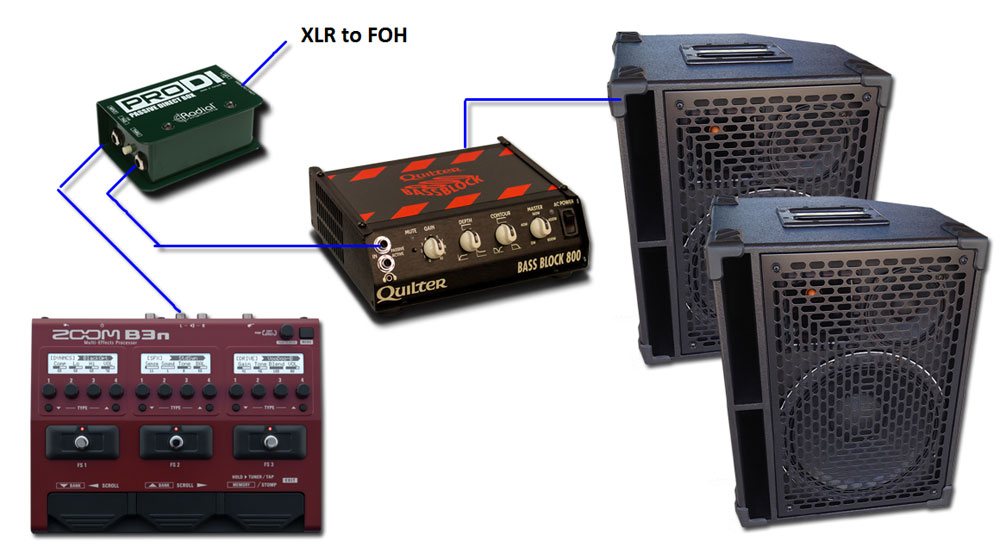

Charlie, what PA speakers are those? Are you running them off the Quilter?
I run mine as a Pedalboard into the front end of an Ampeg PF350 driving two 210av cabs. I don't use the cab sim, but I run the Ampeg sim with a comp and the Parametric EQ as my main tone. I have a chorus in there to punch on when needed. I love the addition of the solo button on the amp Sims. I will use that a lot! That's as far as I've gotten, but I'm loving it so far.
So I sold my much loved b3 (for $125!) and immediately bought the b3n. Wow! I'm very pleased! The amps and effects sound amazing. Just one question, I assume the slots are arranged in typical effect order going from right to left. So would I then put the cab sim to the left of the amp sim?

Congrats!
Unfortunately the B3n is currently fixed at reverse typical effect order, so the chain runs left to right. Put the cab sim to the right of the amp sim.
Congrats!
Unfortunately the B3n is currently fixed at reverse typical effect order, so the chain runs left to right. Put the cab sim to the right of the amp sim.
Is there a way to reverse this?Congrats!
Unfortunately the B3n is currently fixed at reverse typical effect order, so the chain runs left to right. Put the cab sim to the right of the amp sim.
Is there a way to reverse this?


Are you going to try the 'n'...would like to hear your opinion on how it sounds...That's one more neat, inexpensive function removed from the B3 to the B3n. Why did they do that ?

I agree. Sure, the new sims may sound nice, and there are more effects, but things like the missing XLR jack(!) are encouraging me to move away from this to getting dedicated pedals when I move off my B3.That's one more neat, inexpensive function removed from the B3 to the B3n. Why did they do that ?
I will when I can. I'm in no hurry though the B3 sounds very nice.Are you going to try the 'n'...would like to hear your opinion on how it sounds...
That's one more neat, inexpensive function removed from the B3 to the B3n. Why did they do that ?
I agree. Sure, the new sims may sound nice, and there are more effects, but things like the missing XLR jack(!) are encouraging me to move away from this to getting dedicated pedals when I move off my B3.


I checked and none of the "n" series allow for this, including the flagship G5n (which firmware was recently updated to v2.0)
My guess is that their reason for this was two-fold:
1. The extra code overhead within the unit could not be spared
2. Removing the ability standardizes operation and experience
Interestingly, I do not see this ability also on the Line6 Helix. (Can anyone confirm this?) If this is so then perhaps UI standardization is an intentional trend. I myself wish it were adjustable as before.
Cheers!