• TalkBass has been independent since 1998. Add your voice.
    Create a free account to reply to discussions, view embedded media, and browse with fewer display ads.
    Join freeLog in
    Want zero display ads or expanded classifieds tools? Compare plans.

SansAmp Programmable Bass Driver ELITE

I got mine yesterday and it's pretty sweet. The thing I like about it the most is the fact that it has the bass driver, vt and paradiver.. the only thing I don't get is how you're supposed to just the character, as in on the VT on that. There's nothing in the manual that I saw and there's obviously no dedicated now for that
Think in 2026 that voice text would actually work properly. But let's build data centers when we can't even make this work LOL
 
I got mine yesterday and it's pretty sweet. The thing I like about it the most is the fact that it has the bass driver, vt and paradiver.. the only thing I don't get is how you're supposed to just the character, as in on the VT on that. There's nothing in the manual that I saw and there's obviously no dedicated now for that

If you didn’t want to use the computer, I wonder if you can tell what character was used on the additional presets and then adjust some of those to your liking? I mean character like BDDI vs VTDI vs PDDI.

Or are you talking about the Character knob control like is on the analog pedals?
 
In my part of the country, that’s a valid concern. Little while ago I saw the Devil sitting by a nearby tree. He was laughing at me.

Me, as a Texan:
Understand Captain America GIF
 
  • Like
Reactions: CamJazzBass
If you didn’t want to use the computer, I wonder if you can tell what character was used on the additional presets and then adjust some of those to your liking? I mean character like BDDI vs VTDI vs PDDI.

Or are you talking about the Character knob control like is on the analog pedals?
So specifically I am thinking about the VT preset. Which is numbered. Obviously on the regular VT pedals, they all have the character knob which is the main component to that. There is no knob for that and there is no mention of how to adjust the character in the manual. I imagine if I hook it up to the computer I might be able to do that. I have no intention of really messing with the computer when it comes to this pedal but maybe I'll check it out myself. I will say that it sounds great just as it is.
 
So specifically I am thinking about the VT preset. Which is numbered. Obviously on the regular VT pedals, they all have the character knob which is the main component to that. There is no knob for that and there is no mention of how to adjust the character in the manual. I imagine if I hook it up to the computer I might be able to do that. I have no intention of really messing with the computer when it comes to this pedal but maybe I'll check it out myself. I will say that it sounds great just as it is.

Is it one of the Red alternate controls?
 
Looks like there is a preamp level in at the front of the chain now, but I don’t see a pad for XLR out, just boost on back for 1/4 out. That is probably fine and practical enough.

I like the looks and functionality of this, but I don’t want to do menu diving on the computer. May not be the one for me. Really looks great though.
I'm right there with you on that I find the more complicated things get the less I actually use them. I think it sounds great as it is without having to do all that but it could definitely be very useful for Studio use. Either way I think it's awesome. Very much a cross between a programmable bass driver and a PSA 2.0
 
I'm not a computer guy but I decided to go ahead and connect this thing to the computer and see what I could do. I downloaded the program and I have it connected but it doesn't actually do anything it just nothing as though it's not connecting but it is connected I don't know if there's some kind of setting or special something I need to do. I assumed it would just connect once I plugged it in and open the program
 
I'm not a computer guy but I decided to go ahead and connect this thing to the computer and see what I could do. I downloaded the program and I have it connected but it doesn't actually do anything it just nothing as though it's not connecting but it is connected I don't know if there's some kind of setting or special something I need to do. I assumed it would just connect once I plugged it in and open the program
 

Attachments

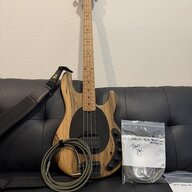
  • 20260701_152615.jpg
    20260701_152615.jpg
    1.4 MB · Views: 6
So specifically I am thinking about the VT preset. Which is numbered. Obviously on the regular VT pedals, they all have the character knob which is the main component to that. There is no knob for that and there is no mention of how to adjust the character in the manual. I imagine if I hook it up to the computer I might be able to do that. I have no intention of really messing with the computer when it comes to this pedal but maybe I'll check it out myself. I will say that it sounds great just as it is.
This is my feeling. I really don’t want to be manipulating anything through a laptop or app.
 
  • Like
Reactions: Zbysek
It was an issue on my laptop.
Did connecting it show any other settings?
Mine won't be here till end of month but I downloaded the software and unfortunately you can't really mess with anything with nothing connected.

Curious how the mod effects are and if you can change settings, for instance theres a phaser, flanger and chorus preset, can you manipulate those with the software or is it whatever was pre programmed.
 
  • Like
Reactions: Thom Fioriglio
Did connecting it show any other settings?
Mine won't be here till end of month but I downloaded the software and unfortunately you can't really mess with anything with nothing connected.

Curious how the mod effects are and if you can change settings, for instance theres a phaser, flanger and chorus preset, can you manipulate those with the software or is it whatever was pre programmed.
Didn't get super far into it but what it is is it'll load all the presets that are factory installed you click on each preset and then you can go across each knob and it'll show you multiple parameters for each knob. For example it'll show you what frequency each EQ is spaced at and you can change that along with some other things.
 
  • Like
Reactions: CamJazzBass
Didn't get super far into it but what it is is it'll load all the presets that are factory installed you click on each preset and then you can go across each knob and it'll show you multiple parameters for each knob. For example it'll show you what frequency each EQ is spaced at and you can change that along with some other things.
You can go into the IR section and select different types of cabs for example a vt810 is one of them it's came set at what looks like Brit 30.
 
  • Like
Reactions: CamJazzBass
Did connecting it show any other settings?
Mine won't be here till end of month but I downloaded the software and unfortunately you can't really mess with anything with nothing connected.

Curious how the mod effects are and if you can change settings, for instance theres a phaser, flanger and chorus preset, can you manipulate those with the software or is it whatever was pre programmed.
From what I saw, and again I didn't look specifically at the effects but it looks like every parameter is fully adjustable. For example on the bass knob for any given frequency there are three different parameters you can adjust though I don't know what they all specifically mean.
 

Latest posts