
Lol I see. Well I did goose up the volume of my Fodera internal preamp a bit so that may be the difference.Sorry if I wasn't clear... I meant it's wild we have similar basses yet such different FI input settings, and that it is usable but odd for me to have to crank the FI input knob. I'd expect to be more around noon or below, as you are, what with an active bass. Owell I guess!

Enjoy the benefits of a premium membership!
Upgrade Account
-
TalkBass has been independent since 1998. Add your voice.
Create a free account to reply to discussions, view embedded media, and browse with fewer display ads.
Join free Log in
Want zero display ads or expanded classifieds tools? Compare plans.
You are using an out of date browser. It may not display this or other websites correctly.
You should upgrade or use an alternative browser.
You should upgrade or use an alternative browser.
Future Impact now available!! WAS: deep impact reissue!!! interested?
- Thread starter lokki
- Start date
More options
Who Replied?
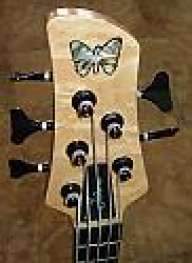
I usually have my input around 1 - 1:30, but I have the internal trim pot set closer to the passive level (Fodera, SD single coils). With my 18v Spector, I need to set the input at noon since it's a bit too hot and the FI gets too sensitive to finger noise.
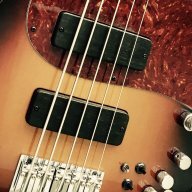
thanks guys, helpful to confirm that input wouldn't typically be as high as I'm needing to set mine. really looking forward to spending some more time with the new firmware and patches.

- May 16, 2007
- 3,395
- 4,869
- Disclosures
- Volunteer developer/beta tester with Source Audio, Morningstar Engineering & MORTRIX
Just one more question, are you going straight into the FI or do you have anything else in front of it in the chain?thanks guys, helpful to confirm that input wouldn't typically be as high as I'm needing to set mine. really looking forward to spending some more time with the new firmware and patches.
Straight to FI, first in chain, and a good cable to boot. It’s weird, played with it some more this morning and even with FI input level maxed out, I’m not getting a ton of red with normal playing, so in fact I think I’m going to leave it there. And indeed even maxed, it’s too low for my passive setting. I have the side knob of my DMC controlling FI output level, but pretty sure nothing is/should be artificially lowering the input sensitivity. I also did the GisserD rehouse and the input knob is a bit tight, but it turns through the full range, so I doubt that would be the culprit. I’m stumped, but next will try with other basses to see if it’s just a low signal... maybe the wood pup covers are doing more harm than I realized.
- May 16, 2007
- 3,395
- 4,869
- Disclosures
- Volunteer developer/beta tester with Source Audio, Morningstar Engineering & MORTRIX
Maybe the pickup heights need raising a bit.Straight to FI, first in chain, and a good cable to boot. It’s weird, played with it some more this morning and even with FI input level maxed out, I’m not getting a ton of red with normal playing, so in fact I think I’m going to leave it there. And indeed even maxed, it’s too low for my passive setting. I have the side knob of my DMC controlling FI output level, but pretty sure nothing is/should be artificially lowering the input sensitivity. I also did the GisserD rehouse and the input knob is a bit tight, but it turns through the full range, so I doubt that would be the culprit. I’m stumped, but next will try with other basses to see if it’s just a low signal... maybe the wood pup covers are doing more harm than I realized.

BurningSkies
CRAZY BALDHEAD
- Feb 20, 2005
- 27,956
- 20,348
- Disclosures
- Endorsing artist: Dingwall Guitars
As long as you can have your bass' controls set up as you normally would and you can find a place within the sweep of the control for the proper level, I don't know that it looks like a problem to me. Though, I do have a few basses for comparative levels.
- May 16, 2007
- 3,395
- 4,869
- Disclosures
- Volunteer developer/beta tester with Source Audio, Morningstar Engineering & MORTRIX
Managed to get my 2 II-V-I banks (open and close voicings) programmed on the MC8 now. In doing so I thought of a cool way to squeeze some more V shapes onto the buttons (sus and 13b9) so this is great news for any MC6 users as they don’t have the extra buttons. I’m going to see if I can use this trick on the slash chord/triad inversions banks I programmed - I’m quite hopeful.
- May 16, 2007
- 3,395
- 4,869
- Disclosures
- Volunteer developer/beta tester with Source Audio, Morningstar Engineering & MORTRIX
I’ve got my slash chords bank up and running again and have improved it. I’ve now managed to get all three inversions onto each button via three different actions instead of on the expression pedal where I had it before and each is accessible from anywhere. This is better laid out on the MC8 as it looks more like a keyboard layout but it will work equally well on the MC6.

Here to share my updating to v3 experience. Took me a while but with some trial and error got it to work.
- First off, make sure the GLOBAL MIDI CHANNEL (“GLb”) is set to ALL. Otherwise the Future Impact will communicate super oddly with the editor. I believe there is a fix coming for this bug.
- I couldn't update to v3 through the FI Editor, but did so successfully with the browser. Maybe because of my point above?
- I kept getting the "Fi Editor quit unexpectedly" error on my Mac, Catalina Version. Deleting all previous versions through Appcleaner solved this problem.
- Last, but super important thing is the timing. You have to Hold down both buttons while plugging the power in, not half a second after. Otherwise won't work/won't read.
Thanks so much! This helped me a lot with the update to V3.
If anyone is in the market for a Nordy VPJ5 with the FretTraX system installed, I’m selling mine in the classifieds.
For Sale - Nordy VPJ5 with FretTraX midi system
For Sale - Nordy VPJ5 with FretTraX midi system
- May 16, 2007
- 3,395
- 4,869
- Disclosures
- Volunteer developer/beta tester with Source Audio, Morningstar Engineering & MORTRIX
Here are some new patches. They'll be available on the sharing platform:
Future Impact Program Database – Share your FI Programs around the World!
[Invalid or Expired Link Removed]
[Invalid or Expired Link Removed]
[Invalid or Expired Link Removed]
[Invalid or Expired Link Removed]
Future Impact Program Database – Share your FI Programs around the World!
[Invalid or Expired Link Removed]
[Invalid or Expired Link Removed]
[Invalid or Expired Link Removed]
[Invalid or Expired Link Removed]
- May 16, 2007
- 3,395
- 4,869
- Disclosures
- Volunteer developer/beta tester with Source Audio, Morningstar Engineering & MORTRIX
And another:
[Invalid or Expired Link Removed]
[Invalid or Expired Link Removed]

I would be in for a chunk less than they're going for used currently. I have enough $300+ pedals.
- May 16, 2007
- 3,395
- 4,869
- Disclosures
- Volunteer developer/beta tester with Source Audio, Morningstar Engineering & MORTRIX
About $335 new direct from Panda at the moment and worth every penny.I would be in for a chunk less than they're going for used currently. I have enough $300+ pedals.

Andras Szalay
Commercial User
Dear FI users,
we have one good news for you: we released recently version 3.03 of the Future Impact v3 software. It came a bit late for a Christmas present, but anyway...
First of all, the bug that the FI had to be on MIDI channel 1 for using it with the editor is fixed now, the FI can be set to any channel. A few new MIDI commands were implemented:
Program UP,
Tuner ON/OFF toggle,
Bank UP
Bank DOWN.
The manual was updated appropriately. Furthermore, a new version of the editor belongs to this release: beyond many minor bugfixes you can select different skins for the editor now.
I hope you will enjoy the new release!
Andras Szalay
we have one good news for you: we released recently version 3.03 of the Future Impact v3 software. It came a bit late for a Christmas present, but anyway...
First of all, the bug that the FI had to be on MIDI channel 1 for using it with the editor is fixed now, the FI can be set to any channel. A few new MIDI commands were implemented:
Program UP,
Tuner ON/OFF toggle,
Bank UP
Bank DOWN.
The manual was updated appropriately. Furthermore, a new version of the editor belongs to this release: beyond many minor bugfixes you can select different skins for the editor now.
I hope you will enjoy the new release!
Andras Szalay
- May 16, 2007
- 3,395
- 4,869
- Disclosures
- Volunteer developer/beta tester with Source Audio, Morningstar Engineering & MORTRIX
Also of note is that there is now an undo/redo feature within the editor using the standard CTRL+Z and CTRL+Y.Dear FI users,
we have one good news for you: we released recently version 3.03 of the Future Impact v3 software. It came a bit late for a Christmas present, but anyway...
First of all, the bug that the FI had to be on MIDI channel 1 for using it with the editor is fixed now, the FI can be set to any channel. A few new MIDI commands were implemented:
Program UP,
Tuner ON/OFF toggle,
Bank UP
Bank DOWN.
The manual was updated appropriately. Furthermore, a new version of the editor belongs to this release: beyond many minor bugfixes you can select different skins for the editor now.
I hope you will enjoy the new release!
Andras Szalay
You can now also use the up and down cursor keys to skip banks in the editor.
The new skin is nice too.
Last edited:
Thank you @Andras Szalay and team!!!!!Dear FI users,
we have one good news for you: we released recently version 3.03 of the Future Impact v3 software. It came a bit late for a Christmas present, but anyway...
First of all, the bug that the FI had to be on MIDI channel 1 for using it with the editor is fixed now, the FI can be set to any channel. A few new MIDI commands were implemented:
Program UP,
Tuner ON/OFF toggle,
Bank UP
Bank DOWN.
The manual was updated appropriately. Furthermore, a new version of the editor belongs to this release: beyond many minor bugfixes you can select different skins for the editor now.
I hope you will enjoy the new release!
Andras Szalay
BurningSkies
CRAZY BALDHEAD
- Feb 20, 2005
- 27,956
- 20,348
- Disclosures
- Endorsing artist: Dingwall Guitars
Dear FI users,
we have one good news for you: we released recently version 3.03 of the Future Impact v3 software. It came a bit late for a Christmas present, but anyway...
First of all, the bug that the FI had to be on MIDI channel 1 for using it with the editor is fixed now, the FI can be set to any channel. A few new MIDI commands were implemented:
Program UP,
Tuner ON/OFF toggle,
Bank UP
Bank DOWN.
The manual was updated appropriately. Furthermore, a new version of the editor belongs to this release: beyond many minor bugfixes you can select different skins for the editor now.
I hope you will enjoy the new release!
Andras Szalay
Excellent updates and the new skin (shown) is way easier on the eyes. Thank you.


