Yeah that makes total sense, it's hard to imagine a solution that didn't work with open strings given the cost of these things!IR and ROR do open strings. Pretty easy in software: trigger + no fret pressed = open string.

TalkBass has been independent since 1998. Add your voice.
Create a free account to reply to discussions, view embedded media, and browse with fewer display ads.
Join free Log in
Want zero display ads or expanded classifieds tools? Compare plans.
Yeah that makes total sense, it's hard to imagine a solution that didn't work with open strings given the cost of these things!IR and ROR do open strings. Pretty easy in software: trigger + no fret pressed = open string.
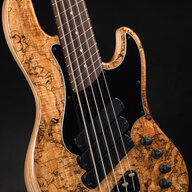
I actually had FretTrax installed on a Dingwall NG3 several years ago. I used it with a Yamaha synth module. The sound palette was virtually unlimited. I used it for some gigs but ultimately sold the bass because of the open string issue.Fretrax is one of a small number of options out there for “MIDI Guitars/Basses” that actually use fret-sensing to figure out pitch rather than pitch-detecting an audio signal, using an additional pickup or other approach to analyze the trigger and amplitude of your playing, then turning all this info into MIDI messages to play external (or sometimes internal) MIDI devices. This approach is faster and more accurate than any pitch-detection technology, but at the expense of an expensive custom instrument (some of the older instruments made like this can be somewhat cheaper- like the Peavey MIDIbass/Cyberbass- but often have issues with their aging electronics, so can be a gamble).
I am intrigued by the modern wired fret options (there is a used Rob O’Reilly MIDI bass on my local FB Marketplace), but for the money I could get a really nice keyboard rig
That is crazy to me that they wouldn’t have that figured out!I actually had FretTrax installed on a Dingwall NG3 several years ago. I used it with a Yamaha synth module. The sound palette was virtually unlimited. I used it for some gigs but ultimately sold the bass because of the open string issue.
Firmware 4.5.1 Update on this issueJust quickly, the reason this patch was programmed with a flexi instead of just letting CC1 do its default behaviour is so that the vibrato isn’t active immediately; in bass mode, the vibrato depth will be at the value set by the slider(s) upon loading as CC1 defaults to 127. That would mean that users who don’t use a MIDI controller would always have vibrato active, which is undesirable.
If you plan on using the pedal with a keyboard only, there is no need to explicitly program CC1 to LFO depth of VCO and VCF, just program the two sliders to the desired depth and use mod wheel (or expression pedal) sending CC1 and it’ll function as desired.
If you plan to use the same patch triggered by bass and keyboard, and don’t want vibrato immediately active, then it is a problem as you’ve found.
 . Maybe some other CC value at 0 is "locking "it somehow?
Email this to panda support if you want it looking at.Fi
Firmware 4.5.1 Update on this issue
I installed the new editor and 4.5.1 Firmware and continued testing my Flexi Controller to LFO issues.
I took the factory preset 08_BS_SONG_Flashlight which has flexi CC1 (mod wheel) to LFO VCO depth and made copies with CC11 and CC65 (expr. pedal) to LFO VCO depth (see attached- rename txt to pr4). Here are the results:
Bass VA mode:
CC1 - works
CC11/65. work and trigger LFO Depth- BUT - when I touch the mod wheel CC1 they stop working. But if I put the expression pedal to 127, then suddenly CC1 works. With expression pedal back at 0 CC1 stops working. Weird...
Synth mode:
CC1 - still not working
CC11/65. not working - But if I put the expression pedal cc11 (or 65) to 127, then CC1 suddenly works as it should. With expression pedal at 0 CC1 stops working. So in synth mode a CC11 value greater 0 "unlocks" CC1
Conclusions
- There seems to be a general issue with connecting flexi CCs to the LFO section in SYNTH mode. Not just CC1.
- CC65 has a default level of 127 in synth mode, so the default value 0 or 127 does not seems to matter here.
- CC1 and other CCs like 11 or 65 are interacting in a strange manner, with e.g. CC11 value defining "the range" of CC1- but only if values are changed. default values have no influence here.
I still hope this issue can be fixed with the next update because having one patch for bass AND keyboard is still the perfect solution.

Did you remember to initialize the FM sounds?Just updated to firmware 4.51 today. I don't seem to get any sound out when I switch to the FM sounds by pressing the Edit/Bank up knob. What am I doing wrong ?
I had to do that via the editor software. The ini/ALL option on the pedal was not working (or I could not do it, I wouldn't know how to "send" or "return" after choosing ALL)Did you remember to initialize the FM sounds?
The FIeditor v4.5 or earlier has a bug where it would not open again because the settings file would get some data blanked out resulting in the FIeditor not able to open again.I'm having an issue with the editor and hopefully can get some help from all you cats that are way smarter than me. It opened fine when I first installed it. And then when I tried to open it again, it does not show up on my screen. I deleted the file and reinstalled and there it was again. Then after closing it and going back to it a few days later, it would not show up on my screen yet again. I'm thinking operator error cuz I'm not well versed in these kinda things. Does anyone have any thoughts on what I'm doing wrong? Thanks in advance.
Do you mean that clicking on the program icon doesn't launch the editor? If so, there's a bug I've found with the config file. You can get it working by either deleting the offending text or deleting the file altogether:
Go to C:\Users\yourusername\AppData\Local\FIEditor45
right-click the "settings" file and open with Notepad. Likely culprit is the bit that says "lastfile=" only has a filename but no folder pathway. Delete everything from "[program]" onwards and save the file. Close the Notepad. The editor should launch now. (If it doesn't, delete the settings file entirely. When you...
A fix is in progress.So after a few close/opens today it stopped working...
settings.ini
"
[gui]
guiscale=1.300000000000000
background=space
manager=false
[midi]
indev=Panda-Audio midiBeam 4Control 1
inBdev=off
outdev=Panda-Audio midiBeam 4Control
kbdmidioutch=0
[program]
lastfile=Flashlight.pr4
edited=false
lastfile=
"
so working delete from [program] to lastfile=
thanks
Panda has posted the first of what hopefully will be many instructional videos for Future Impact V4.51. The first 2 are basic but essential.
Be sure to subscribe, like and comment.