
Enjoy the benefits of a premium membership!
Upgrade Account
-
TalkBass has been independent since 1998. Add your voice.
Create a free account to reply to discussions, view embedded media, and browse with fewer display ads.
Join free Log in
Want zero display ads or expanded classifieds tools? Compare plans.
You are using an out of date browser. It may not display this or other websites correctly.
You should upgrade or use an alternative browser.
You should upgrade or use an alternative browser.
HOW TO INSTALL UBUNTU STUDIO 9.10 WITHOUT HAVING THE INSTALL #%$&%# FAIL!:
- Thread starter MIJ-VI
- Start date
More options
Who Replied?Ubuntu 10.04 LTS (Lucid Lynx)
This directory contains only less-used images which are not mirrored widely. For the most frequently downloaded CD images, see releases.ubuntu.com. Please use a mirror if possible.
Select an image
Ubuntu is distributed on four types of images described below.
Desktop CD
The desktop CD allows you to try Ubuntu without changing your computer at all, and at your option to install it permanently later. This type of CD is what most people will want to use. You will need at least 256MB of RAM to install from this CD.
There are three images available, each for a different type of computer:
Mac (PowerPC) and IBM-PPC (POWER5) desktop CD
For Apple Macintosh G3, G4, and G5 computers, including iBooks and PowerBooks as well as IBM OpenPower machines.
IA-64 desktop CD
For Intel Itanium and Itanium 2 computers.
PlayStation 3 desktop CD
For Sony PlayStation 3 systems. (This defaults to installing Ubuntu permanently, since there is usually not enough memory to try out the full desktop system and run the installer at the same time. An alternative boot option to try Ubuntu without changing your computer is available.)
Server install CD
The server install CD allows you to install Ubuntu permanently on a computer for use as a server. It will not install a graphical user interface.
There are four images available, each for a different type of computer:
Mac (PowerPC) and IBM-PPC (POWER5) server install CD
For Apple Macintosh G3, G4, and G5 computers, including iBooks and PowerBooks as well as IBM OpenPower machines.
IA-64 server install CD
For Intel Itanium and Itanium 2 computers.
SPARC server install CD
For Sun UltraSPARC computers, including those based on the multicore UltraSPARC T1 ("Niagara") processors.
PlayStation 3 server install CD
For Sony PlayStation 3 systems.
Server install image
The server install image allows you to install Ubuntu permanently on a computer for use as a server. It will not install a graphical user interface.
There are three images available, each for a different type of computer:
Marvell Dove server install image
For Dove boards.
Freescale i.MX51 server install image
For i.MX51 boards.
Texas Instruments OMAP server install image
For OMAP3 boards.
Alternate install CD
The alternate install CD allows you to perform certain specialist installations of Ubuntu. It provides for the following situations:
* setting up automated deployments;
* upgrading from older installations without network access;
* LVM and/or RAID partitioning;
* installs on systems with less than about 256MB of RAM (although note that low-memory systems may not be able to run a full desktop environment reasonably).
In the event that you encounter a bug using the alternate installer, please file a bug on the debian-installer package.
There are four images available, each for a different type of computer:
Mac (PowerPC) and IBM-PPC (POWER5) alternate install CD
For Apple Macintosh G3, G4, and G5 computers, including iBooks and PowerBooks as well as IBM OpenPower machines.
IA-64 alternate install CD
For Intel Itanium and Itanium 2 computers.
SPARC alternate install CD
For Sun UltraSPARC computers, including those based on the multicore UltraSPARC T1 ("Niagara") processors.
PlayStation 3 alternate install CD
For Sony PlayStation 3 systems.
Netbook live image
The live image allows you to try Ubuntu Netbook Edition without changing your computer at all, and at your option to install it permanently later. This live image is optimized for netbooks with screens up to 10". You will need at least 256MB of RAM to install from this image.
There is one image available:
Texas Instruments OMAP netbook live image
For OMAP3 boards.
[Invalid or Expired Link Removed]
--------
If one owns any of the above machines then putting them to work may free up money for a DAW.
--------
PowerPCFAQ
https://wiki.ubuntu.com/PowerPCFAQ
PowerPCReview
https://wiki.ubuntu.com/PowerPCReview
Yaboot creates serious threat to the future of Linux on PowerPC
Submitted by linuxopjemac on Sat, 07/17/2010 - 19:14
"As I am normally following the mailing lists of debian-powerpc I saw this very threatening mail from Rick Thomas. He filed a bug report against yaboot/ybin. Until now, nothing happened since he filed it (may 2010, so we are talking about 2 months). It seems that there are no longer people working on yaboot/ybin in this world. This is a serious problem, as it will render Squeeze unusable in the future for PowerPC based computers. I hope that someone reading this and with the knowledge to fix bugs will have a look at the matter. It is vital for the future of Linux/PPC."
Invalid Link Removed
This directory contains only less-used images which are not mirrored widely. For the most frequently downloaded CD images, see releases.ubuntu.com. Please use a mirror if possible.
Select an image
Ubuntu is distributed on four types of images described below.
Desktop CD
The desktop CD allows you to try Ubuntu without changing your computer at all, and at your option to install it permanently later. This type of CD is what most people will want to use. You will need at least 256MB of RAM to install from this CD.
There are three images available, each for a different type of computer:
Mac (PowerPC) and IBM-PPC (POWER5) desktop CD
For Apple Macintosh G3, G4, and G5 computers, including iBooks and PowerBooks as well as IBM OpenPower machines.
IA-64 desktop CD
For Intel Itanium and Itanium 2 computers.
PlayStation 3 desktop CD
For Sony PlayStation 3 systems. (This defaults to installing Ubuntu permanently, since there is usually not enough memory to try out the full desktop system and run the installer at the same time. An alternative boot option to try Ubuntu without changing your computer is available.)
Server install CD
The server install CD allows you to install Ubuntu permanently on a computer for use as a server. It will not install a graphical user interface.
There are four images available, each for a different type of computer:
Mac (PowerPC) and IBM-PPC (POWER5) server install CD
For Apple Macintosh G3, G4, and G5 computers, including iBooks and PowerBooks as well as IBM OpenPower machines.
IA-64 server install CD
For Intel Itanium and Itanium 2 computers.
SPARC server install CD
For Sun UltraSPARC computers, including those based on the multicore UltraSPARC T1 ("Niagara") processors.
PlayStation 3 server install CD
For Sony PlayStation 3 systems.
Server install image
The server install image allows you to install Ubuntu permanently on a computer for use as a server. It will not install a graphical user interface.
There are three images available, each for a different type of computer:
Marvell Dove server install image
For Dove boards.
Freescale i.MX51 server install image
For i.MX51 boards.
Texas Instruments OMAP server install image
For OMAP3 boards.
Alternate install CD
The alternate install CD allows you to perform certain specialist installations of Ubuntu. It provides for the following situations:
* setting up automated deployments;
* upgrading from older installations without network access;
* LVM and/or RAID partitioning;
* installs on systems with less than about 256MB of RAM (although note that low-memory systems may not be able to run a full desktop environment reasonably).
In the event that you encounter a bug using the alternate installer, please file a bug on the debian-installer package.
There are four images available, each for a different type of computer:
Mac (PowerPC) and IBM-PPC (POWER5) alternate install CD
For Apple Macintosh G3, G4, and G5 computers, including iBooks and PowerBooks as well as IBM OpenPower machines.
IA-64 alternate install CD
For Intel Itanium and Itanium 2 computers.
SPARC alternate install CD
For Sun UltraSPARC computers, including those based on the multicore UltraSPARC T1 ("Niagara") processors.
PlayStation 3 alternate install CD
For Sony PlayStation 3 systems.
Netbook live image
The live image allows you to try Ubuntu Netbook Edition without changing your computer at all, and at your option to install it permanently later. This live image is optimized for netbooks with screens up to 10". You will need at least 256MB of RAM to install from this image.
There is one image available:
Texas Instruments OMAP netbook live image
For OMAP3 boards.
[Invalid or Expired Link Removed]
--------
If one owns any of the above machines then putting them to work may free up money for a DAW.
--------
PowerPCFAQ
https://wiki.ubuntu.com/PowerPCFAQ
PowerPCReview
https://wiki.ubuntu.com/PowerPCReview
Yaboot creates serious threat to the future of Linux on PowerPC
Submitted by linuxopjemac on Sat, 07/17/2010 - 19:14
"As I am normally following the mailing lists of debian-powerpc I saw this very threatening mail from Rick Thomas. He filed a bug report against yaboot/ybin. Until now, nothing happened since he filed it (may 2010, so we are talking about 2 months). It seems that there are no longer people working on yaboot/ybin in this world. This is a serious problem, as it will render Squeeze unusable in the future for PowerPC based computers. I hope that someone reading this and with the knowledge to fix bugs will have a look at the matter. It is vital for the future of Linux/PPC."
Invalid Link Removed
Here's a couple of allegedly Linux-compatible audio interfaces which I just learned of in this TB thread.
The this TB thread...
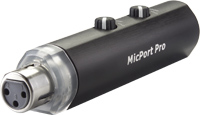
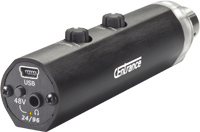
"MicPort Pro is used by the BBC, CNN, NBC, CBS, ABC, NPR, Warner Brothers, The Oprah Winfrey Show, and professional musicians and voiceover artists worldwide. MicPort Pro is instantly compatible with Windows XP/Vista, Mac OS X 10.4 and above, and Linux."
...and the Invalid Link Removed
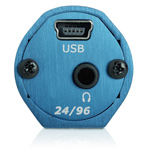
"AxePort Pro is Plug 'n Play compatible with Windows 7, Mac OS Snow Leopard and most versions of Linux."
--------
Has anyone here tried either of these devices with Ubuntu/Ubuntu Studio 9.10 or 10.04?
Thank you.
The this TB thread...
"MicPort Pro is used by the BBC, CNN, NBC, CBS, ABC, NPR, Warner Brothers, The Oprah Winfrey Show, and professional musicians and voiceover artists worldwide. MicPort Pro is instantly compatible with Windows XP/Vista, Mac OS X 10.4 and above, and Linux."
...and the Invalid Link Removed
"AxePort Pro is Plug 'n Play compatible with Windows 7, Mac OS Snow Leopard and most versions of Linux."
--------
Has anyone here tried either of these devices with Ubuntu/Ubuntu Studio 9.10 or 10.04?
Thank you.
Invalid Link Removed just got me playing around with rakarrack 0.3.0-2 (the version which is currently in the Ubuntu Repositories).
"Simple and easy guitar effects processor for GNU/Linux
Rakarrack is a guitar effects processor for GNU / Linux simple and easy to use but it contains features that make it unique in this field of applications.
Currently it contains 17 effects:
* Linear Equalizer
* Parametric Equalizer
* Compressor
* Distorsion
* Overdrive
* Echo
* Chorus
* Phaser
* Flanger
* Reverb
* WahWah
* Alienwah
* Harmonizer
* NoiseGate
* Musical Delay
* Cabinet
* AutoPan/Extra Stereo
Rakarrack integrates a tuner and a MIDI converter. It can also be handled by an external MIDI controller. The settings designed by the user can be stored in presets and these presets can be used to create banks of effects."
For anyone who is new to effects pedals, and who isn't sure what to buy first, exploring the flexible and unusual sound options which rakarrack (it requires JACK) has on offer can allow one to determine which type of effects they really like--before spending a lunch box full of cash on a bunch of pedals that 'grow old' real fast.
BTW. A link to the current version of rakarrack can be found in post #5 of this thread:
[ubuntu_studio] Digitech RP355: audio via USB?
Invalid Link Removed
EDIT: The current version of rakarrack is MUCH better and offers more effects than those listed above.
EDIT #2:
GNUGuitarINUX - rakarrack 0.5.8 Equinox - test
*A frequent contributor the the Ubuntu Forums.
"Simple and easy guitar effects processor for GNU/Linux
Rakarrack is a guitar effects processor for GNU / Linux simple and easy to use but it contains features that make it unique in this field of applications.
Currently it contains 17 effects:
* Linear Equalizer
* Parametric Equalizer
* Compressor
* Distorsion
* Overdrive
* Echo
* Chorus
* Phaser
* Flanger
* Reverb
* WahWah
* Alienwah
* Harmonizer
* NoiseGate
* Musical Delay
* Cabinet
* AutoPan/Extra Stereo
Rakarrack integrates a tuner and a MIDI converter. It can also be handled by an external MIDI controller. The settings designed by the user can be stored in presets and these presets can be used to create banks of effects."
For anyone who is new to effects pedals, and who isn't sure what to buy first, exploring the flexible and unusual sound options which rakarrack (it requires JACK) has on offer can allow one to determine which type of effects they really like--before spending a lunch box full of cash on a bunch of pedals that 'grow old' real fast.
BTW. A link to the current version of rakarrack can be found in post #5 of this thread:
[ubuntu_studio] Digitech RP355: audio via USB?
Invalid Link Removed
EDIT: The current version of rakarrack is MUCH better and offers more effects than those listed above.
EDIT #2:
GNUGuitarINUX - rakarrack 0.5.8 Equinox - test
*A frequent contributor the the Ubuntu Forums.
Locate your stolen Linux laptop With Prey - free, opensource tracking app
[Invalid or Expired Link Removed]
"...Prey is a cross-platform application available on for Windows, OS X and Linux. When used on Linux the application *should be run as root so it doesnt depend on an active user session to run, but only on a successful boot..."
*This creeps me out a bit but it seems makes sense for this application.
Perhaps someone knowledgeable and experienced in dealing with security applications like Prey will chime in...
[Invalid or Expired Link Removed]
"...Prey is a cross-platform application available on for Windows, OS X and Linux. When used on Linux the application *should be run as root so it doesnt depend on an active user session to run, but only on a successful boot..."
*This creeps me out a bit but it seems makes sense for this application.
Perhaps someone knowledgeable and experienced in dealing with security applications like Prey will chime in...
"SoundCloud lets you move music fast & easy. The platform takes the daily hassle out of receiving, sending & distributing music for artists, record labels & other music professionals."
http://soundcloud.com
http://soundcloud.com
Debian vs Ubuntu
"Bruce Byfield addresses the philosophical and some of the technical differences between Ubuntu and its ancestral roots, Debian.
Many common misconceptions are addressed as well as an overview of the technical similarities between the cousin distros..."
http://moza74.wordpress.com/2010/07/09/debian-vs-ubuntu/
"Bruce Byfield addresses the philosophical and some of the technical differences between Ubuntu and its ancestral roots, Debian.
Many common misconceptions are addressed as well as an overview of the technical similarities between the cousin distros..."
http://moza74.wordpress.com/2010/07/09/debian-vs-ubuntu/
OSGUI
Open Source Operating Systems Graphical User Interfaces
http://www.osgui.com/osgui/about-us.html
Open Source Operating Systems Graphical User Interfaces
http://www.osgui.com/osgui/about-us.html

GNU/Linux Day
"Heres the idea, on October 10/10/10 we will change our profile pictures to Tux so people will take notice. Most people have never heard of Linux and that's not good if we want companies to support our community. 10/10/10 is the release date of Ubuntu 10.10 Maverick Meerkat but the whole Linux community can benefit from something like this. We all have our favorite distro, but if we're to be honest, if Linux is going to be recognized in the Desktop market it's going to be Ubuntu making happen.
But there is nothing wrong with distro pride. That's why I think Tux is an excellent choice he represents the wider community, comes in many styles, including distro-themed images.
10/10/10 Is a great date, it gives time for the group grow but isn't too long, is easy to remember and will sync nicely with Ubuntu release, which will be the first step for most people regarding Linux.
Distros strengthen each other, and if we want vender's to be Linux friendly, we need to give them incentive. To do That we just need a noticeable market share but to do that we need to be seen and make ourselves known and honestly we kind of suck at that."
http://www.facebook.com/event.php?eid=139371406089935
The table of equivalents / replacements / analogs of Windows software in Linux.
Last update: 16.07.2003, 31.01.2005, 27.05.2005, 04.12.2006, 07.07.2007, 25.11.2007 (in progress)
Invalid Link Removed
75 Open Source Tools to Replace Apps You Use Every Day
http://itmanagement.earthweb.com/os...e-Tools-to-Replace-Apps-You-Use-Every-Day.htm
Last update: 16.07.2003, 31.01.2005, 27.05.2005, 04.12.2006, 07.07.2007, 25.11.2007 (in progress)
Invalid Link Removed
75 Open Source Tools to Replace Apps You Use Every Day
http://itmanagement.earthweb.com/os...e-Tools-to-Replace-Apps-You-Use-Every-Day.htm
I have tried (and failed) multiple times to install Linux and get it running properly (and I work with computers for a living). I have seen references to running it from a USB device instead of installing it. Can anyone point to a good article on how to prepare such a device? If I can get everything working that way, I might take a chance at installing it for real again.
I apologize if the link is posted elsewhere, but I simply don't have time to wade through the entire site looking and search isn't able to narrow down the results enough.
I apologize if the link is posted elsewhere, but I simply don't have time to wade through the entire site looking and search isn't able to narrow down the results enough.
I have tried (and failed) multiple times to install Linux and get it running properly (and I work with computers for a living). I have seen references to running it from a USB device instead of installing it. Can anyone point to a good article on how to prepare such a device? If I can get everything working that way, I might take a chance at installing it for real again.
I apologize if the link is posted elsewhere, but I simply don't have time to wade through the entire site looking and search isn't able to narrow down the results enough.
Hi mid_life_crisis.
If you're running Windows this might do it:
Boot and run Linux from a USB flash memory stick
Link Removed
If you have a fast & reliable Internet connection here's a reversible approach to installing Ubuntu onto a Windows hard drive:
WUBI
http://wubi-installer.org/
BTW. What's the make and model # of your machine and its CD or DVD drive? (I've encountered the odd CD/DVD drive which doesn't like *nix operating systems).
...you may wish to install these three command line tools for downloading instructional videos from the Internet:
youtube-dl
metacafe-dl
nicovideo-dl
This discussion centers on youtube-dl while naming a few other video download options:
[SOLVED] Advanced youtube downloader
Invalid Link Removed
youtube-dl
metacafe-dl
nicovideo-dl
This discussion centers on youtube-dl while naming a few other video download options:
[SOLVED] Advanced youtube downloader
Invalid Link Removed
Hi mid_life_crisis.
BTW. What's the make and model # of your machine and its CD or DVD drive? (I've encountered the odd CD/DVD drive which doesn't like *nix operating systems).
Wow! Thank you for all the links. I'm at work, so it'll be a while before I get to actually look at them, but from the titles alone, I'll be learning some new and probably useful stuff.
I haven't tried on my current computer.
My last laptop died while I was playing with Ubuntu (I'm assuming this was a coincidence). Something critical toasted on the motherboard and it got to where not only would it not boot, but I couldn't even access the Bios. Started out with trouble booting to the drive and went downhill from there.
I actually had Linux installed and more or less running that time, but I couldn't get the network connection running.
I don't expect full automation, but couldn't somebody write a simple GUI interface for setting those up? Something like the screen when you assign a static IP in Windows would be nice. That's the frustration about Linux at this time. I don't expect my OS to do everything for me, but it would be extremely helpful to have GUIs instead of having to learn a whole set of command line interfaces. Something a little more like Device Manager would be a huge help too. A list of every piece of hardware, whether it can identify it or not, and a simple interface that allows you to browse to what you believe is the correct driver package and does whatever needs to be done to install it after you select it. Also the ability to remove that driver if you chose the wrong one, obviously. Again, I don't need the OS to do everything for me, but GUIs that I can follow are wonderful. When a release comes out that has these improvements, I'll try installing it again. Meanwhile, booting from USB sounds like a wonderful way to experiment.
Wow! Thank you for all the links. I'm at work, so it'll be a while before I get to actually look at them, but from the titles alone, I'll be learning some new and probably useful stuff.
I haven't tried on my current computer.
My last laptop died while I was playing with Ubuntu (I'm assuming this was a coincidence). Something critical toasted on the motherboard and it got to where not only would it not boot, but I couldn't even access the Bios. Started out with trouble booting to the drive and went downhill from there.
I actually had Linux installed and more or less running that time, but I couldn't get the network connection running.
I don't expect full automation, but couldn't somebody write a simple GUI interface for setting those up? Something like the screen when you assign a static IP in Windows would be nice. That's the frustration about Linux at this time. I don't expect my OS to do everything for me, but it would be extremely helpful to have GUIs instead of having to learn a whole set of command line interfaces. Something a little more like Device Manager would be a huge help too. A list of every piece of hardware, whether it can identify it or not, and a simple interface that allows you to browse to what you believe is the correct driver package and does whatever needs to be done to install it after you select it. Also the ability to remove that driver if you chose the wrong one, obviously. Again, I don't need the OS to do everything for me, but GUIs that I can follow are wonderful. When a release comes out that has these improvements, I'll try installing it again. Meanwhile, booting from USB sounds like a wonderful way to experiment.
What's the make & model # of the machine which you plan to try Invalid Link Removed with? (*Another option, this .iso will allow you to create a Live CD which can boot into Ubuntu 10.04 so that you can vet Ubuntu's compatibility with your PC's hardware.)
*a-hem* With profound respect, paragraphs please.

...you may wish to install these three command line tools for downloading instructional videos from the Internet:
youtube-dl
metacafe-dl
nicovideo-dl
This discussion centers on youtube-dl while naming a few other video download options:
[SOLVED] Advanced youtube downloader
Invalid Link Removed
Another option for the Linux newbie is the FireFox Add-on "Video DownloadHelper". It's very easy to use.
Also, for anyone wanting to try Ubuntu, try to stick with release 9.10. There is an issue with release 10.04 that arises for quite a few people in which the UI freezes for no apparent reason. Some have been able to fix this by way of one of many different suggestions appearing on the net but I have yet to solve mine... a problem that arose with the upgrade to 10.04 after flawless performance with 9.10. Just an FYI... YMMV.
Another option for the Linux newbie is the FireFox Add-on "Video DownloadHelper". It's very easy to use.
Also, for anyone wanting to try Ubuntu, try to stick with release 9.10. There is an issue with release 10.04 that arises for quite a few people in which the UI freezes for no apparent reason. Some have been able to fix this by way of one of many different suggestions appearing on the net but I have yet to solve mine... a problem that arose with the upgrade to 10.04 after flawless performance with 9.10. Just an FYI... YMMV.
Hi Diogenes.
Which hardware are you using?
Did you upgrade from '9.10 to '10.04, or did you do a clean install?
What's the make & model # of the machine which you plan to try Invalid Link Removed with? (*Another option, this .iso will allow you to create a Live CD which can boot into Ubuntu 10.04 so that you can vet Ubuntu's compatibility with your PC's hardware.)
*a-hem* With profound respect, paragraphs please.
The computer is a Hewlett Packard. I don't have it with me so I can't supply the model right now. It's almost a year old (I think) and currently running Win7 Home Premium if that helps any.
*I'm confused: I did use paragraphs. Everything in the last one is related. I suppose I could have done some sort of bullet list...


