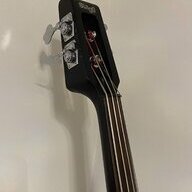
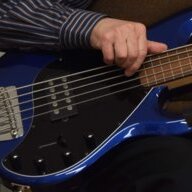
Thanks @rbbrnck! I hadn't really thought of it before, but grounding may be the issue. Right now I only play through a USB Interface connected to my laptop, which goes through an adapter/transformer and then plugs in with a two-prong plug.
I really love the feel of the instrument and sound, I can dial the hum out by cutting the treble out of the magnetic pumps and use the piezo tone if I want some extra shimmer.
i was for a long time disconnected, and only read your post today, @Matthew_84. two thoughts came with it, one dealing with the notion of hum, the other with the very nature of audio interfaces. which are indeed related, though i don't hold my writing in so high esteem to take for granted i can easily try to explain how.
i was wrongly interpreting the meaning of your "hum" description in its most germane sense, as in "60 cycles hum" (or 50, where i'm based); if you now describe how rolling treble pot off the mag pickups cures it, then it's not "hum" as in "60 cycles hum", and the likeliness of AC mains grounding issues in your home being the culprit might be totally off track.
"hum" is most often referred to a low frequency parasite noise centered around the AC mains frequency, i.e. 60 or 50 Hertz, and in a great number of instances due to the so-called "ground loop". if rolling the treble control off reduces its occurrence, than i was looking in the wrong direction, it's not at the lower end of the audio spectrum you're hearing it, it's at the higher.
but the matter with audio interface might have more ado with it, or at least it had in my experience, Portamento's behaviour aside.
i, too, run my rig at home through an audio interface, and today i believe that's quite a common scenario. i've made extensive use of a renowned USB interface which, although equipped with only 4x4 (analog) I/Os, is a worthy piece of (German) engineering; its maker claims it runs perfectly fine with only its own USB cable connected to my 2016 15" MacBook Pro.
and it's true, no need to wire up a separate AC psu, it works and sounds beautiful as it is.
that is, or was, until the moment in which i plugged in it a headphone/microphone piece of kit, the very model used on broadcast operations between camera operator and control.
which made it add a nasty high-frequency spurious noise, constant as hum would be, but in the high end of spectrum, sort-of "grainy" in character, like a "whining" sort-of background noise.
turns out the microphone on this headphone is unbalanced, in terms of electrical design, though it ain't mentioned in its specs sheet... and silly me i didn't think of it, as audio interface's maker is very clear in explaining how unbalanced sources must be wired [to balanced inputs] to avoid interference. so mine did this really pesky, nasty, high-pitched grinding whine.
which is when i feared something was messing up the grounding between laptop and interface, in a way i couldn't explain myself. so i bought the AC adapter that manufacter offers as an option, although again very clearly and honestly it claims "any good-quality one will do, provided it has exactly these specs". i bought the original one, and it's expensive, not to leave any stone unturned in my effort to tame the beast.
bang, gone. whirring noise disappeared. now, dead silent. heaven.
at which, i finally plugged back my fx setup on the (remaining) unbalanced pair of inputs, and it's quite a big tableful of digital stompboxes i have here, all powered through specialized PSU precisely to avoid grounding noise. and now, gosh, for the first time ever, they were horribly noisy, though they had never been before!
my luck was, i had gone through the process of adding the interface PSU only minutes before, so i had at least the advantage of being able to point the finger to the only box in the block-diagram scheme that had been changed, and focus my attention to observing the change.
i took the interface's PSU away from its inlet, and the stompbox chain was silent again, though the heaphone mic got noisy again... so it looked like an even/odd chance, choosing which one i wanted to live with, and the stompbox empire is much more of a daily tool for me, while vocal processing happens seldom... so i bought a different piece of headphone/mic anyway, with a balanced mic, which didn't scream "grrrrounding" issue.
but i can't easily live with faults in my audio chain, for it's been my job and obsession for this entire lifetime, and i kept searching for a reason to explain it, and kill it, possibly. and got to finally close the case on the MBP's power supply, which was plugged into the power strip with its 2-pronged adapter, and as such had it been for all its life without an issue.
i used then the real thing, the 3-pronged AC plug that's wired to the Apple PSU, which comes in its very box, but which i had left there since day one because it's bulky... and plugged the "old" headphone/mic intercom piece into the interface. and it was finally perfect, dead silent as it was ever meant to be (if you wired it according to the interface's manufacturer instructions), with or without the external interface PSU, with or without the stompbox empire plugged in 3+4 inputs, with or without the laptop switched on.
took me months, though this doesn't speak greatly of my effort, because i work a day job and i struggle to practice my playing in what few spare moments i'm left with, while troubleshooting audio issues is still first nature to me, although it's no longer allowed in my lifestyle on top of my priority list.
and i don't know how this would have turned out if the laptop hadn't had the two different PSU options like all Macs have... but it's also fair to say that maybe it wouldn't have happened with a sturdy, solid and bulky brick-sized PSU like those that powered business-grade HP laptop PCs in the first instance, though.
how do you turn this full-length rant into something useful to cure the issue that's taking some pleasure off your SRF705?
my 5 pennies of advice are offered for free, today: change each and every piece of your kit along its way, no matter how meaningless it may seem to you in audio terms, but only do it gradually, one by one, assessing the outcome for as long as you can, days or weeks, before turning the next cable or connector replaced with a different one.
i'm getting old and i need all the help i can get, so i now keep all changes logged onto an exercise book, which allows me to get back to the previous "version" when my recollection fades out. i now mark cables with a number, for this exact purpose, otherwise i wouldn't know which is which after a while... but i can tell you, i have set aside some USB cables that "hum" merrily with this or that interface or performance controller or stompbox, as i have USB hubs that either take that "hum" away (at the expense of some added latency) or add it to what else.
which is, in a way, reassuring for the old self of mine: everything audio was analog, in my prime, the only thing digital was the alarm clock on the bedstand, and audio wasn't tamed easily (unless you knew your way around your hardware); when everything turned digital, it came advertised as the triumph over the evil forces of signal degradation, no more distortion, no more hum, no more diseases. which isn't true, of course, but which serves the purposes of speeding up the adoption curve of any new gizmo that comes our way, newest is always best and all. which isn't necessarily true, as we often find out in audio, and musical instruments, too.
and now, to welcome the new year knocking on my door, i've just elected the day to cutting a new ebony nut for my SRF706, in order to replace the cheap, plastic one that comes stock with it. and, maybe, to find out that the cheap, plastic one that comes stock with it may sound better than the new one i'm about to cut with that piece of ebony i've kept in store for the last five or six years, stashed in my "you never know" drawer. along with (unmarked) USB cables yet to try out!