

Enjoy the benefits of a premium membership!
Upgrade Account
-
TalkBass has been independent since 1998. Add your voice.
Create a free account to reply to discussions, view embedded media, and browse with fewer display ads.
Join free Log in
Want zero display ads or expanded classifieds tools? Compare plans.
You are using an out of date browser. It may not display this or other websites correctly.
You should upgrade or use an alternative browser.
You should upgrade or use an alternative browser.
My New Studio Build (perhaps overly detailed)
- Thread starter silky smoove
- Start date
More options
Who Replied?
Functional. Time to get it dialed in, which is always tricky with a 2.1 system.
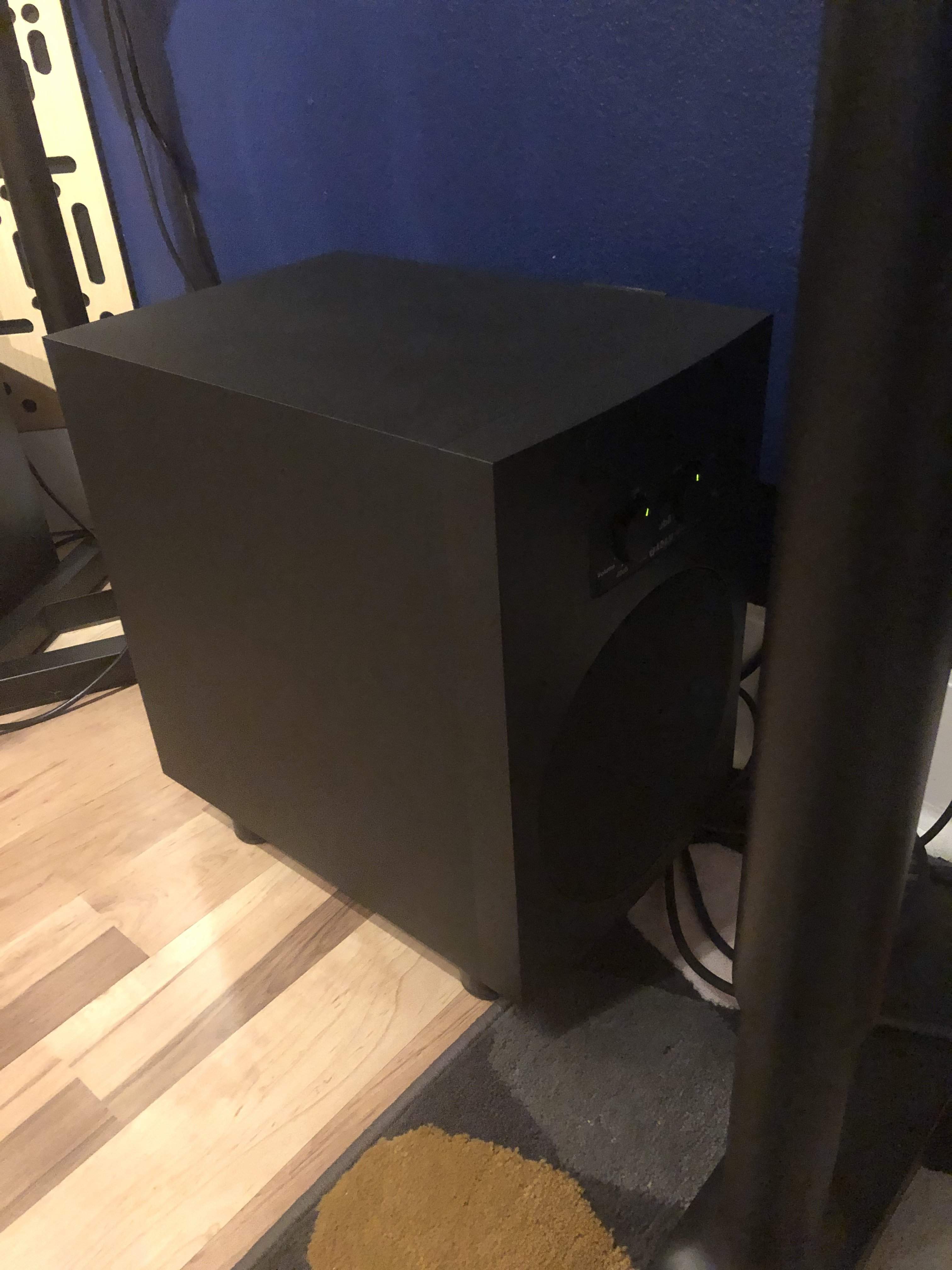
Playing around with placement lead me to a strange location. Most experts will tell you that placing a sub centered between monitors and under the desk is a bad way to go. Low frequencies are more omnidirectional and harder to locate in a stereo image. Additionally, you want to avoid the null that happens when energy hits side walls coincidentally and the resultant comb filtering that occurs when they converge after the first reflection. Despite all of that I always find that I can identify a "shift" from left to right with an off-center sub if it gets too wide. To that end the best placement for stereo imaging was just left of center under my desk.
From there it's a question of HPF settings, sub frequency settings, and sub volume settings relative to my nearfields. I setup a loopback test using a pink noise generator in Logic, a calibrated electret microphone placed at the convergence point of the high frequency drivers in my nearfields, and a couple of frequency analyzers (one on the pink noise input, and one on the track where the mic was coming back into Logic after being blasted by pink noise at 73db). I read lots of guides about mixing at 85db, but in my space 73db is punishingly loud to the point that I need to wear ear plugs to conduct the test. I have to imagine 85db is for bigger spaces and measured at the monitor, not the listening position. Or maybe I'm an overly sensitive wimp... I'm open to all considerations
The setup goes from the main stereo outputs from the master unit in my pair of Apogee Element 88s via XLR cable to the Adam Sub8 subwoofer. From there the signal goes out via XLR from the sub's satellite outputs to the Adam F7 nearfield monitors. The sub has a global 85hz HPF, and the F7s each have their own 80hz HPF. All of them are switchable. Below is a comparison of what happens with them toggled while the sub is set to an output of 50hz (its lowest available setting) and on just enough to roughly approximate the low frequency energy present at input on the pink noise generator. This isn't exactly scientific, but it's pretty controlled.
Both HPFs engaged. Pretty awful null happening around 60hz which is a critical area for accurate low end mixing on many playback systems. This won't do.
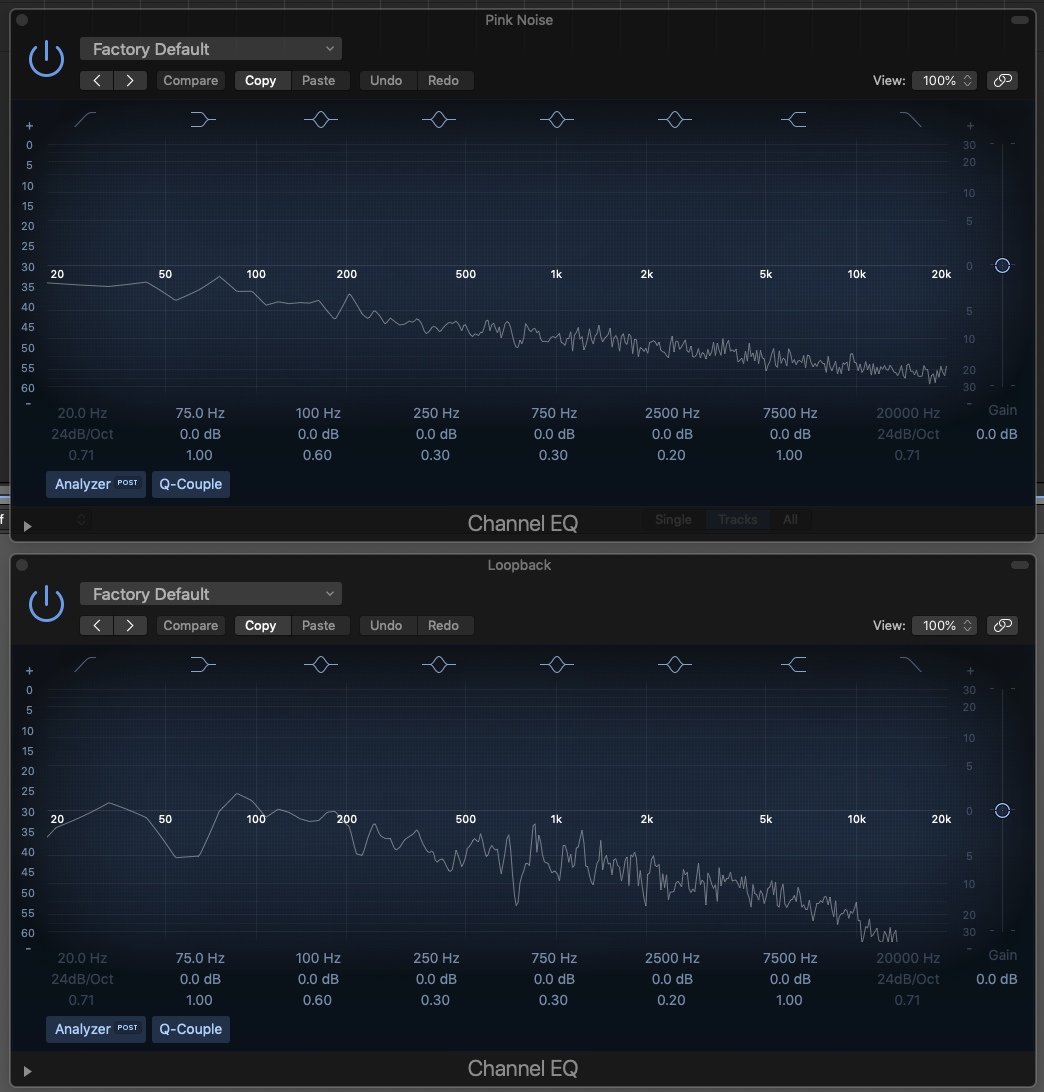
The polar opposite is with all HPFs disengaged. Curiously there's reduced performance way down low likely due to comb filtering. This creates too much of a bump in the same region as the null in the previous example, but it extends pretty high into the upper bass and lower midrange. This also won't do.
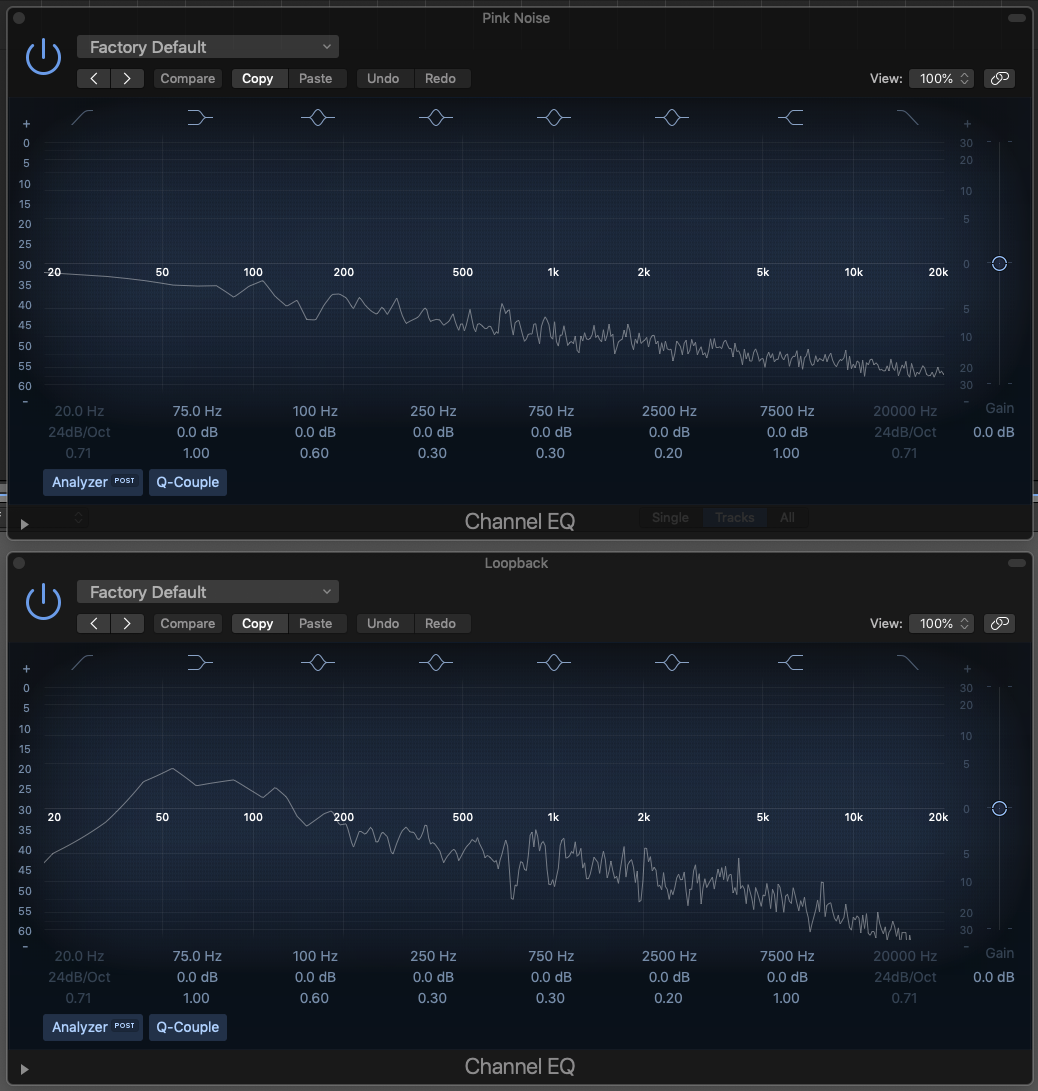
Here we see the nearfield HPFs disengaged and the global sub HPF engaged. Pretty flat down low, but an ugly bump in the 85hz range, which is curiously right at the knee frequency of the sub's HPF. Not bad, but not great.
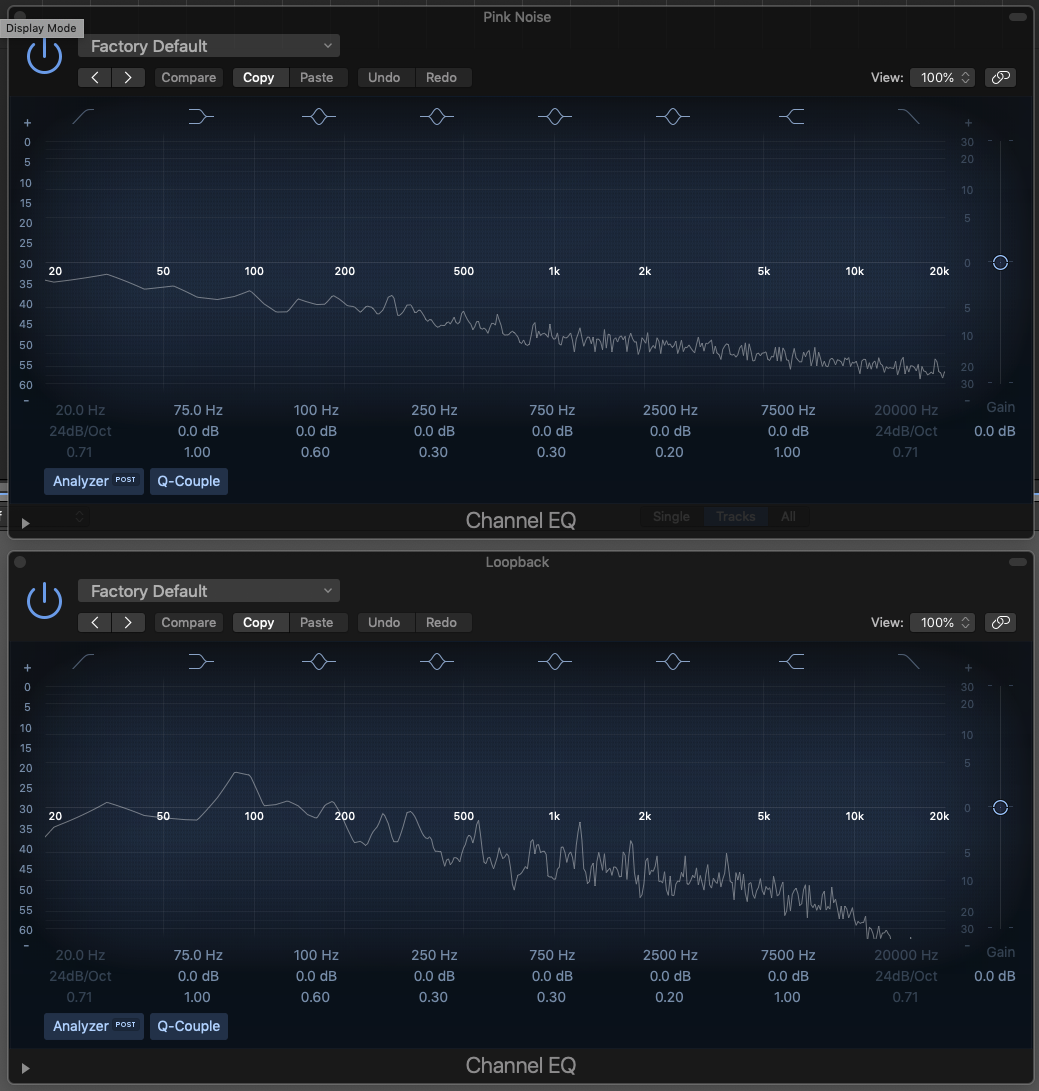
This is with the sub's HPF disengaged so it's passing a full range signal to the nearfield satellites. From there each nearfield's HPF is engaged. Wow, that's not bad! A little resonance in the lower midrange that I think I'll be able to dial out by reducing the volume of the sub just a hair and playing around with placement a little more, but this is a very promising starting point.

From there it's a question of HPF settings, sub frequency settings, and sub volume settings relative to my nearfields. I setup a loopback test using a pink noise generator in Logic, a calibrated electret microphone placed at the convergence point of the high frequency drivers in my nearfields, and a couple of frequency analyzers (one on the pink noise input, and one on the track where the mic was coming back into Logic after being blasted by pink noise at 73db). I read lots of guides about mixing at 85db, but in my space 73db is punishingly loud to the point that I need to wear ear plugs to conduct the test. I have to imagine 85db is for bigger spaces and measured at the monitor, not the listening position. Or maybe I'm an overly sensitive wimp... I'm open to all considerations
The setup goes from the main stereo outputs from the master unit in my pair of Apogee Element 88s via XLR cable to the Adam Sub8 subwoofer. From there the signal goes out via XLR from the sub's satellite outputs to the Adam F7 nearfield monitors. The sub has a global 85hz HPF, and the F7s each have their own 80hz HPF. All of them are switchable. Below is a comparison of what happens with them toggled while the sub is set to an output of 50hz (its lowest available setting) and on just enough to roughly approximate the low frequency energy present at input on the pink noise generator. This isn't exactly scientific, but it's pretty controlled.
Both HPFs engaged. Pretty awful null happening around 60hz which is a critical area for accurate low end mixing on many playback systems. This won't do.
The polar opposite is with all HPFs disengaged. Curiously there's reduced performance way down low likely due to comb filtering. This creates too much of a bump in the same region as the null in the previous example, but it extends pretty high into the upper bass and lower midrange. This also won't do.
Here we see the nearfield HPFs disengaged and the global sub HPF engaged. Pretty flat down low, but an ugly bump in the 85hz range, which is curiously right at the knee frequency of the sub's HPF. Not bad, but not great.
This is with the sub's HPF disengaged so it's passing a full range signal to the nearfield satellites. From there each nearfield's HPF is engaged. Wow, that's not bad! A little resonance in the lower midrange that I think I'll be able to dial out by reducing the volume of the sub just a hair and playing around with placement a little more, but this is a very promising starting point.

Silky;
After being addicted to your project all of these months, I believe you are a personification of one of Aristotle’s life lessons...”Excellence is not an event, it is a habit”.
Nice job!
After being addicted to your project all of these months, I believe you are a personification of one of Aristotle’s life lessons...”Excellence is not an event, it is a habit”.
Nice job!
Wow, thanks!Silky;
After being addicted to your project all of these months, I believe you are a personification of one of Aristotle’s life lessons...”Excellence is not an event, it is a habit”.
Nice job!
I have that up on my fridge for all to see.Silky;
After being addicted to your project all of these months, I believe you are a personification of one of Aristotle’s life lessons...”Excellence is not an event, it is a habit”.
Nice job!

And, I agree!
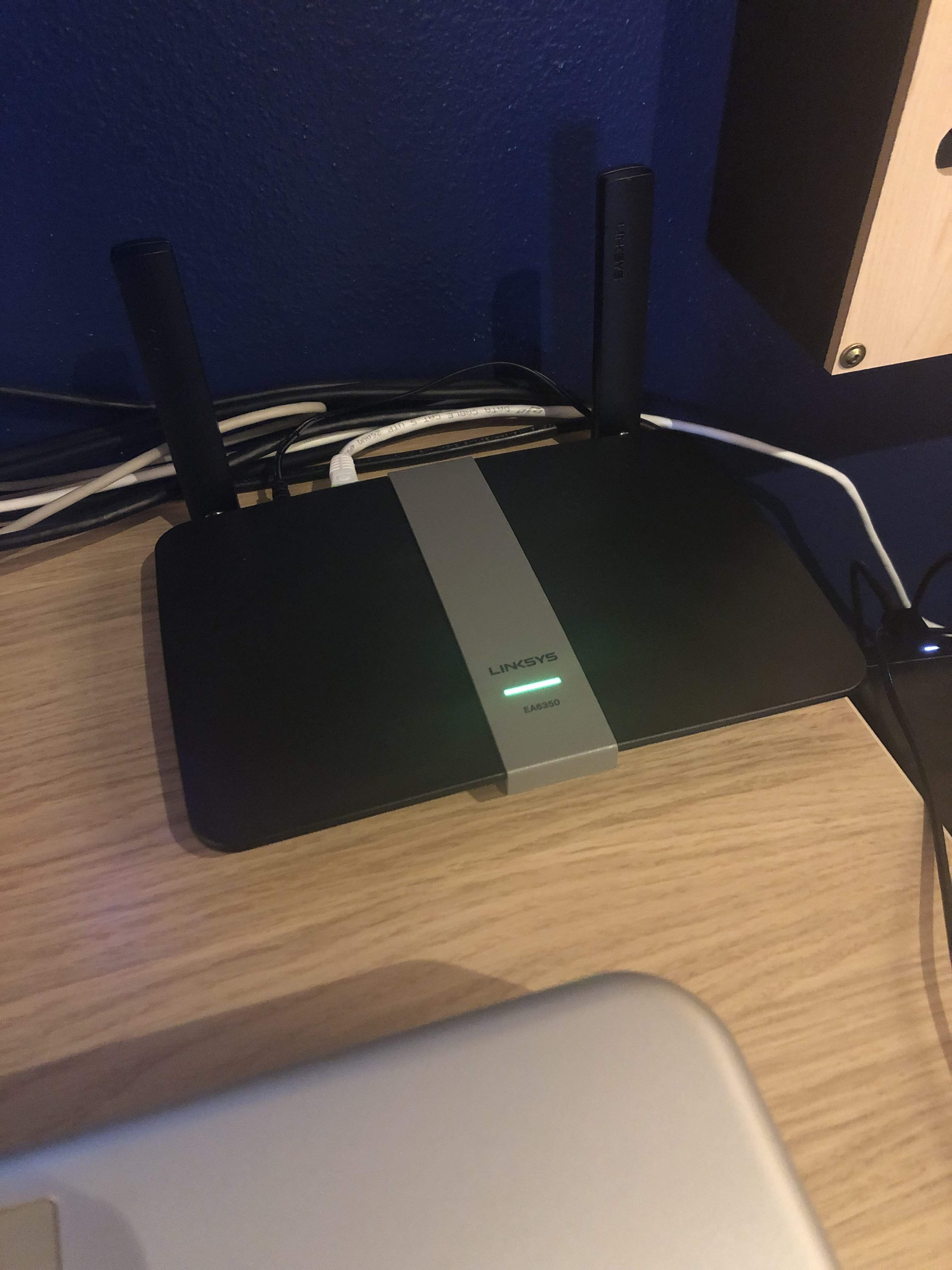
Added a router in the studio so I can control my interfaces and Logic from my iPhone or my iPad. Very handy when I’m behind the drums, and to allow the performer to set their own headphone level and mix. Internet still comes in over the internet-via-power adapter, so this is purely to create a wireless network out here.
Just ordered a Whirlwind Micmute PT and a cheap Nady boundary microphone. This will let me have a talkback mic on my desk. It's a small enough space that I can usually just turn around and address the performer directly, but for loud instruments, most notably drums, when isolating headphones are required it will be nice to not need them to take off their headphones if I just need to say "let's try that again." The Micmute will allow the mic to only be on when I depress the non-latching footswitch. Combine that with the D key on my Apogee Remote which dims the playback from the DAW but leaves the input monitoring volume up and I've got a couple of talkback monitoring options within easy reach. The setup will monopolize one of my inputs, but I'm rarely recording anything needing 16 inputs so it shouldn't be a big deal. If I ever do need to track 16 inputs simultaneously I can just forego the talkback for that session.
I have a drummer coming in on Saturday to track a single so it'll be a good demo of the added functionality.
I have a drummer coming in on Saturday to track a single so it'll be a good demo of the added functionality.
If you ever need 16 inputs, hand signals or violently waving your arms are an old, but time-tested method for getting someone’s attention. Screaming (at my children) was a safe bet, lol. Have fun.
Red flag? Green flag? Stop and go?If you ever need 16 inputs, hand signals or violently waving your arms are an old, but time-tested method for getting someone’s attention. Screaming (at my children) was a safe bet, lol. Have fun.
I’ll need a racetrack caution flag for times when they’re getting off the click.Red flag? Green flag? Stop and go?
I’ll need a racetrack caution flag for times when they’re getting off the click.

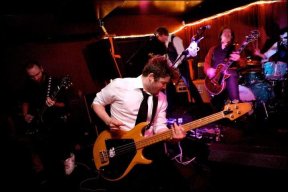
Excerpt from a Gearslutz thread about talkback mics. I love the internet sometimes
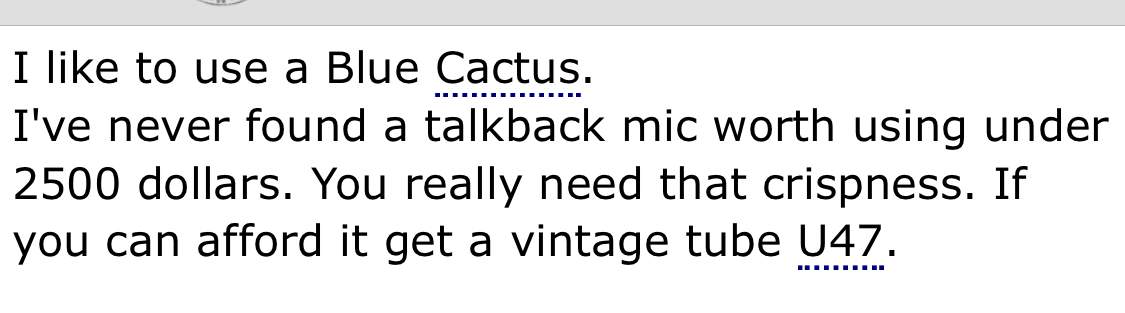
Excerpt from a Gearslutz thread about talkback mics. I love the internet sometimes
View attachment 3578857
Yikes!

That's odd, I've never found a talkback mic over $2500 worth using 

That forum is pretty worthless I’ve found. Big name producers just pimping the free gear they get so they get more if it. Middle and lower producers trying to act like big shots and making stuff up to sound like know it alls. The only people I actually take seriously are the low end forum people because they don’t take themselves too seriously, and the old old guy producers (like bob olhsson from Motown) who are super nice and give gems of wisdom amongst the riff raff.
i much prefer tapeop forum as it’s real engineers and producers and not rich guys playing producer in their free time. Also there is no pretense there.
i much prefer tapeop forum as it’s real engineers and producers and not rich guys playing producer in their free time. Also there is no pretense there.
Audio dropouts again last night. 
More stress-testing over the weekend courtesy of a long vocal and acoustic guitar session followed by a long drums session. If anything will reveal problems it will be this.
More stress-testing over the weekend courtesy of a long vocal and acoustic guitar session followed by a long drums session. If anything will reveal problems it will be this.

Is this due to the interface? Did you boot your computer as mentioned prior?Audio dropouts again last night.
More stress-testing over the weekend courtesy of a long vocal and acoustic guitar session followed by a long drums session. If anything will reveal problems it will be this.
Rebulit the entire system. The only constant is the interfaces. When using another interface I don't get this problem, but none of my other interfaces sound anywhere near as good as these or offer such seamless integration into Logic, so I've been trying to pinpoint the problem so I can continue using them.Is this due to the interface? Did you boot your computer as mentioned prior?


