
Dank u wel!No worries, I was earlier suggesting (respectfully) that part of the challenge and source of confusion might have been due to inaccurate translation between languages.
I can guarantee that your English is orders of magnitude better than our mastery of Dutch.

Enjoy the benefits of a premium membership!
Upgrade Account
-
TalkBass has been independent since 1998. Add your voice.
Create a free account to reply to discussions, view embedded media, and browse with fewer display ads.
Join free Log in
Want zero display ads or expanded classifieds tools? Compare plans.
You are using an out of date browser. It may not display this or other websites correctly.
You should upgrade or use an alternative browser.
You should upgrade or use an alternative browser.
Replacement speaker for an Ibanez Promethean P3110
- Thread starter stratovani
- Start date
More options
Who Replied?
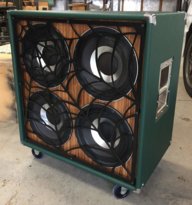
Great amps for the money, great thread on a common replacement. I'm in the process of replacing my damaged factory speaker with a replacement. I asked Ibanez about a stock replacement, as this amp is still sold new. I was quoted 308 USD (!!!) for a replacement from Hoshino USA. Seeing that I paid 350 new for the rig in '14, that's not really an option. So, I settled on a PRV 10FR300 from Parts Express. 60-14k, 150 w continuous/300 peak @ 8 ohm, and 70 USD.
One thing that I realized AFTER receiving the replacement, that hasn't really mentioned in this thread is that the original mounting screw pattern is 6 bolt, not 4 or 8 bolt. So, I'll have to either drill new holes in the chipboard baffle, and reposition the Tee nuts to follow the new 8 bolt rim, OR mark the new rim for the missing holes on the 6 bolt pattern, and drill the metal speaker frame. Luckily, I have the means to do so, and have done this type of mod in the past, but others should be made aware of this, as it COULD become a real pain in the butt if one isn't set up to do the job.
Again, thanks to all who have contributed to this thread - a lot of really useful info here.
One thing that I realized AFTER receiving the replacement, that hasn't really mentioned in this thread is that the original mounting screw pattern is 6 bolt, not 4 or 8 bolt. So, I'll have to either drill new holes in the chipboard baffle, and reposition the Tee nuts to follow the new 8 bolt rim, OR mark the new rim for the missing holes on the 6 bolt pattern, and drill the metal speaker frame. Luckily, I have the means to do so, and have done this type of mod in the past, but others should be made aware of this, as it COULD become a real pain in the butt if one isn't set up to do the job.
Again, thanks to all who have contributed to this thread - a lot of really useful info here.
Last edited:
...wound up lining up the baskets, face to face, then marking and drilling the new rim where the old rim holes lined up. 2 of the 6 lined up, so it was 4 holes drilled.
Success.
Success.

Hi, just thought I'd contribute a little. Replaced driver with Eminence Legend BP102 8ohm and kept the original tweeter (it just unscrews ). I did sacrifice a port to attach the tweeter and it all sounds great. Love the low end from the BP102.
A1
A1
Attachments


Last edited:
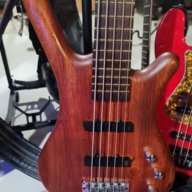
I just bought a second P3110 and am selling my acoustic amp. The great part is, I can stack two together for my bass rig! Acoustic guitar / bass, both sound awesome. No need for an acoustic amp anymore.
View attachment 3431616
I need a replacement speaker for this amp. Any one know the brand of the original or where to find a direct replacement? Thank you!

Have you tried asking Ibanez for a replacement?I need a replacement speaker for this amp. Any one know the brand of the original or where to find a direct replacement? Thank you!
SUPPORT | Ibanez guitars
Have you tried asking Ibanez for a replacement?
SUPPORT | Ibanez guitars
They are having issues sourcing the co-axial speaker. They were my 1st call before here.

- Feb 12, 2006
- 61,070
- 5
- 221,137
- Disclosures
- Development Engineer-Mesa Boogie, Development Engineer-Genzler (pedals), Product Support-Genz Benz
That's not a good thing.They are having issues sourcing the co-axial speaker. They were my 1st call before here.
Hi, I've got a P3110 combo for a while now and I've just received a used but in good condition P110C Cab.
I've got an issue : when I connect a jack to the speaker out, the amp driver mutes and only the cab gets the sound.
Looks like the good circuit, not the phantom one gets cut by the jack getting inserted.
Any idea?
Thanks!
ps : I'm no commercial user, just too fast a clicker newbee
I've got an issue : when I connect a jack to the speaker out, the amp driver mutes and only the cab gets the sound.
Looks like the good circuit, not the phantom one gets cut by the jack getting inserted.
Any idea?
Thanks!
ps : I'm no commercial user, just too fast a clicker newbee
Last edited:
- Feb 12, 2006
- 61,070
- 5
- 221,137
- Disclosures
- Development Engineer-Mesa Boogie, Development Engineer-Genzler (pedals), Product Support-Genz Benz
Problem solved!
Thanks for your answer. I've read the manual thanks to HaphAsSard, P 54!
And thanks to Martellino and his pics, I understood the driver wiring, phantom and not phantom.
Finally, I unscrewed the driver to discovered that the red and black cables were not connected.
Now it's good as new!
Thanks!
Read the manual, this may be entirely normal on that amp.
Thanks for your answer. I've read the manual thanks to HaphAsSard, P 54!
The product manual for the newer, 300W series still seems to describe what I remember of the P3110. Here's page 54:
View attachment 3747178
And thanks to Martellino and his pics, I understood the driver wiring, phantom and not phantom.
You can put in a single 8ohm speaker, 150 watts minimum, doesn't have to be coaxial, doesn't have to have a tweeter.
View attachment 4041651
The red and black leads (tie-wrapped together) are your main leads for your speaker. View attachment 4041659
The white and other black lead are used for the extra "fantom" voice-coil of the original speaker (which is there to have the amp deliver 300w at 4ohm, but is not connected to a cone so doesn't produce sound). You don't need this for your new speaker, just isolate and leave them.
Finally, I unscrewed the driver to discovered that the red and black cables were not connected.
Now it's good as new!
Thanks!
- Feb 12, 2006
- 61,070
- 5
- 221,137
- Disclosures
- Development Engineer-Mesa Boogie, Development Engineer-Genzler (pedals), Product Support-Genz Benz
Once again, someone got into the combo and created a problem! Glad it was an easy fix.
These amps originally used a series connection and I recall one early version where the internal load was disconnected when using with an external cabinet.
These amps originally used a series connection and I recall one early version where the internal load was disconnected when using with an external cabinet.

Sorry to bump a zombie thread but I wanted to post this in case anyone else had the issue.
There is a screw on the back magnet in the middle that holds the post in place that loosens up over time. You can take the speaker out (MAKE NOTE OF HOW THE WIRES ATTACH). Tighten down the screw in the middle of the back magnet while holding the front post still. If you don't hold the post, it can rip the wire out of the speaker. Do not over tighten. Check to make sure the speaker isn't rubbing on the side of of the post now that it has been tightened and reassemble. This fixed my buzzing.
There is a screw on the back magnet in the middle that holds the post in place that loosens up over time. You can take the speaker out (MAKE NOTE OF HOW THE WIRES ATTACH). Tighten down the screw in the middle of the back magnet while holding the front post still. If you don't hold the post, it can rip the wire out of the speaker. Do not over tighten. Check to make sure the speaker isn't rubbing on the side of of the post now that it has been tightened and reassemble. This fixed my buzzing.
- Feb 12, 2006
- 61,070
- 5
- 221,137
- Disclosures
- Development Engineer-Mesa Boogie, Development Engineer-Genzler (pedals), Product Support-Genz Benz
You were very, very lucky. It's pure luck that the alignment was ok.Sorry to bump a zombie thread but I wanted to post this in case anyone else had the issue.
There is a screw on the back magnet in the middle that holds the post in place that loosens up over time. You can take the speaker out (MAKE NOTE OF HOW THE WIRES ATTACH). Tighten down the screw in the middle of the back magnet while holding the front post still. If you don't hold the post, it can rip the wire out of the speaker. Do not over tighten. Check to make sure the speaker isn't rubbing on the side of of the post now that it has been tightened and reassemble. This fixed my buzzing.


