• TalkBass has been independent since 1998. Add your voice.
    Create a free account to reply to discussions, view embedded media, and browse with fewer display ads.
    Join freeLog in
    Want zero display ads or expanded classifieds tools? Compare plans.

source audio c4


Hey @Proton Lenny great video! Welcome to the C4 club.

I noticed that the knob labels on your Neuro screen recoding had some sizing issues- where characters were missing off of the names for the various knobs. Like on mine i see FM not just F and Frequency not Frequenc. None of the labels are shortened for me.

Do you have your default Mac font increased? I did that for my wife’s Mac as she refused to get glasses and some weird stuff happened. Still happens on her iPhone where font size is increased. Maybe you blew it up so it was easier to read for the video, it just bothered my OCD so much I had to hop on here and let a brotha know.
 
Hey @Proton Lenny great video! Welcome to the C4 club.

I noticed that the knob labels on your Neuro screen recoding had some sizing issues- where characters were missing off of the names for the various knobs. Like on mine i see FM not just F and Frequency not Frequenc. None of the labels are shortened for me.

Do you have your default Mac font increased? I did that for my wife’s Mac as she refused to get glasses and some weird stuff happened. Still happens on her iPhone where font size is increased. Maybe you blew it up so it was easier to read for the video, it just bothered my OCD so much I had to hop on here and let a brotha know.
Yeah, it bothered me too Haha. Font size isn't increased, but I should mess with display parameters again.

I messed around with this a bit more today. I can't seem to find out how to have the display show everything. It still cuts off 'FM', 'Master Depth', and more. Any mac users know why this is the case? @rsmith601 any ideas?
 
Last edited:
  • Like
Reactions: intrglctcrevfnk

Thank you Zach, you did an amazing demo that I think every user will learn something from, i certainly learned things, and understand others better and have gobs of new ideas and things to try. I really want to get into the FM thing a bunch more.

Epic video! Watched the whole thing! Even I learned a few things :)
Brother that ain't half lying!
 
  • Like
Reactions: 4Mal
So I feel kind of silly, but how do I upload presets onto the Neuro Presets part of the SA website? I've spent like 10 minutes looking for an upload tab or something. I already exported all the presets into a folder from the desktop app.
When you save a preset to the Neuro Cloud you have the option to publish. If you have already saved it just do it again like Steely Dan sez.
 
So I feel kind of silly, but how do I upload presets onto the Neuro Presets part of the SA website? I've spent like 10 minutes looking for an upload tab or something. I already exported all the presets into a folder from the desktop app.
Its done from the Editor. Really easy. Publish.
 
  • Like
Reactions: Proton Lenny
how easy is it to set up a midi controller for presets ? anyone have a video for this?

is there a way to listen to some sounds available in the cloud with out having the c4 plugged into the editor>?
Depends on the MIDI controller, but one of the big draws of the Disaster Area controllers is that they are made easy to set-up for a variety of pedals (and have specific programs built-in to software updates to configure for many new pedals when they are released), plus they release videos for set-up questions and "how-tos" with specific pedals. Programming the DMC-8 with my C4 was super easy after watching their video on the subject...
 
  • Like
Reactions: Real Soon
Depends on the MIDI controller, but one of the big draws of the Disaster Area controllers is that they are made easy to set-up for a variety of pedals (and have specific programs built-in to software updates to configure for many new pedals when they are released), plus they release videos for set-up questions and "how-tos" with specific pedals. Programming the DMC-8 with my C4 was super easy after watching their video on the subject...

i was not able to find the video
 
I believe they are uploaded under the name 'proton', however the neuro part of the website is not loading for me at the moment.


Saw that it hit yesterday afternoon and sat down pretty immediately with it.

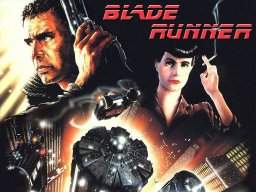
I really enjoyed your video, which really rides the line between 'demo' and 'tutorial' and will be a great resource for lots of people. Thanks again for doing a C4 version of your Blade Runner Brass patch, I'll be plying it with delay (Strymon Timeline) and reverb (Dr. Scientist Atmosphere).

I've been way more involved in the filter/envelope side but you really got some nice synth tones out of it, that I'm going to enjoy playing around with.


...on another note, you've replaced your 4-way rotary on the AB with a traditional Fender style selector? I don't remember seeing it that way on previous videos.
 
Saw that it hit yesterday afternoon and sat down pretty immediately with it.

I really enjoyed your video, which really rides the line between 'demo' and 'tutorial' and will be a great resource for lots of people. Thanks again for doing a C4 version of your Blade Runner Brass patch, I'll be plying it with delay (Strymon Timeline) and reverb (Dr. Scientist Atmosphere).

I've been way more involved in the filter/envelope side but you really got some nice synth tones out of it, that I'm going to enjoy playing around with.


...on another note, you've replaced your 4-way rotary on the AB with a traditional Fender style selector? I don't remember seeing it that way on previous videos.

I replaced the rotary a long time ago with a 3 way switch. A few years back I had that replaced with a 4 way blade switch. Much prefer it over the standard rotary switch. Easier to tell where I am.
 
  • Like
Reactions: BurningSkies
I replaced the rotary a long time ago with a 3 way switch. A few years back I had that replaced with a 4 way blade switch. Much prefer it over the standard rotary switch. Easier to tell where I am.

I generally only use the parallel/series multi-pickup settings on mine, so it's less of a thing...but I did find that on stage the rubber Dingwall knob on the switch can be hard to move if you get slippery fingers.
 
if i download the app or the desktop editor can I hear sounds ? on the fence about purchasing just wanna hear some diff sounds

You really need the pedal and a bass to trigger it to hear the sounds as they are in the App. Though some of the patches in the community library do have short video samples. You may be best off by doing a search or videos and/or audio samples on Google to hear what's out there.
 
Last night, the wife and I were watching re-runs of Ashes to Ashes...she turned around to me and said “aha! Now I understand the context of all those warbling synth tones you’ve been making on your bass”...it’s an 80’s retro drama with lots of new romantic’s on the sound track. It kind of made me laugh, but musically...exactly my age group!
We fade to grey...anyone?
 
Last night, the wife and I were watching re-runs of Ashes to Ashes...she turned around to me and said “aha! Now I understand the context of all those warbling synth tones you’ve been making on your bass”...it’s an 80’s retro drama with lots of new romantic’s on the sound track. It kind of made me laugh, but musically...exactly my age group!
We fade to grey...anyone?
My wife is also a musician so she gets it and is very supportive, within limits. We have a lot of musical interests in common including electronic and experimental music plus a lot of rock music from the sixties and beyond that used synthesizers and crazy production techniques.
 
  • Like
Reactions: Kubicki Fan




