
Enjoy the benefits of a premium membership!
Upgrade Account
-
TalkBass has been independent since 1998. Add your voice.
Create a free account to reply to discussions, view embedded media, and browse with fewer display ads.
Join free Log in
Want zero display ads or expanded classifieds tools? Compare plans.
You are using an out of date browser. It may not display this or other websites correctly.
You should upgrade or use an alternative browser.
You should upgrade or use an alternative browser.
Source Audio Sorcerers Society (S.A.S.S) Part 3
- Thread starter gregmon79
- Start date
More options
Who Replied?

So I am super happy my Aftershock has arrived and am really enjoying the sounds however.....
I cant get this Nuero app to work and I have no idea why. I am running it on Android (HTC), are there any obvious things I am missing.
I have plugged in the cord and turned my volume slightly under max volume (as I have read that Androids should be used with the app), and when I edit anything it doesn't seem to communicate anything to the actual pedal.
Anything I'm missing? or anyone else in the same boat?
I cant get this Nuero app to work and I have no idea why. I am running it on Android (HTC), are there any obvious things I am missing.
I have plugged in the cord and turned my volume slightly under max volume (as I have read that Androids should be used with the app), and when I edit anything it doesn't seem to communicate anything to the actual pedal.
Anything I'm missing? or anyone else in the same boat?


Keep adjusting your volume until you do see results from the app....I had to go about 3/4 on my volume, about 5 notches below max.So I am super happy my Aftershock has arrived and am really enjoying the sounds however.....
I cant get this Nuero app to work and I have no idea why. I am running it on Android (HTC), are there any obvious things I am missing.
I have plugged in the cord and turned my volume slightly under max volume (as I have read that Androids should be used with the app), and when I edit anything it doesn't seem to communicate anything to the actual pedal.
Anything I'm missing? or anyone else in the same boat?

- Apr 19, 2001
- 2,302
- 3,047
- Disclosures
- Beta tester Source Audio, demos/reviews of many others
Sub'dAnyone have a suggested Nemesis setting for a reverb-ish effect?

rsmith601
Commercial User
- Apr 14, 2009
- 4,461
- 8,356
- Disclosures
- CEO and Co-Founder, Source Audio
Note that the little LED on top will blink when the pedal is getting commands from the phone successfully.So I am super happy my Aftershock has arrived and am really enjoying the sounds however.....
I cant get this Nuero app to work and I have no idea why. I am running it on Android (HTC), are there any obvious things I am missing.
I have plugged in the cord and turned my volume slightly under max volume (as I have read that Androids should be used with the app), and when I edit anything it doesn't seem to communicate anything to the actual pedal.
Anything I'm missing? or anyone else in the same boat?
NicJimBass
Flossin'? I thought your name was Munson!
Started digging in to the Hub manager, messing with settings and saving scenes... this thing is great! I always had such a hard time dialing in sounds, especially the filter sound I heard in my head, with most of the settings being harder to access on the physical pedal. With the manager, I was able to get "my" filter sound in about 3 minutes. Haven't even scratched the surface yet, and I'm already excited!!
Share those filter settings!Started digging in to the Hub manager, messing with settings and saving scenes... this thing is great! I always had such a hard time dialing in sounds, especially the filter sound I heard in my head, with most of the settings being harder to access on the physical pedal. With the manager, I was able to get "my" filter sound in about 3 minutes. Haven't even scratched the surface yet, and I'm already excited!!
NicJimBass
Flossin'? I thought your name was Munson!
Done.... for the next 5 minutes.
Bass > X2 Wireless > Markbass Compressore > Loopmaster 6 loop (EBS Octabass, Digitech Bass Driver, Digitech Bass Synth Wah, Source Audio OFD, Source Audio Manta, Zoom B3) > Channel B on Korg Pitchblack Plus (Channel A is Roland Gaia Keyboard Synth) > Tech 21 VT Bass Deluxe (Line 6 M5 in VT FX loop).
Tech 21 MIDI > Source Audio Hub > Line 6 M5 (allowing for much easier patch switching).

Bass > X2 Wireless > Markbass Compressore > Loopmaster 6 loop (EBS Octabass, Digitech Bass Driver, Digitech Bass Synth Wah, Source Audio OFD, Source Audio Manta, Zoom B3) > Channel B on Korg Pitchblack Plus (Channel A is Roland Gaia Keyboard Synth) > Tech 21 VT Bass Deluxe (Line 6 M5 in VT FX loop).
Tech 21 MIDI > Source Audio Hub > Line 6 M5 (allowing for much easier patch switching).
NicJimBass
Flossin'? I thought your name was Munson!
Share those filter settings!
The one I like, a lot:
Filter model between 6 and 7 (extended mode)
Depth a little past 3:00
Mod Source at 0
Speed 2:00
Frequency 10:00
Resonance 1:00
Mix at 0
Volume 2:00
Drive and Distortion at 0
The 6x filter is my favorite. That's a nice clean envelop sound. I have a dirty envelop sound that I use a lot and a clean sine wave with a little drive that I use too. I'd attach the .pdl files, but the forum won't let me.
Dirty envelop filter:
filter: 6x
depth: 3:00
mod at minimum
speed: 10:00
freq: just under 3:00
res: 11:00
mix: just under 9:00
volume: 12:00
drive: 10:30
dist: 8:00
Clean sine filter:
filter: 6x
depth: 3:00
mod: 10:00
speed: 12:00
freq: 3:00
res: 10:00
mix: 8:00
volume: 1:00
dist at minimum
Dirty envelop filter:
filter: 6x
depth: 3:00
mod at minimum
speed: 10:00
freq: just under 3:00
res: 11:00
mix: just under 9:00
volume: 12:00
drive: 10:30
dist: 8:00
Clean sine filter:
filter: 6x
depth: 3:00
mod: 10:00
speed: 12:00
freq: 3:00
res: 10:00
mix: 8:00
volume: 1:00
dist at minimum
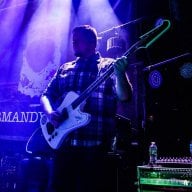
Auturia MicroBrute into the Aftershock, into the Dimension Reverb. Deliiiiiish, so heavy and rich.
Hub problem ... if I send a couple of program change messages as part of an ES-8 patch (it can change program in up to 8 other units when changing patch) then all connected units respond to their message, except for the Hub. If only one PC message, on the Hub's channel, is sent from the ES-8 patch or another controller then the Hub does recall the scene. With a MIDI monitor I can see that the correct messages are sent. What's going on here?
rsmith601
Commercial User
- Apr 14, 2009
- 4,461
- 8,356
- Disclosures
- CEO and Co-Founder, Source Audio
Sounds like wrong midi channel set up on the Hub? Sometimes the nomenclature gets confusing such as 0 being 1.Hub problem ... if I send a couple of program change messages as part of an ES-8 patch (it can change program in up to 8 other units when changing patch) then all connected units respond to their message, except for the Hub. If only one PC message, on the Hub's channel, is sent from the ES-8 patch or another controller then the Hub does recall the scene. With a MIDI monitor I can see that the correct messages are sent. What's going on here?
I don't think that's the case here; I copied the ES-8 preset that has 6 PC commands and disabled all but the one for the Hub, and then it works.
rsmith601
Commercial User
- Apr 14, 2009
- 4,461
- 8,356
- Disclosures
- CEO and Co-Founder, Source Audio
Please send a pm.I don't think that's the case here; I copied the ES-8 preset that has 6 PC commands and disabled all but the one for the Hub, and then it works.
You have to assign the midi channels on the devices from their own config options, not only on the es-8 though.I don't think that's the case here; I copied the ES-8 preset that has 6 PC commands and disabled all but the one for the Hub, and then it works.
I've sent a support request via your web page.Please send a pm.
Hub and pedals are all set on channel 1.You have to assign the midi channels on the devices from their own config options, not only on the es-8 though.
And, as I wrote earlier, sending only one PC works, sending six PCs on different channels in a batch does not.


