

Enjoy the benefits of a premium membership!
Upgrade Account
-
TalkBass has been independent since 1998. Add your voice.
Create a free account to reply to discussions, view embedded media, and browse with fewer display ads.
Join free Log in
Want zero display ads or expanded classifieds tools? Compare plans.
You are using an out of date browser. It may not display this or other websites correctly.
You should upgrade or use an alternative browser.
You should upgrade or use an alternative browser.
Source Audio Sorcerers Society (S.A.S.S) Part 3
- Thread starter gregmon79
- Start date
More options
Who Replied?
- Apr 19, 2001
- 2,302
- 3,047
- Disclosures
- Beta tester Source Audio, demos/reviews of many others
I'll sell mine once they have the Aftershock Deluxe version.Does anyone have a SA Aftershock they're willing to part with?
Haven't seen any up yet, just like the Nemesis I think people are happy with them.

I'll sell mine once they have the Aftershock Deluxe version.
Haven't seen any up yet, just like the Nemesis I think people are happy with them.
I've been looking for a replacement distortion/overdrive pedal for my VT Bass DI.
I don't really like that the VT is a preamp...and I've had enough of preamps, thanks.
I'll sell mine once they have the Aftershock Deluxe version.
Haven't seen any up yet, just like the Nemesis I think people are happy with them.
Is this a real thing? the Aftershock Deluxe?

Adamixoye
A PT Pro is cool for worship, right?
- Apr 9, 2012
- 18,158
- 69,338
- Disclosures
- Occasional Beta Tester for Confusion Studios, Singular Sound, and Source Audio

rsmith601
Commercial User
- Apr 14, 2009
- 4,461
- 8,356
- Disclosures
- CEO and Co-Founder, Source Audio
Absolutely no!Is this a real thing? the Aftershock Deluxe?
- Apr 19, 2001
- 2,302
- 3,047
- Disclosures
- Beta tester Source Audio, demos/reviews of many others
Haha.Absolutely no!
I just picture an aftershock in the shape of the nemesis, with an XLR DI output instead of the Midi, and all the goodies of the Nemesis like presets and all that.
Just sayin'

Haha.
I just picture an aftershock in the shape of the nemesis, with an XLR DI output instead of the Midi, and all the goodies of the Nemesis like presets and all that.
Just sayin'
Wouldn't even have to be an Aftershock-based pedal, since any of the drive types from any of the One drive pedals are interchangeable. The ultimate SA drive pedal, for guitar or bass, with the features you mentioned. Honestly, that's the only way I could think to improve upon the Aftershock/LA Lady/Kingmaker

Yes I'll be listing mine over the weekend.Does anyone have a SA Aftershock they're willing to part with?
Yes I'll be listing mine over the weekend.
Why the weekend? I'll be the first to be interested in it for sure
Gigs every night from tomorrow until Sunday, no free time until then.Why the weekend? I'll be the first to be interested in it for sure
Gigs every night from tomorrow until Sunday, no free time until then.
Understood. PM me when you're gonna sell it?

I'll sell mine once they have the Aftershock Deluxe version.
Haven't seen any up yet, just like the Nemesis I think people are happy with them.
i picked up a 2nd hand Nemesis on ebay here in the UK. cracking deal!
haven't received it yet tho

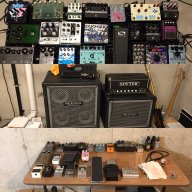
I had to sell my Nemesis yesterday.
I needed money desperately to pay off some debt and it was easy to sell. Sucks!
As soon as I'm in the green again, I'm buying a new one. Best delay around. So versatile and beautiful.
I needed money desperately to pay off some debt and it was easy to sell. Sucks!
As soon as I'm in the green again, I'm buying a new one. Best delay around. So versatile and beautiful.

PS:
This thread and the Future Impact thread have a lot of deep information for users, but someone dropping by to see how people like the Aftershock before he buys it may see all the tech talk and think "I don't even know what midi is, I guess I need a Boss pedal".
I am exactly that guy!!
 I just see all the great sounds folks are getting from the source audio pedals and I want to check them out...I have several pedals, but at this point my mxr compressor confuses me, I won't even start on the darkglass b7k, but I do thank all the folks at darkglass for making amazing sounds come out of that thing, no matter what the knobs and switches are doing...just on a quest for the ultimate peter steele tone, and the aftershock and gemini seem like great places to go (seeing as how I've already got all those boss pedals
  )
)
I've just purchased a One Series Mercury Flanger, an Aftershock (which is on it's way) and a Hub.
Also a Tech21 Midi Moose to control it all. But I'm struggling to get it to do what I want.
I can create 'scenes' with the Hub Manager & succesfully saved them to the Moose but when I change preset on Moose to a 'blank' slot I still get the last selected 'flanger' sound, I've tried changing to/from Omni mode but no difference.
Also, I changed the effect type via the Neuro app but it didn't change the Hub Manager (obviously as they're not connected), so do I 'burn' to Mercury then try copy all the parameters on the Manager ?
Apologies if this has been covered before but I'm new to midi etc. I have read most of the manuals but can't quite get a grasp
Any advice etc is most welcome ...I have emailed SA directly so I'm sure they will shed some light but thought I'd also ask here as TB is just such a great resource !
!
Also a Tech21 Midi Moose to control it all. But I'm struggling to get it to do what I want.
I can create 'scenes' with the Hub Manager & succesfully saved them to the Moose but when I change preset on Moose to a 'blank' slot I still get the last selected 'flanger' sound, I've tried changing to/from Omni mode but no difference.
Also, I changed the effect type via the Neuro app but it didn't change the Hub Manager (obviously as they're not connected), so do I 'burn' to Mercury then try copy all the parameters on the Manager ?
Apologies if this has been covered before but I'm new to midi etc. I have read most of the manuals but can't quite get a grasp
Any advice etc is most welcome ...I have emailed SA directly so I'm sure they will shed some light but thought I'd also ask here as TB is just such a great resource
!
- Apr 19, 2001
- 2,302
- 3,047
- Disclosures
- Beta tester Source Audio, demos/reviews of many others
A previously untouched MIDI PC message will not change anything to the Hub. Well the hub won't change anything if it isn't being told to. You should create a blank scene, like PC 0, with all pedals bypassed. That way every time you select PC 0 it will be all entirely bypassed. Then you can copy that scene to wherever you want it for future use.I've just purchased a One Series Mercury Flanger, an Aftershock (which is on it's way) and a Hub.
Also a Tech21 Midi Moose to control it all. But I'm struggling to get it to do what I want.
I can create 'scenes' with the Hub Manager & succesfully saved them to the Moose but when I change preset on Moose to a 'blank' slot I still get the last selected 'flanger' sound, I've tried changing to/from Omni mode but no difference.
Also, I changed the effect type via the Neuro app but it didn't change the Hub Manager (obviously as they're not connected), so do I 'burn' to Mercury then try copy all the parameters on the Manager ?
Apologies if this has been covered before but I'm new to midi etc. I have read most of the manuals but can't quite get a grasp
Any advice etc is most welcome ...I have emailed SA directly so I'm sure they will shed some light but thought I'd also ask here as TB is just such a great resource
To save a scene in hub manager from the app: make your changes in the app, burn them to the pedal, then hold the hub Save button or save it via the hub manager.

I've just purchased a One Series Mercury Flanger, an Aftershock (which is on it's way) and a Hub.
Also a Tech21 Midi Moose to control it all. But I'm struggling to get it to do what I want.
I can create 'scenes' with the Hub Manager & succesfully saved them to the Moose but when I change preset on Moose to a 'blank' slot I still get the last selected 'flanger' sound, I've tried changing to/from Omni mode but no difference.
Also, I changed the effect type via the Neuro app but it didn't change the Hub Manager (obviously as they're not connected), so do I 'burn' to Mercury then try copy all the parameters on the Manager ?
Apologies if this has been covered before but I'm new to midi etc. I have read most of the manuals but can't quite get a grasp
Any advice etc is most welcome ...I have emailed SA directly so I'm sure they will shed some light but thought I'd also ask here as TB is just such a great resource
Hi @sifi2112. Here's a copy of the response from contact:
"I can create 'scenes' with the Hub Manager & succesfully saved them to
the Moose but when I change preset on Moose to a 'blank' slot I still get
the last selected 'flanger' sound, I've tried changing to/from Omni mode
but no difference.²
- This is normal. In order to have the Flanger shut off when you go into
another scene, you have to add it to that scene in bypassed mode. So,
when you enter a blank scene in the HUB Manager, add the Mercury to it,
and bypass it. Then, save that to your HUB.
"Also, I changed the effect type via the Neuro app but it didn't change
anything in the Hub Manager ?
How do these two 'talk' with each other ?"
- Changes that you make with the Neuro App will not show up in the HUB
Manager until you open the pedal editor and select, "Read from Pedal."
The Neuro App is a one-way communicator, so it will not be able to analyze
changes made in the HUB Manager.


