
Ok so the scenes you put together on your computer are not reflecting in the hub when you save them. Correct? Saving using the hub sounds like it's working as it should.I understand that if I connect the neuro hub direct to the computer/neuro desktop editor I cannot change/save pedal presets.
My problem is, the scenes I have on the hub don’t come up on the desktop app and the scenes I make with the desktop app most of the time don’t safe to the hub.
They do save if I press the button on the hub to save the scene I just made with the desktop app.
Hope I explained it a little bit better. (english is not my native language)

Enjoy the benefits of a premium membership!
Upgrade Account
-
TalkBass has been independent since 1998. Add your voice.
Create a free account to reply to discussions, view embedded media, and browse with fewer display ads.
Join free Log in
Want zero display ads or expanded classifieds tools? Compare plans.
You are using an out of date browser. It may not display this or other websites correctly.
You should upgrade or use an alternative browser.
You should upgrade or use an alternative browser.
Source Audio Sorcerers Society (S.A.S.S) Part 3
- Thread starter gregmon79
- Start date
More options
Who Replied?Correct.
It’s not a real big problem to save the presets by pressing the knob on the neuro hub. But it would be a lot easier to be able to make, name and save scenes from the computer.
I thought it maybe was an connection problem. Thats ehy I connected direct from neuro hub to my computer without the usb extension cable and usb hub. Unfortunately that did not change the situation.
By the way: Editing the UW and C4 direct from the neuro desktop app works perfectly. Also then the neuro hub is also connected via the usb hub. I edit the pedals by clicking on the wrench icon of that pedal. I can see the presets edit them and save them.
It’s not a real big problem to save the presets by pressing the knob on the neuro hub. But it would be a lot easier to be able to make, name and save scenes from the computer.
I thought it maybe was an connection problem. Thats ehy I connected direct from neuro hub to my computer without the usb extension cable and usb hub. Unfortunately that did not change the situation.
By the way: Editing the UW and C4 direct from the neuro desktop app works perfectly. Also then the neuro hub is also connected via the usb hub. I edit the pedals by clicking on the wrench icon of that pedal. I can see the presets edit them and save them.
Last edited:
I think the main question I have is:
Can the neuro desktop editor not read scenes created on the hub itself?
Does the editor only send info to the hub without receiving info from the hub and pedals back to the computer?
Can the neuro desktop editor not read scenes created on the hub itself?
Does the editor only send info to the hub without receiving info from the hub and pedals back to the computer?

The editor can see scenes saved on the hub. The editor can see pedals connected to the hub too, just not realtime updates like when connected directly. Need to press "read from pedal" to get the pedals current settings.I think the main question I have is:
Can the neuro desktop editor not read scenes created on the hub itself?
Does the editor only send info to the hub without receiving info from the hub and pedals back to the computer?


I think the main question I have is:
Can the neuro desktop editor not read scenes created on the hub itself?
Does the editor only send info to the hub without receiving info from the hub and pedals back to the computer?
Pretty sure the neuro desktop editor can read the scenes created on the hub, its usb and its two way communication in this case. Are you connecting to the neuro hub via a usb hub or direct to computer? Try different cables, some cables I have used in the past would not work, swapped them and voila. As for creating presets, it seems to me when you create new presets you have to use the ”save as” button and then choose a slot + name the preset. When just modifying an existing preset the regular ”save” button works fine. Also, I always set my pedals how i want them, then press the ”create new preset with connected pedals” (might say something else, im 2 caprioscas deep in the spanish balearic islands
 ) after that I select ”read pedals” and if i habemt been paying attention I turn off pedals that I dont need for that preset, then press ”save as” button and choose a slot.
Hope this info can help you and good luck.
edit for clarity (maybe)
Thank you!!!
I already connected direct but I’m going to try different cables.
Cheers, enjoy the caiparoscas!!!
I already connected direct but I’m going to try different cables.
Cheers, enjoy the caiparoscas!!!
Don’t know why, but everything is working now.
I did change some usb cables. (All the original cables) and now it works. Scenes created on the pedals and hub show up in the desktop app. (After hitting refresh button) And if I ‘save as’ I can rename them and the soleman gets the updated names.
After editing the scenes the normal ‘save’ button also works. (Star behind the scene being edited disapears)
Really don’t know what is different from the other times I tried.
I changed cables, power adapters, usb-hub or no usb-hub multiple times before. But all of a sudden tonight everything works! Good times!!!
Only thing that remains is that the scene numbers on the soleman don’t match the scene numbers of the hub. But I can live with that.
Thanks for the help!!
I did change some usb cables. (All the original cables) and now it works. Scenes created on the pedals and hub show up in the desktop app. (After hitting refresh button) And if I ‘save as’ I can rename them and the soleman gets the updated names.
After editing the scenes the normal ‘save’ button also works. (Star behind the scene being edited disapears)
Really don’t know what is different from the other times I tried.
I changed cables, power adapters, usb-hub or no usb-hub multiple times before. But all of a sudden tonight everything works! Good times!!!
Only thing that remains is that the scene numbers on the soleman don’t match the scene numbers of the hub. But I can live with that.
Thanks for the help!!

rsmith601
Commercial User
- Apr 14, 2009
- 4,461
- 8,356
- Disclosures
- CEO and Co-Founder, Source Audio
Excllent work SASS members!Don’t know why, but everything is working now.
I did change some usb cables. (All the original cables) and now it works. Scenes created on the pedals and hub show up in the desktop app. (After hitting refresh button) And if I ‘save as’ I can rename them and the soleman gets the updated names.
After editing the scenes the normal ‘save’ button also works. (Star behind the scene being edited disapears)
Really don’t know what is different from the other times I tried.
I changed cables, power adapters, usb-hub or no usb-hub multiple times before. But all of a sudden tonight everything works! Good times!!!
Only thing that remains is that the scene numbers on the soleman don’t match the scene numbers of the hub. But I can live with that.
Thanks for the help!!
Works well actuallyThe editor can see scenes saved on the hub. The editor can see pedals connected to the hub too, just not realtime updates like when connected directly. Need to press "read from pedal" to get the pedals current settings.
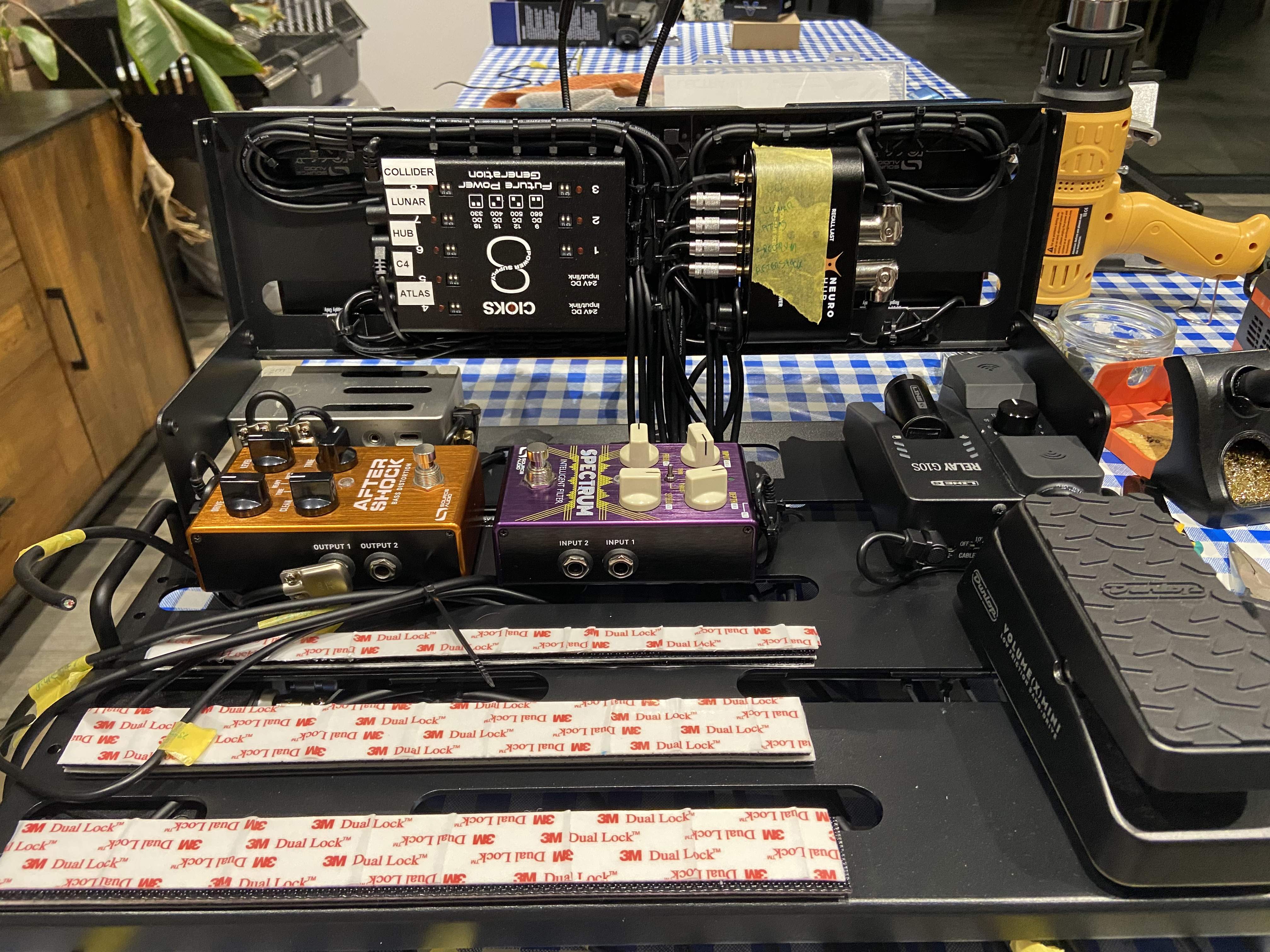
Speaking of hubs, I’m learning something with this board build, which is it might not be 100% worth it to customise your TRRS cables to exact lengths for neatness. Might be not entirely worth the time investment…

Today I listening to some presets for my Spectrum in the Cloud on my desktop. But the Neuro desktop app crashed two times. This on my new Mac Mini with Montery. I only crashed when checking the presets of the cloud not when I was making my own presets. Never had this before on my old iMac with an quite old OSX. Anyone familiar with this?
I uploaded a cool Spectrum preset by the way with the infamous Les Claypool sound of Buzzard of Greenhill. Think I got close...what do you think?
I uploaded a cool Spectrum preset by the way with the infamous Les Claypool sound of Buzzard of Greenhill. Think I got close...what do you think?
Today I listening to some presets for my Spectrum in the Cloud on my desktop. But the Neuro desktop app crashed two times. This on my new Mac Mini with Montery. Never had this before on my old iMac with an quite old OSX. Anyone familiar with this?
I uploaded a cool Spectrum preset by the way with the infamous Les Claypool sound of Buzzard of Greenhill. Think I got close...what do you think?
Link?
rsmith601
Commercial User
- Apr 14, 2009
- 4,461
- 8,356
- Disclosures
- CEO and Co-Founder, Source Audio

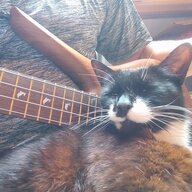
My cat apparently overheard me telling a friend I use the mouse to adjust most parameters on SA pedals instead of the knobs.
She was just trying to help.

She was just trying to help.
I am trying to plug 2 SA devices into a SA Tap Tempo switch, doe's anyone know if there is a 3.5mm to 1/4 jack lead that will work going into the 1/4 jack of the Tap Tempo?? (not the Neuro cable) Or would any standard 3.5mm to 1/4 lead work??
rsmith601
Commercial User
- Apr 14, 2009
- 4,461
- 8,356
- Disclosures
- CEO and Co-Founder, Source Audio
I don't think you can do this. The 1/4 port is intended for standard TRS switch applications. (such as on Nemesis, Ventris, Collider) The SA control port on the small pedals needs to have the TRRS port on the Tap Switch. The control port does so many things that we could not configure it like a standard TRS switch port.I am trying to plug 2 SA devices into a SA Tap Tempo switch, doe's anyone know if there is a 3.5mm to 1/4 jack lead that will work going into the 1/4 jack of the Tap Tempo?? (not the Neuro cable) Or would any standard 3.5mm to 1/4 lead work??
I don't think you can do this. The 1/4 port is intended for standard TRS switch applications. (such as on Nemesis, Ventris, Collider) The SA control port on the small pedals needs to have the TRRS port on the Tap Switch. The control port does so many things that we could not configure it like a standard TRS switch port.
Ok thanks for the info


I'd like to also try a SA tempo foot switch.
I have a UW and C4, both cabled to a SA exp pedal.
Can I cable a tempo switch to both pedals, to be able to utilise either for assigned presets? PLUS keep the exp pedal cabled UP..... PLUS keep USB connection for Neuro APP??
Thanks!
I have a UW and C4, both cabled to a SA exp pedal.
Can I cable a tempo switch to both pedals, to be able to utilise either for assigned presets? PLUS keep the exp pedal cabled UP..... PLUS keep USB connection for Neuro APP??
Thanks!
The tap tempo plugs into the top of the pedal like the exp pedal does so you won't be able to. Either one or the other. I like using the tap tempo with the C4. Basically every patch becomes "2 patches in one" with the tap tempo set up to control 3 parameters. Can get pretty wild as it's a momentary switch too hitting it on and off.


